









-
 Unlimited Activations
-
 Instant delivery
-
 Easy to install


 Unlimited Activations
Instant delivery
Easy to install
Unlimited Activations
Instant delivery
Easy to install
 Free Update
 Free Install Support

EuroStable EA MT4 is an automated Forex trading robot built specifically for EUR/USD on the M15 timeframe, designed for stable, long-term performance with low maintenance. It features dual trading modes, news filtering, grid and mild Martingale logic, auto-lot scaling, and fully customizable risk settings. The EA is crafted for traders who want consistent account growth, beginner-friendly setup, lifetime updates, and 24/7 support. Operating exclusively on MetaTrader 4, EuroStable EA provides a balanced approach between safe, conservative trading and higher-frequency opportunities through its two built-in strategy versions.
• Author: RobotForexPro
• Experience: Over +5 years of experience on MQL5.
• Notable Products: EuroStable EA, Smart Profit TrendPro EA, MultiPair EA, JapanStrike EA and other advisors.
• Flagship Product: EuroStable EA is rated as the best performing product of the year.
>> Join our Channel Telegram <<<
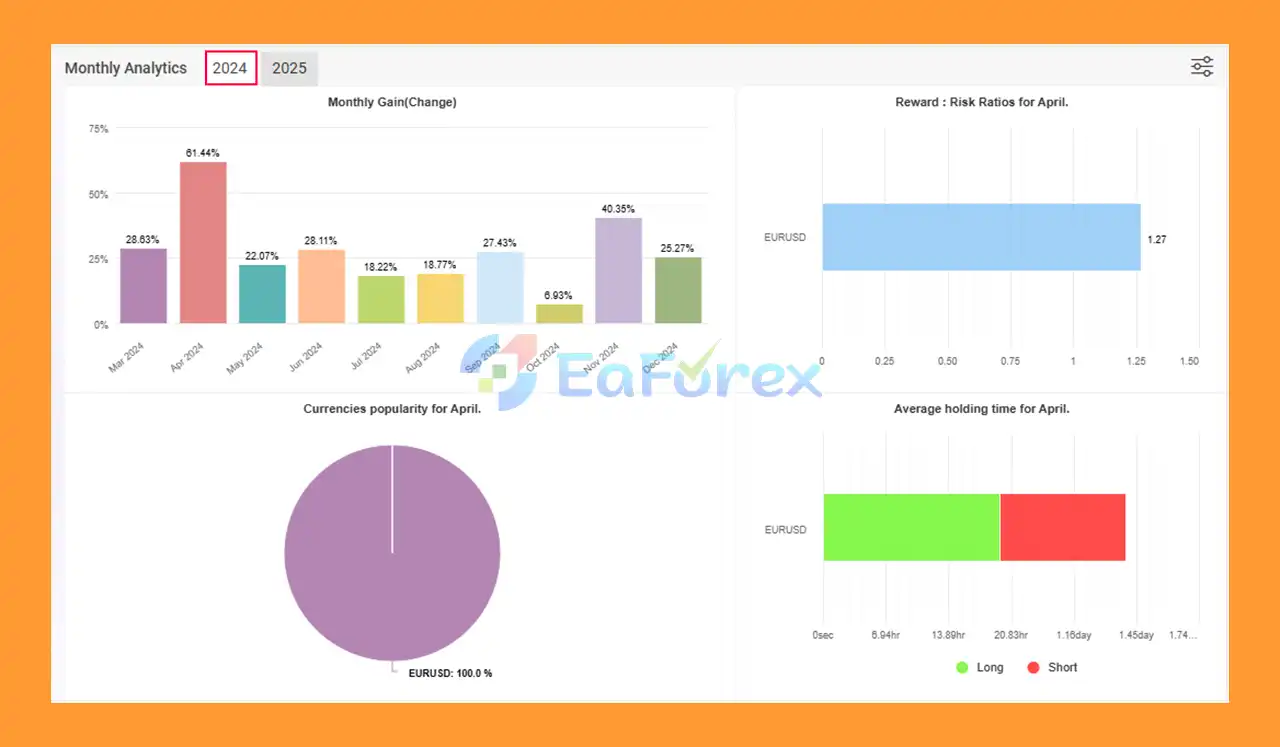
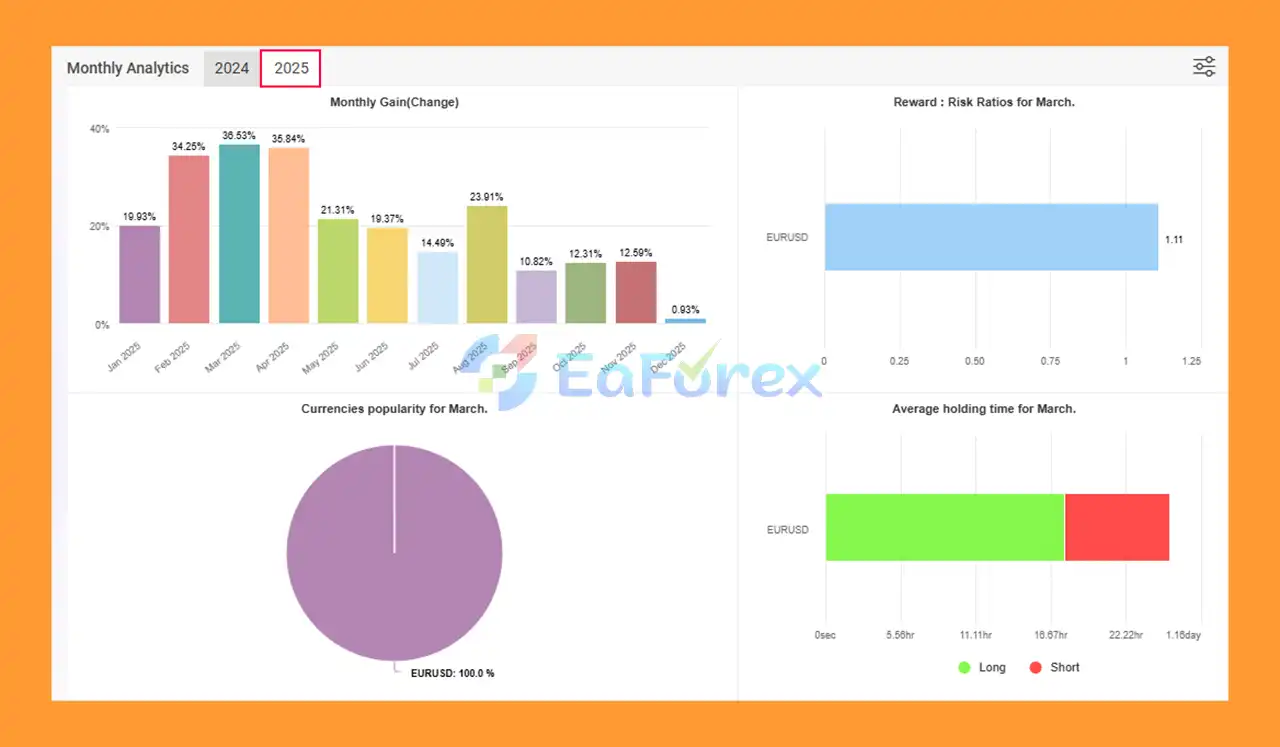
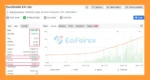
🔺EUR/USD – 12 consecutive months
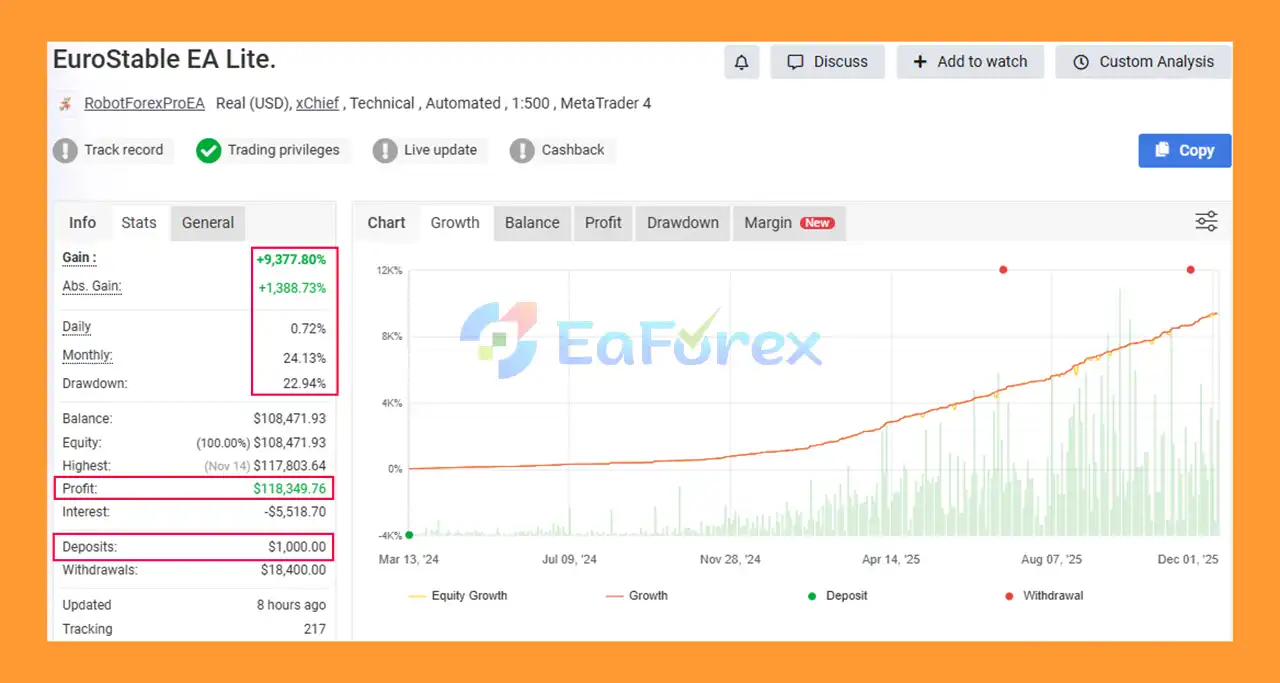
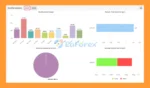
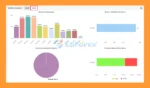
EuroStable EA MT4 Myfxbook Results
EuroStable EA Myfxbook
EuroStable EA MT4 Myfxbook
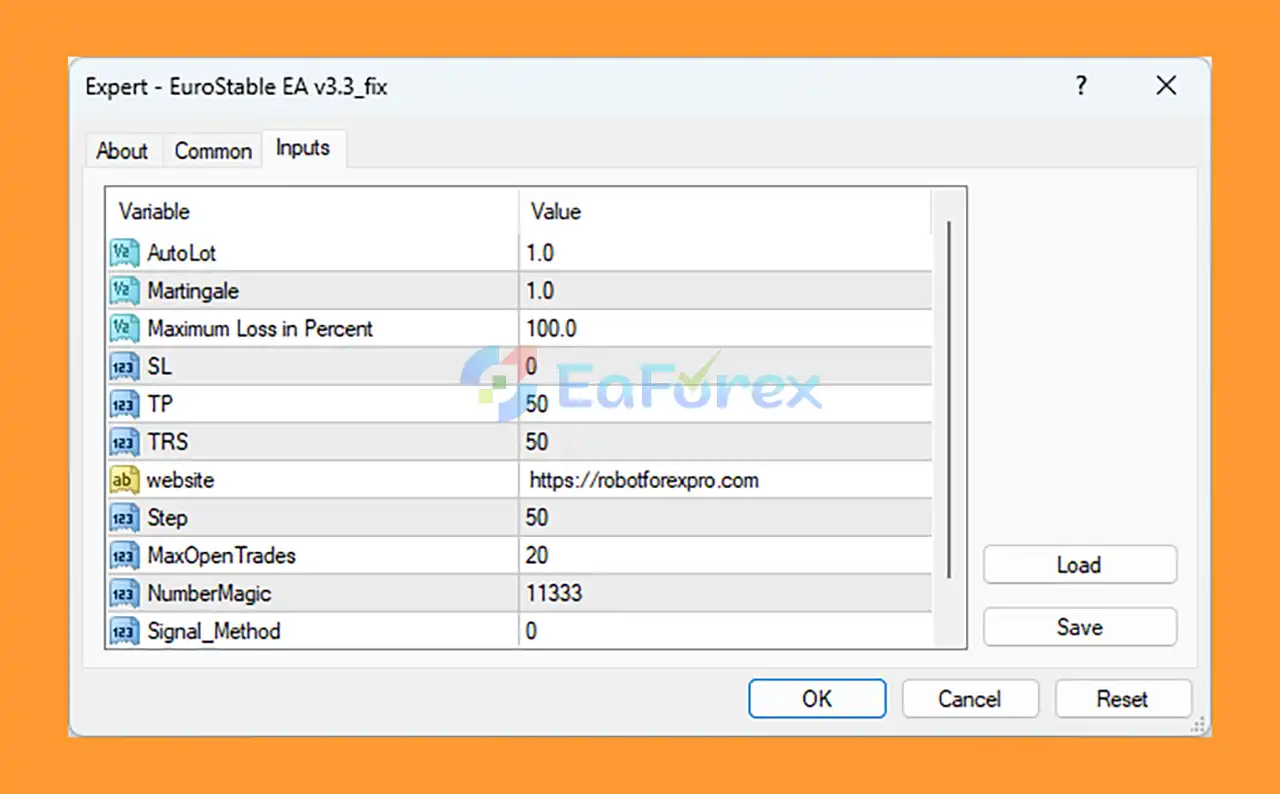
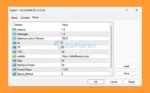
🟢Installing and configuring EuroStable EA MT4 is straightforward when the EA file is placed correctly in the MQL4 Experts folder and the input settings are applied exactly as shown. Parameters like AutoLot, Martingale, Step, MaxOpenTrades, and TP control the EA’s trading behavior, allowing you to manage risk and optimize performance. By following this guide, you ensure the EA runs smoothly, executes trades automatically, and maintains stable operation across market conditions.
🔺Step 1: Download the EA File
.ex4 or .mq4) from your provider or download page.🔺Step 2: Open MT4
🔺Step 3: Access the MQL4 Experts Folder
MQL4 → Experts🔺Step 4: Restart MT4
🔺Step 5: Enable Automated Trading
🔺Step 6: Attach EuroStable EA to a Chart
Setting
In summary, EuroStable EA MT4 is a EUR/USD-optimized automated trading system built on the M15 timeframe, offering stable long-term growth through dual trading modes, smart grid logic, mild Martingale recovery, and an integrated News Filter for safer operation. Designed for both beginners and advanced traders, it features auto-lot scaling, customizable risk parameters, and reliable compounding performance backed by verified Myfxbook results. With simple installation, lifetime updates, and 24/7 support, EuroStable EA MT4 provides a balanced, low-maintenance solution for consistent Forex profitability and disciplined account expansion.
>>> Reviewed by Jason Stap <<<
1. What is EuroStable EA MT4 and how does it work?
EuroStable EA MT4 is an automated trading robot built for EUR/USD on the M15 timeframe. It uses grid logic, mild Martingale recovery, auto-lot scaling, and a news filter to generate stable long-term growth with minimal manual intervention.
2. Which currency pair and timeframe should I use with EuroStable EA?
EuroStable EA is specifically optimized for EUR/USD and performs best on the M15 timeframe, ensuring balanced volatility, consistent signals, and safe grid expansion.
3. Does EuroStable EA MT4 use Martingale or Grid strategies?
Yes, it uses a controlled grid system combined with mild Martingale recovery. The multiplier is kept low to avoid aggressive lot jumps, making the strategy safer for long-term trading.
4. What is the recommended minimum deposit to run EuroStable EA MT4?
The EA can run with deposits as low as $200–$300, but for safer grid trading and long-term growth, a minimum of $500–$1,000 is recommended.
5. Is EuroStable EA suitable for beginners?
Yes. It includes beginner-friendly default settings, simple installation, and lifetime support. Users can start trading immediately without optimization.
6. Do I need a VPS to use EuroStable EA effectively?
A VPS is strongly recommended for stable 24/7 operation, continuous grid management, and protection against disconnections that may interrupt open trades.
7. Does EuroStable EA have a News Filter to avoid high-risk events?
Yes. The built-in News Filter pauses trading during major economic announcements, preventing grid escalation and improving long-term safety.
8. Can I adjust the risk level, grid spacing, and Martingale multiplier?
Absolutely. EuroStable EA allows full customization of Step, Martingale multiplier, TP, MaxOpenTrades, AutoLot, and other risk settings to match any trading style.
9. Is the EA’s performance verified by a trusted third-party like Myfxbook?
Yes. EuroStable EA MT4 is verified by Myfxbook, showing consistent long-term growth, controlled drawdown, and over 12 months of profitable EUR/USD trading results.
10. Can EuroStable EA run alongside other Expert Advisors on the same account?
Yes. As long as each EA uses a unique Magic Number, EuroStable EA can operate safely without interfering with other trading robots.
In stock
In stock
In stock
In stock
In stock
In stock
No account yet?
Create an Account









 Automatic EA
 EA Best Seller
 Expert Advisor MT4
 Expert Advisor MT5
 HFT EA


Reviews
Clear filtersThere are no reviews yet.