









-
 Unlimited Activations
-
 Instant delivery
-
 Easy to install




 Unlimited Activations
Instant delivery
Easy to install
Unlimited Activations
Instant delivery
Easy to install
 Free Update
 Free Install Support

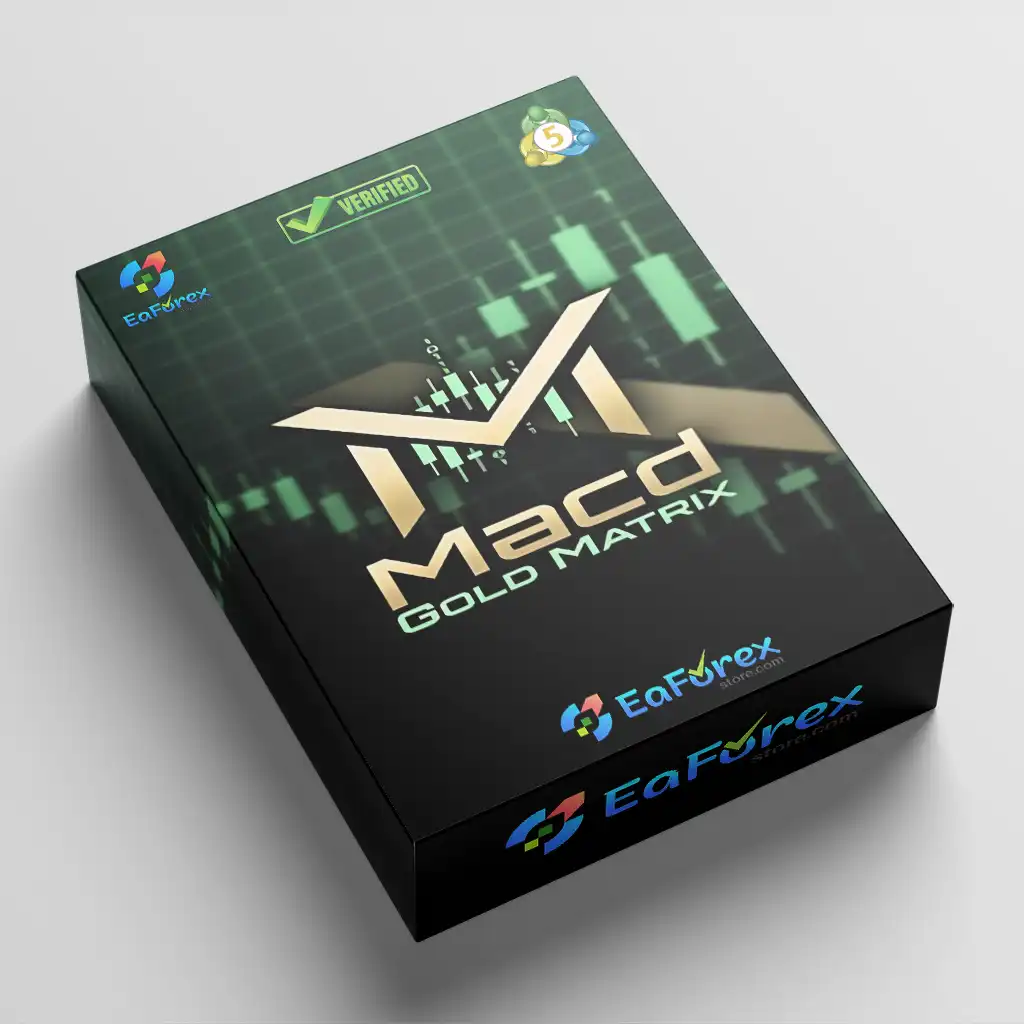
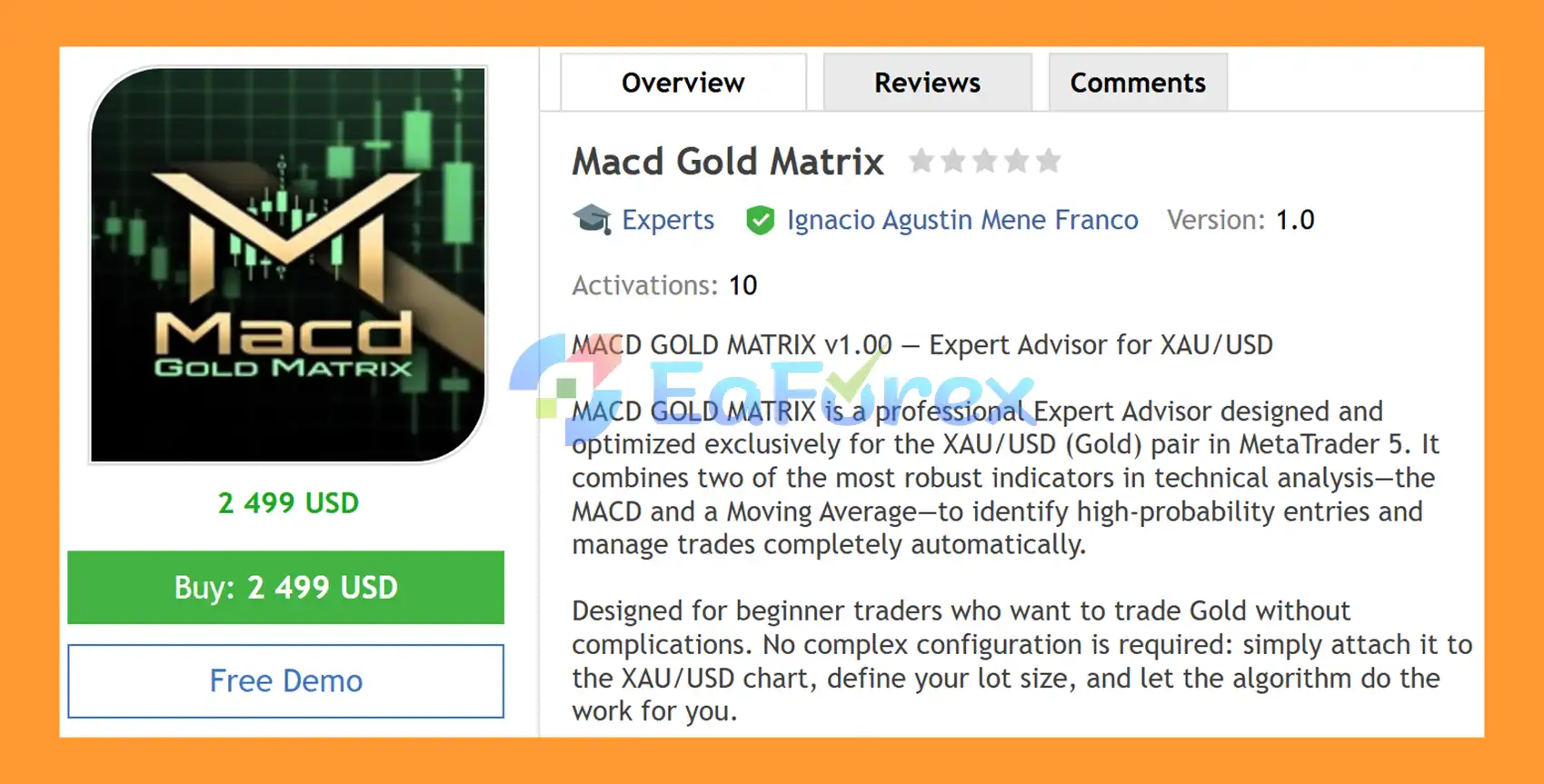
MACD Gold Matrix EA MT5 is a professional automated Gold Trading Expert Advisor for MetaTrader 5, designed and optimized specifically for XAU/USD (Gold). The EA combines the Moving Average Convergence Divergence (MACD) indicator with a configurable Moving Average (MA) to identify potential market entries and manage trades automatically.
The strategy uses a dual-confirmation approach. MACD helps identify the prevailing momentum and trend direction, while the Moving Average confirms whether price is positioned on the appropriate side of the trend filter. When both conditions align, the EA can place Buy Stop or Sell Stop pending orders according to the configured parameters.
Designed with simplicity in mind, MACD Gold Matrix EA MT5 can be suitable for traders who want automated Gold trading without complicated manual analysis. Users can attach the EA to an XAUUSD chart, configure their preferred lot size and risk settings, and allow the algorithm to manage the trading process.
The EA also includes grid management, trailing stop, break-even, automatic profit closure, spread filtering, time filtering, and a real-time trading dashboard, providing a complete automated framework for XAUUSD trading.
>> Delivery time 24h-48h after payment.
>>> Refund if not delivered.
>>> You will receive the latest version without any limitations (ID+Time).>>Reviewed by Jason Stap <<
Macd Gold Matrix EA MT5 Overview
MACD Gold Matrix EA MT5 combines two widely used technical-analysis tools:
Using both indicators as a confirmation filter can help reduce trades generated from isolated signals.
Instead of relying exclusively on immediate market execution, the EA can place Buy Stop and Sell Stop pending orders when the MACD and Moving Average conditions indicate a potential directional setup.
The EA includes a configurable grid system that can place additional pending orders according to the selected grid distance and maximum-order settings.
Users can configure parameters such as:
The built-in trailing mechanism can dynamically adjust protection as a position moves into profit. An aggressive trailing option is also available to help lock in gains according to the selected configuration.
The EA can automatically move a position toward break-even after the configured profit condition is reached, helping reduce exposure after a favorable market movement.
Users can define an automatic pip-based profit target, allowing the EA to close trades when the configured objective is reached.
The integrated spread filter helps prevent new entries when the current market spread exceeds the maximum level defined by the user.
This can be particularly useful when trading Gold during periods of increased volatility or less favorable liquidity.
The configurable time filter allows users to define when the EA is permitted to open new trades.
MACD Gold Matrix EA MT5 includes a visual dashboard displaying important account and market information, including:
The dashboard provides a convenient way to monitor the EA directly from the XAUUSD chart.
The EA supports different position-sizing approaches, including:
This allows traders to adjust position sizing according to their preferred account-management approach.
The EA features a distinctive Matrix-inspired visual design with a dark green background and blue/orange candlesticks, giving the trading panel a recognizable appearance while keeping key information visible on the chart.
The trading process is based primarily on MACD and Moving Average confirmation.
The EA monitors the MACD using the default 12/26/9 configuration, although the MACD parameters can be adjusted according to the user’s preferences.
MACD is used to evaluate the current momentum and potential direction of the market.
The EA also checks the relationship between the current Gold price and the configured EMA Moving Average.
This provides a second layer of confirmation before a potential trade is considered.
When the MACD direction and Moving Average condition align, the EA identifies a potential trading setup.
This dual-filter approach is designed to avoid relying on a single technical signal.
Once the required conditions are satisfied, the EA can place:
The distance and number of pending orders are controlled by the configured grid parameters.
After an order is triggered, the EA automatically manages the trade according to the selected settings.
Management tools can include:
Before opening new positions, the EA can apply the configured spread and time filters.
This helps restrict trading during conditions that do not meet the user’s predefined requirements.
MACD Gold Matrix EA MT5 focuses on a relatively straightforward technical concept: combining MACD momentum confirmation with a Moving Average trend filter.
This makes the system easier to understand than many automated strategies that depend on numerous indicators or highly complex analytical models.
Key characteristics include:
For traders who prefer a simple technical framework for automated Gold trading, the EA provides a combination of signal filtering and automated position management in one MT5 system.
🔺Gold (XAUUSD) – over many years
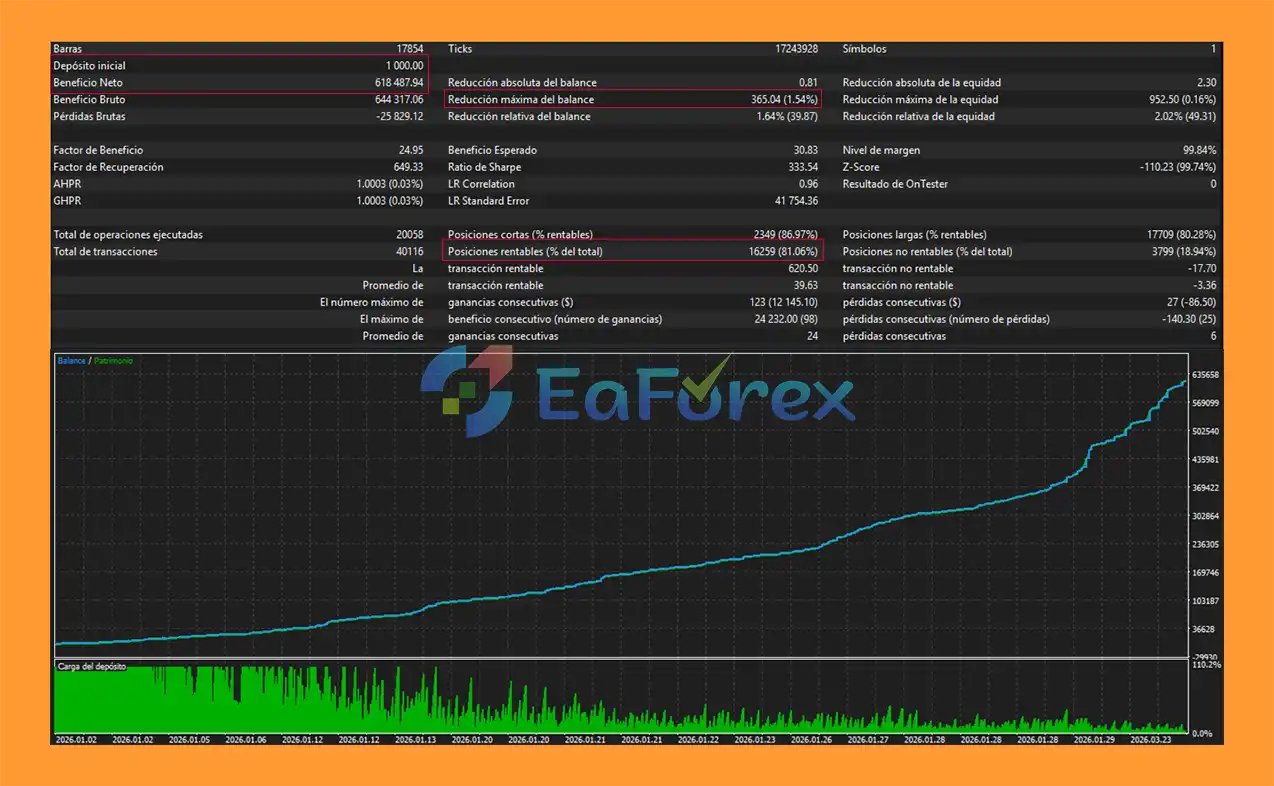
Macd Gold Matrix EA MT5 Backtets
MACD Gold Matrix EA MT5 includes several features designed to help control trade exposure and manage open positions.
Users can choose between a fixed lot size and percentage-based position sizing.
Fixed lot trading provides consistent order volume, while percentage-based sizing can adjust the position size according to account balance.
A configurable Stop Loss in pips can be applied to trades to define the maximum intended loss for a position.
Because the EA includes a grid system, users can define:
These parameters are important because additional orders can increase total market exposure.
The automatic break-even feature can move trade protection toward the entry level after the configured target is reached.
The dynamic trailing mechanism can follow favorable price movements and adjust protection as the trade progresses.
The automatic close-by-pips function allows traders to specify a target at which the EA can close positions.
The spread filter can prevent entries when the current spread is above the user’s predefined maximum.
The time filter allows traders to restrict the EA’s trading activity to selected market sessions or hours.
Important: Risk-management settings should always be tested under the actual broker conditions before being used on a live account.
Although MACD Gold Matrix EA MT5 includes multiple trade-management features, automated trading remains subject to market risk.
The grid component can increase the number of open positions when price moves against the initial trade. Prolonged one-directional movements can therefore increase floating drawdown and margin requirements.
XAUUSD can experience rapid price movements, particularly around major economic announcements, central-bank decisions, geopolitical events, and changes in market liquidity.
A strategy that performs well under one volatility regime may behave differently under another.
MACD and Moving Average indicators are based on historical price data. They can react after a market movement has already started and may generate false signals during sideways or rapidly changing market conditions.
Although the EA includes a spread filter, actual execution can still be affected by:
Historical backtest results should not be considered a guarantee of future live performance. Differences in historical data quality, spread, commissions, slippage, and broker execution can produce different results in real trading.
Higher leverage can increase available trading capacity but can also amplify account exposure. Traders should select lot sizes and grid settings according to their actual account equity and risk tolerance.
Gold contract specifications, minimum lot sizes, spreads, execution policies, and symbol naming can differ between brokers. Always verify that the broker’s XAUUSD specifications are compatible with the EA.
Demo testing is strongly recommended before deploying MACD Gold Matrix EA MT5 on a live account.
Obtain the MACD Gold Matrix EA MT5 file and make sure MetaTrader 5 is installed on your computer or VPS.
In MetaTrader 5, select:
File → Open Data Folder → MQL5 → Experts
Copy the EA file into the Experts folder.
Restart MT5 or open the Navigator panel and refresh the Expert Advisors section.
The MACD Gold Matrix EA should then appear in the list.
Open an XAUUSD / Gold chart.
The recommended timeframes are:
Drag MACD Gold Matrix EA MT5 onto the XAUUSD chart.
Make sure Algo Trading is enabled in MetaTrader 5.
Review the main settings, including:
Before using real funds, run the EA through the MT5 Strategy Tester and test it on a demo account.
Pay particular attention to:
If you want the EA to operate continuously, running MetaTrader 5 on a stable VPS can help maintain uninterrupted platform and EA operation.
For initial evaluation, consider the following configuration:
Platform: MetaTrader 5
Symbol: XAUUSD / Gold
Timeframe: M5 or M15
Strategy: MACD + EMA
Order Type: Buy Stop / Sell Stop
Risk: Conservative initial settings
Suggested Minimum Deposit: $1,000
Testing: Demo account before live deployment
Execution: Reliable broker with competitive Gold trading conditions
In summary, MACD Gold Matrix EA MT5 is an automated XAUUSD Gold Expert Advisor for MetaTrader 5 that uses a straightforward combination of MACD momentum analysis and EMA trend confirmation to identify potential trading setups. Its automated Buy Stop and Sell Stop execution allows the EA to handle entries and trade management without requiring constant manual intervention.
Beyond its core strategy, the EA provides useful management tools including grid trading, Stop Loss, Take Profit, break-even, dynamic trailing stop, spread filtering, time controls, and flexible lot sizing. The real-time dashboard also makes it easier to monitor account and market information directly from the XAUUSD chart.
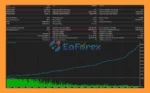
The reported multi-year backtest results of $618,487.94 net profit, 81.06% win rate, and 1.54% maximum drawdown are historical results and should not be interpreted as guarantees of future performance. Actual live results can vary due to Gold volatility, spreads, slippage, execution quality, broker conditions, leverage, and the selected EA configuration.
For traders looking for a simple MACD-based Gold trading EA with automated pending orders and configurable trade management, MACD Gold Matrix EA MT5 provides a structured approach to automated XAUUSD trading. Because the system includes grid functionality, careful position sizing and exposure management are particularly important. Backtesting and demo forward testing are recommended before deploying the EA on a live account.
1. What is MACD Gold Matrix EA MT5?
MACD Gold Matrix EA MT5 is an automated Expert Advisor for MetaTrader 5 designed specifically for trading XAU/USD (Gold). It uses the MACD indicator combined with a Moving Average filter to detect trend direction and generate high-probability trading signals.
2. How does MACD Gold Matrix EA MT5 work?
The EA analyzes MACD (12, 26, 9) momentum shifts and confirms trend direction using a Moving Average filter. It only executes trades when both indicators align in the same direction to improve accuracy.
3. What makes MACD Gold Matrix EA MT5 different from other EAs?
Unlike many systems, this EA focuses on simplicity and confirmation-based trading. It uses a dual-indicator system (MACD + Moving Average) and avoids low-quality trades through strict trend alignment rules.
4. Which market and timeframe is MACD Gold Matrix EA MT5 designed for?
The EA is specifically optimized for trading Gold (XAU/USD). It is designed for intraday trading conditions on MetaTrader 5 and works best in trending market environments.
5. What indicators does MACD Gold Matrix EA MT5 use?
It uses two main indicators: MACD (12/26/9) for momentum and Moving Averages (EMA filter) for trend confirmation.
6. What risk management features does MACD Gold Matrix EA MT5 include?
It includes fixed stop loss, take profit automation, trailing stop, break-even protection, spread filters, time filters, and optional grid logic to ensure controlled trading risk.
7. Does MACD Gold Matrix EA MT5 use a grid system?
Yes, it uses a structured grid-based pending order system (Buy Stop and Sell Stop) to confirm breakout direction before entering trades.
8. What are the backtest results of MACD Gold Matrix EA MT5?
Backtests show strong performance with an initial deposit of $1,000 generating approximately $618,487 in net profit, an 81.06% win rate, and a maximum drawdown of 1.54%.
In stock
In stock
In stock
In stock
In stock
Out of stock
No account yet?
Create an Account












 Automatic EA
 EA Best Seller
 Expert Advisor MT4
 Expert Advisor MT5
 HFT EA


Reviews
Clear filtersThere are no reviews yet.