









-
 Unlimited Activations
-
 Instant delivery
-
 Easy to install





 Unlimited Activations
Instant delivery
Easy to install
Unlimited Activations
Instant delivery
Easy to install
 Free Update
 Free Install Support

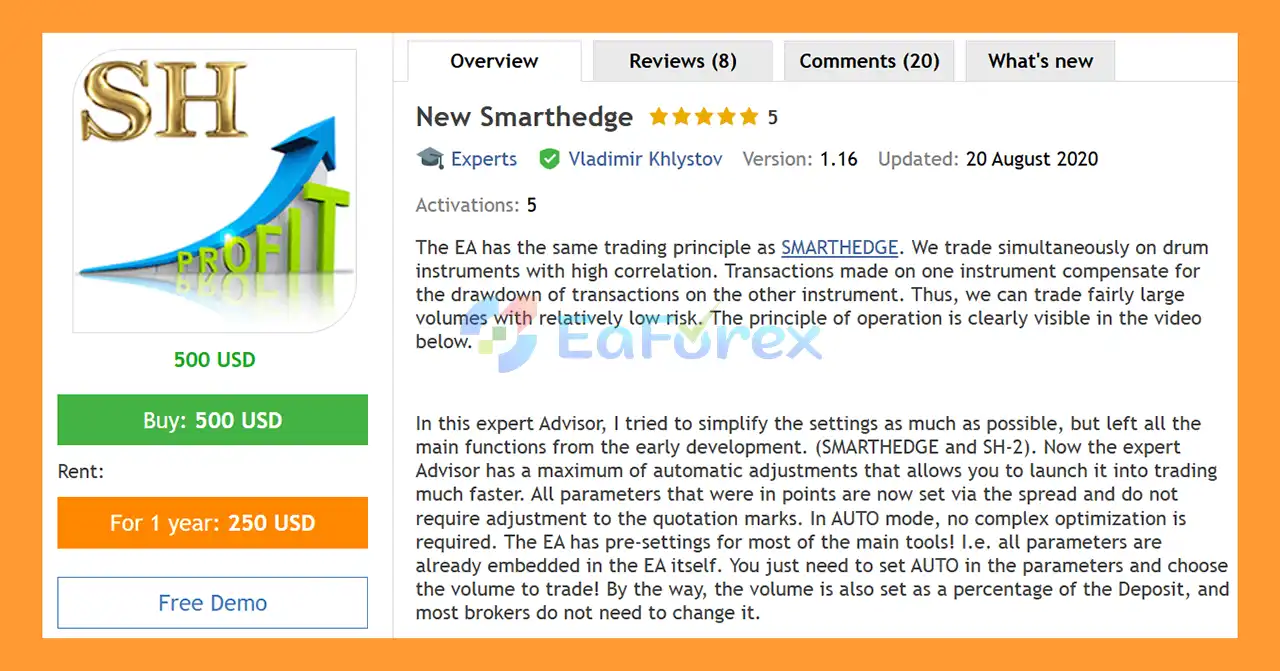
New Smarthedge EA MT5 is an automated hedging Expert Advisor for MetaTrader 5 based on the same core trading principle as the original SMARTHEDGE system and SH-2 development.
The EA simultaneously trades two highly correlated instruments, using the relationship between their price movements to manage exposure. When one instrument experiences drawdown, positions on the other instrument are designed to help compensate for part of that movement.
This paired-trading approach is intended to provide a more balanced exposure than trading a single instrument independently. The system can therefore be configured to trade relatively larger volumes while attempting to keep overall risk under control. However, correlation can change or break down, so the strategy should not be considered risk-free.
One of the main improvements in the New Smarthedge EA MT5 is its simplified configuration. The developer has retained the core functions from earlier versions while introducing a much higher level of automatic parameter adjustment.
In AUTO mode, the EA comes with built-in presets for many major instruments. Instead of manually optimizing numerous point-based parameters, users can simply select AUTO mode and specify the desired trading volume.
The EA also supports percentage-based volume settings, which can make position sizing easier across different account sizes and broker specifications.
>> Delivery time 24h-48h after payment.
>>> Refund if not delivered.
>>> You will receive the latest version without any limitations (ID+Time).>>Reviewed by Jason Stap <<
New Smarthedge EA MT5 simultaneously trades instruments with a high historical correlation.
The basic concept is to create positions across the correlated instruments so that movement in one position can potentially offset part of the drawdown in another.
The EA follows the same fundamental trading concept used in the original SMARTHEDGE system, while incorporating improvements from previous development versions such as SH-2.
The goal is to preserve the core strategy while making the EA easier to configure and deploy.
The developer has simplified the configuration as much as possible without removing the main functions of the earlier systems.
This makes the EA more accessible to traders who do not want to spend significant time manually optimizing dozens of parameters.
One of the most important features is the EA’s automatic adjustment system.
Many parameters that previously required manual configuration in points are now calculated or adjusted according to spread-related conditions, reducing the need to adapt settings manually to different quotation specifications.
The AUTO mode is designed to make setup significantly easier.
When AUTO mode is selected, the EA uses built-in parameters and presets for many of the main supported instruments.
In many cases, the user only needs to:
This reduces the need for complex optimization before deployment.
The EA contains predefined settings for many major instruments.
Instead of manually searching for optimized values for every instrument, the built-in presets provide a starting configuration designed for the corresponding trading environment.
New Smarthedge EA MT5 allows trading volume to be configured as a percentage of account deposit/balance, depending on the selected settings.
This can simplify money management because the user does not necessarily need to manually calculate lot sizes every time the account balance changes.
Because the strategy uses positions across correlated instruments, the EA is designed around the possibility of trading relatively larger volumes while attempting to balance exposure between the paired instruments.
However, larger nominal volume does not automatically mean lower financial risk. If correlation weakens or market conditions change unexpectedly, losses can increase rapidly.
The basic trading process can be summarized in several stages.
The EA operates on instruments that have a sufficiently strong relationship or correlation.
Instead of relying exclusively on the movement of one market, the system considers the relationship between the selected instruments.
When the trading conditions are satisfied, the EA opens positions across the correlated instruments.
The positions are structured so that movement in one instrument can potentially compensate for unfavorable movement in the other.
After positions are opened, the EA monitors the behavior of both instruments.
The objective is not simply to predict whether one market will rise or fall. Instead, the system focuses on the relative movement between correlated instruments.
The EA can automatically adjust relevant parameters according to its built-in logic and selected mode.
This is particularly important in AUTO mode, where many settings are already embedded in the EA.
Rather than evaluating each position completely independently, the strategy considers the combined exposure of the correlated instruments.
This allows the system to manage the hedge as a broader trading structure.
New Smarthedge EA MT5 may be suitable for traders who are interested in correlation-based hedging strategies rather than traditional single-symbol trading.
Its main advantages include:
The AUTO mode is particularly useful for users who want a faster setup process without spending significant time optimizing every parameter manually.
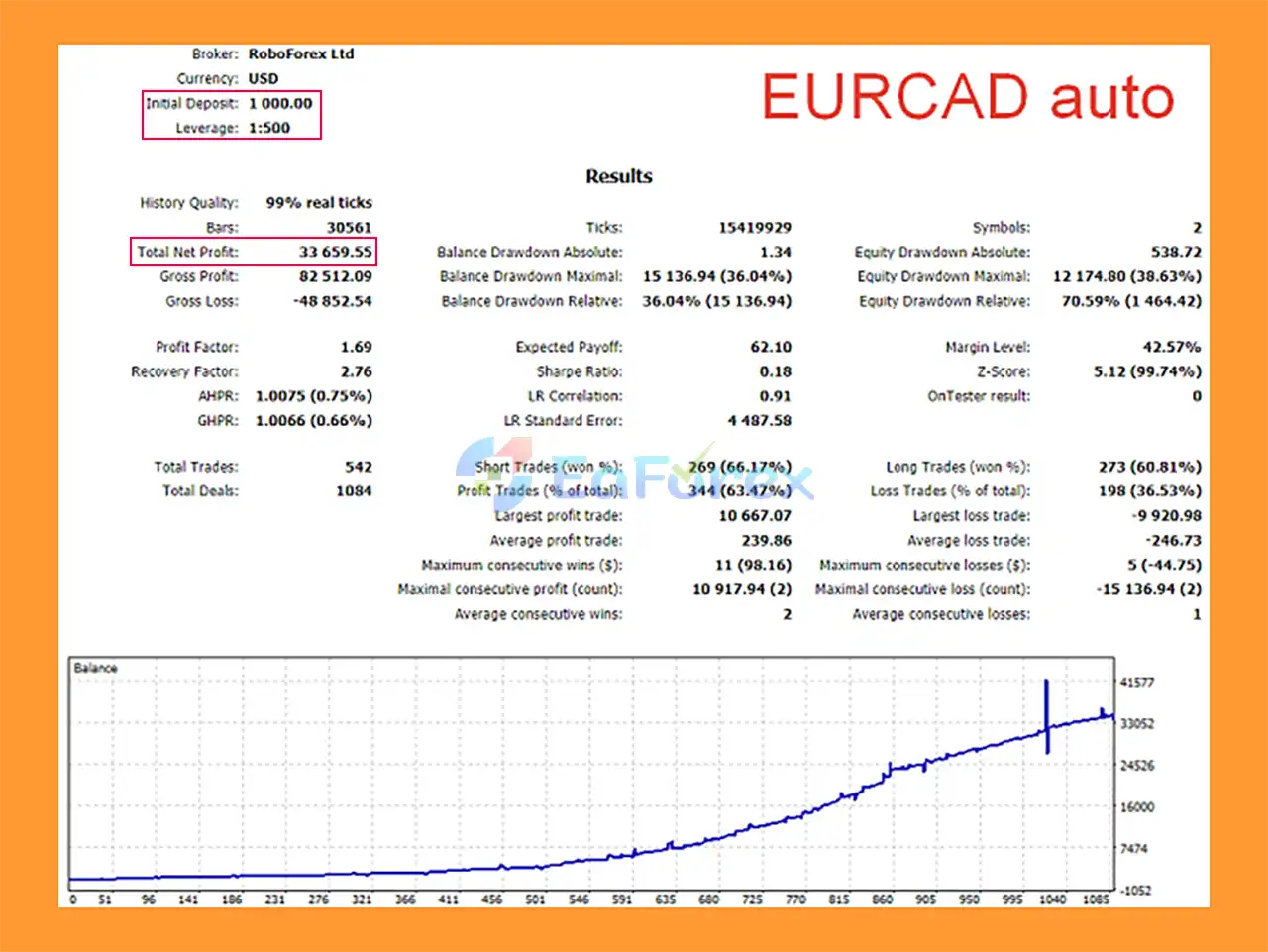
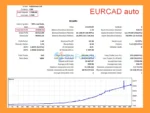
🔺EURCAD pair – 6 months
New Smarthedge EA MT5 Backtest
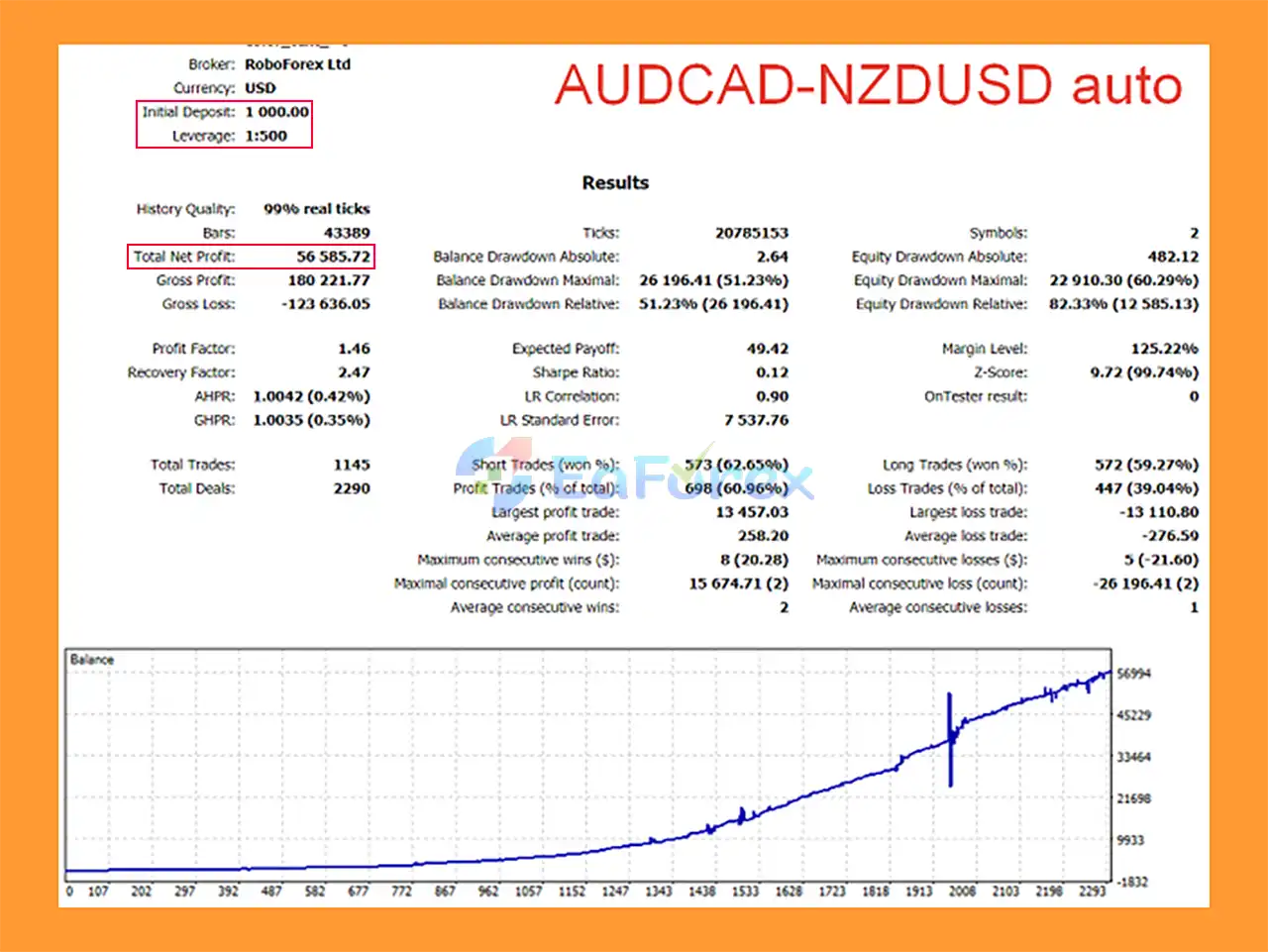
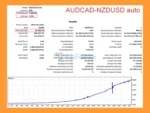
🔺AUDCAD & NZDUSD pair – 6 months
New Smarthedge EA MT5 Backtests
The core risk-management concept of New Smarthedge EA MT5 comes from diversifying exposure across correlated instruments.
When two instruments maintain a strong correlation, an unfavorable movement in one position may be partially offset by the movement of the other position.
However, correlation is not constant.
Market relationships can change because of:
Therefore, the hedging mechanism should be viewed as a method of risk distribution, rather than a guarantee that losses will be eliminated.
The EA supports volume configuration based on a percentage of the account deposit/balance, helping simplify position sizing.
Users should still select conservative exposure and verify how the percentage setting translates into actual lots with their broker.
AUTO mode reduces the need for manual optimization by using built-in parameters and instrument presets.
This can simplify deployment, but traders should still verify the EA on a demo account because broker conditions can affect execution and results.
The biggest structural risk of this type of strategy is correlation breakdown.
Two instruments that normally move together may temporarily diverge significantly. If this happens while relatively large positions are open, the expected hedge may become less effective.
For the best understanding of how the EA behaves, users should first test it under their actual broker conditions.
Important factors include:
A demo test is recommended before using the EA with real funds.
Although New Smarthedge EA MT5 is designed to reduce directional exposure through correlated instruments, it is not a risk-free hedging system.
The strategy depends heavily on the relationship between the selected instruments. Historical correlation does not guarantee that the same relationship will continue in the future.
The ability to trade relatively large volumes can increase margin consumption and account sensitivity to adverse price movements.
During major news events or abnormal market conditions, normally correlated instruments may move differently or experience temporary liquidity problems.
Because the EA may open positions on multiple instruments, spread, commission and slippage can have a meaningful impact on overall performance.
Results can vary between brokers because of different spreads, execution conditions, contract specifications and trading sessions.
Like all automated trading systems, the EA can experience losses. Historical or backtested performance should not be interpreted as a guarantee of future results.
| Pros | Cons |
|---|---|
| Based on the SMARTHEDGE trading principle | Depends on correlation between instruments |
| Trades correlated instruments simultaneously | Correlation can weaken or break down |
| Simplified configuration | Large volume can increase margin requirements |
| AUTO mode reduces manual optimization | Broker conditions can affect results |
| Built-in instrument presets | Spread and slippage remain important |
| Automatic parameter adjustment | Market conditions can change |
| Percentage-based volume settings | Not a risk-free hedging system |
| Designed for MetaTrader 5 | Requires appropriate instrument selection |
Install and log in to your MetaTrader 5 trading account.
Place the EA file in the appropriate MT5 Expert Advisors directory or install it through the relevant distribution method provided by the developer.
Open the Navigator panel and locate New Smarthedge EA MT5 under Expert Advisors.
Set up the correlated instruments recommended for the EA.
Because the strategy depends on the relationship between instruments, selecting appropriate pairs is important.
For the simplest setup, enable AUTO mode.
The EA’s built-in presets and automatic adjustments are intended to reduce the need for complex manual optimization.
Choose the desired volume or percentage-based money-management setting.
Avoid excessive exposure, especially when using a small account.
Attach the EA to the required charts and enable Algo Trading/AutoTrading in MetaTrader 5.
Before moving to a live account, test the system on a demo account and monitor:
🔺New Smarthedge EA is highly appreciated by the MQL5 community for bringing stable and reliable profits. Below are 5 star reviews from users:
In summary, New Smarthedge EA MT5 takes the core concept of the original SMARTHEDGE system and combines it with a simplified configuration process and a higher level of automatic adjustment.
Its main idea is to trade highly correlated instruments simultaneously, using the relationship between them to balance exposure and potentially reduce the impact of drawdown on individual positions. The addition of AUTO mode, built-in presets, automatic parameter adjustment and percentage-based volume settings makes the system considerably easier to configure than a strategy that requires extensive manual optimization.
At the same time, traders should understand that correlation-based trading does not eliminate risk. Correlations can change, markets can diverge, and large trading volumes can increase margin requirements and losses when the hedge does not behave as expected.
For this reason, New Smarthedge EA MT5 is best approached as an automated correlation and hedging strategy, with careful attention to position sizing, broker conditions and actual drawdown behavior rather than assuming that the hedge guarantees low-risk returns.
1. What is New Smarthedge EA MT5 and how does it work?
New Smarthedge EA MT5 is an automated hedging Expert Advisor designed for MetaTrader 5. It uses a correlation-based trading strategy to open positions on highly correlated currency pairs. The system balances floating losses and profits between paired instruments, helping stabilize equity and control overall risk exposure without using grid or martingale methods.
2. Is New Smarthedge EA MT5 safe for long-term trading?
Yes, New Smarthedge EA MT5 is built with a low drawdown trading approach. It avoids high-risk recovery strategies such as martingale, grid systems, and aggressive averaging. Instead, it applies structured hedging and smart drawdown compensation logic, making it suitable for disciplined, long-term automated trading.
3. Does New Smarthedge EA MT5 use martingale or grid strategies?
No. Unlike many high-risk EAs, New Smarthedge EA MT5 does not use martingale, grid trading, or dangerous lot multiplication techniques. It focuses on correlation hedging and balanced exposure between trading pairs to maintain controlled risk.
4. What trading pairs does New Smarthedge EA MT5 support?
The EA includes built-in smart presets for many major Forex pairs such as:
EURUSD – USDCHF
GBPUSD – EURUSD
AUDCAD – NZDUSD
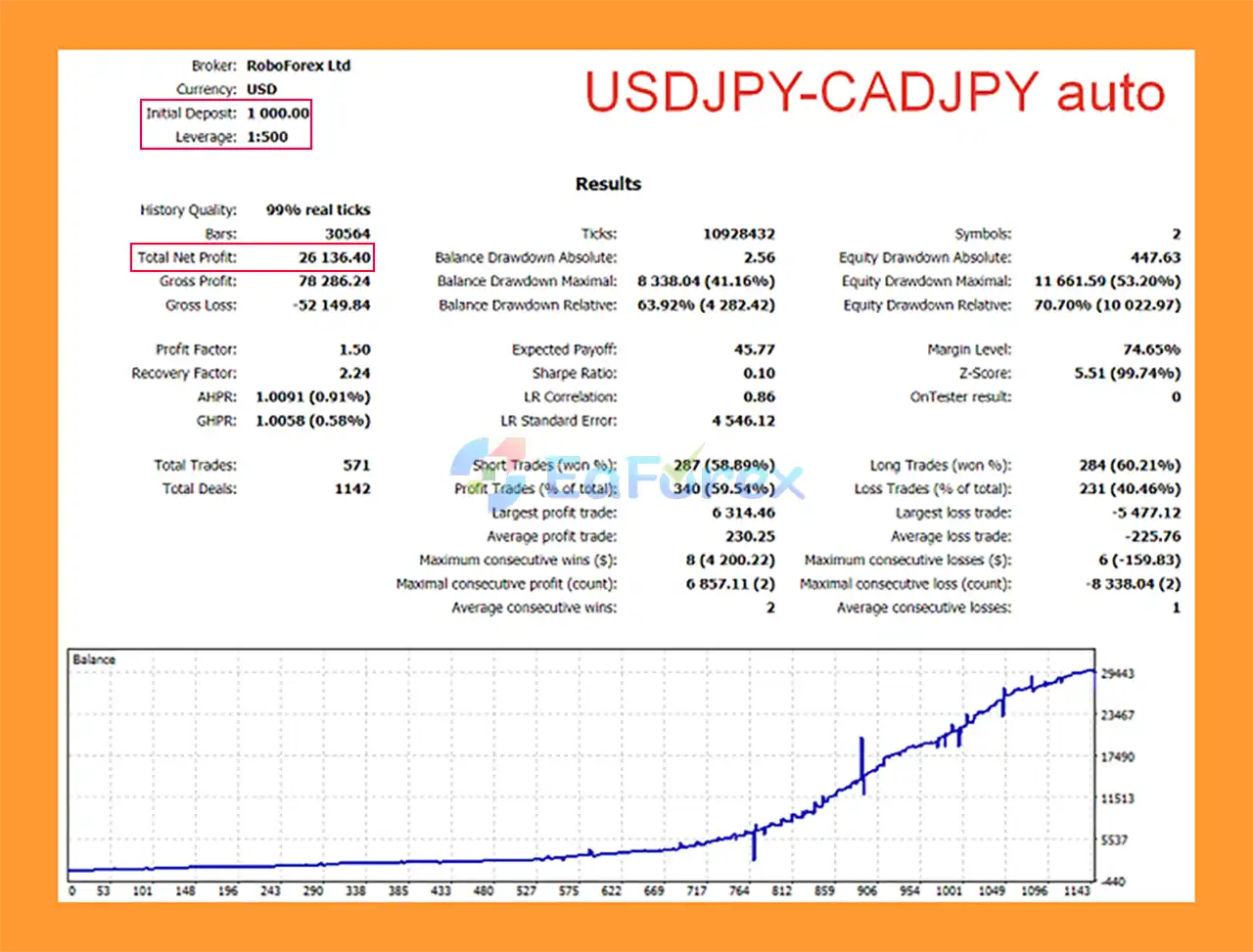
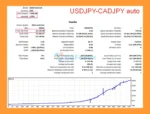
USDJPY – CADJPY
EURJPY – CHFJPY
GOLD – SILVER
These preset files allow traders to quickly deploy the EA without complex optimization.
5. How much deposit is recommended for New Smarthedge EA MT5?
The EA uses deposit-based lot calculation, meaning it automatically adjusts lot size based on account balance. While backtests were performed with a $1,000 initial deposit, traders can start with different capital levels depending on their risk tolerance and broker conditions.
6. What are the backtest results of New Smarthedge EA MT5?
According to published backtests:
EURCAD (6 months)
Initial Deposit: $1,000
Net Profit: $33,659.55
Maximum Drawdown: 36.04%
AUDCAD & NZDUSD (6 months)
Initial Deposit: $1,000
Net Profit: $56,585.72
Maximum Drawdown: 51.23%
Results may vary depending on broker conditions, spreads, and market volatility.
7. Is New Smarthedge EA MT5 beginner-friendly?
Yes. The EA includes an AUTO mode activation, allowing traders to start trading without advanced optimization or complex parameter adjustments. Its simplified interface and built-in presets make it accessible even for beginners.
8. Does New Smarthedge EA MT5 work with all brokers?
The EA is designed with broker-adaptive configuration, meaning it works with most MT5 brokers without requiring symbol-specific modifications. Its spread-based parameter system automatically adjusts trading logic according to broker spreads.
In stock
In stock
In stock
In stock
In stock
Out of stock
No account yet?
Create an Account












 Automatic EA
 EA Best Seller
 Expert Advisor MT4
 Expert Advisor MT5
 HFT EA


Reviews
Clear filtersThere are no reviews yet.