Product Overview
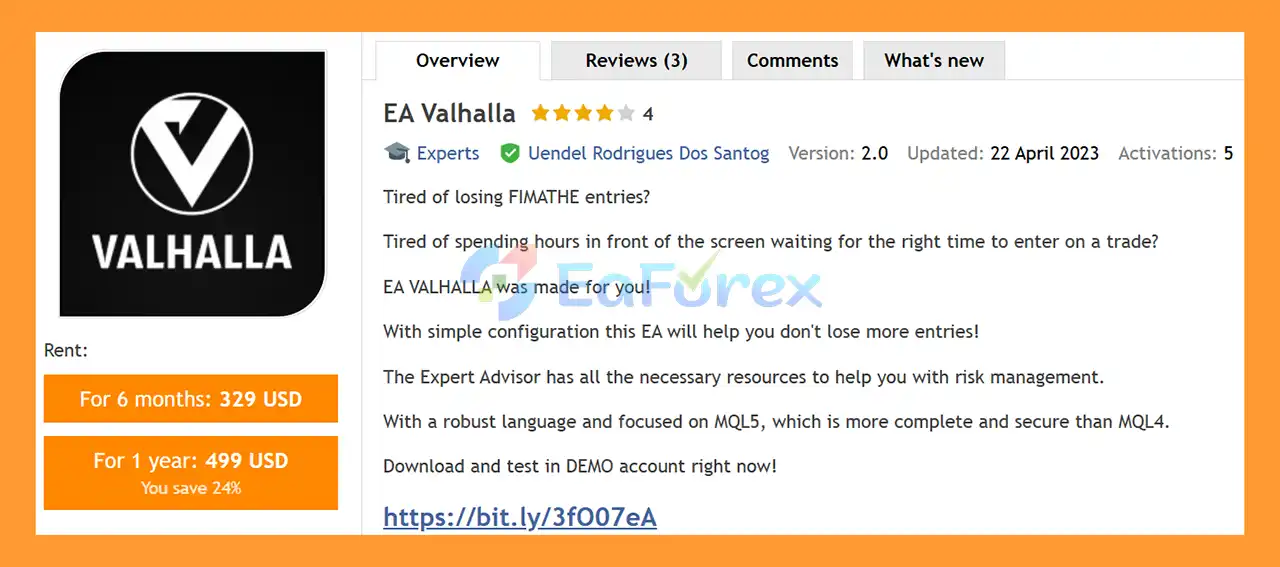
EA Valhalla MT5 is a flexible semi-automated Expert Advisor for MetaTrader 5 designed for traders who use the Fimathe trading strategy and want to automate key parts of their trade execution and risk management.
Instead of spending hours watching the chart and waiting for a suitable entry, EA Valhalla MT5 helps traders manage Fimathe-based setups according to predefined rules. The EA can assist with entries, Stop Loss, Take Profit, position sizing, partial closing, BreakEven, Trailing Stop, trading schedules, and daily or weekly trading limits.
EA Valhalla MT5 is built specifically for MQL5 and MetaTrader 5 and supports multi-currency trading, allowing traders to monitor and operate across a large number of currency pairs simultaneously.
Importantly, EA Valhalla is not a fully autonomous trading system. The developer states that users should understand the Fimathe strategy and configure the EA according to their individual trading approach. Because Fimathe can be applied in different ways, no universal preset is provided.
About the Developer
- Author: Uendel Rodrigues Dos Santog
- Experience: Over +5 years of experience on MQL5.
- Notable Products: EA Valhalla MT5, EA Valhalla MT4 and others.
- Flagship Product: EA Valhalla MT5 is rated as the best performing product of the year.
>> Delivery time 24h-48h after payment.
>>> Refund if not delivered.
>>> You will receive the latest version without any limitations (ID+Time).
>>Reviewed by Jason Stap <<
Key Features of EA Valhalla MT5
Multi-Currency Trading
EA Valhalla MT5 can operate on multiple symbols simultaneously, with support for up to 250 currency pairs.
This allows traders to apply the same Fimathe-based methodology across different markets while controlling how many positions can actually be opened at the same time.
Flexible Timeframe Confirmation
The EA allows you to define which timeframe should be used when determining whether a candle has closed.
This gives traders more control over how the Fimathe channel and breakout conditions are interpreted.
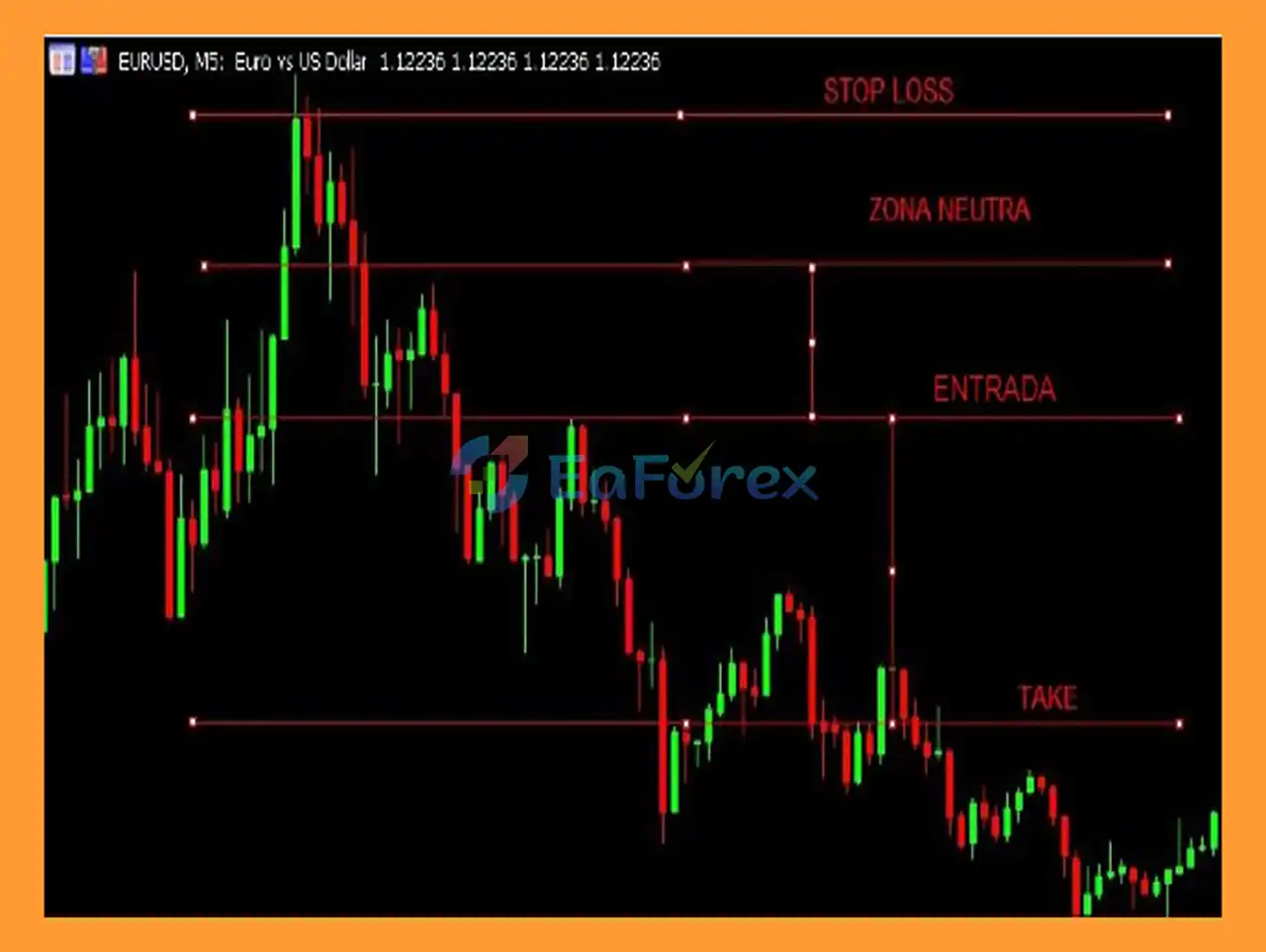
Trend and Neutral Zone Configuration
EA Valhalla MT5 allows traders to define the current market trend and configure the Neutral Zone accordingly.
This can help filter market conditions where the trader does not want to take directional entries.
Trading Direction
The EA supports several trading modes:
- Buy Only
- Sell Only
- Multidirection
This provides flexibility depending on the trader’s market bias and Fimathe strategy configuration.
Breakout Entry Control
EA Valhalla MT5 allows traders to configure the distance for a limit entry after a breakout.
This feature is designed to help avoid entering directly into exceptionally large breakout candles and provides greater control over the entry location.
Stop Loss Outside the Channel
Users can define how many points should be added to the Stop Loss.
The Stop Loss can therefore be positioned outside the relevant Fimathe channel or box according to the trader’s configuration.
Channel-Based Take Profit
Take Profit can be defined based on the number of channels.
This allows traders to structure their profit target according to the Fimathe methodology rather than relying only on a fixed number of points.
Automatic Lot Calculation
One of the useful risk-management features is the ability to calculate the appropriate lot size based on the accepted Stop Loss value.
Instead of manually calculating position size, the trader can enter the desired risk/Stop value and allow the EA to determine the closest suitable lot size.
Alternatively, traders can still configure the lot size using a more traditional fixed-lot approach.
Advanced Risk Management
EA Valhalla MT5 provides several controls designed to help traders limit exposure and prevent excessive trading.
Users can define maximum gain and loss limits for different periods, including:
- Daily profit/loss limits
- Weekly profit/loss limits
- Monthly profit/loss limits
- Maximum simultaneous positions
- Maximum orders per day
- Maximum positive orders per day
- Maximum negative orders per day
- Maximum positive orders per week
- Maximum negative orders per week
These controls allow the trader to establish boundaries before the EA begins operating.
Maximum Simultaneous Positions
The EA allows users to define the maximum number of open positions in the account.
For example, a trader may monitor 10 currency pairs but configure the EA to allow only 3 simultaneous positions.
This can be useful for controlling overall account exposure when operating across multiple symbols.
Entry and Trade Management Functions
EA Valhalla MT5 includes several options for controlling how Fimathe signals are handled.
First Signal Cancellation
The trader can choose whether to cancel the first generated signal.
Reversal Trading
Users can configure whether the EA should trade reversals or avoid reversal setups.
Partial Take Profit
The EA can perform up to one partial close on a position.
After the partial close, the remaining position can continue running according to the configured trade-management rules.
BreakEven
EA Valhalla MT5 supports BreakEven management after a candle has closed.
A newer option also allows the BreakEven calculation to be measured from either:
- The original entry price, or
- The reference Fimathe channel
This gives traders additional flexibility when managing open positions.
Trailing Stop
Trailing Stop can also be activated after a candle has closed.
This allows the position to remain open while the market continues moving in the expected direction, while providing a mechanism for protecting accumulated gains.
Trading Schedule
EA Valhalla MT5 provides detailed scheduling controls.
Traders can configure:
- Start operating time
- Stop operating time
- Position-closing time
- Individual operating schedules
- Different schedules for each day of the week
This can be useful for traders who only want the EA to operate during specific market sessions or avoid particular periods.
How Does EA Valhalla MT5 Work?
EA Valhalla MT5 is designed around the Fimathe trading methodology rather than acting as a completely independent black-box trading robot.
A typical workflow can be understood as follows:
Configure the Fimathe Parameters
The trader defines the relevant timeframe, channel settings, trend direction, Neutral Zone, and other strategy parameters.
Identify the Trading Condition
The EA evaluates the configured Fimathe conditions and waits for the trader-defined setup.
Apply Entry Rules
Depending on the configuration, the EA can use breakout entries, limit-entry distances, directional restrictions, and signal filters.
Calculate Position Size
If automatic lot calculation is enabled, the EA can determine an appropriate lot size based on the defined Stop Loss and risk parameters.
Manage the Position
Once a trade is opened, EA Valhalla can manage:
- Stop Loss
- Take Profit
- Partial closing
- BreakEven
- Trailing Stop
- Reversal behavior
- Position limits
Apply Account-Level Limits
The EA can also stop or restrict trading after reaching configured daily, weekly, or monthly limits.
This creates a structured framework where the trader defines the methodology and risk parameters while the EA handles many of the repetitive execution and management tasks.
Why Choose EA Valhalla MT5?
Designed for Fimathe Traders
EA Valhalla MT5 is specifically designed for traders who already use or understand the Fimathe strategy and want to automate parts of their workflow.
Semi-Automatic Approach
Unlike a completely autonomous EA, Valhalla gives the trader substantial control over how the strategy operates.
This can be useful for traders who want automation without handing every trading decision to a black-box system.
Extensive Risk Controls
The EA provides numerous tools for limiting daily, weekly, and monthly trading activity and controlling simultaneous exposure.
Flexible Multi-Currency Operation
With support for up to 250 currency pairs, the EA can be configured for broad multi-symbol monitoring.
Detailed Position Management
BreakEven, Trailing Stop, partial closing, Stop Loss, Take Profit, and reversal options provide multiple ways to manage positions after entry.
Customizable Trading Hours
The ability to configure operating and closing times by day provides additional control over when the EA is active.
No Universal Preset
The developer intentionally does not provide standard presets because Fimathe can be traded using different configurations and individual risk-management approaches.
EA Valhalla MT5 Backtest Results
- Capital Protection Focused Strategy: Advanced exposure control and strict drawdown management tools designed to preserve trading capital and minimize risk.
- Professional Risk Management System: Built with disciplined portfolio allocation and capital preservation principles to ensure long-term stability.
- Marketplace-Ready Trading Solution: Optimized for disciplined Fimathe strategy users seeking a reliable, structured, and performance-driven trading approach.
EA Valhalla MT5 Reviews
Performance and Risk Management
EA Valhalla focuses heavily on configurable risk management rather than simply generating trading signals.
The available controls include:
| Risk Management Feature |
Availability |
| Automatic lot calculation |
Yes |
| Fixed/manual lot configuration |
Yes |
| Stop Loss |
Yes |
| Take Profit |
Yes |
| Partial close |
Up to 1 |
| BreakEven |
Yes |
| Trailing Stop |
Yes |
| Daily gain/loss limits |
Yes |
| Weekly gain/loss limits |
Yes |
| Monthly gain/loss limits |
Yes |
| Maximum simultaneous positions |
Yes |
| Maximum orders per day |
Yes |
| Positive/negative order limits |
Yes |
| Trading schedule |
Yes |
These features can help traders establish predefined boundaries before running the EA.
However, risk controls do not eliminate trading risk. Forex markets can experience sudden volatility, spreads can widen, execution can differ between brokers, and Fimathe setups may perform differently under different market conditions.
Automatic lot sizing should also be configured carefully because the calculated position size depends on the Stop Loss distance, account size, risk settings, symbol specifications, and broker conditions.
Weaknesses and Risk Warnings
It Is a Semi-Automatic EA
EA Valhalla MT5 is not presented as a fully autonomous trading robot.
The developer explicitly recommends understanding and having knowledge of the Fimathe strategy before using the EA.
Configuration Is Important
The EA offers many parameters, which provides flexibility but also means incorrect configuration can affect trading behavior.
Users should understand each setting before deploying the system on a live account.
No Universal Presets
The developer does not provide standard presets because traders can apply the Fimathe strategy in different ways.
Users therefore need to create configurations appropriate for their own trading methodology and risk tolerance.
Breakout Trading Can Be Sensitive to Volatility
Fimathe-based breakout setups can be affected by sudden market movements, large candles, spread expansion, and false breakouts.
The limit-entry feature can help traders control entry placement, but it does not guarantee avoidance of unfavorable entries.
Multi-Currency Trading Increases Complexity
Although the ability to trade many symbols simultaneously can be useful, monitoring a large number of pairs can also increase total account exposure.
The maximum simultaneous position setting should therefore be configured carefully.
Risk Limits Are Not Guaranteed Protection
Daily, weekly, and monthly limits can help restrict trading activity, but they should not be treated as a guarantee against losses.
Extreme market conditions, gaps, execution delays, or broker limitations can affect actual results.
Demo Testing Is Recommended
The developer specifically recommends testing EA Valhalla on a Demo account before purchasing or using it with real funds.
This is particularly important because the EA requires individual configuration and familiarity with the Fimathe strategy.
Pros and Cons
Pros
- Designed specifically for the Fimathe trading methodology
- Semi-automated trading approach
- Supports up to 250 currency pairs
- Buy Only, Sell Only, and Multidirection modes
- Flexible breakout and limit-entry configuration
- Automatic or manual lot sizing
- Stop Loss and channel-based Take Profit
- Partial position closing
- BreakEven and Trailing Stop
- Daily, weekly, and monthly risk limits
- Maximum simultaneous position control
- Daily and weekly order limits
- Flexible trading schedules
- Individual settings for different days of the week
- Built for MetaTrader 5 using MQL5
Cons
- Requires knowledge of the Fimathe strategy
- Not a fully autonomous trading system
- No universal presets are provided
- Results depend heavily on configuration
- Multi-currency trading can increase overall exposure
- Breakout strategies can be affected by false breakouts and volatility
- Risk-management settings still require careful testing
- Live results can differ from Demo or historical results
Recommended Usage
Before using EA Valhalla MT5 on a live account, traders should consider the following workflow:
- Understand the Fimathe strategy and the EA’s trading logic.
- Install the EA on a MetaTrader 5 Demo account.
- Select the currency pairs you intend to trade.
- Configure the candle-closing timeframe.
- Set the Neutral Zone and trend parameters.
- Configure Buy Only, Sell Only, or Multidirection mode.
- Set the desired Stop Loss and Take Profit rules.
- Configure lot sizing and risk limits.
- Set the maximum number of simultaneous positions.
- Configure daily and weekly order limits.
- Set the operating schedule for each trading day.
- Forward-test the configuration under realistic broker conditions.
- Review the results and adjust the parameters before considering live deployment.
There is no single configuration that is guaranteed to work for every trader, currency pair, broker, or market environment.
How to Install EA Valhalla MT5
Step 1: Install MetaTrader 5
Download and install the MetaTrader 5 trading platform from your broker or the official MetaTrader source.
Step 2: Install EA Valhalla
After receiving the EA files, open MetaTrader 5 and access:
File → Open Data Folder → MQL5 → Experts
Copy the EA Valhalla file into the Experts folder.
Step 3: Restart MetaTrader 5
Restart MT5 or refresh the Expert Advisors section in the Navigator window.
Step 4: Open a Chart
Select the currency pair and timeframe you want to trade.
Because EA Valhalla is designed around the Fimathe methodology, make sure the selected chart and configuration correspond to your trading plan.
Step 5: Attach EA Valhalla
Drag EA Valhalla MT5 from the Navigator onto the selected chart.
Enable Algo Trading when prompted.
Step 6: Configure the EA
Set the parameters according to your Fimathe strategy, including:
- Trading direction
- Candle timeframe
- Neutral Zone
- Entry distance
- Stop Loss
- Take Profit
- Lot sizing
- Risk limits
- Maximum positions
- BreakEven
- Trailing Stop
- Partial close
- Trading schedule
- Daily/weekly order limits
Step 7: Demo Test
Run the EA on a Demo account first.
Because EA Valhalla is semi-automatic and requires individual configuration, adequate testing is an important part of the setup process.
What’s Included in the Download Package?
- Setting (If Any).docx
- Installation Guide.docx
>>> Join VIP Membership Now <<<
Final Thoughts
In summary, EA Valhalla MT5 is a configurable semi-automatic Expert Advisor designed for traders who use the Fimathe strategy and want to reduce the amount of manual work involved in entries and trade management.
Its main strength is flexibility: traders can control entry behavior, Stop Loss, Take Profit, position sizing, BreakEven, Trailing Stop, partial exits, trading schedules, and account-level trading limits. Multi-currency support also allows the EA to monitor a large number of symbols while the maximum-position settings help control simultaneous exposure.
However, EA Valhalla should not be viewed as a plug-and-play trading robot. The developer clearly states that users should understand the Fimathe methodology and configure the EA according to their own trading style. The absence of universal presets means that testing and parameter selection remain important responsibilities for the trader.
For this reason, Demo testing before live deployment is strongly recommended. Traders should evaluate the EA under their own broker conditions, spreads, execution environment, currency pairs, and risk settings before committing real capital.















 Unlimited Activations
 Instant delivery
 Easy to install
















 Automatic EA
 EA Best Seller
 Expert Advisor MT4
 Expert Advisor MT5
 HFT EA


Reviews
Clear filtersThere are no reviews yet.