





-
 Unlimited Activations
-
 Instant delivery
-
 Easy to install





 Unlimited Activations
Instant delivery
Easy to install
 Free Update
 Free Install Support

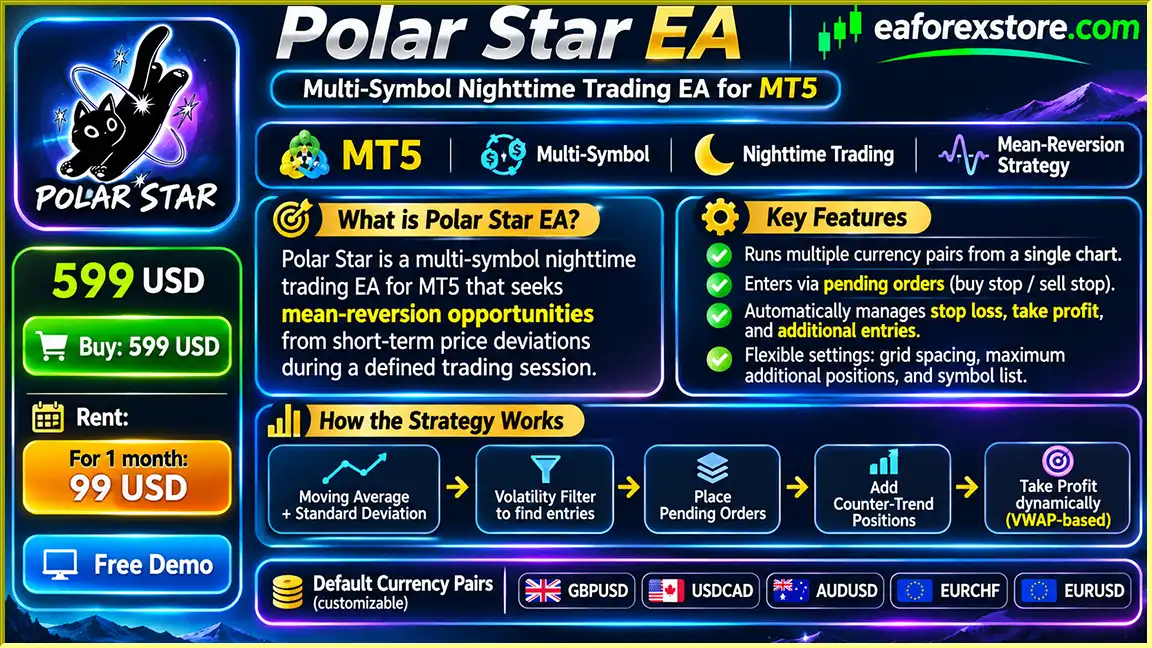
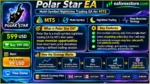
Polar Star EA MT5 is an automated Forex trading Expert Advisor designed for MetaTrader 5, specializing in nighttime trading and multi-currency mean-reversion strategies. The system identifies short-term price deviations and seeks potential reversal opportunities during predefined trading sessions.
Unlike conventional Forex robots that require separate charts for multiple currency pairs, Polar Star EA MT5 can monitor and trade several instruments from a single chart. Its default trading portfolio includes GBPUSD, USDCAD, AUDUSD, EURCHF, and EURUSD, with the flexibility to customize the symbol list according to individual trading preferences.
The EA combines moving-average analysis, standard deviation measurements, volatility filtering, and pending-order execution to identify suitable market entry conditions.
Once trades are opened, Polar Star automatically manages positions through dynamic take-profit calculations, conditional exits, and optional counter-trend grid additions.
Its adjustable trading sessions, GMT synchronization, and configurable position-management settings make it a flexible solution for traders seeking automated nighttime Forex trading.
However, the strategy’s optional grid recovery functionality increases exposure during adverse market movements and requires careful risk management.
>>> Delivery time 24h-48h after payment.
>>> Refund if not delivered.
>>> You will receive the latest version without any limitations (ID+Time).Reviewed by Jason Stap <<<
Polar Star EA MT5 Overview
Manage multiple Forex currency pairs through a single MetaTrader 5 chart without attaching separate EA instances to every instrument.
Focuses on short-term price deviations and potential reversals during selected nighttime trading hours.
Supports GBPUSD, USDCAD, AUDUSD, EURCHF, and EURUSD by default, with customizable symbol selection.
Uses statistical price measurements to evaluate market deviations and determine potential pending-order entry levels.
Automatically places pending orders when predefined trading conditions and volatility requirements are satisfied.
Evaluates market volatility to help avoid trading opportunities that fall outside the strategy’s configured conditions.
Adjusts take-profit targets using the volume-weighted average entry price of positions belonging to the same symbol and direction.
Allows additional counter-trend positions at specified price intervals when the market moves against existing trades.
Users can configure the maximum number of additional positions or disable grid additions entirely by setting the value to zero.
Includes automatic GMT detection and trading-session adjustment to support different broker server time zones.
The default two-hour entry period can be customized according to the trader’s preferred operating schedule.
Supports holding-time conditions, post-session profit closures, and automated position management.
Displays account information, open positions, and trading status directly on the MetaTrader 5 chart.
Polar Star EA MT5 uses a statistical mean-reversion approach designed to identify temporary price deviations across multiple Forex instruments.
Step 1: Monitoring Multiple Currency Pairs
The Expert Advisor continuously evaluates the configured trading symbols from one chart.
The default supported pairs are GBPUSD, USDCAD, AUDUSD, EURCHF, and EURUSD.
Traders can modify the symbol list to match their preferred instruments and broker specifications.
Step 2: Identifying Price Deviations
The system calculates potential entry levels using moving averages and standard deviation measurements.
These indicators help identify situations where prices have moved away from their recent statistical average.
Step 3: Applying Volatility Filters
Before creating an order, Polar Star evaluates current volatility conditions to determine whether the opportunity satisfies its internal trading requirements.
Step 4: Placing Pending Orders
When the configured entry conditions are met during the active trading session, the EA places pending orders at calculated price levels.
The pending-order approach allows trades to activate when the market reaches the strategy’s intended entry prices.
Step 5: Managing Adverse Price Movements
If the market moves against an existing position, the EA can open additional counter-trend grid trades according to predefined spacing and position limits.
These additional positions change the combined average entry price and increase total market exposure.
Step 6: Adjusting Take-Profit Targets
Polar Star calculates a volume-weighted average entry price for positions sharing the same symbol and trading direction.
The EA can then adjust the combined take-profit target according to its dynamic exit logic.
Step 7: Managing Positions After the Trading Window
The default entry window lasts two hours.
When the window closes, the EA cancels relevant unfilled pending orders while continuing to manage existing positions.
Depending on the configuration, additional grid entries may still occur after the entry window has ended.
Step 8: Executing Conditional Exits
The system evaluates holding-time requirements, profit conditions, and other configured exit rules.
Positions are closed when the applicable strategy conditions are satisfied.
The trading terminal must remain active and connected while the EA is managing positions.
Polar Star EA MT5 offers a convenient approach to automated Forex trading by combining multi-symbol execution, nighttime market analysis, and centralized position management.
One of its most useful characteristics is the ability to trade several currency pairs from a single chart. This simplifies setup and allows traders to manage a configurable portfolio without running separate EA instances for each instrument.
The strategy’s mean-reversion framework provides another distinctive feature. Instead of following every short-term market movement, Polar Star evaluates price deviations using moving averages and standard deviation analysis.
Its pending-order execution model enables the system to prepare entries at calculated price levels rather than entering every identified opportunity immediately.
The dynamic take-profit mechanism also provides flexibility when managing multiple positions. By calculating the volume-weighted average entry price, the EA can adjust exit levels as the composition of a position group changes.
Traders can further customize grid spacing, maximum additional positions, trading sessions, and holding-time conditions.
Importantly, grid additions can be disabled completely, allowing users to evaluate the strategy without additional counter-trend recovery entries.
For traders looking for a multi-currency nighttime Forex robot with automated order management and adjustable recovery settings, Polar Star EA MT5 offers a configurable MetaTrader 5 trading framework.
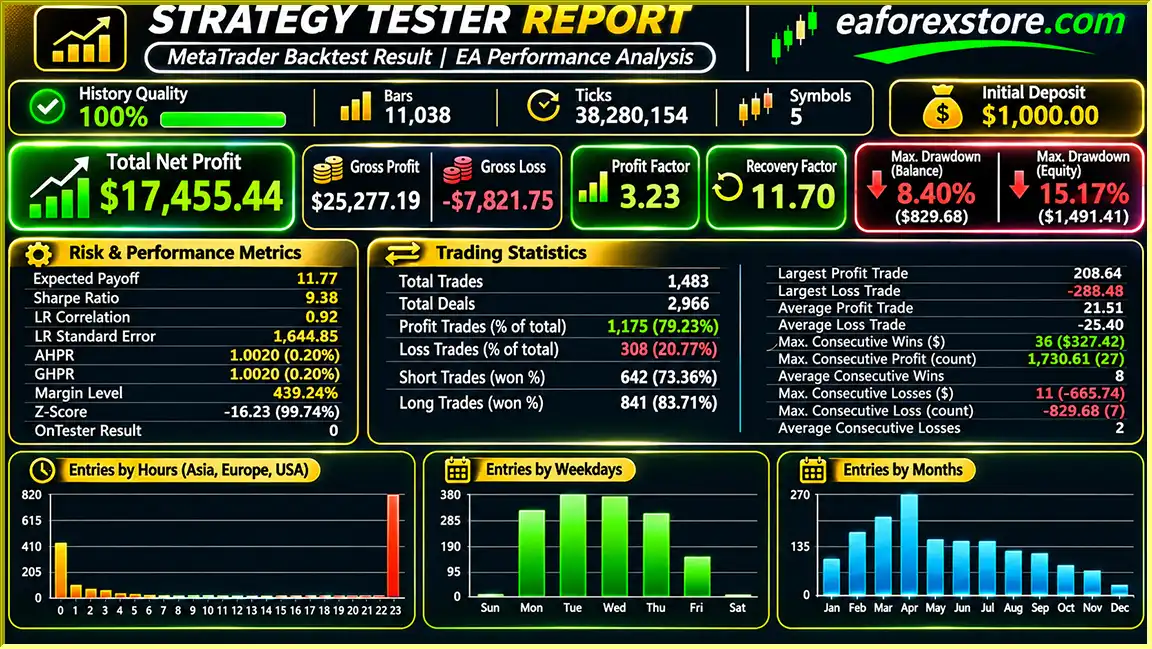
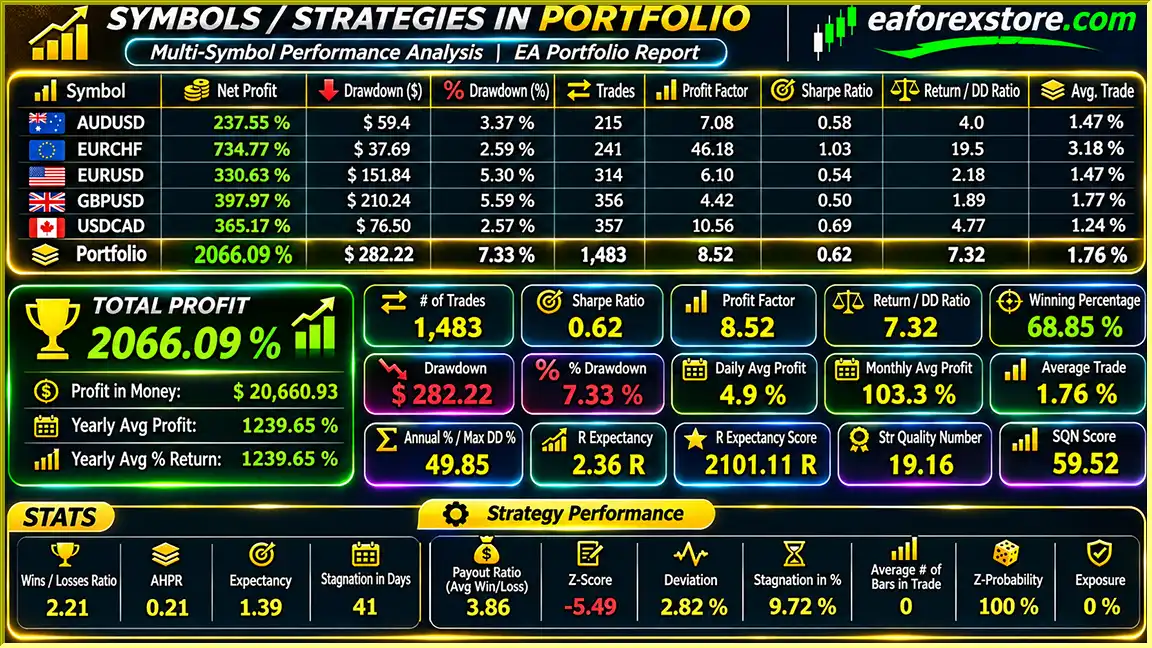
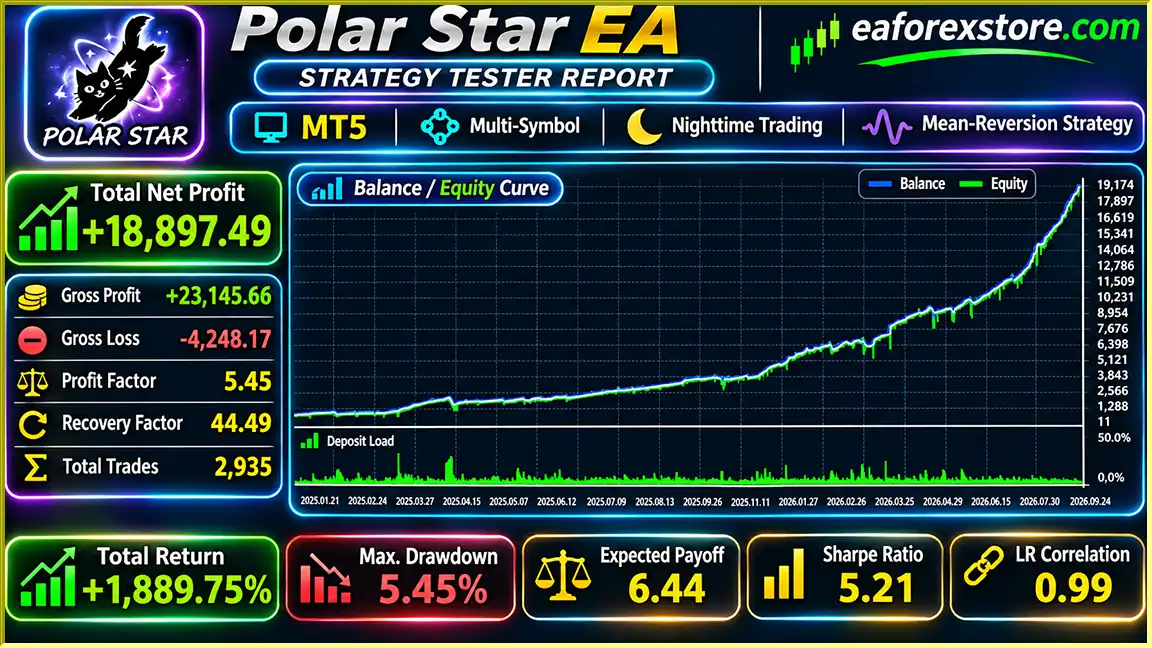
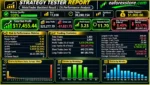
Polar Star EA MT5 backtets
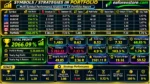
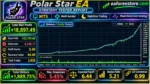
Polar Star EA backtets
Risk management is particularly important for Polar Star EA MT5 because its trading strategy can involve simultaneous positions across multiple currency pairs and additional counter-trend grid entries.
Traders can adjust the starting lot size according to their account balance and preferred risk exposure.
The EA allows users to control how many different currency pairs may hold positions simultaneously.
Restricting the number of active instruments can help limit combined portfolio exposure.
The distance between additional counter-trend positions can be configured to match the selected risk settings.
Users can define the maximum number of additional entries for the recovery system.
Setting the maximum additional positions to zero disables grid additions.
The EA includes automated stop-loss management for positions according to its internal configuration.
However, stop-loss execution cannot guarantee that realized losses will remain within a predetermined amount.
Take-profit levels can be recalculated based on the volume-weighted average entry price of positions in the same symbol and direction.
The EA controls new entry activity through a configurable trading window.
After the entry period closes, relevant unfilled pending orders are canceled.
Existing positions remain under active management, and grid additions may continue if enabled and permitted by the strategy.
The system can evaluate positions for closure after a specified holding duration when the additional exit conditions are satisfied.
Automatic GMT detection helps synchronize trading sessions with broker server time.
Manual GMT configuration is required for backtesting according to the developer’s instructions.
The integrated dashboard displays account, position, and trading status information for convenient monitoring.
Important: Dedicated mobile notifications, push alerts, and email alerts are not confirmed in the supplied specifications.
Although Polar Star includes configurable risk controls, simultaneous currency exposure and grid additions can cause substantial floating drawdown during sustained market trends.
Step 1: Install MetaTrader 5
Download and install MetaTrader 5 from your preferred Forex broker.
Step 2: Add Polar Star EA
Open MetaTrader 5 and navigate to:
File → Open Data Folder → MQL5 → Experts
Copy the supplied Polar Star EA MT5 file into the Experts directory.
Step 3: Refresh Expert Advisors
Restart MetaTrader 5 or refresh the Expert Advisors section in the Navigator panel.
Step 4: Select a Trading Chart
Open a chart for one of your broker’s supported Forex instruments.
The EA can manage multiple configured symbols from a single chart.
Step 5: Attach the Expert Advisor
Drag Polar Star EA MT5 onto the selected chart and enable the required algorithmic trading permissions.
Step 6: Configure Trading Symbols
Enter the complete broker symbol names, including any prefixes or suffixes.
The default instruments are:
Ensure that each symbol is available for trading in Market Watch.
Step 7: Set the Trading Session
Review the default two-hour entry window and configure GMT settings according to your broker’s server time.
For strategy testing, use the appropriate manual GMT configuration.
Step 8: Configure Risk Parameters
Adjust initial lot size, maximum concurrent symbols, grid spacing, and maximum grid additions.
Set maximum grid additions to zero if you prefer to disable recovery entries.
Step 9: Enable Automated Trading
Activate Algo Trading and confirm that the Expert Advisor is operating correctly.
Step 10: Perform Backtesting
Use MetaTrader 5 Strategy Tester to evaluate the strategy under realistic spreads, commissions, and execution conditions.
Review individual pair performance and combined portfolio exposure.
Step 11: Test on a Demo Account
Evaluate pending-order execution, overnight trading conditions, position management, and potential grid drawdowns before considering live trading.
Step 12: Maintain Platform Connectivity
Keep MetaTrader 5 connected and algorithmic trading enabled while positions remain open.
A stable VPS is recommended for uninterrupted nighttime operation.
| Parameter | Configuration |
|---|---|
| Platform | MetaTrader 5 |
| Trading Strategy | Nighttime Mean Reversion |
| Default Symbols | GBPUSD, USDCAD, AUDUSD, EURCHF, EURUSD |
| Multi-Symbol Trading | Supported |
| Chart Requirement | One Chart |
| Account Type | Hedging |
| Stated Minimum Balance | $50 |
| Entry Method | Pending Orders |
| Technical Analysis | Moving Average and Standard Deviation |
| Volatility Filter | Included |
| Default Entry Window | 2 Hours |
| GMT Adjustment | Automatic / Manual for Backtesting |
| Dynamic Take Profit | Available |
| Grid Recovery | Configurable |
| Grid Disable Option | Max Additional Positions = 0 |
| Stop-Loss Management | Available |
| Conditional Holding-Time Exits | Available |
| Trading Dashboard | Included |
| VPS | Recommended |
The $50 minimum balance is a stated account requirement, not a recommendation that this amount is sufficient for multiple positions or grid recovery. Margin requirements and potential losses depend on position sizing and broker conditions.
>>> Join VIP Membership Now <<<
Polar Star EA MT5 is a multi-symbol automated Forex trading system designed to identify nighttime mean-reversion opportunities through statistical price analysis and pending-order execution.
By combining moving averages, standard deviation measurements, volatility filtering, and configurable entry sessions, the EA provides a systematic framework for evaluating short-term price deviations.
Its ability to manage multiple currency pairs from a single chart makes it convenient for traders interested in centralized Forex automation.
Dynamic take-profit adjustments, optional grid recovery, conditional exits, and configurable trading hours provide flexibility for different trading preferences.
However, counter-trend grid strategies can experience significant drawdowns when prices continue moving in one direction. Trading multiple currency pairs simultaneously can further increase total account exposure.
For traders searching for a multi-currency nighttime trading EA for MetaTrader 5, Polar Star offers a customizable automated trading solution that should be evaluated through independent backtesting and demo trading.
Polar Star EA MT5 – Automated Nighttime Forex Trading with Multi-Symbol Analysis and Dynamic Position Management.
Risk Disclaimer: Forex trading involves substantial financial risk. Polar Star EA MT5 includes optional counter-trend grid additions, which can increase overall exposure and generate significant losses during prolonged directional market movements. Spread expansion, slippage, commissions, swap charges, and execution conditions may affect results. Historical performance does not guarantee future profitability. Always test the EA using realistic broker conditions and appropriate risk settings before trading live.
1. What is Polar Star EA MT5, and how does it work?
Polar Star EA MT5 is an automated Forex trading robot developed for the MetaTrader 5 platform. It uses a nighttime mean-reversion strategy to identify potential trading opportunities when currency prices deviate from their statistical averages. The EA combines moving averages, standard deviation analysis, volatility filters, and pending orders to execute trades automatically. It also provides dynamic take-profit management and optional grid recovery.
2. Is Polar Star EA MT5 profitable, and what is its win rate?
According to the supplied backtest report, Polar Star EA MT5 achieved a reported win rate of 79.23%, a net profit of $17,455.44, and a maximum drawdown of 8.40% from an initial deposit of $1,000. However, these historical results have not been independently verified and do not guarantee future profitability. Actual trading performance depends on market volatility, broker spreads, execution quality, and risk management settings.
3. Which Forex currency pairs does Polar Star EA MT5 support?
Polar Star EA MT5 supports five currency pairs by default: GBPUSD, USDCAD, AUDUSD, EURCHF, and EURUSD. Traders can customize the symbol list according to their preferences and broker specifications. One of its main advantages is multi-symbol trading from a single MetaTrader 5 chart, eliminating the need to attach separate EA instances to every currency pair.
4. Does Polar Star EA MT5 use Martingale or Grid trading strategies?
Polar Star EA MT5 includes an optional counter-trend grid recovery system that can open additional positions when prices move against existing trades. Users can customize grid spacing and the maximum number of additional entries. Setting the maximum additional positions to zero disables grid recovery completely. The supplied specifications describe grid-based recovery but do not establish whether the EA uses progressive Martingale lot multiplication.
5. What is the minimum deposit required to use Polar Star EA MT5?
The developer states that Polar Star EA MT5 supports a minimum account balance of $50. However, this does not mean $50 is sufficient for safe multi-currency trading. Actual capital requirements depend on broker leverage, margin requirements, initial lot sizes, the number of simultaneously traded currency pairs, and grid recovery settings. Traders should evaluate their total exposure and test conservative configurations before using real funds.
6. What trading hours and timeframe are recommended for Polar Star EA MT5?
Polar Star EA MT5 specializes in nighttime Forex trading, using a default two-hour entry window that traders can customize. The EA automatically detects GMT settings to align trading sessions with the broker's server time, while manual GMT configuration is required for backtesting. It can manage
7. What risk management features does Polar Star EA MT5 offer?
Polar Star EA MT5 includes configurable initial lot sizes, limits on simultaneously traded currency pairs, adjustable grid spacing, maximum additional position restrictions, and automated stop-loss management. It also provides dynamic take-profit calculations based on volume-weighted average entry prices, conditional holding-time exits, and trading-session controls. These features help manage exposure but cannot eliminate losses during prolonged market trends or unfavorable trading conditions.
8. How do I install Polar Star EA MT5, and what is included in the download?
To install Polar Star EA MT5, copy the supplied Polar Star.ex5 file into the MetaTrader 5 MQL5/Experts folder. Restart MT5, open a supported Forex chart, and attach the Expert Advisor. Configure the trading symbols, GMT settings, entry window, lot sizes, and grid recovery parameters before enabling Algo Trading. The product listing states that delivery takes 24–48 hours after payment and includes the latest version without ID or time limitations. A stable VPS is recommended for continuous nighttime trading.
In stock
In stock
In stock
In stock
In stock
Out of stock
No account yet?
Create an Account












 Automatic EA
 EA Best Seller
 Expert Advisor MT4
 Expert Advisor MT5
 HFT EA



Reviews
Clear filtersThere are no reviews yet.