





-
 Unlimited Activations
-
 Instant delivery
-
 Easy to install







 Unlimited Activations
Instant delivery
Easy to install
 Free Update
 Free Install Support

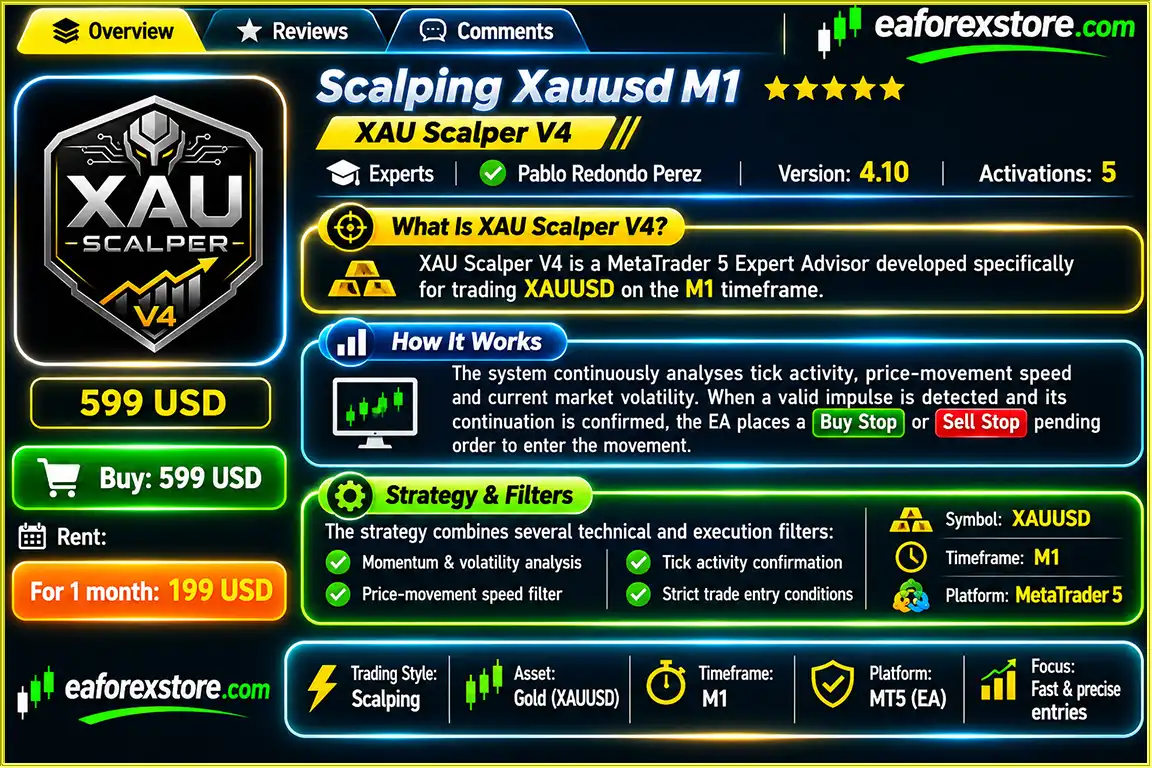
Scalping XAUUSD M1 EA MT5 is an automated gold trading Expert Advisor designed to identify short-term price movements on the MetaTrader 5 platform. Developed specifically for the XAUUSD M1 timeframe, this trading robot uses tick activity, price momentum, and volatility analysis to detect potential scalping opportunities in the gold market.
The EA focuses on identifying rapid price impulses and confirming their continuation before initiating trades. Instead of relying solely on traditional indicators, it combines real-time market activity with technical confirmation tools, including EMA 9, EMA 21, Parabolic SAR, and Average True Range (ATR).
When suitable trading conditions are detected, the system places Buy Stop or Sell Stop pending orders to participate in potential price continuation movements.
In addition to its entry strategy, Scalping XAUUSD M1 EA MT5 provides automated position management, monetary profit targets, loss controls, optional basket trailing, and configurable trading-session restrictions.
The result is a specialized MT5 gold scalping robot designed for traders seeking automated short-term trading opportunities with configurable execution and risk-management settings.
>>> Delivery time 24h-48h after payment.
>>> Refund if not delivered.
>>> You will receive the latest version without any limitations (ID+Time).Reviewed by Jason Stap <<<
Scalping Xauusd M1 EA MT5 Overview
The EA continuously evaluates tick activity and short-term price movement to identify potential momentum opportunities in XAUUSD.
Designed for the one-minute gold chart, enabling the robot to monitor rapid market movements and react to short-term price impulses.
Uses Buy Stop and Sell Stop pending orders to enter potential continuation movements after qualifying trading signals are identified.
Integrates EMA 9 and EMA 21 with optional slope confirmation to evaluate short-term market direction and trend alignment.
Applies Parabolic SAR directional analysis to provide an additional layer of confirmation before executing trades.
Monitors market volatility through ATR and recent price ranges to help identify suitable conditions for short-term trading.
Evaluates recent market tick activity to filter trading opportunities when activity falls below the configured threshold.
Includes configurable maximum-spread restrictions to reduce new entries during unfavorable trading conditions.
Supports up to five simultaneous positions, with configurable controls for trade entry and position management.
Allows additional positions when price moves against an existing position basket, without automatically increasing the configured lot size for subsequent entries.
Manages individual positions using predefined monetary profit targets and loss thresholds calculated in the account’s deposit currency.
Provides weekday selection and configurable trading sessions to limit new trading activity to preferred market hours.
Scalping XAUUSD M1 EA MT5 follows a momentum-based trading approach designed to identify short-term gold price movements and evaluate whether those movements have sufficient confirmation for potential continuation.
Step 1: Detecting Price Impulses
The EA monitors XAUUSD price changes over short time windows. When price movement exceeds the configured impulse threshold, the system begins evaluating the potential trading opportunity.
Step 2: Confirming Momentum Continuation
After identifying an impulse, the robot checks whether price continues moving in the expected direction within the confirmation period.
This process is intended to filter some short-lived movements that do not demonstrate sufficient follow-through.
Step 3: Evaluating Technical Conditions
Before placing an order, the system checks several market conditions, including:
Step 4: Placing Pending Orders
When the required conditions are satisfied, the EA places a Buy Stop or Sell Stop pending order at a configured distance from the current market price.
Pending orders have a predefined expiration period and may be canceled if an opposite signal appears.
Step 5: Managing Open Positions
After an order is executed, the EA automatically manages the position using monetary profit and loss parameters, opposite-signal exits, and holding-time restrictions.
Step 6: Controlling Additional Entries
When adverse re-entry is enabled, the robot can add positions in the same direction after an unfavorable price movement, subject to configured distance, timing, and maximum-position restrictions.
The system maintains the configured trade volume for additional entries rather than applying automatic progressive lot multiplication.
Gold scalping requires fast market observation, consistent execution, and careful control of trading costs. The XAUUSD market can experience sudden momentum shifts, particularly during periods of elevated activity.
Scalping XAUUSD M1 EA MT5 is developed to automate these short-term trading decisions through a combination of price-action monitoring and technical filters.
One of its main characteristics is the use of tick-based impulse detection. Instead of waiting exclusively for completed indicator signals, the EA evaluates short-term price movement and continuation behavior to identify potential trading opportunities.
The pending-order execution model provides another distinguishing feature. Buy Stop and Sell Stop orders are positioned to participate in qualifying price movements rather than automatically entering every detected impulse at market price.
The EA also combines several confirmation mechanisms, including moving averages, volatility measurements, and Parabolic SAR. These filters are designed to improve trade selectivity, although they cannot eliminate false signals.
Its configurable monetary exit settings, spread protection, trading schedule, and position limits provide flexibility for traders who want greater control over automated gold scalping.
For MetaTrader 5 users interested in a specialized XAUUSD M1 trading robot, this EA offers a systematic approach to momentum-based trading and automated position supervision.
Scalping Xauusd M1 EA MT5 Backtets
Scalping XAUUSD M1 EA MT5 includes multiple risk-control features designed to manage individual positions, trading activity, and overall account exposure.
The EA allows traders to define a monetary profit target for each position. In the supplied backtest configuration, the target is set to 20.5 units of the account deposit currency.
The system supports an adaptive loss-cut function with a configurable monetary loss threshold per position.
The provided configuration uses a maximum loss setting of 25.0 units of the account currency per position. Actual realized losses may differ because of execution delays, price gaps, or slippage.
The EA can close losing positions when an opposite trading signal appears, subject to its minimum holding-time condition.
A configurable holding-time restriction helps prevent position baskets from remaining open indefinitely.
The robot includes optional monetary trailing functionality for managing basket profitability.
This feature is disabled in the supplied backtest configuration but can be enabled through the available settings.
An optional equity protection parameter allows traders to configure an account-level protection threshold.
The supplied backtest uses an equity protection value of 0.0%, meaning the feature is not active under that configuration.
The EA provides configurable controls for:
In the supplied backtest, the daily numerical limits are set to zero, indicating that those restrictions are disabled.
The maximum spread filter restricts new entries when trading spreads exceed the configured threshold.
The EA also provides slippage and pending-order parameters to control aspects of order execution.
Important: The supplied specifications do not confirm dedicated push notifications, email alerts, or mobile alerts. Traders should verify whether these functions are supported by their installed EA version.
Risk controls are intended to limit exposure but cannot guarantee that losses will remain within configured thresholds under every market condition.
Step 1: Install MetaTrader 5
Download and install the MetaTrader 5 trading platform from your preferred broker or the official MetaTrader website.
Step 2: Copy the EA File
Open MetaTrader 5 and navigate to:
File → Open Data Folder → MQL5 → Experts
Copy the supplied Scalping XAUUSD M1 EA file into the Experts folder.
Step 3: Refresh Expert Advisors
Restart MetaTrader 5 or refresh the Expert Advisors section in the Navigator window.
Step 4: Open XAUUSD
Select your broker’s XAUUSD trading symbol and open a new chart.
Step 5: Set the M1 Timeframe
Change the chart timeframe to M1, the intended operating timeframe for this scalping strategy.
Step 6: Attach the Trading Robot
Drag the installed Expert Advisor onto the XAUUSD M1 chart.
Enable the necessary algorithmic trading permissions.
Step 7: Configure Input Parameters
Review the position volume, maximum number of trades, spread restrictions, pending-order settings, profit targets, loss controls, and trading schedule.
The supplied backtest configuration uses an initial volume of 0.5 lots and permits up to five simultaneous positions. These settings should not automatically be considered suitable for every trading account.
Step 8: Activate Algo Trading
Enable algorithmic trading in MetaTrader 5 and confirm that the Expert Advisor is operating correctly.
Step 9: Test Before Live Trading
Use MetaTrader 5 Strategy Tester with suitable tick data, then evaluate the EA on a demo account under realistic broker conditions.
For continuous operation, a stable VPS with low latency is recommended.
| Parameter | Recommended Configuration |
|---|---|
| Trading Platform | MetaTrader 5 |
| Trading Instrument | XAUUSD |
| Chart Timeframe | M1 |
| Account Type | Hedging |
| Trading Direction | Buy and Sell |
| Maximum Positions | 5 |
| Initial Volume in Supplied Backtest | 0.5 lots |
| Trading Days | Monday to Friday |
| Trading Session | 08:00–18:00 server time |
| EMA Indicators | EMA 9 and EMA 21 |
| Parabolic SAR | Step 0.02 / Maximum 0.2 |
| ATR Period | 14 |
| Maximum Spread Setting | 50 points |
| Profit Target per Position | 20.5 account-currency units |
| Loss Threshold per Position | 25.0 account-currency units |
| Maximum Basket Holding Time | 180 minutes |
| VPS | Recommended |
These values reflect the supplied strategy configuration and backtest settings, not independently optimized parameters or guaranteed live-trading recommendations.
>>> Join VIP Membership Now <<<
Scalping XAUUSD M1 EA MT5 is a specialized automated gold trading robot that combines short-term momentum detection, tick activity analysis, and multiple technical filters to identify potential trading opportunities on the one-minute chart.
Its trading framework focuses on detecting price impulses, confirming continuation, and using pending orders to participate in qualifying market movements.
With integrated EMA, ATR, Parabolic SAR, spread protection, and automated monetary trade management, the EA offers a configurable approach to gold scalping on MetaTrader 5.
The ability to manage multiple positions, control trading sessions, and apply optional account protection settings makes it a flexible tool for traders who understand the risks associated with fast-moving markets.
However, XAUUSD M1 scalping is particularly sensitive to execution quality, transaction costs, and sudden volatility. Traders should carefully evaluate the strategy through backtesting and demo trading before using real capital.
Scalping XAUUSD M1 EA MT5 combines momentum-based execution, technical confirmation, and automated position management in one dedicated gold scalping system.
1. What is Scalping XAUUSD M1 EA MT5, and how does it work?
Scalping XAUUSD M1 EA MT5 is an automated gold trading robot developed for the MetaTrader 5 platform. It operates on the one-minute (M1) timeframe, using tick activity, price momentum, EMA 9, EMA 21, Parabolic SAR, and ATR indicators to identify potential trading opportunities. The EA automatically places Buy Stop and Sell Stop pending orders when predefined market conditions are met and manages open positions using configurable profit targets and risk controls.
2. Is Scalping XAUUSD M1 EA MT5 profitable, and what is its win rate?
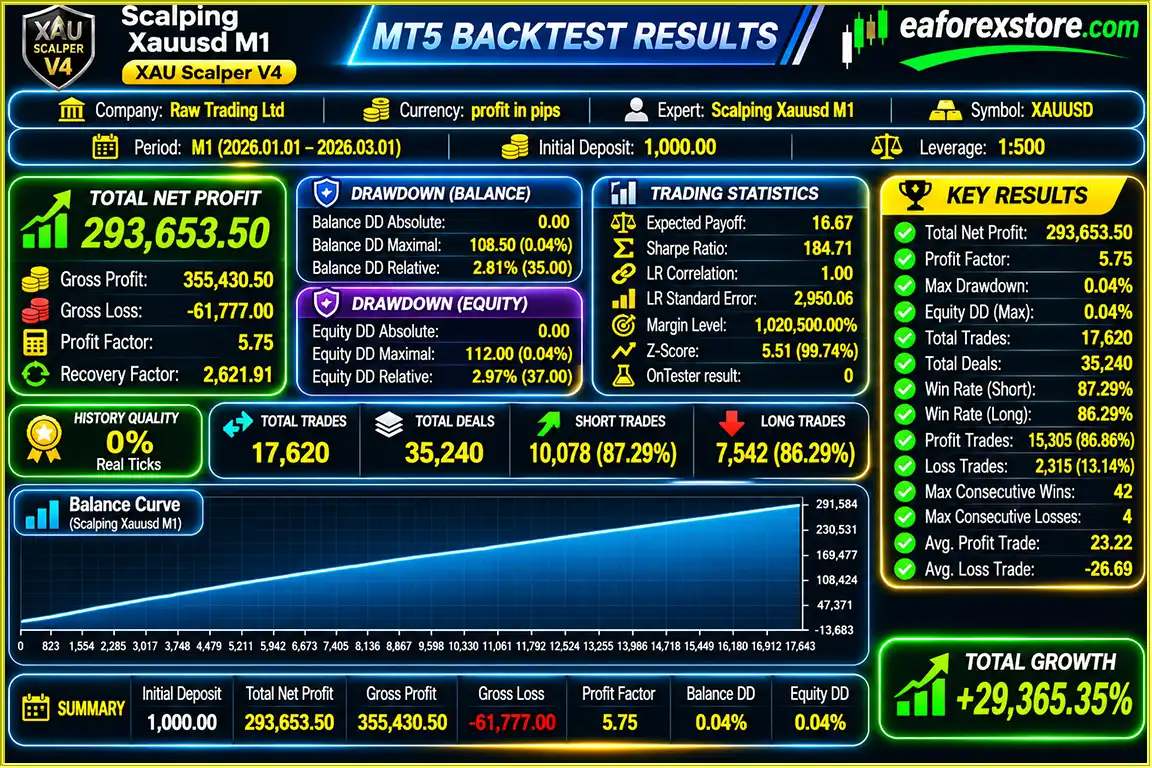
According to the supplied backtest report, Scalping XAUUSD M1 EA MT5 achieved a reported win rate of 86.29% over a two-month testing period, with an initial deposit of $1,000 and a reported maximum drawdown of 0.04%. However, these results have not been independently verified and should not be considered a guarantee of future profits. Live trading performance may differ significantly due to market volatility, spreads, slippage, and broker execution conditions.
3. What is the best timeframe and trading pair for Scalping XAUUSD M1 EA MT5?
Scalping XAUUSD M1 EA MT5 is specifically designed for the XAUUSD (Gold) trading pair on the M1 (one-minute) timeframe. Its strategy focuses on detecting rapid gold price movements and confirming short-term momentum continuation. The recommended configuration uses EMA 9, EMA 21, Parabolic SAR, and ATR indicators to filter trading signals and evaluate volatility.
4. How much money do I need to start trading with Scalping XAUUSD M1 EA MT5?
The supplied Scalping XAUUSD M1 EA MT5 backtest was conducted with an initial deposit of $1,000 and a trading volume of 0.5 lots. However, this does not establish a minimum deposit requirement or a recommended live trading setup. The capital required depends on your broker's margin requirements, leverage, lot size, and risk tolerance. Traders should test conservative position sizes on a demo account before risking real money.
5. Does Scalping XAUUSD M1 EA MT5 use Martingale or Grid trading strategies?
Scalping XAUUSD M1 EA MT5 includes an optional adverse-price re-entry system that can open additional positions when the market moves against existing trades. However, the EA does not automatically multiply lot sizes for subsequent entries, which distinguishes its position-sizing approach from traditional Martingale systems. It can manage up to five simultaneous positions, but additional entries still increase overall market exposure and trading risk.
6. What risk management features does Scalping XAUUSD M1 EA MT5 offer?
Scalping XAUUSD M1 EA MT5 includes monetary profit targets, configurable loss thresholds, maximum spread filtering, position limits, optional equity protection, and trading-session restrictions. It also supports opposite-signal exits, maximum basket holding times, and optional basket trailing. Some protective features are disabled in the supplied backtest configuration, so traders should review and configure them carefully before live trading.
7. Do I need a VPS to run Scalping XAUUSD M1 EA MT5 continuously?
A VPS is recommended for operating Scalping XAUUSD M1 EA MT5 continuously without keeping your personal computer running. Because the EA uses a fast M1 gold scalping strategy, stable connectivity and low execution latency are particularly important. A reliable VPS located near your broker's trading server may help reduce connection delays, although it cannot eliminate slippage or guarantee profitable execution.
8. How do I install Scalping XAUUSD M1 EA MT5, and what is included in the download?
To install Scalping XAUUSD M1 EA MT5, copy the supplied Scalping Xauusd M1.ex5 file into the MetaTrader 5 MQL5/Experts folder. Restart MT5, open an XAUUSD chart, select the M1 timeframe, and attach the Expert Advisor. Enable Algo Trading and configure the lot size, spread limits, profit targets, and risk settings. The product listing states that the latest version is delivered within 24–48 hours after payment, without ID or time limitations.
In stock
In stock
In stock
In stock
In stock
Out of stock
No account yet?
Create an Account












 Automatic EA
 EA Best Seller
 Expert Advisor MT4
 Expert Advisor MT5
 HFT EA



Reviews
Clear filtersThere are no reviews yet.