Waka Waka EA
Waka Waka EA MT4 v4.43 + SetFiles (Official version 1455+) Original price was: $2,800.00.Current price is: $85.00.
Back to products
Sup 9 Martingale EA
Sup 9 Martingale EA MT4 v7.0 (Official version 1455+) Original price was: $888.00.Current price is: $65.00.

RedFox Copier Pro MT4 v1.39 (Official version 1455+)

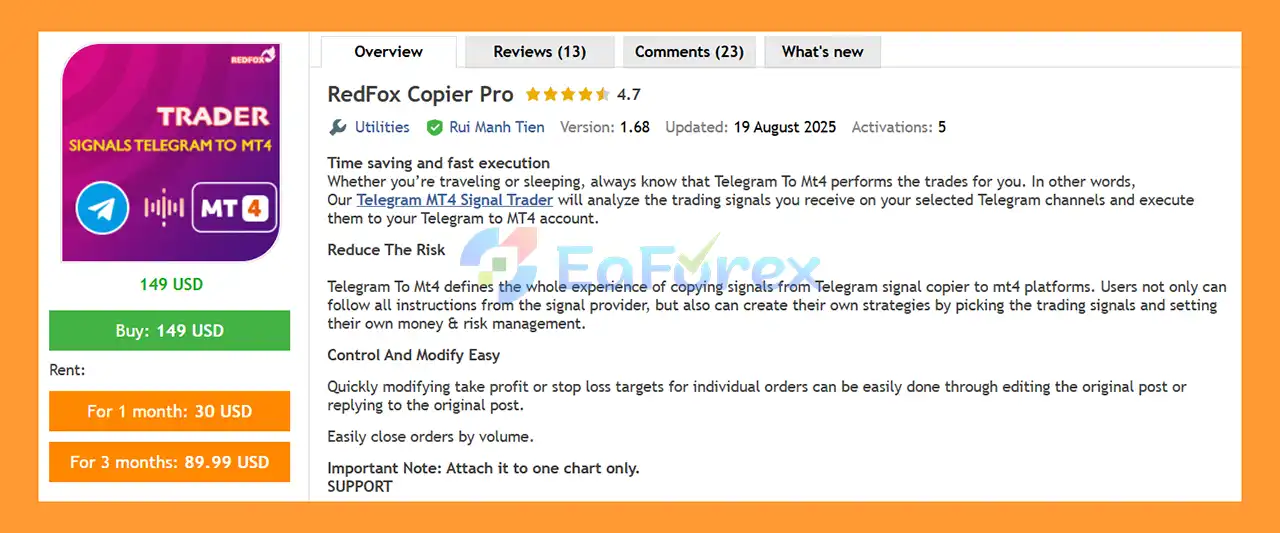
RedFox Copier Pro MT4 is a Telegram to MT4 signal copier that auto-executes trades with fast execution, accurate copying, and full risk management control.

Original price was: $149.00.Current price is: $65.00.

57 People watching this product now!
  • Unlimited Activations

You can use product with unlimited account


  • Instant delivery

Download link will be sent instantly after purchase


  • Easy to install

Pre-activated, ready to use immediately


  • Free Update
  • Free Install Support

Payment Methods:

Description

What is RedFox Copier Pro MT4?

RedFox Copier Pro MT4 is a professional Telegram-to-MT4 signal copier designed to automatically analyze and execute trading signals from selected Telegram channels directly into your MetaTrader 4 account. The EA helps traders save time, reduce manual errors, and maintain full control over risk management while copying signals with fast and accurate execution.

Vendor website

About the Developer

  • Author: Rui Manh Tien
  • Experience: Over +4 years of experience on MQL5.
  • Notable Products: RedFox Copier Pro, RedFox Copier Pro MT5, RedFox EA and other products.
  • Flagship Product: RedFox Copier Pro MT4 is rated as the best performing product of the year.

>>> Join our Channel Telegram <<<

Core Features of RedFox Copier Pro MT4

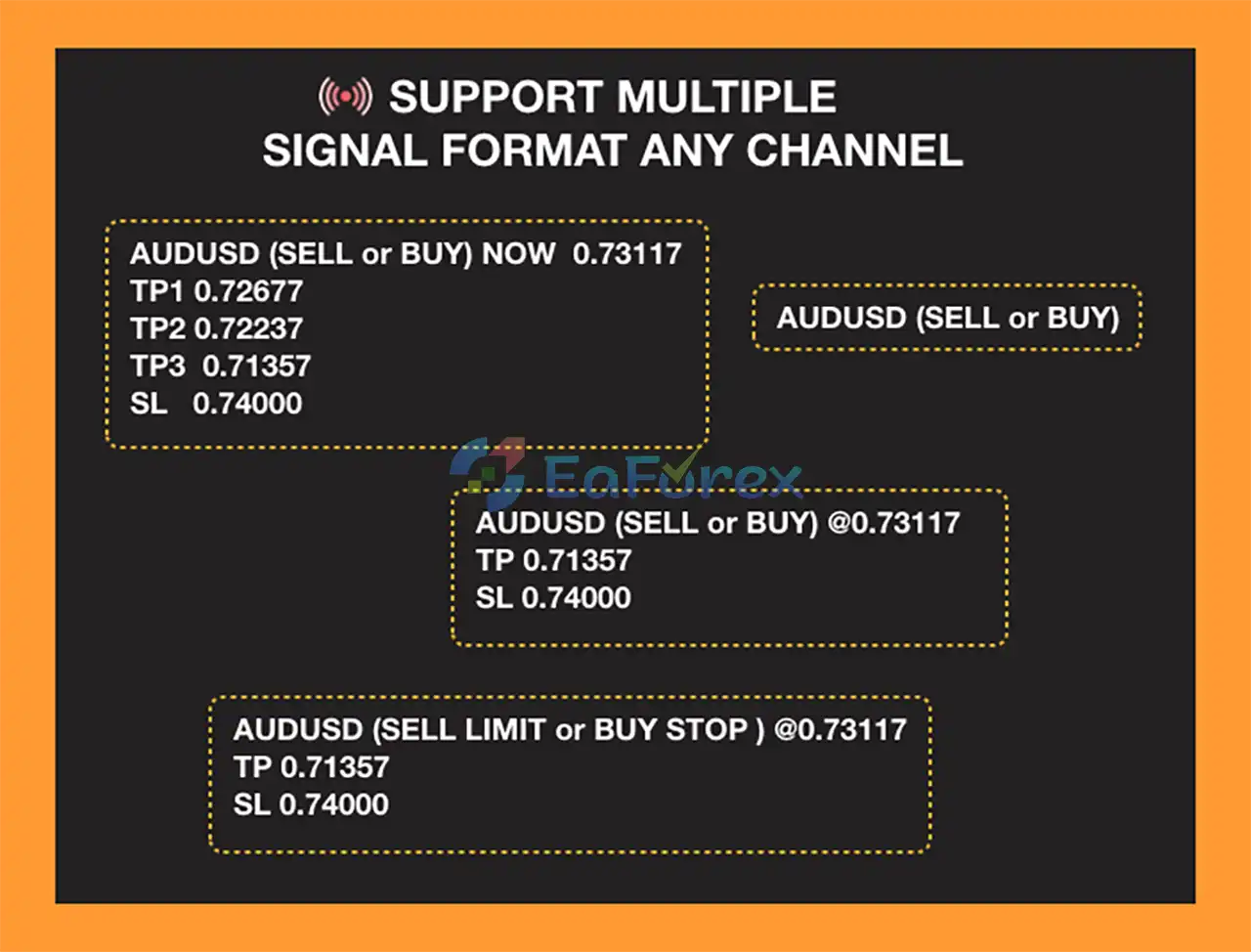
  • Telegram to MT4 Automation: Automatically reads and executes trading signals from Telegram channels into MT4 accounts.
  • Fast Trade Execution: Ensures quick order placement to minimize slippage and missed opportunities.
  • Time-Saving Trading Tool: Executes trades even when you are sleeping, traveling, or offline.
  • Multi-Signal Analysis: Processes and filters trading signals from selected Telegram channels.
  • One-Chart Attachment: Requires attaching the EA to only one MT4 chart for full functionality.
  • Reliable Signal Copying: Accurately follows signal instructions including entry, stop loss, and take profit.
  • Stable Performance Engine: Designed for continuous operation with minimal user intervention.

Additional Features

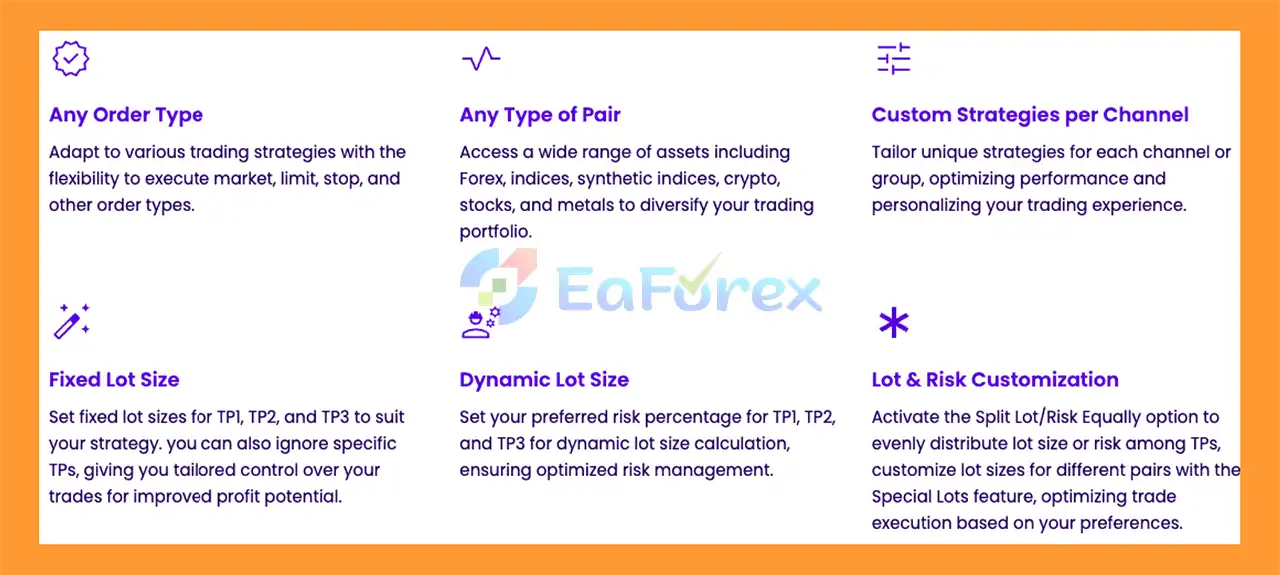
  • Custom Risk Management Control: Allows users to define their own money and risk management rules.
  • Manual Signal Selection: Enables traders to choose which signals to copy and which to ignore.
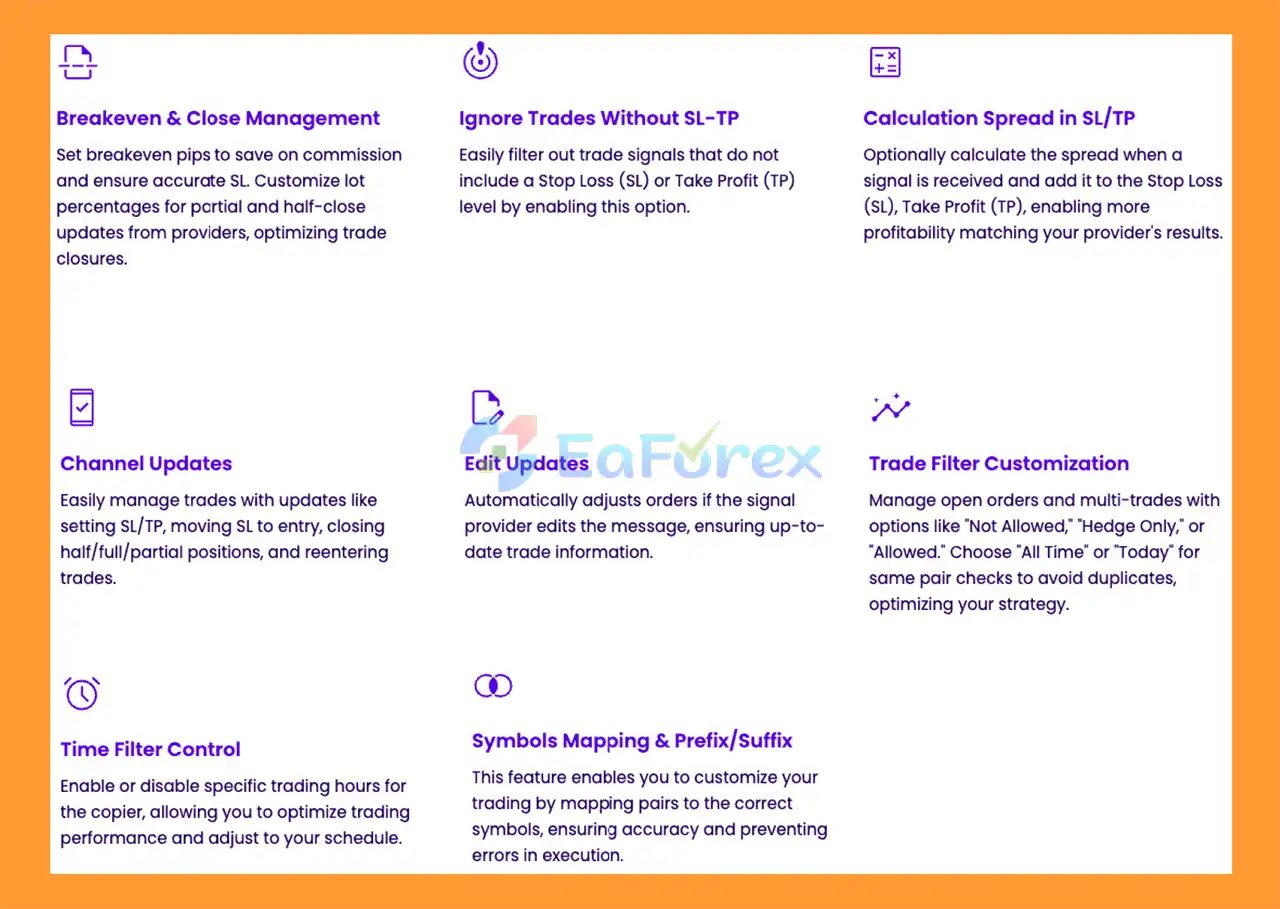
  • Easy Trade Modification: Modify take profit or stop loss by editing or replying to the original Telegram post.
  • Partial Order Closing: Supports closing trades easily by volume for flexible position management.
  • Strategy Customization: Users can build personalized strategies on top of copied signals.
  • Reduced Human Error: Eliminates mistakes caused by manual signal copying.
  • Flexible Trading Control: Balances automation with full trader oversight.

Why Choose RedFox Copier Pro MT4?

  • Reduces Trading Risk: Provides full control over position sizing and exposure when copying signals.
  • Ideal for Signal Traders: Perfect for traders who rely on Telegram signal providers.
  • User-Friendly Interface: Easy setup and operation without technical complexity.
  • Professional Customer Support: Direct assistance via private message and dedicated support group.
  • Custom Development Promise: EA can be upgraded to support unsupported signal formats at no extra cost.
  • Guaranteed User Satisfaction: Developer prioritizes client success and long-term usability.
  • Trusted Automation Solution: Suitable for both beginner and professional MT4 traders.

RedFox Copier Pro MT4 Reviews

  • Powerful Telegram to MT4 Automation: RedFox Copier Pro MT4 is a professional signal copier that automatically analyzes and executes Telegram trading signals directly into MetaTrader 4 with fast execution, high accuracy, and minimal slippage.
  • Advanced Features & Risk Control in RedFox Copier Pro MT4: This EA offers custom risk management, multi-signal filtering, partial order closing, manual signal selection, and easy trade modification, helping traders reduce human error while keeping full control over their trading strategy.
  • Why Traders Trust RedFox Copier Pro MT4: Designed for both beginners and professionals, RedFox Copier Pro MT4 delivers stable performance, user-friendly setup, reliable signal copying, and dedicated customer support, making it a trusted and time-saving MT4 automation solution.
RedFox Copier Pro MT4 Reviews

RedFox Copier Pro MT4 Reviews

RedFox Copier Pro EA MT4 Reviews

RedFox Copier Pro EA MT4 Reviews

RedFox Copier Pro EA MT4 Review

RedFox Copier Pro EA MT4 Review

RedFox Copier Pro Reviews

RedFox Copier Pro Reviews

Real User Reviews and Feedback

🔺 RedFox Copier Pro MT4 is highly appreciated by the MQL5 community for bringing stable and reliable profits. Below are 5 star reviews from users:

User Reviews

User Reviews

What’s Included in the Download Package?

  • Experts: RedFox Copier Pro v1.39_fix.ex4

>>> Join VIP Membership Now <<<

How To Set Up EA

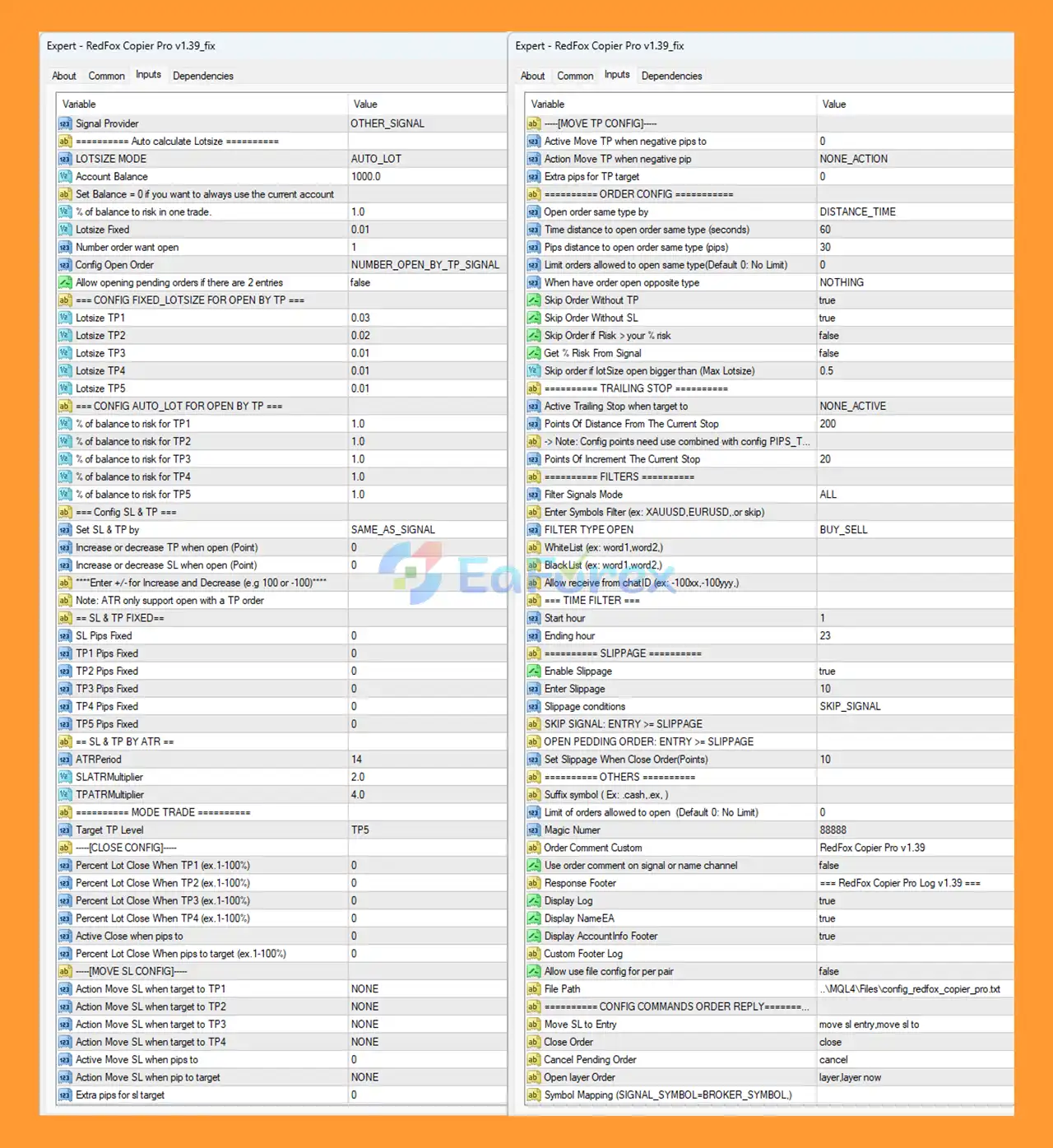
🔻 RedFox Copier Pro MT4 is a powerful trade copier Expert Advisor that allows you to copy trades between MT4 accounts with high speed and flexible risk management. This guide will show you how to properly install and configure RedFox Copier Pro MT4 for stable and optimal performance.

setting

setting

Step 1: Install the Expert Advisor

  1. Open MetaTrader 4
  2. Click File → Open Data Folder
  3. Navigate to:
    MQL4 → Experts
  4. Copy RedFox Copier Pro.ex4 into the Experts folder
  5. Restart MT4 or refresh the Navigator panel

Step 2: Allow Auto Trading

  • Click Tools → Options → Expert Advisors
  • Enable:
    • ☑ Allow Automated Trading
    • ☑ Allow DLL Imports
    • ☑ Allow WebRequest (if required)

🟢Attach RedFox Copier Pro to Chart

  1. Open any chart (recommended: EURUSD, M1)
  2. Drag RedFox Copier Pro MT4 onto the chart
  3. Enable AutoTrading (green button)

🟢Signal Provider Configuration

🔺If you are using RedFox Copier Pro as a signal provider:

  • Signal Provider: OTHER_SIGNAL
  • Keep trading normally on this account
  • Ensure trades are opened manually or by another EA
  • Magic Number can be left default or customized

➡️This account will send trading data to receiving accounts.

🟢Receiver Account Configuration

🔺Lot Size Settings

➡️Choose one of the following modes:

  • AUTO_LOT – Automatically calculates lot size based on risk
  • FIXED_LOT – Uses a fixed lot size (e.g. 0.01)

➡️Recommended:

  • LotSize Mode: AUTO_LOT
  • % of balance to risk: 1–2% per trade

🟢Stop Loss and Take Profit Settings

🔺Supported SL & TP Modes
  • Same as Signal
  • Fixed Pips
  • ATR-based SL & TP

➡️Common setup:

  • Set SL & TP by: SAME_AS_SIGNAL
  • ATR Period: 14
  • SL ATR Multiplier: 2.0
  • TP ATR Multiplier: 4.0

🟢Order Management Configuration

🔺Important parameters:

  • Open order same type by: DISTANCE_TIME
  • Time distance: 60 seconds
  • Pips distance: 30 pips
  • Skip order without TP: true
  • Skip order without SL: true

➡️This prevents duplicate or risky trades.

🟢Trailing Stop Configuration (Optional)

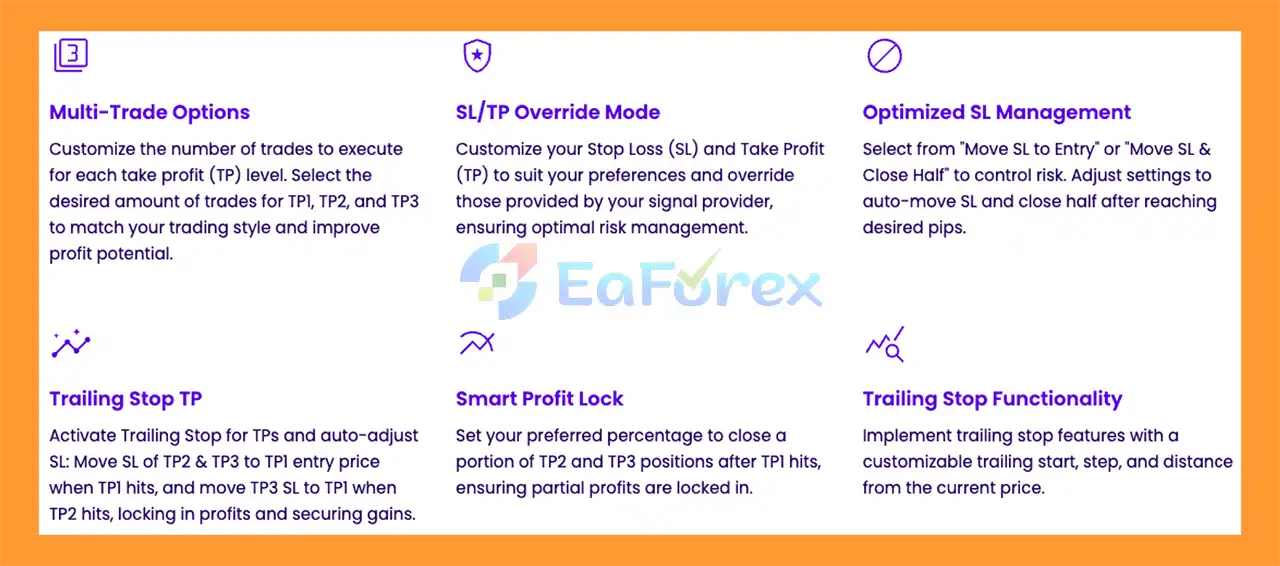
  • Active Trailing Stop: NONE or ACTIVE
  • Distance from current price: 200 points
  • Trailing step: 20 points

➡️Use trailing stop only if your strategy requires it.

🟢Trading Filters

🔺You can filter trades by:

  • Symbol (e.g. EURUSD, XAUUSD)
  • Trade direction (BUY / SELL)
  • Trading time

🔺Recommended:

  • Filter Signals Mode: ALL
  • Trading Hours: 01 – 23 (server time)

🟢Slippage and Execution Settings

  • Enable Slippage: true
  • Slippage value: 10
  • Slippage condition: SKIP_SIGNAL

➡️Helps protect against bad fills during high volatility.

🟢Logging and Monitoring

🔺Enable logs for easier monitoring:

  • Display Log: true
  • Display EA Name: true
  • Display Account Info: true

➡️Logs help diagnose connection or execution issues.

🟢Best Practices for Stable Trade Copying

  • Use a VPS for both Sender and Receiver accounts
  • Keep MT4 running 24/7
  • Use the same broker or similar trading conditions
  • Avoid over-leveraging
  • Test on demo before using live accounts

Conclusion

In summary, RedFox Copier Pro MT4 is a powerful and reliable Telegram to MT4 signal copier designed to help traders automate signal execution with speed, accuracy, and full risk control. By automatically analyzing and copying trades from Telegram channels into MetaTrader 4, it significantly saves time, reduces manual errors, and improves execution efficiency. With flexible money management options, signal filtering, partial order closing, and stable performance for 24/7 operation, RedFox Copier Pro MT4 is an ideal solution for both beginner and professional traders who want a trusted, user-friendly, and professional signal copying tool to enhance their trading workflow.

>>> Reviewed by Jason Stap <<<

FAQs

FAQs

1. What is RedFox Copier Pro MT4 and how does it work?

RedFox Copier Pro MT4 is a professional Telegram-to-MT4 signal copier that automatically reads, analyzes, and executes trading signals from selected Telegram channels directly into your MetaTrader 4 account. It copies entries, stop loss, and take profit with fast execution and minimal slippage.

2. Is RedFox Copier Pro MT4 safe for live trading?

Yes, RedFox Copier Pro MT4 is designed for live trading and includes advanced risk management features such as auto lot sizing, fixed lot control, SL/TP filters, slippage protection, and trade duplication prevention, helping traders control risk while copying signals.

3. Does RedFox Copier Pro MT4 copy signals automatically from Telegram?

Yes. Once configured, RedFox Copier Pro MT4 automatically copies trading signals from supported Telegram channels without manual intervention, allowing you to trade even when you are offline, sleeping, or busy.

4. Can I control lot size and risk when copying signals?

Absolutely. RedFox Copier Pro MT4 offers flexible money management options, including AUTO_LOT (risk-based) and FIXED_LOT modes. You can define your own risk percentage per trade to match your account size and trading strategy.

5. Does RedFox Copier Pro MT4 support multiple Telegram signal channels?

Yes. RedFox Copier Pro MT4 can analyze and filter signals from multiple selected Telegram channels, giving you the ability to choose which signals to copy and which ones to ignore for better strategy control.

6. Can I modify or close copied trades manually?

Yes. You can easily modify stop loss or take profit, partially close trades by volume, or fully close positions at any time. RedFox Copier Pro MT4 gives traders full control over copied trades.

7. Does RedFox Copier Pro MT4 require multiple charts or complex setup?

No. RedFox Copier Pro MT4 only needs to be attached to one MT4 chart to work properly. The setup process is simple and user-friendly, making it suitable for both beginners and professional traders.

8. Is RedFox Copier Pro MT4 compatible with all brokers?

RedFox Copier Pro MT4 works with most MT4 brokers. For best performance, a broker with low spread, fast execution, and stable connection is recommended. Using a VPS is strongly advised for 24/7 uninterrupted signal copying.

9. Can I test RedFox Copier Pro MT4 before using a real account?

Yes. It is highly recommended to test RedFox Copier Pro MT4 on a demo account first. This allows you to verify signal accuracy, execution speed, and risk settings before trading on a live account.

10. Who should use RedFox Copier Pro MT4?

RedFox Copier Pro MT4 is ideal for traders who rely on Telegram signal providers, including beginners who want automation and professionals who want fast, accurate execution with full risk control. It is a time-saving solution for anyone looking to automate signal trading on MT4.

Specification

Technical Details

Trading platform

MetaTrader 4 (MT4)

Time frames

Any Times

Currency pairs

Any Pairs

Product type

NoDLL / Fix

Customer Reviews

0 reviews
0
0
0
0
0

There are no reviews yet.

Be the first to review “RedFox Copier Pro MT4 v1.39 (Official version 1455+)”

Your email address will not be published. Required fields are marked *

1 2 3 4 5
1 2 3 4 5
1 2 3 4 5