Product Overview
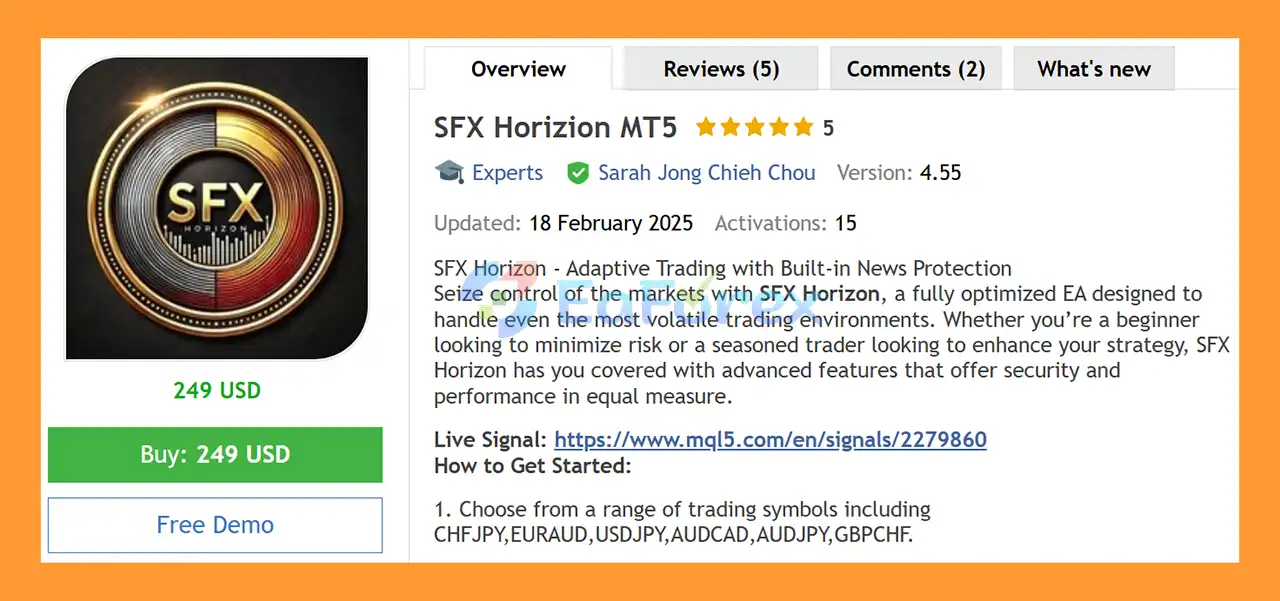
SFX Horizion MT5 is a fully automated MetaTrader 5 Expert Advisor (EA) designed for adaptive trading across multiple Forex pairs. Built for traders who want a simplified setup with integrated risk-control features, SFX Horizon combines automated trade management, trailing stop functionality, and built-in news protection within a single-chart trading system.
The EA is designed to operate from one M15 chart, allowing traders to manage multiple supported trading symbols without attaching the EA to every individual chart. This makes the setup straightforward and suitable for traders who prefer a clean and automated trading environment.
SFX Horizion MT5 supports several Forex pairs, including CHFJPY, EURAUD, USDJPY, AUDCAD, AUDJPY, and GBPCHF. Its built-in news control is designed to pause trading around major economic events, helping reduce exposure to periods of potentially unpredictable market volatility.
For operation, the developer recommends a minimum deposit of $100 and leverage of 1:30 or higher.
About the Developer
- Author: Sarah Jong Chieh Chou
- Experience: Over +3 years of experience on MQL5.
- Notable Products: SFX Horizion MT5, SFX Horizion MT4 and other advisors.
- Flagship Product: SFX Horizion MT5 is rated as the best performing product of the year.
>> Delivery time 24h-48h after payment.
>>> Refund if not delivered.
>>> You will receive the latest version without any limitations (ID+Time).
>>Reviewed by Jason Stap <<
Key Features of SFX Horizion MT5
One-Chart Trading System
SFX Horizion MT5 is designed to run from a single chart, reducing the need for multiple EA instances and complicated chart configurations.
- Recommended timeframe: M15
- Attach the EA to one chart only
- Designed to monitor supported trading symbols automatically
- Simplified setup and management
Automated Trailing Stop
The built-in trailing stop mechanism automatically manages open positions as the market moves in the trade’s favor.
This feature is designed to help:
- Lock in accumulated profits
- Reduce exposure when the market reverses
- Follow favorable price movements automatically
- Minimize the need for manual trade management
Built-In News Protection
One of the key features of SFX Horizion MT5 is its integrated news control function.
The EA can automatically pause new trading activity around major news events, helping reduce exposure to sudden market movements caused by economic announcements.
News protection can be particularly relevant when trading Forex pairs that may experience rapid spreads, volatility, and price movements during high-impact events.
Multi-Symbol Support
SFX Horizon can be used with a range of supported Forex symbols, including:
- CHFJPY
- EURAUD
- USDJPY
- AUDCAD
- AUDJPY
- GBPCHF
The EA is designed to simplify multi-symbol trading through its one-chart architecture.
How Does SFX Horizion MT5 Work?
SFX Horizion MT5 is designed to automate the trading process while combining market execution with built-in trade management and news protection.
Step 1: Attach the EA
Install SFX Horizon on one MT5 chart using the recommended M15 timeframe.
Step 2: Select the Trading Environment
The EA supports several Forex symbols, allowing traders to configure the system according to the supported market setup.
Step 3: Automated Trade Management
Once active, SFX Horizon handles trading and position management automatically according to its programmed strategy.
Step 4: Trailing Stop Protection
When a position moves favorably, the automated trailing stop can follow the market and help protect accumulated gains.
Step 5: News Protection
The built-in news control monitors major economic events and can pause trading activity around significant announcements.
This is intended to reduce the risk of entering new positions during periods of potentially extreme market volatility.
Why Choose SFX Horizion MT5?
SFX Horizon may be suitable for traders who want an automated Forex EA with a straightforward configuration and integrated market protection features.
Simple One-Chart Setup
Instead of attaching the EA separately to multiple charts, SFX Horizon is designed around a single-chart setup, making installation and monitoring easier.
Integrated News Filter
The built-in news protection feature provides an additional layer of control by restricting trading around major news events.
Automated Profit Management
The trailing stop allows the EA to manage open trades automatically rather than requiring continuous manual monitoring.
Multiple Forex Symbols
SFX Horizon supports several Forex pairs, giving traders flexibility when building their automated trading setup.
Accessible Starting Requirements
The developer recommends a minimum deposit of $100 with leverage of 1:30 or higher, although actual trading requirements can vary depending on the broker, account type, spread, margin conditions, and trading environment.
SFX Horizion MT5 Backtest Results
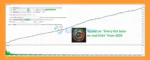
🔺GBPCHF – 4 Year
- Initial Deposit: $1,000
- Total Net Profit: $50,393.80
- Win Rate (% of total): 82.93%
- Maximum Drawdown: 1.43%
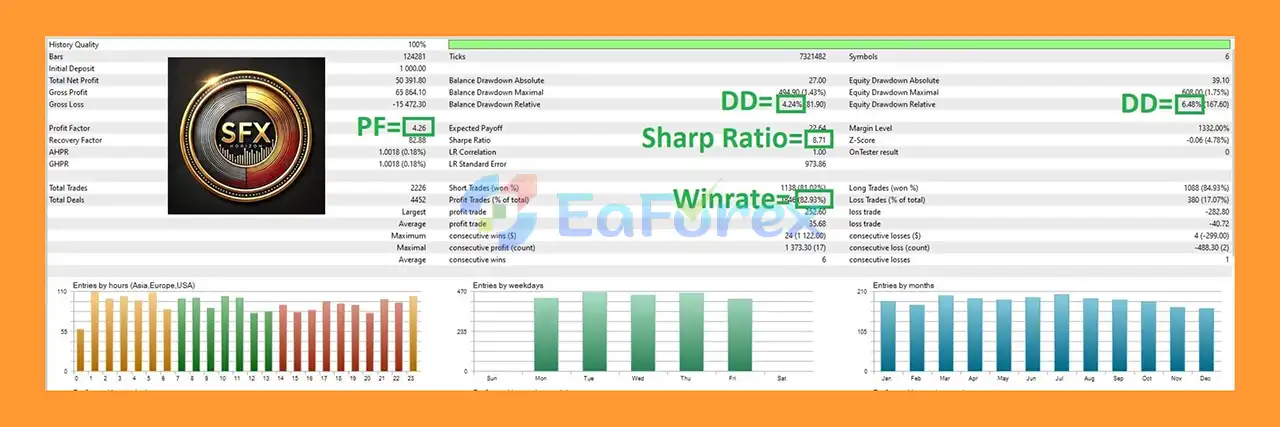
SFX Horizion MT5 Backtest
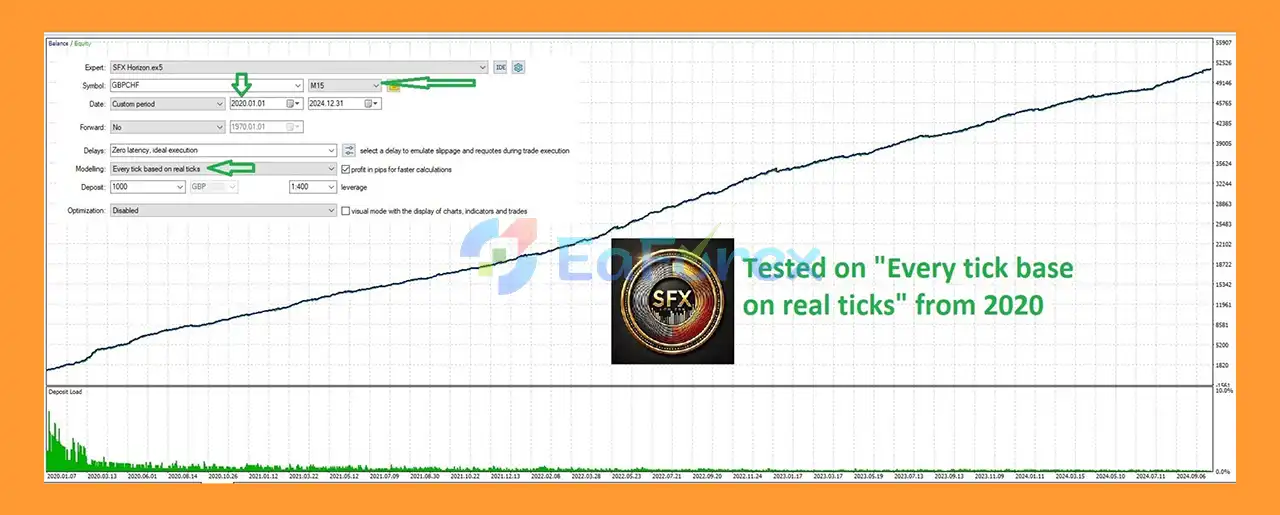
SFX Horizion MT5 Backtests
Real User Reviews and Feedback
🔺 SFX Horizion MT5 is highly appreciated by the MQL5 community for bringing stable and reliable profits. Below are 5 star reviews from users:
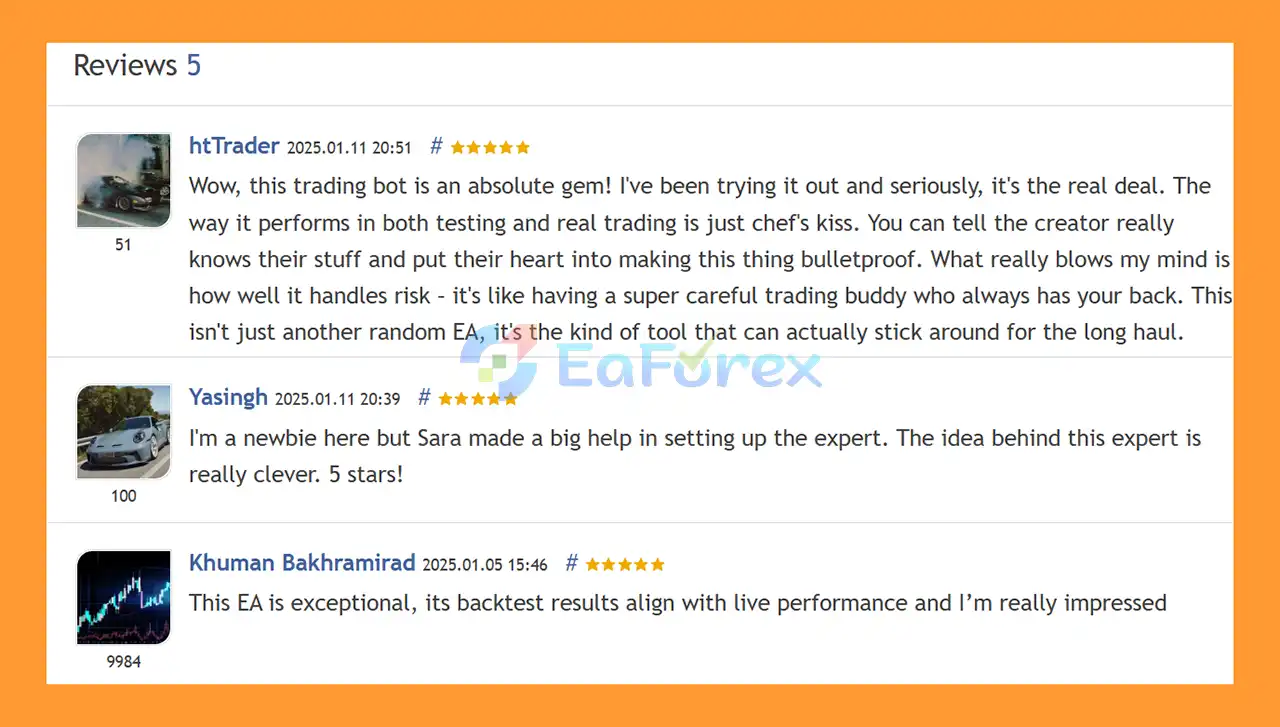
User Reviews
Performance and Risk Management
SFX Horizion MT5 focuses on automated execution combined with several risk-management mechanisms.
The main risk-control features include:
- Automated trailing stop
- Built-in news protection
- Single-chart architecture
- Automated trade management
- Multi-symbol trading support
The news filter is particularly important because major economic announcements can produce sudden price movements, wider spreads, and increased slippage.
However, a news filter does not eliminate market risk. Price gaps, rapid volatility, broker execution conditions, and unexpected market events can still affect trading results.
Traders should also consider that the recommended $100 minimum deposit is a starting guideline rather than a guarantee that the EA will perform effectively under every broker or market condition.
Before using SFX Horizon on a live account, testing the EA on a demo account is recommended.
Weaknesses and Risk Warnings
Although SFX Horizion MT5 includes several automated protection features, traders should understand its limitations.
- News protection does not eliminate volatility risk. Markets can move rapidly before, during, or after major economic events.
- Trailing stops cannot guarantee a specific exit price, especially during fast markets or periods of high slippage.
- Broker conditions matter. Spread, execution speed, commission, leverage, and liquidity can influence EA performance.
- Past or backtested results, if available, do not guarantee future performance.
- The recommended $100 deposit should not be interpreted as a guarantee of sufficient capital for every trading condition.
- Higher leverage can increase both potential gains and potential losses.
- Automated trading still involves the possibility of substantial financial loss.
For better risk control, traders should consider starting with a demo account and using conservative risk settings before moving to live trading.
Pros and Cons
Pros
- Fully automated MT5 Expert Advisor
- Designed for M15 trading
- One-chart EA architecture
- Supports multiple Forex symbols
- Built-in news protection
- Automated trailing stop
- Simplified setup and management
- Designed to reduce exposure to major news volatility
Cons
- Trading performance can vary between brokers
- News filters cannot prevent all unexpected market movements
- Slippage and spread conditions may affect execution
- A $100 starting deposit does not guarantee suitable risk levels
- Automated trading remains subject to market losses
How to Install SFX Horizon MT5
- Install MetaTrader 5 and log in to your trading account.
- Copy the SFX Horizon MT5 EA file into the appropriate MT5
Experts folder.
- Restart MetaTrader 5 or refresh the Navigator window.
- Open an M15 chart.
- Attach SFX Horizon to one chart only.
- Enable Algo Trading/AutoTrading.
- Configure the EA according to your account and broker conditions.
- Confirm that the supported symbols and trading environment are available.
- Test the EA on a demo account before using real funds.
- Monitor spread, execution, margin, and overall trading behavior after activation.
What’s Included in the Download Package?
- Setting (If Any).docx
- Installation Guide.docx
>>> Join VIP Membership Now <<<
Final Thoughts
In summary, SFX Horizon MT5 is a fully automated Forex Expert Advisor for MetaTrader 5, designed for multi-symbol trading through a simplified one-chart setup on the M15 timeframe. Its supported markets include CHFJPY, EURAUD, USDJPY, AUDCAD, AUDJPY, and GBPCHF, giving traders the flexibility to evaluate the system across several Forex pairs without attaching the EA to every individual chart.
One of its main characteristics is the combination of automated trade management, trailing stop functionality, and built-in news protection. The trailing mechanism is designed to manage profitable positions automatically, while the news-control feature can help reduce new trading activity around major economic announcements. However, these protections cannot eliminate risks from sudden price movements, slippage, spread widening, or unexpected market conditions.
The supplied 4-year GBPCHF backtest reports $50,393.80 total net profit, an 82.93% win rate, and 1.43% maximum drawdown from an initial deposit of $1,000. These historical backtest results do not guarantee future live performance. Actual results can vary depending on the broker, spread, commission, execution quality, liquidity, leverage, and market conditions.
Although the developer recommends a minimum deposit of $100 and leverage of 1:30 or higher, these figures should be treated as setup guidelines rather than guarantees of suitable risk or profitability.
Overall, SFX Horizon MT5 provides a straightforward framework for automated multi-symbol Forex trading with integrated trailing and news-management features. Thorough demo and forward testing under the intended broker conditions, together with conservative risk management and appropriate capital allocation, are recommended before live deployment.














 Unlimited Activations
 Instant delivery
 Easy to install
















 Automatic EA
 EA Best Seller
 Expert Advisor MT4
 Expert Advisor MT5
 HFT EA


Reviews
Clear filtersThere are no reviews yet.