









-
 Unlimited Activations
-
 Instant delivery
-
 Easy to install







 Unlimited Activations
Instant delivery
Easy to install
Unlimited Activations
Instant delivery
Easy to install
 Free Update
 Free Install Support

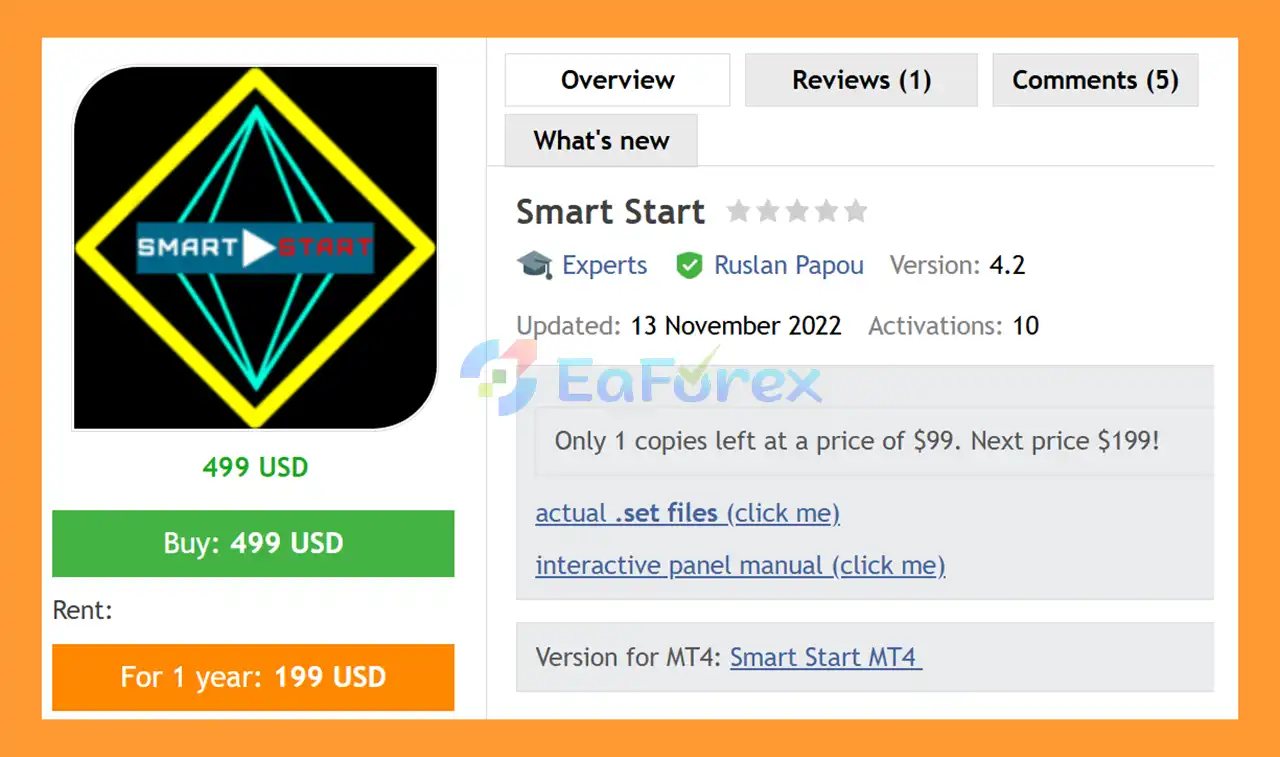
Smart Start EA MT5 is an automated Forex trading system designed to provide flexible trading options for both small-account acceleration and more conservative trading approaches. The EA combines a modernized MACD-based market analysis system with additional proprietary filters and automated trade-management logic.
Rather than relying only on the current MACD signal, Smart Start analyzes the historical behavior and parameters of the MACD indicator, together with additional built-in non-indicator filters. This approach is designed to help reduce false entry signals and improve the management of market exits.
Smart Start EA MT5 also includes an author’s system for managing open positions and responding to adverse market conditions. According to the developer, the EA incorporates an artificial intelligence/self-optimization system in which many parameters are automatically optimized, reducing the number of settings that users need to configure manually.
The recommended configuration is EURUSD on the M5 timeframe, while the EA can also be optimized for other currency pairs.
One of its notable features is the ability to start with a very small account, with the developer stating that Smart Start can be used from $1 on a cent account, subject to appropriate broker conditions.
>> Delivery time 24h-48h after payment.
>>> Refund if not delivered.
>>> You will receive the latest version without any limitations (ID+Time).>>Reviewed by Jason Stap <<
Smart Start EA MT5 uses the MACD indicator as a central component of its market-analysis system.
The EA can use the following MACD parameters:
These parameters help define the underlying MACD conditions used by the trading algorithm.
Smart Start does more than simply evaluate a single MACD reading.
The system considers historical indicator information and MACD parameters when analyzing potential entry points. This is combined with additional built-in filters designed by the developer.
The goal is to distinguish potentially stronger setups from weaker or false signals.
In addition to MACD analysis, Smart Start uses additional proprietary filters that are not based directly on conventional indicators.
These filters are intended to improve signal selection and help control when the EA enters or exits the market.
Smart Start EA MT5 includes its own system for maintaining open orders.
The EA is designed to manage positions when the market moves in an unfavorable direction rather than relying solely on a simple entry-and-exit signal.
This position-management logic is an important part of the overall strategy.
The AllowCounter parameter controls whether counter orders can be opened.
This gives traders the ability to enable or disable counter-order functionality according to their preferred trading configuration.
According to the developer, Smart Start incorporates an artificial intelligence/self-optimization system in which many parameters are automatically optimized.
The purpose is to reduce the number of manual settings presented to users while retaining the key parameters needed to operate or customize the system.
Smart Start EA MT5 can be configured for different trading objectives, including:
This makes the EA more flexible than a system restricted to a single fixed configuration.
The developer states that Smart Start can start trading with $1 on a cent account, or approximately $100 on a standard account.
However, a small starting balance should not be confused with low trading risk. Aggressive settings can result in substantial percentage drawdowns even when the initial deposit is small.
Smart Start EA MT5 combines MACD analysis, historical indicator data, additional filters, and automated position management.
The EA monitors the selected currency pair and timeframe.
The recommended configuration is:
EURUSD – M5
The system uses MACD-related information together with additional built-in filters to evaluate current market conditions.
Instead of relying exclusively on the current MACD reading, Smart Start considers historical MACD information and the configured indicator parameters.
This provides additional context when evaluating a potential trading signal.
Additional non-indicator filters are applied to help remove weaker or potentially false signals.
Only when the required conditions are satisfied can the EA proceed with its trading logic.
When a valid setup is identified, Smart Start can automatically open an order.
The EA’s lot size is determined by the selected LotModule and Lot settings.
The DistanceOfOrders parameter controls the distance used when opening subsequent orders.
If counter trading is enabled, AllowCounter can also permit counter orders according to the EA’s programmed logic.
Smart Start EA MT5 continuously monitors open trades.
Its proprietary position-management system is designed to maintain positions and respond to adverse market situations.
The TakeProfit parameter defines the profit target in points used to close an order.
The EA can also use its broader exit and position-management logic when determining how open trades should be handled.
Smart Start EA MT5 combines a well-known technical indicator with additional filters rather than depending on a single conventional MACD signal.
The developer describes the EA as incorporating AI-based or self-optimization functionality, reducing the number of parameters that users need to manually configure.
The system can be used for aggressive small-account trading or configured more conservatively, depending on the selected settings.
The ability to operate on a $1 cent account makes Smart Start accessible for traders who want to experiment with automated trading using a very small initial balance.
Although the EA attempts to minimize unnecessary user parameters, traders still have access to important settings that can be used to develop or optimize their own trading approach.
While EURUSD M5 is the recommended configuration, the EA can be optimized for other currency pairs.
Traders should perform independent testing before assuming that settings optimized for EURUSD will work effectively on another instrument.
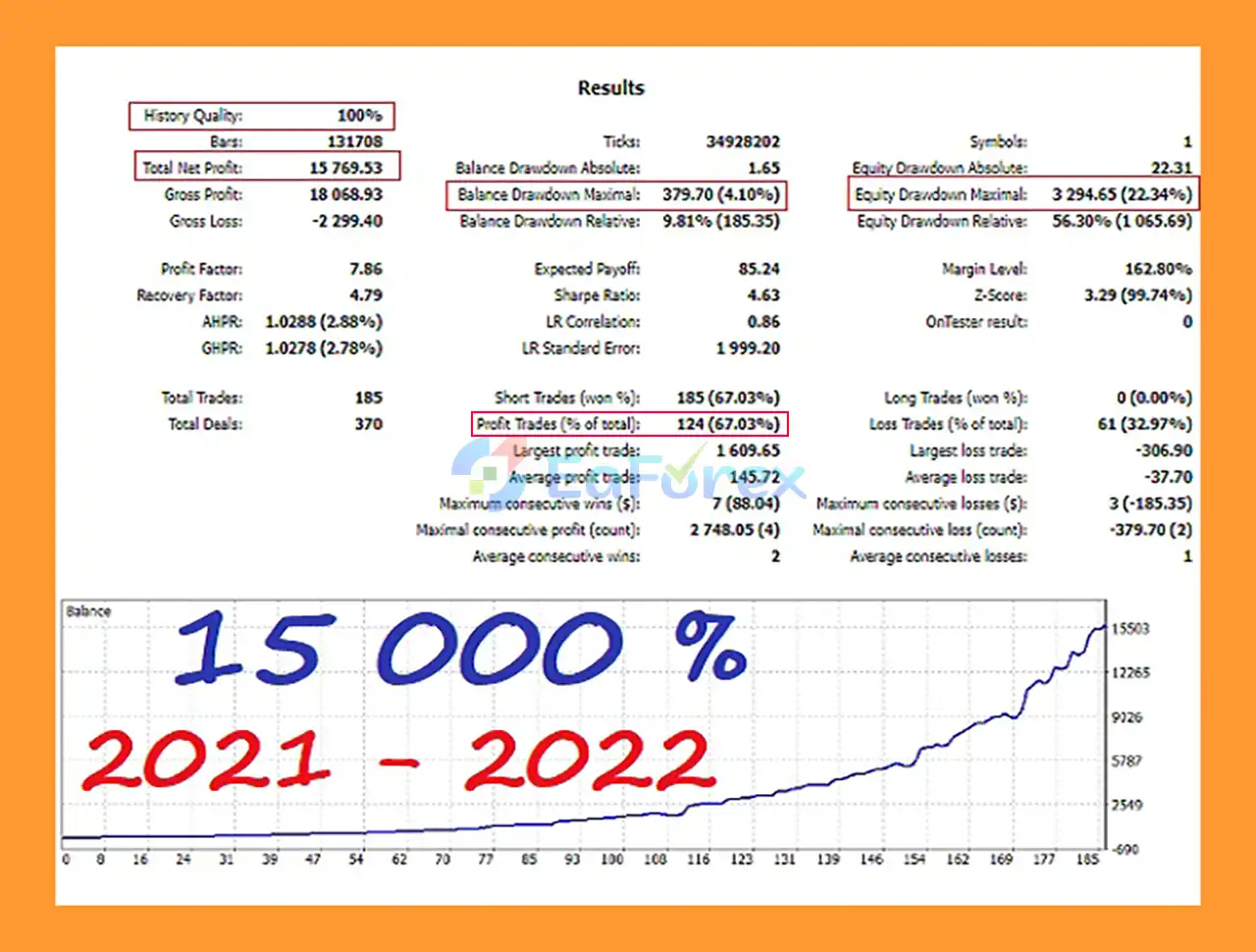
🔺EURUSD – 2 years
Smart Start EA MT5 Backtests
Smart Start EA MT5 provides several parameters that influence trade frequency, position size, and exposure.
The TakeProfit parameter determines the profit target in points for closing an order.
Traders can adjust this according to their chosen trading configuration.
DistanceOfOrders controls the distance at which subsequent orders may be opened.
This parameter is particularly important because smaller distances can potentially result in more frequent additional orders.
The AllowCounter setting determines whether counter orders are permitted.
When enabled, the EA can use its counter-order logic as part of its position-management approach.
The LotModule parameter determines the lot-selection mode, while the Lot parameter controls the lot-volume setting.
Proper lot sizing is essential because the same strategy can have significantly different risk characteristics depending on the selected position size.
The developer recommends a 10–20% stop level for aggressive trading.
This should be interpreted carefully because a 10–20% account loss is already a substantial drawdown. Traders who prioritize capital preservation may prefer considerably lower risk limits.
Although Smart Start EA MT5 can technically be used with a $1 cent account, small balances provide very limited room for drawdown.
Aggressive trading on a small account can result in rapid account depletion if market conditions move against the strategy.
Controls whether the EA is allowed to open counter orders.
Defines the fast EMA component of the MACD calculation.
Defines the slower EMA component used by MACD.
Controls the MACD signal calculation parameter.
Defines the first MACD-related threshold used by the system.
Defines the second MACD-related threshold.
Sets the profit target in points used for closing an order.
Defines the distance used when opening subsequent orders.
Determines the method used to select or calculate trading volume.
Defines the lot-volume parameter used by the selected lot-management mode.
The Magic Number identifies trades generated by the EA, helping distinguish Smart Start positions from other trades running on the same MT5 account.
The recommended M5 timeframe can contain significant short-term market noise. Small price movements can produce changing signals and potentially increase trading frequency.
If counter-order functionality is enabled, additional positions can increase overall account exposure.
Traders should evaluate the combined exposure rather than considering each trade separately.
The DistanceOfOrders setting can influence how frequently additional positions are opened. An unsuitable configuration can increase the number of simultaneous positions.
A recommended stop level of 10–20% for aggressive trading represents substantial account risk. Traders should not assume that a small initial deposit means a small percentage risk.
The developer describes Smart Start as an AI/self-optimization system, but automated optimization cannot guarantee that future market behavior will match historical patterns.
Optimizing an EA too heavily for historical data can produce curve fitting. A configuration that performs well in the Strategy Tester may behave differently in live trading.
EURUSD M5 is the recommended configuration. If the EA is optimized for another currency pair, traders should conduct separate backtesting and forward testing.
Smart Start EA MT5 can experience losing trades and drawdowns. Market volatility, spread, slippage, execution quality, and broker conditions can all influence live performance.
In summary, Smart Start EA MT5 is a flexible automated Forex Expert Advisor that combines MACD-based market analysis, historical indicator data, additional proprietary filters, and automated position management. Its self-optimization/AI functionality, adjustable lot management, counter-order option, and ability to support both aggressive and conservative configurations make it an adaptable system for traders with different objectives. EURUSD M5 is the recommended setup, while other currency pairs can be tested separately.
The supplied two-year EURUSD backtest reports $15,769.55 net profit from a $100 initial deposit, with a 67.03% win rate and 4.10% maximum drawdown. These are historical backtest results and should not be interpreted as a guarantee of future performance. The reported results should also be evaluated alongside the EA’s position-management features, particularly counter orders and subsequent-order distance, as these settings can materially affect overall exposure. AI or self-optimization does not eliminate the risk of curve fitting or changing market conditions.
Overall, Smart Start EA MT5 may appeal to traders seeking a MACD-based MT5 Forex EA with automated optimization and flexible risk configurations. However, the M5 timeframe can generate market noise, while aggressive 10–20% stop levels represent substantial account risk. Traders should test lot size, order distance, and counter-order settings carefully, use realistic broker conditions, perform out-of-sample and demo forward testing, and prioritize conservative risk management before considering live deployment.
1. What is Smart Start EA MT5?
Smart Start EA MT5 is an advanced Expert Advisor (EA) for MetaTrader 5 that combines MACD-based market analysis, AI-driven optimization, and automated trading to help traders maximize profits with minimal manual input.
2. Who can use Smart Start EA MT5?
This EA is suitable for both beginners with small deposits and professional traders looking for scalable and customizable trading strategies.
3. How does Smart Start EA MT5 work?
The EA uses historical MACD indicators, proprietary filters, and AI optimization to identify high-probability entry and exit points while managing orders automatically to reduce trading risks.
4. What are the main features of Smart Start EA MT5?
Key features include small deposit trading (from $1), flexible lot management, adaptive AI optimization, smart entry/exit filters, customizable TakeProfit and stop levels, and counter-order functionality.
5. Can I trade with a small account using Smart Start EA MT5?
Yes, the system is compatible with cent accounts and can start trading with as little as $1, making it accessible for beginner traders.
6. Which currency pairs and timeframes are recommended?
Smart Start EA MT5 is optimized for EURUSD on the M5 timeframe, but it can be adapted and optimized for other currency pairs as well.
7. How profitable is Smart Start EA MT5?
Backtests on EURUSD M5 over two years show a total net profit of $15,769.55 from an initial deposit of $100, with a 67% win rate and maximum drawdown of 4.1%.
8. How customizable is Smart Start EA MT5?
Traders can adjust MACD parameters, lot size, TakeProfit, distance settings, and risk levels, allowing both aggressive and conservative trading strategies.
9. What is included in the Smart Start EA MT5 package?
The download package includes an installation guide and a settings document to help users quickly set up and start trading with the EA.
10. Why choose Smart Start EA MT5 over other EAs?
It combines AI optimization, MACD-based analysis, minimal user parameters, and proven backtest results, making it a reliable, time-saving, and highly customizable solution for modern forex traders.
In stock
In stock
In stock
In stock
In stock
Out of stock
No account yet?
Create an Account












 Automatic EA
 EA Best Seller
 Expert Advisor MT4
 Expert Advisor MT5
 HFT EA


Reviews
Clear filtersThere are no reviews yet.