









-
 Unlimited Activations
-
 Instant delivery
-
 Easy to install



 Unlimited Activations
Instant delivery
Easy to install
Unlimited Activations
Instant delivery
Easy to install
 Free Update
 Free Install Support

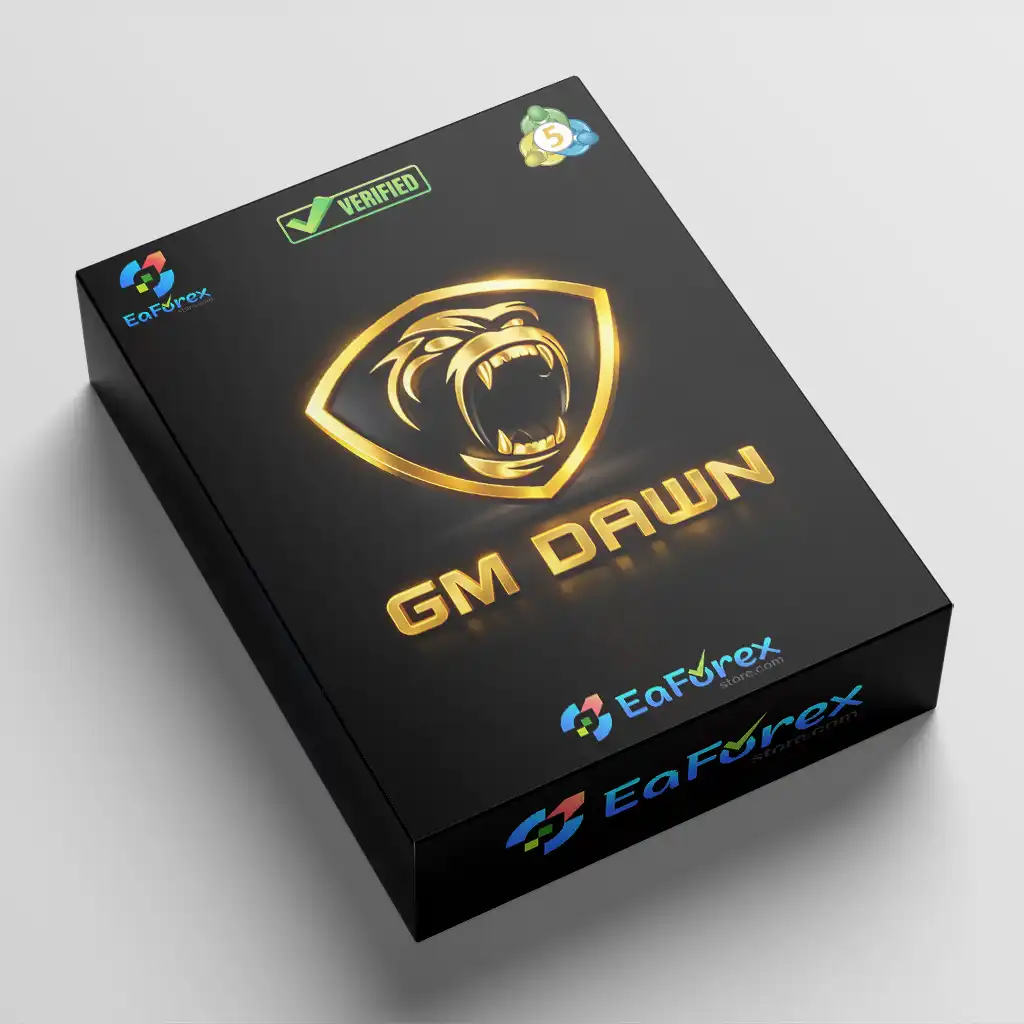
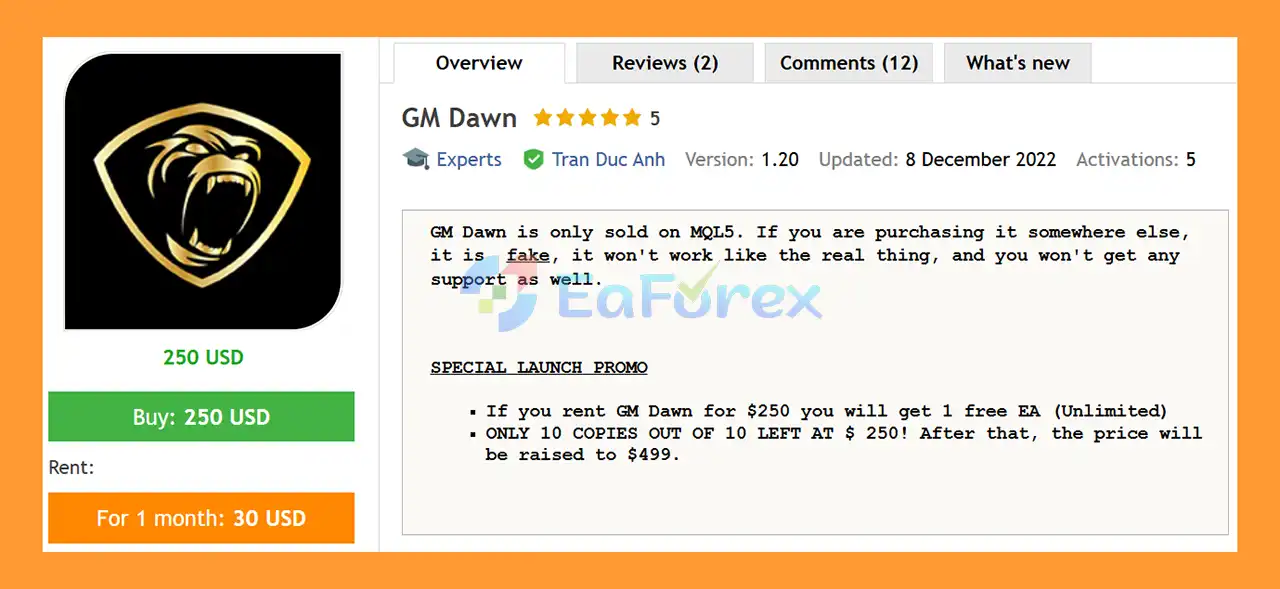
GM Dawn EA MT5 is a fully automated Forex Expert Advisor designed to make algorithmic trading simple and accessible for traders with different levels of experience. The EA is designed to work across Forex pairs, with the developer recommending instruments that provide good liquidity.
GM Dawn EA MT5 focuses on a straightforward automated trading structure without traditional Grid or Martingale systems. The EA uses Stop Loss and Take Profit to manage trades and can operate with different brokers and account types.
The installation process is simple: attach GM Dawn EA MT5 to the chart of the Forex pair you want to trade and configure the lot size according to your preferred risk level.
For traders looking for an easy-to-use MT5 Forex EA without complicated installation procedures, GM Dawn provides a simple approach to automated trading.
>> Delivery time 24h-48h after payment.
>>> Refund if not delivered.
>>> You will receive the latest version without any limitations (ID+Time).>>Reviewed by Jason Stap <<
GM Dawn EA MT5 is designed to automate the trading process, allowing the EA to monitor the selected market and manage trades without requiring constant manual intervention.
Once installed and configured, the EA can operate according to its programmed trading logic.
GM Dawn EA MT5 does not use a traditional Grid trading strategy.
This means the EA is not designed around repeatedly adding positions at predefined price intervals as part of a grid recovery structure.
GM Dawn EA MT5 also does not use a traditional Martingale system.
Traders who prefer to avoid aggressive lot multiplication after losing trades may find this approach more suitable for their trading preferences.
The EA incorporates Stop Loss and Take Profit into its trade management.
These controls are important because they provide predefined levels for managing potential losses and profits rather than leaving positions without an exit framework.
GM Dawn EA MT5 is designed to work with Forex pairs.
The developer recommends selecting currency pairs with good liquidity, which can help provide more consistent trading conditions and execution.
GM Dawn EA MT5 is designed to work with all brokers and account types, with the developer noting that trading conditions with a US-based time zone are supported.
An NDD broker is also considered an advantage.
Setting up GM Dawn EA MT5 is straightforward:
GM Dawn EA MT5 is designed to simplify the process of automated Forex trading.
Choose the Forex pair where you want GM Dawn to operate.
The developer recommends currency pairs with good liquidity.
Open the selected chart in MetaTrader 5 and attach GM Dawn EA MT5 to it.
No complicated installation process is required beyond attaching the Expert Advisor to the desired chart.
The main user configuration highlighted by the developer is the lot setting.
The appropriate lot size should be selected according to account size and risk tolerance.
The developer provides example Auto Lot settings for different risk levels.
These examples are based on trading 28 currency pairs:
These figures should be treated as configuration examples rather than guarantees of a specific risk level or return. Actual exposure can vary depending on the broker, currency pairs, market conditions, and account specifications.
After configuration, GM Dawn manages the trading process automatically according to its programmed strategy.
Stop Loss and Take Profit are used as part of the trade-management framework.
GM Dawn EA MT5 is designed with simplicity in mind. Traders do not need to configure a complicated installation process before starting the EA.
The system does not rely on traditional grid or martingale recovery techniques. This may appeal to traders who prefer a simpler position-management structure.
GM Dawn EA MT5 can be used across Forex pairs, giving traders flexibility when selecting instruments with suitable liquidity.
The inclusion of Stop Loss and Take Profit provides defined trade-management levels and helps establish a clearer risk framework.
The developer states that GM Dawn EA MT5 can operate with different broker and account types, giving traders flexibility when choosing their trading environment.
The basic workflow is simple: select a chart → attach the EA → configure the lot size → allow automated trading.
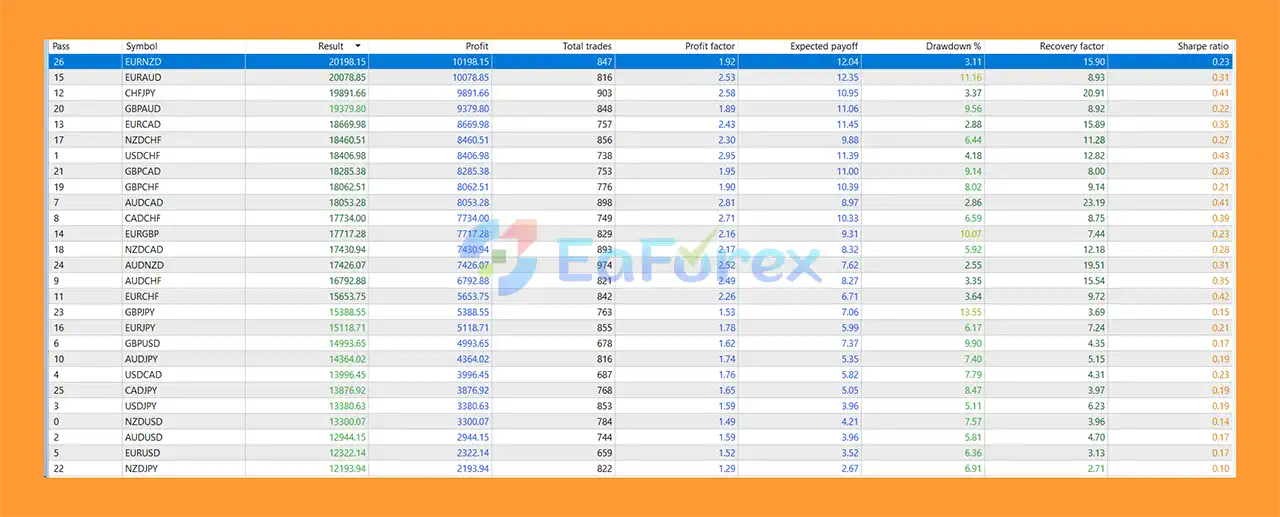
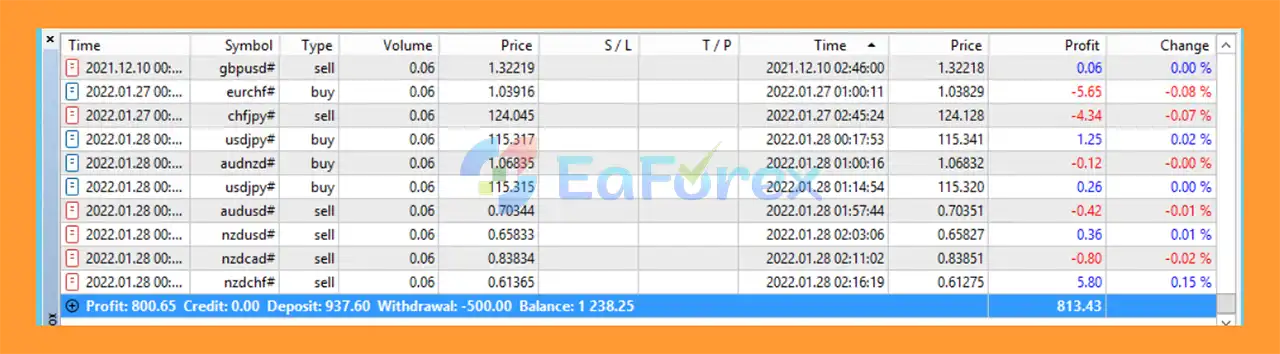
GM Dawn EA MT5 Trading Results
GM Dawn MT5 Reviews
Risk management is particularly important when using an automated Forex EA across multiple currency pairs.
GM Dawn EA MT5 uses lot sizing as an important risk-control parameter.
The developer provides different Auto Lot examples based on the number of currency pairs being traded.
However, traders should calculate their total portfolio exposure rather than evaluating the lot size of one pair in isolation.
GM Dawn EA MT5 uses Stop Loss as part of its trade-management system.
A Stop Loss can help limit losses when a trade moves against the strategy, although it cannot eliminate the possibility of slippage or losses beyond the expected level during fast markets.
Take Profit is also incorporated into the EA’s trading logic, providing a predefined profit-taking mechanism.
Because GM Dawn EA MT5 can be used across multiple Forex pairs, running the EA on many charts simultaneously can significantly increase total market exposure.
Currency pairs can also be correlated. Therefore, traders should consider the combined risk of all active pairs.
The provided settings indicate three example risk configurations:
| Risk Level | Example Capital | Auto Lot |
|---|---|---|
| Low Risk | $250 / 28 pairs | 0.5 |
| Average Risk | $200 / 28 pairs | 1 |
| High Risk | $200 / 28 pairs | 2 |
These values are supplied as developer recommendations and should be validated through backtesting and forward testing before live use.
Based on the provided specifications, traders should consider:
The exact broker conditions should still be tested because spreads, commissions, execution speed, and liquidity can affect live trading performance.
Using GM Dawn EA MT5 on many Forex pairs simultaneously can create substantial combined exposure. A configuration that appears moderate on each individual pair can become much more aggressive at the portfolio level.
The example Auto Lot settings provided by the developer should not automatically be treated as suitable for every account.
Account size, leverage, drawdown tolerance, broker conditions, and the number of active pairs should all be considered before selecting a lot size.
Currency markets can experience rapid movements during economic releases, central-bank decisions, geopolitical events, and periods of reduced liquidity.
Stop Loss can help manage downside risk, but it does not guarantee that execution will occur exactly at the intended price.
Although GM Dawn EA MT5 is designed to support different brokers and account types, actual trading results can vary depending on:
The absence of Grid and Martingale does not mean the EA cannot experience losses. Automated trading always carries financial risk, and historical or expected performance should never be interpreted as a guarantee of future results.
1. What is GM Dawn EA MT5?
GM Dawn EA MT5 is an Expert Advisor for MetaTrader 5 that provides safe, automated trading without using risky strategies like grid or martingale, making it suitable for traders of all experience levels.
2. Who can use GM Dawn EA MT5?
This EA is ideal for both beginners and professional traders seeking a low-risk, reliable, and easy-to-use automated trading system.
3. How does GM Dawn EA MT5 manage trades?
It uses smart stop-loss and take-profit mechanisms, auto lot adjustments, and precise trade filtering to optimize risk management and maximize consistent profits.
4. Which currency pairs are compatible with GM Dawn EA MT5?
The EA works with all forex pairs but performs best on high-liquidity pairs such as EURUSD, GBPUSD, and USDJPY.
5. Can GM Dawn EA MT5 work on any broker?
Yes, it is compatible with all brokers and account types. Non-Dealing Desk (NDD) brokers are recommended for optimal execution.
6. What are the main features of GM Dawn EA MT5?
Key features include no grid or martingale trading, smart stop-loss/take-profit, auto lot adjustment, multi-pair support, US market optimization, and minimal maintenance.
7. How profitable is GM Dawn EA MT5?
GM Dawn EA MT5 is optimized for consistent and stable trading rather than aggressive profits, focusing on reducing drawdowns and maintaining long-term account growth.
8. How easy is it to install and use GM Dawn EA MT5?
Installation is simple: attach the EA to a chart, select your preferred lot size and risk level, and the system runs automatically with minimal supervision.
9. Does GM Dawn EA MT5 provide support and signals?
Yes, the EA comes with signal support, professional assistance for installation, and guidelines for low, medium, and high-risk setups to help traders optimize performance.
10. Why choose GM Dawn EA MT5 over other EAs?
It provides a safe, beginner-friendly trading solution, avoids high-risk strategies, adapts to market conditions, supports all brokers and pairs, and ensures stable, consistent performance with minimal monitoring.
In stock
In stock
In stock
In stock
In stock
Out of stock
No account yet?
Create an Account












 Automatic EA
 EA Best Seller
 Expert Advisor MT4
 Expert Advisor MT5
 HFT EA


Reviews
Clear filtersThere are no reviews yet.