









-
 Unlimited Activations
-
 Instant delivery
-
 Easy to install






 Unlimited Activations
Instant delivery
Easy to install
Unlimited Activations
Instant delivery
Easy to install
 Free Update
 Free Install Support

Neuromios EA MT5 is a modern MetaTrader 5 Expert Advisor (EA) powered by a neural network with a unique architecture. The system is specifically designed to trade EURUSD on the D1 (Daily) timeframe, using a low-frequency trading approach that focuses on one potential transaction per day.
Unlike high-frequency Expert Advisors that constantly monitor and execute trades, Neuromios EA MT5 is designed around daily market analysis. Transactions are normally opened at the beginning of a new trading day when the neural network identifies a valid trading opportunity.
This low-frequency architecture can reduce the need for continuous high-performance hardware and minimize dependence on uninterrupted communication with the trading server. If the EA is temporarily offline when the daily opening signal occurs, it can attempt to execute the trade at the first available opportunity, provided that the signal remains valid and the market price remains within the configured deviation.
Neuromios EA MT5 includes built-in Take Profit, Stop Loss, trailing stop, break-even, position time limits, and money-management functions, providing traders with a comprehensive automated trading framework.
• Author: Dmytro Kucherenko
• Experience: Over 1 years of experience on MQL5.
• Notable Products: Neuromios EA and other advisors.
• Flagship Product: Net Z EA MT5 is rated as the best performing product of the year.
>>> Delivery time 24h-48h after payment.
>>> Refund if not delivered.
>>> You will receive the latest version without any limitations (ID+Time).
Neuromios EA MT5 Overview
The core of Neuromios EA MT5 is a neural network designed to evaluate the current market state and generate trading signals.
The neural network was trained using eight years of historical data from Admiral Markets servers, while additional testing was conducted with brokers including ICMarkets and FxPro.
The EA also provides information about the neural network’s market assessment directly in the trading log.
Neuromios EA MT5 is designed specifically for:
This makes the EA suitable for traders who prefer a slower, systematic approach rather than frequent intraday trading.
The EA is designed to handle missed opening opportunities. If the advisor was not connected when the daily trading opportunity occurred, it can attempt to open the transaction later when:
For every new transaction, Stop Loss and Take Profit levels are calculated and assigned at the time of opening.
This provides predefined trade-management levels from the beginning of each position.
A configurable trailing-stop mechanism can be used to dynamically protect a position as the market moves in the desired direction.
The EA can automatically move the protective stop to break-even after the configured conditions are reached.
This can help reduce the risk of allowing a profitable trade to return completely into loss.
Neuromios EA MT5 can also be configured to force-close a position after a specified period of time, providing an additional layer of trade-duration management.
The built-in Money Management system can calculate trade volume based on available funds and margin requirements.
When enabled, the EA uses the configured percentage of available funds allocated for margin to determine the appropriate trading volume.
During operation, the EA records information about:
The neural network’s assessment is displayed in the log approximately every hour, helping traders monitor how the system evaluates current market conditions.
The same information is also added to the trade comment.
When launched, the EA creates its neural network model file in the MT5 common folder:
Common\Files\Neuromios\Neuromios.net
By default, the model file is recreated when the advisor starts.
The Force Model Resource write parameter can be set to false to prevent the model file from being recreated when an existing file is already available.
Neuromios EA MT5 uses a neural-network-based approach to evaluate the current EURUSD market environment and determine whether the conditions support a trading opportunity.
The general operating process can be summarized as follows:
The neural network evaluates market information and produces an assessment of the current market state.
The EA’s assessment is periodically recorded in the MT5 trading log.
The strategy operates primarily around the opening of a new trading day. The system is designed to make no more than one transaction per day under normal operating conditions.
When a valid signal is available, the EA attempts to open the appropriate EURUSD position.
If the EA was offline at the exact daily opening, it can still attempt execution later if the signal remains valid and the price has not moved beyond the specified deviation.
Once a position is opened, the EA calculates and sets:
These levels are attached to the transaction at entry.
Depending on the configured parameters, the EA can manage the position using:
If Money Management is enabled, the EA calculates position volume according to the available funds and configured margin percentage.
This allows position size to adapt to the account’s available capital rather than relying exclusively on a fixed lot size.
Neuromios EA MT5 uses a neural network as the central component of its market assessment process, providing an alternative to traditional indicator-only trading systems.
The EA focuses on EURUSD D1 trading, making its operating structure relatively simple compared with multi-symbol or high-frequency Expert Advisors.
With no more than one transaction per day under normal conditions, the EA does not require constant manual monitoring of multiple trades.
Because the system operates on a daily trading cycle rather than continuously opening large numbers of positions, it can place fewer demands on computing resources and constant connectivity.
The combination of:
provides multiple tools for controlling individual positions.
The EA is designed to work without additional strategy configuration. Traders can start with the default parameters and adjust the risk settings according to their account and preferences.
The detailed log provides insight into the EA’s signals, trade parameters, and neural-network assessment, allowing traders to monitor the system’s behavior.
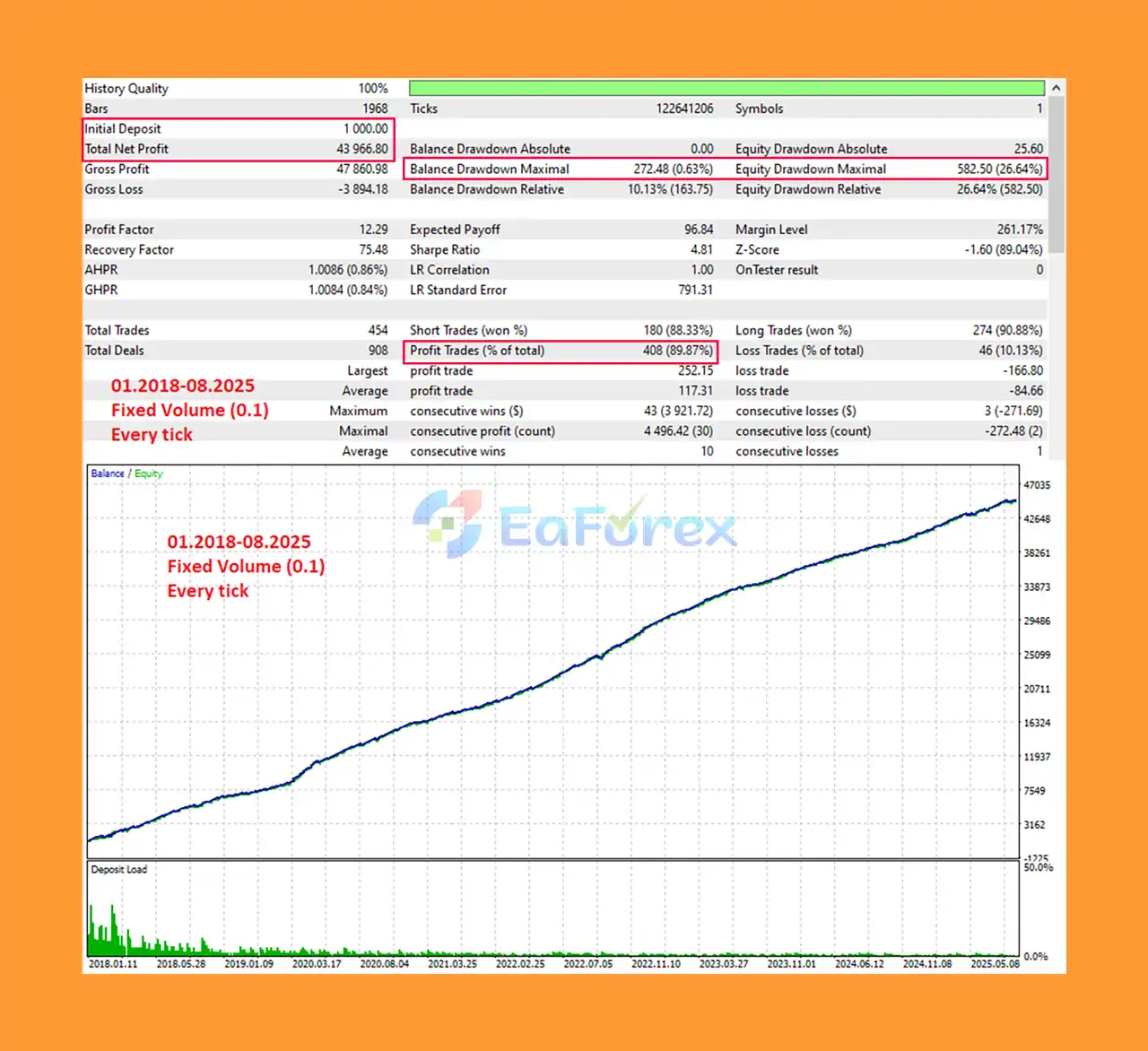
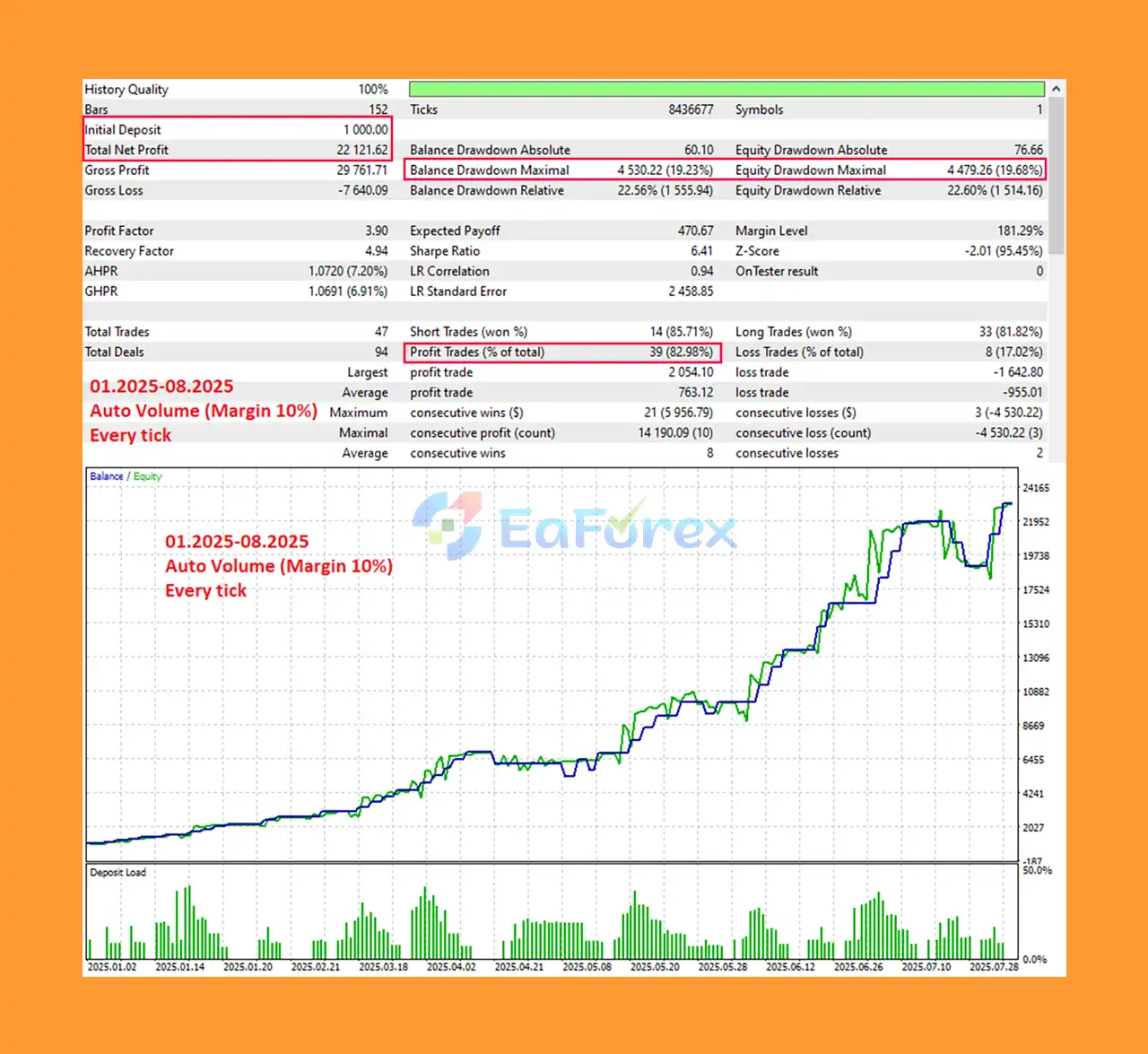
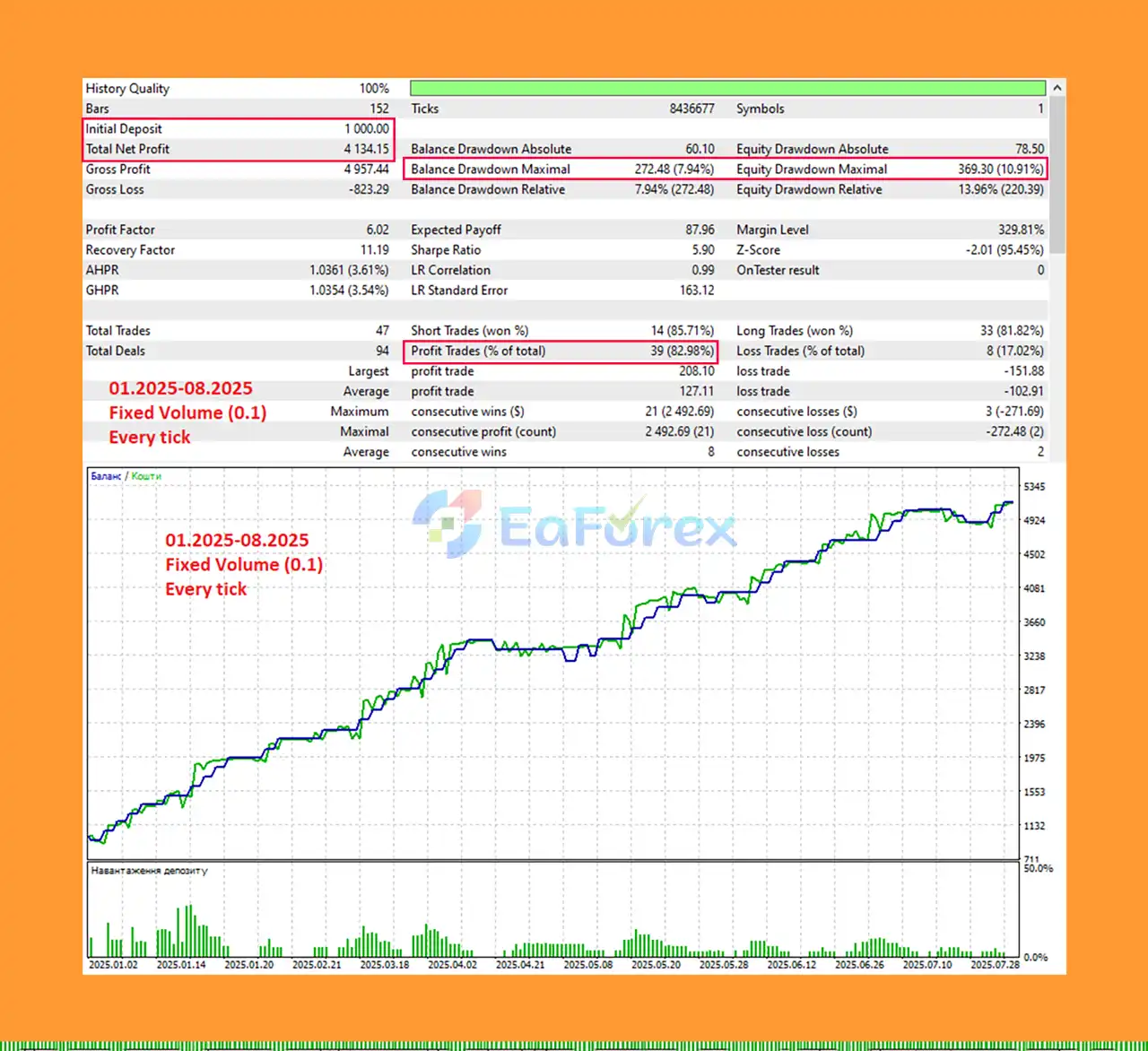
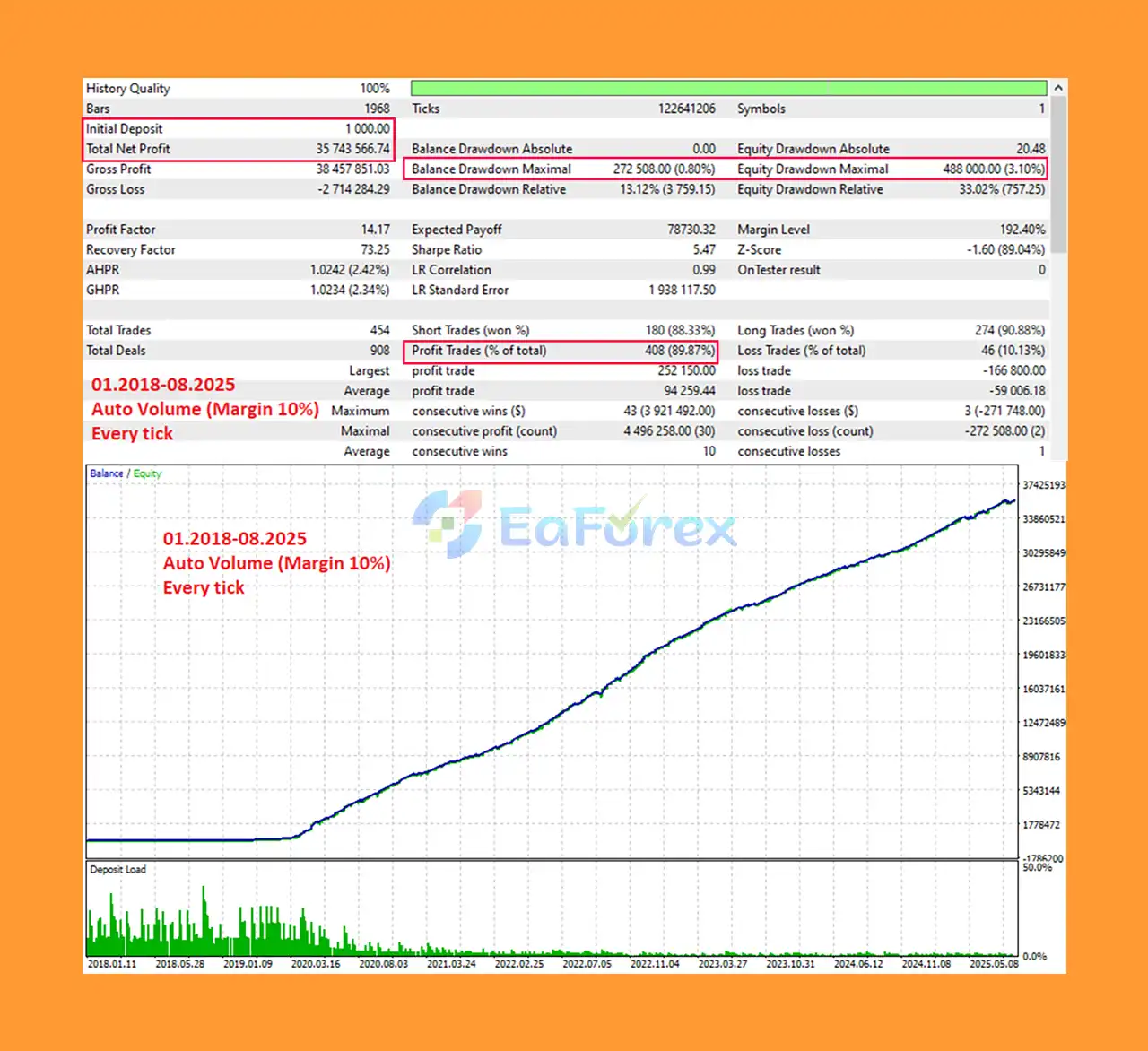
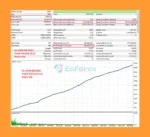
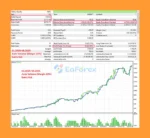
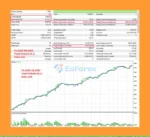
Neuromios EA Backtest Results
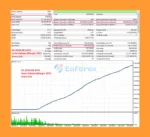
Neuromios MT5 Backtest Result
Neuromios EA MT5 was trained using eight years of historical market data from Admiral Markets servers. Testing was also performed with other brokers, including ICMarkets and FxPro.
However, historical testing and previous performance should never be interpreted as a guarantee of future profitability.
The EA includes several mechanisms designed to manage trading risk.
Every transaction can receive a predefined Stop Loss when it is opened.
The EA calculates and sets a Take Profit level for each new position.
The trailing function can help protect profits when the market moves favorably.
The automatic break-even mechanism can move the stop level toward the entry price after the configured conditions are met.
When enabled, Money Management calculates trading volume based on account funds and margin requirements.
The default Money Management configuration uses:
Percentage of available Amount for Margin = 10%
Traders should understand that required margin depends on leverage. Higher leverage can reduce the margin required for a given position and may therefore allow a larger position size, increasing potential risk.
The stated basic parameters are:
These figures should be treated as configuration guidance rather than a guarantee that a particular account size will be safe or profitable.
Although Neuromios EA MT5 uses neural-network technology and built-in risk-management features, traders should understand its limitations.
The EA is designed for EURUSD on the D1 timeframe. It is not presented as a universal multi-symbol Expert Advisor.
The system may generate relatively few trades because it focuses on daily opportunities. Traders looking for frequent market activity may find this approach unsuitable.
A neural network learns patterns from historical data, but market conditions can change. Patterns that worked during the training period may not remain effective in the future.
Trading conditions can vary between brokers due to spreads, execution, liquidity, server time, leverage, and other factors.
Higher leverage can reduce required margin and potentially increase allowable position size. This can significantly increase both potential profits and potential losses.
The EA uses a neural-network model file stored in the MT5 Common Files directory. Traders should ensure the platform has the required access and that the model file is available for correct operation.
Past backtests, historical training results, or previous live performance do not guarantee future profitability.
Forex trading involves substantial risk. Traders should never risk money they cannot afford to lose.
Installing Neuromios EA MT5 on MetaTrader 5 is straightforward.
Launch your MetaTrader 5 terminal and log into your trading account.
Open:
File → Open Data Folder → MQL5 → Experts
Copy the Neuromios EA MT5 file into the Experts folder.
Restart MT5 or refresh the Expert Advisors section in the Navigator window.
Open the:
EURUSD → D1
chart.
Drag the Expert Advisor onto the EURUSD D1 chart and enable automated trading.
By default:
The EA is designed to work without additional strategy settings.
To activate automatic position sizing, set:
Enable Money Management = true
Then configure:
Percentage of available Amount for Margin = desired percentage
The default value is 10%.
Use this setting carefully because leverage and margin requirements directly influence the resulting position size.
When the EA starts, it creates the model file:
Common\Files\Neuromios\Neuromios.net
By default, the model can be recreated each time the EA is launched.
If you want to prevent an existing model file from being recreated on subsequent launches, set:
Force Model Resource write = false
Before using Neuromios EA MT5 on a live account, test it using the MetaTrader 5 Strategy Tester and preferably a demo account.
Review the trading logs, position sizes, drawdown, Stop Loss behavior, and Money Management calculations before committing real capital.
Neuromios EA MT5 is a specialized neural network Expert Advisor for EURUSD D1 trading, designed for traders who prefer a systematic, low-frequency approach to automated forex trading.
Its combination of neural-network market analysis, automatic Stop Loss and Take Profit, trailing stop, break-even management, time-based position closure, and optional Money Management creates a complete automated trading framework.
One of its key characteristics is simplicity: the EA focuses on a single currency pair and daily timeframe while limiting its normal trading activity to no more than one transaction per day. This can make it easier to monitor than high-frequency or multi-symbol trading systems.
The neural network was trained using eight years of historical data, but traders should remember that AI and neural-network technology do not eliminate market risk. Changing market regimes, broker conditions, leverage, execution quality, and unexpected volatility can all affect future results.
For the most responsible deployment, start with conservative settings, test the EA extensively, monitor its real-time behavior, and use Money Management only after understanding how leverage and margin requirements affect position sizing.
Overall, Neuromios EA MT5 offers an interesting approach to AI-powered forex trading on MetaTrader 5, particularly for traders looking for a low-frequency EURUSD strategy based on neural-network market analysis.
1. What is Neuromios EA MT5 and how does it work?
Neuromios EA MT5 is an AI-powered expert advisor designed for trading the EURUSD pair on a daily timeframe. It uses a unique neural network model to analyze market data and executes no more than one trade per day to reduce risk and optimize trade quality.
2. Which currency pair does Neuromios EA MT5 trade?
Neuromios EA MT5 exclusively trades the EURUSD currency pair, focusing on daily market data to find the best entry points.
3. How does Neuromios EA MT5 manage risk?
Neuromios EA MT5 incorporates dynamic stop loss and take profit settings based on market conditions, trailing stops, breakeven adjustments, and only trades once per day to limit exposure and reduce risk.
4. Is Neuromios EA MT5 suitable for beginners?
Yes, Neuromios EA MT5 comes with ready-to-use settings and a user-friendly installation guide, making it suitable for both beginners and experienced traders.
5. What kind of performance can I expect from Neuromios EA MT5?
Backtests from January 2018 to August 2025 show a win rate of 89.87%, with net profits exceeding $46,000 from a $1,000 deposit (fixed lot) and over $35 million from a $10,000 deposit (auto volume), with max drawdowns below 1%.
6. Does Neuromios EA MT5 use neural networks or AI?
Yes, Neuromios EA MT5 is built on a cutting-edge neural network architecture that analyzes daily market data to make informed and adaptive trading decisions.
7. What advanced features does Neuromios EA MT5 offer?
The EA includes flexible money management options, dynamic SL/TP, trailing stops, breakeven moves, timed position closures, and transparent AI signal logging for trade decisions.
8. What comes in the Neuromios EA MT5 download package?
The package includes the expert advisor file, a detailed installation guide, and any necessary setting files, enabling quick setup and immediate trading.
In stock
In stock
In stock
In stock
In stock
Out of stock
No account yet?
Create an Account












 Automatic EA
 EA Best Seller
 Expert Advisor MT4
 Expert Advisor MT5
 HFT EA


Reviews
Clear filtersThere are no reviews yet.