









-
 Unlimited Activations
-
 Instant delivery
-
 Easy to install






 Unlimited Activations
Instant delivery
Easy to install
Unlimited Activations
Instant delivery
Easy to install
 Free Update
 Free Install Support

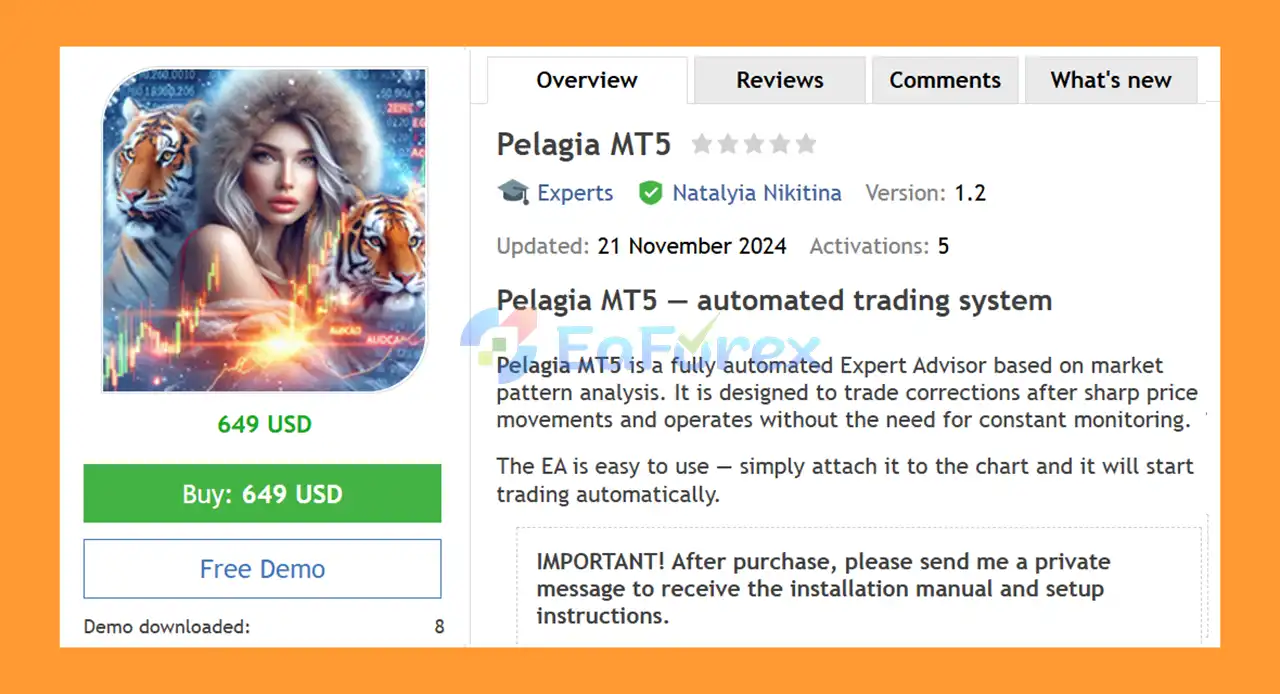
Pelagia MT5 is a fully automated Expert Advisor designed to analyze market patterns and trade correction opportunities following sharp price movements. The system is built to operate automatically, allowing traders to participate in the strategy without constant manual monitoring.
The EA is primarily designed for AUDCAD on the M15 timeframe. After installation and configuration, Pelagia MT5 continuously monitors the market and can automatically identify trading opportunities according to its programmed market-pattern logic.
Pelagia is designed with straightforward operation in mind. Once the EA is attached to the appropriate MetaTrader 5 chart and the required settings are configured, it can manage its trading process automatically.
Important: After purchasing Pelagia MT5, contact the developer to receive the recommended setup instructions.
• Author: Natalyia Nikitina
• Experience: Over +5 years of experience on MQL5.
• Notable Products: Pelagia MT5, Winter MT5, Requiem MT5, Solaris Imperium MT5, PropSurge One MT5, BaLLzProtector MT5, TradeRanger MT5, Duramax MT5, Ride the wind MT5, Force Strategy MT5 and other advisors.
• Flagship Product: Pelagia MT5 is rated as the best performing product of the year.
>> Delivery time 24h-48h after payment.
>>> Refund if not delivered.
>>> You will receive the latest version without any limitations (ID+Time).>>Reviewed by Jason Stap <<
Pelagia MT5 is designed to automate the complete trading process, reducing the need for constant manual intervention.
The EA analyzes market behavior and focuses on opportunities that may develop after sharp price movements.
Instead of simply following strong price movements, Pelagia is designed to look for potential correction opportunities after significant market moves.
The primary trading pair is AUDCAD, with the strategy configured around the characteristics of this market.
Pelagia MT5 operates on the M15 timeframe, providing a structured environment for analyzing intraday market movements.
The EA provides different methods for calculating trade volume, allowing users to configure position sizing according to their preferred risk approach.
Traders can use a fixed initial lot size when they prefer a more straightforward position-sizing method.
The Deposit Load % parameter can be used as part of the EA’s lot calculation process, allowing position sizing to be linked to account capital.
A unique Magic identifier allows Pelagia’s positions to be distinguished from other automated systems or manually opened trades.
The configurable trade comment can appear in the trading log and account history, making it easier to identify positions generated by the EA.
Pelagia MT5 is based on the concept of trading potential market corrections following sharp price movements.
The general operating process can be described as:
Market Monitoring → Pattern Analysis → Sharp-Move Detection → Correction Opportunity → Trade Execution → Position Management
The EA continuously monitors the selected market on the M15 timeframe. When the programmed conditions are satisfied, it can identify a potential correction setup and automatically execute a trade.
The system is intended to reduce discretionary decision-making by allowing its programmed logic to determine when trading conditions are present.
However, market corrections are not guaranteed to occur after every sharp movement. A strong directional move can continue for longer than expected, which is an important risk factor when using a correction-oriented trading strategy.
Pelagia MT5 may be suitable for traders who want an automated approach to market-correction trading without having to manually monitor the chart throughout the trading session.
Key characteristics include:
The relatively straightforward configuration also makes the system easier to integrate into an automated MT5 trading environment.
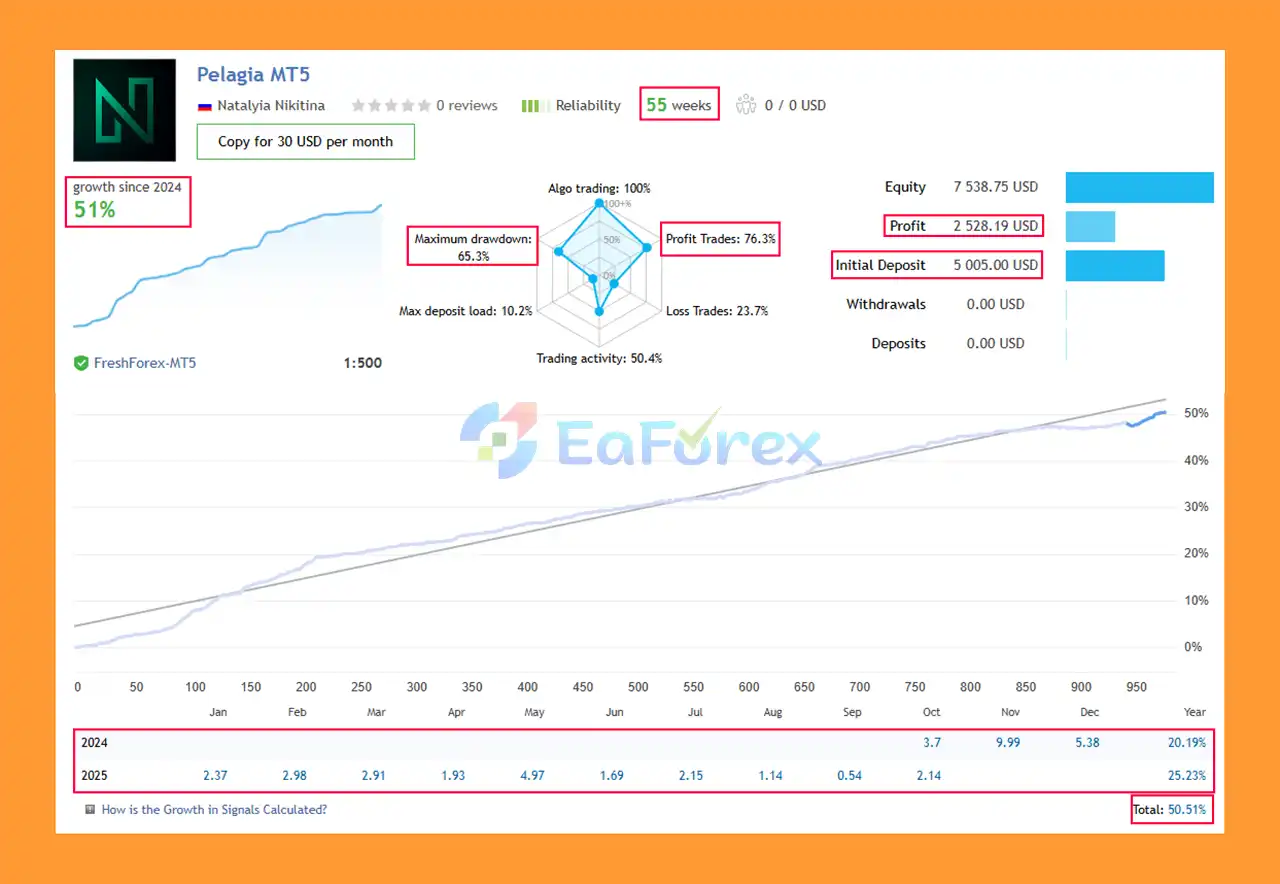
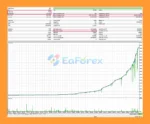
Pelagia EA MT5 live Results
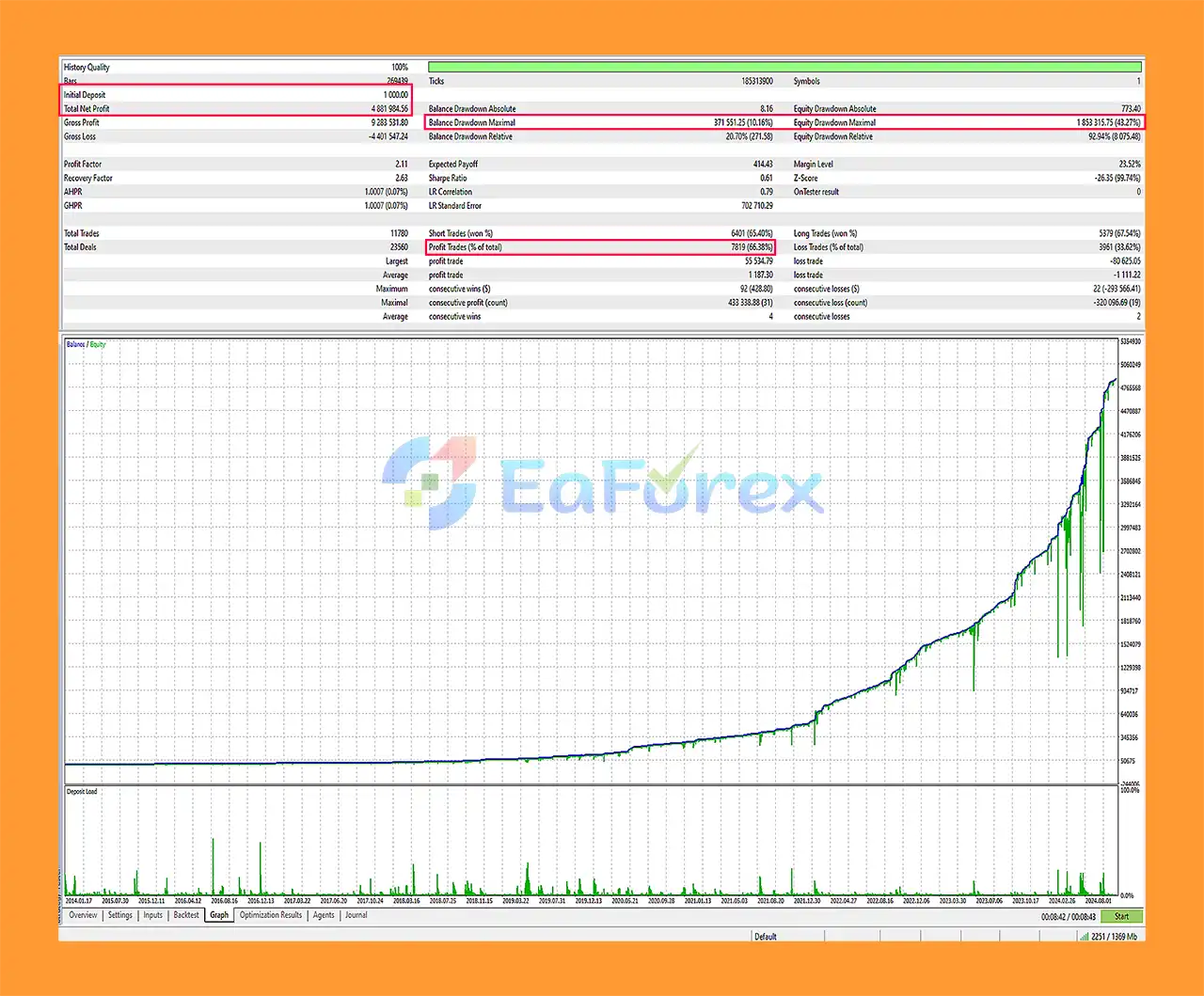
Pelagia EA MT5 Backtests
Pelagia MT5 is recommended for accounts starting from $1,000, according to the provided trading requirements. This amount should be viewed as a recommended starting point rather than a guarantee of sufficient capital for every market condition.
| Parameter | Recommended Information |
|---|---|
| Main Pair | AUDCAD |
| Timeframe | M15 |
| Account Type | Classic |
| Recommended Leverage | 1:500 |
| Minimum Recommended Deposit | From $1,000 |
| VPS | Recommended |
| Recommended Broker | FreshForex |
| Lot Sizing | Configurable |
| Fixed Lot | Available |
| Deposit Load | Configurable |
| Magic Number | Available |
Lot sizing is an important component of Pelagia MT5 because the EA provides multiple methods for determining trade volume.
Users should select a position-sizing method that matches their account balance and acceptable risk level. Increasing lot size can increase both potential returns and potential losses.
The Deposit Load % setting should therefore be configured carefully rather than simply maximizing the amount of capital allocated to each trade.
The recommended leverage is 1:500. High leverage can reduce the margin required to open positions, but it does not reduce the underlying trading risk. Larger positions can also increase losses and margin requirements during unfavorable market conditions.
A VPS is recommended for stable automated operation. Running the EA on a continuously available trading environment can help reduce interruptions caused by local computer shutdowns, internet disconnections, or platform downtime.
Pelagia MT5 focuses on trading market corrections, which creates several important risks.
After a sharp movement, the market may correct, but it may also continue strongly in the same direction. A correction-based strategy can therefore experience losing trades during persistent trends.
The system is primarily designed for AUDCAD. Concentrating trading activity on a single currency pair means performance can be affected by the specific market conditions of that pair.
The M15 timeframe can contain short-term volatility and false signals. Sudden movements caused by economic releases or unexpected market events may create unfavorable conditions.
Using 1:500 leverage can allow relatively large positions to be opened with comparatively little margin. This can amplify account risk if position sizing is too aggressive.
Spread, execution speed, commission, slippage, and trading conditions can vary between brokers. Live performance may therefore differ from testing or results obtained under different trading environments.
An algorithm that performs well under certain market conditions may behave differently when volatility, liquidity, trends, or market correlations change.
Automation does not eliminate trading risk. The EA can continue executing its programmed logic even when market conditions become unfavorable.
Install and log in to your MT5 trading account with a supported broker.
Copy the Pelagia MT5 EA file into the appropriate MQL5 → Experts directory and restart MetaTrader 5 if necessary.
Open an AUDCAD chart and select the M15 timeframe.
Drag the EA onto the chart and allow automated trading when prompted.
Review the available parameters, including:
Choose a conservative position-sizing approach that is appropriate for your account balance and risk tolerance.
After purchasing the EA, contact the developer to receive the recommended setup instructions and configuration guidance.
It is strongly recommended to test Pelagia MT5 on a demo account before deploying it with real funds. Forward testing can help you evaluate execution, spreads, drawdown, and compatibility with your broker.
🔺 Experts:
In summary, Pelagia MT5 is an automated trading system designed around market-pattern analysis and correction opportunities following sharp price movements. Its primary configuration focuses on AUDCAD on M15, with automated execution and flexible position-sizing options.
The EA is relatively straightforward to operate, but its correction-based approach carries specific risks. Markets can continue moving strongly without producing the expected correction, while leverage and position sizing can significantly affect account drawdown.
For this reason, Pelagia MT5 should be treated as an automated trading tool rather than a guaranteed-profit system. Appropriate lot sizing, realistic expectations, suitable broker conditions, VPS availability, and thorough demo testing are important considerations before using the EA with real capital.
Risk Disclaimer: Trading Forex and other financial markets involves substantial risk. Only trade with funds you can afford to lose. Past performance, backtests, examples, and hypothetical results do not guarantee future performance. The developer is not responsible for losses resulting from the use of the EA.
1. What is Pelagia MT5?
Pelagia MT5 is a fully automated Expert Advisor (EA) that trades the AUDCAD pair using advanced market pattern analysis to capture price corrections after strong movements.
2. How does Pelagia MT5 work?
The EA analyzes market patterns, detects retracement opportunities, and executes trades automatically with optimized algorithms for consistent performance on the M15 timeframe.
3. Which currency pair and timeframe are recommended for Pelagia MT5?
Pelagia MT5 is specifically optimized for the AUDCAD currency pair on the 15-minute (M15) timeframe to ensure accurate entries and steady profit potential.
4. Is Pelagia MT5 suitable for beginners?
Yes. Pelagia MT5 offers hands-free trading, an easy setup process, and detailed installation guides — perfect for traders of all experience levels.
5. What are the main benefits of using Pelagia MT5?
Key advantages include automated operation, adaptive lot sizing, strong risk management, consistent performance, and VPS compatibility for stable long-term trading.
6. What setup is recommended for the best performance?
For optimal results, use FreshForex ECN or Classic accounts with 1:500 leverage and a reliable VPS to maintain stable and fast trade execution.
In stock
In stock
In stock
In stock
In stock
Out of stock
No account yet?
Create an Account












 Automatic EA
 EA Best Seller
 Expert Advisor MT4
 Expert Advisor MT5
 HFT EA


Reviews
Clear filtersThere are no reviews yet.