









-
 Unlimited Activations
-
 Instant delivery
-
 Easy to install


 Unlimited Activations
Instant delivery
Easy to install
Unlimited Activations
Instant delivery
Easy to install
 Free Update
 Free Install Support

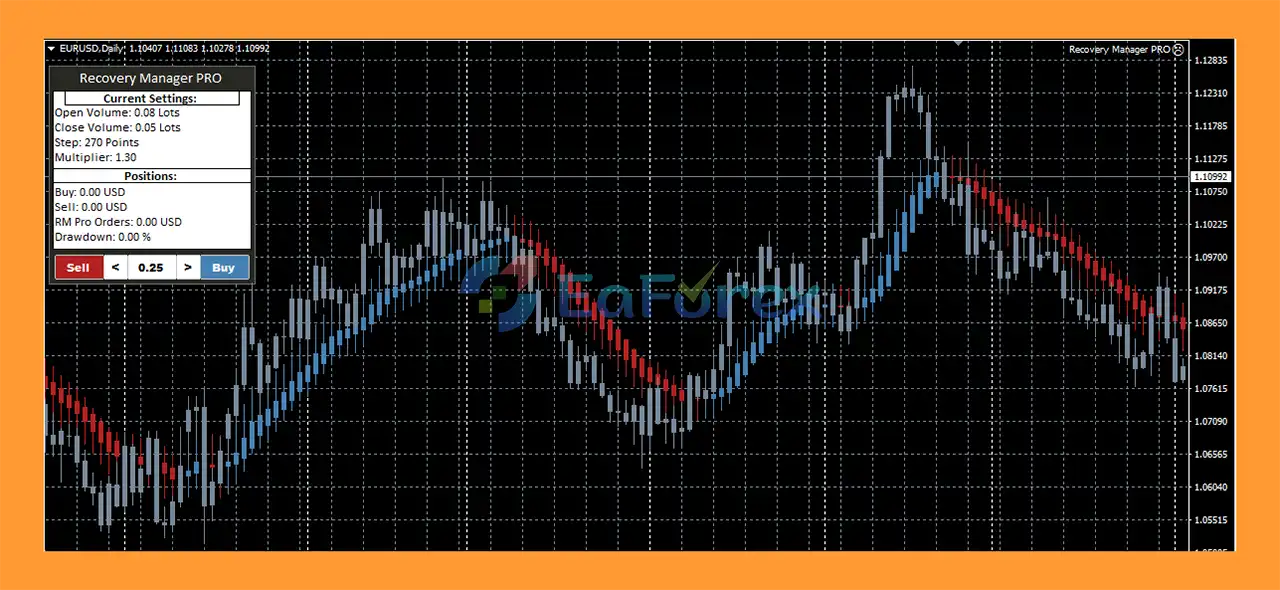
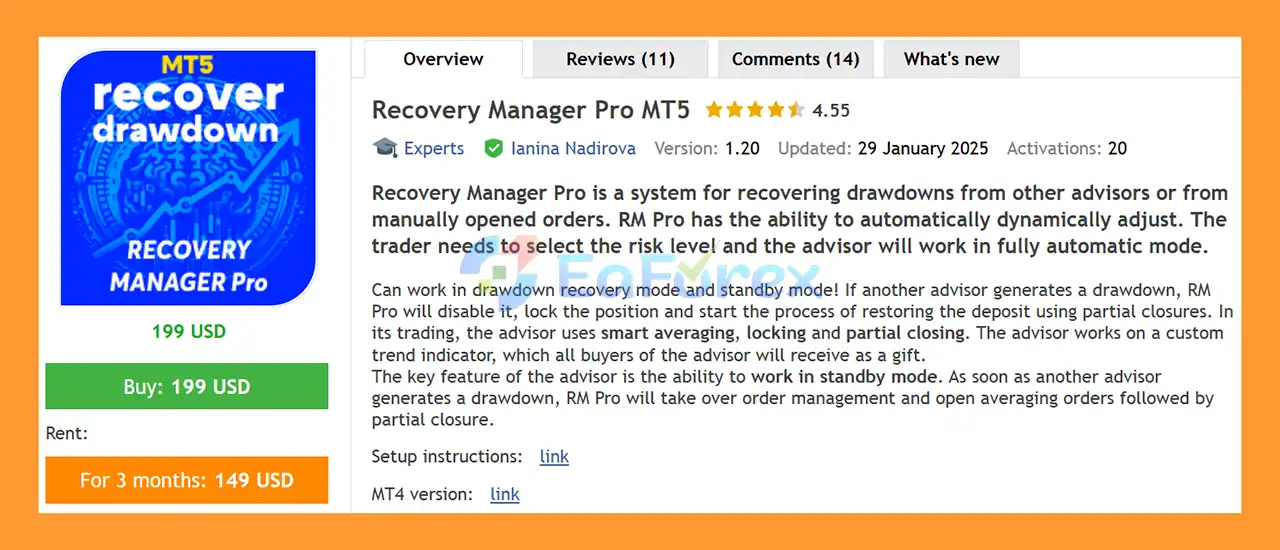
Recovery Manager Pro MT5 (RM Pro) is a fully automated drawdown recovery Expert Advisor for MetaTrader 5, designed to manage and attempt to recover losing positions generated by other Expert Advisors or manually opened trades.
Unlike a conventional trading EA that focuses primarily on opening new market positions, Recovery Manager Pro MT5 is designed to act as a recovery and position-management system. It can monitor existing losing positions and, when a specified drawdown condition is reached, take over the management process using a combination of smart averaging, locking, trend analysis, and partial position closures.
One of the key features of RM Pro is its Standby Mode. The advisor can remain inactive while another EA or manual strategy is operating normally. If the monitored position reaches the configured drawdown level, Recovery Manager Pro can automatically activate its recovery logic and begin managing the losing position.
The system also provides automatic adjustment according to the selected risk level, allowing traders to choose a recovery approach that corresponds to their preferred level of exposure.
Recovery Manager Pro MT5 is therefore designed for traders who need an automated tool to manage difficult positions and attempt to reduce existing drawdowns without having to manually monitor every recovery step.
>> Delivery time 24h-48h after payment.
>>> Refund if not delivered.
>>> You will receive the latest version without any limitations (ID+Time).>>Reviewed by Jason Stap <<
RM Pro is designed to automatically manage unprofitable positions once the configured drawdown conditions are met. Instead of requiring the trader to manually intervene, the EA can initiate its recovery process according to its programmed rules.
One of the most distinctive features is the ability to operate in Standby Mode.
In this mode, RM Pro can wait while another Expert Advisor or manual strategy manages the account. If a monitored position enters the specified drawdown area, RM Pro can take over the position-management process.
This makes the EA suitable as a secondary recovery manager rather than necessarily being the primary trading system.
Recovery Manager Pro uses smart averaging as part of its recovery methodology. Additional positions can be opened according to the EA’s recovery logic with the objective of improving the overall position structure and helping the account recover from an existing floating loss.
However, averaging also increases market exposure and can increase losses if the market continues moving against the recovery direction.
The EA can use locking positions as part of its drawdown-management process.
Locking is intended to help control an existing losing position while RM Pro works toward restructuring the position and managing the recovery cycle.
Rather than necessarily waiting for the entire recovery basket to reach a single exit condition, RM Pro can use partial closures to gradually reduce positions during the recovery process.
Partial closing can help manage exposure as profitable recovery positions become available, but it does not eliminate the underlying market risk.
Recovery Manager Pro MT5 can be used to manage losses generated by other Expert Advisors.
This allows traders to use RM Pro as a supplementary risk-management and recovery layer alongside an existing automated trading strategy.
The EA can also work with manually opened positions, making it useful for traders who want automated assistance when managing difficult trades.
RM Pro can work with:
This provides flexibility when managing different drawdown scenarios.
The advisor works according to a custom trend indicator based on moving averages.
According to the product specification, this custom indicator is provided as a gift to every buyer and is intended to help RM Pro determine the prevailing market trend during its recovery operations.
The trader selects the desired risk level, and RM Pro automatically adjusts its recovery behavior according to the selected risk setting.
This allows users to configure the EA according to their preferred level of recovery exposure.
Recovery Manager Pro operates on the current chart symbol, making it possible to configure the EA separately for the instrument being managed.
The basic operating concept of RM Pro can be divided into several stages.
The EA can initially remain in Standby Mode while another Expert Advisor or manual trading strategy operates normally.
During this stage, RM Pro waits for the configured drawdown condition.
When an existing position or group of positions reaches the specified drawdown threshold, RM Pro can activate its recovery mechanism.
The purpose is to prevent the trader from having to manually manage every losing position.
After activation, the EA can manage the losing position using its recovery logic.
Depending on the configured conditions, the system may use:
As the market moves and recovery opportunities appear, RM Pro can partially close positions according to its programmed rules.
The objective is to gradually reduce the floating loss and manage the overall recovery basket.
If the recovery process reaches its programmed exit conditions, positions can be closed and the recovery cycle can finish.
The exact result depends on market conditions, available account margin, the selected risk level, broker execution, and the behavior of the original trading strategy.
Recovery Manager Pro MT5 Reviews
Recovery Manager Pro MT5 is primarily a drawdown-management tool, so its risk profile is different from that of a conventional entry-based Expert Advisor.
The most important risk-control element is the ability to select a predefined risk level. RM Pro can then automatically adjust its recovery behavior based on the selected configuration.
The EA can also be configured to begin its recovery process only after a specified drawdown has been reached.
This can help prevent the recovery mechanism from interfering with normal trading activity.
However, traders should understand that recovery does not mean guaranteed loss elimination.
Averaging and recovery orders can increase the total number of open positions and therefore increase margin requirements and market exposure. If the market continues moving strongly against the recovery direction, the drawdown can become larger rather than smaller.
Important factors affecting real-world results include:
For these reasons, the EA should be tested under realistic trading conditions before being deployed on a live account.
Recovery Manager Pro MT5 may be useful for traders who already use automated or manual trading systems and want an additional tool for managing losing positions.
The EA can automatically take over the recovery process when configured drawdown conditions are reached.
RM Pro does not necessarily have to trade continuously. Its Standby Mode allows it to remain ready until another strategy creates a qualifying drawdown situation.
The system combines several recovery techniques, including averaging, locking, trend analysis and partial closures.
It can be used with losses generated by other Expert Advisors, allowing traders to add a recovery-management layer to an existing automated setup.
The EA can also manage manually opened positions, providing automated assistance when a discretionary trade moves into significant drawdown.
Users can select the desired risk level, with the EA automatically adjusting its operation according to the selected configuration.
Buyers receive the custom moving-average trend indicator supplied with the system, which is used as part of the EA’s trend-based recovery logic.
Recovery Manager Pro MT5 should not be considered a low-risk solution simply because its purpose is drawdown recovery.
Its use of averaging, locking and multiple recovery positions creates several important risks.
The EA attempts to recover losses, but no recovery system can guarantee that an account will return to profit.
A prolonged or strong market movement against the recovery direction may prevent the system from successfully completing its recovery cycle.
Opening additional positions while an existing trade is losing can increase total market exposure.
If the market continues moving against the basket, the floating loss can increase significantly.
A locked position may reduce the immediate directional impact of price movement, but it does not make the underlying loss disappear. Additional positions, spread, commission and margin requirements still need to be considered.
Multiple recovery positions require additional margin. Traders should ensure that the account has sufficient free margin to withstand adverse market conditions.
When RM Pro is used with another Expert Advisor, the behavior of that original EA can directly affect the recovery process.
A strategy that repeatedly generates large or prolonged drawdowns may create difficult conditions for any recovery system.
Recovery strategies can behave differently during:
Recovery systems can be particularly sensitive to execution conditions. Strategy Tester results may differ from live trading because of spreads, slippage, liquidity, execution speed and broker-specific conditions.
For this reason, testing in Visualization Mode is recommended according to the product instructions.
Launch your MetaTrader 5 trading platform.
Go to:
File → Open Data Folder
Then navigate to the appropriate MT5 directories for the supplied EA and indicator files.
Copy the Recovery Manager Pro MT5 files into the corresponding Experts folder.
If a custom indicator is supplied separately, place the indicator file in the Indicators folder.
Restart MT5 or refresh the Navigator window so that the newly installed EA and indicator appear.
Open the chart of the symbol you want Recovery Manager Pro to manage.
Find Recovery Manager Pro MT5 under:
Navigator → Expert Advisors
Drag the EA onto the desired chart.
Select the appropriate risk setting and review the recovery parameters carefully.
Pay particular attention to settings related to drawdown activation, averaging, position management and recovery exposure.
Before using the EA with real money, test it in the MT5 Strategy Tester, preferably using Visualization Mode, and also consider testing it on a demo account.
Do not assume that a successful historical recovery guarantees successful live recovery.
🔺Recovery Manager Pro MT5 is highly appreciated by the MQL5 community for bringing stable and reliable profits. Below are 5 star reviews from users:
In summary, Recovery Manager Pro MT5 is designed for a specific purpose: helping traders automatically manage and attempt to recover drawdowns created by other Expert Advisors or manual positions. Its combination of Standby Mode, smart averaging, locking, partial closing and trend-based recovery makes it more of a recovery-management tool than a conventional signal-generating EA.
The ability to remain in standby until a specified drawdown occurs is one of the system’s key concepts. Instead of constantly opening trades, RM Pro can wait for another strategy to create a qualifying losing position and then activate its recovery process.
At the same time, traders should approach recovery systems with realistic expectations. Averaging and recovery techniques can increase exposure, margin usage and potential losses, particularly when markets trend strongly in one direction for an extended period. The objective of RM Pro is to manage and attempt to recover drawdowns, not to guarantee that every losing position can be restored.
For this reason, proper testing, conservative risk settings and sufficient account capital are important before considering live deployment. Always evaluate Recovery Manager Pro MT5 under realistic broker conditions and understand how its recovery logic interacts with the EA or manual strategy it is intended to manage.
1. What is Recovery Manager Pro MT5 and how does it work?
Recovery Manager Pro MT5 is an advanced drawdown recovery Expert Advisor for MetaTrader 5. It automatically detects when your account reaches a predefined drawdown level and takes control of trade management. The EA then applies dynamic recovery strategies such as smart averaging, position locking, and partial closures to restore losses in a structured way.
2. Can Recovery Manager Pro MT5 recover losses from other EAs?
Yes. Recovery Manager Pro MT5 is specifically designed to work alongside other Expert Advisors. It acts as a safety layer, stepping in when other EAs or manual trades generate significant drawdown.
3. Does Recovery Manager Pro MT5 work with manual trades?
Absolutely. The EA can manage and recover losses from both manually opened trades and positions opened by other automated systems.
4. How does the automatic drawdown detection feature work?
The EA operates in Standby Mode, continuously monitoring your account. When the predefined drawdown percentage is reached, it automatically activates recovery mode and begins applying its structured recovery logic.
5. What recovery strategies does Recovery Manager Pro MT5 use?
The EA combines several structured techniques:
Smart Averaging System
Position Locking Mechanism
Partial Closure Strategy
Trend-Based Trading Logic
Dynamic Risk Adjustment
These methods are designed to restore balance while controlling additional risk exposure.
6. Is Recovery Manager Pro MT5 a martingale system?
Recovery Manager Pro MT5 uses controlled averaging as part of its strategy, but it allows traders to define risk levels. Unlike aggressive martingale systems, it incorporates trend analysis, partial closures, and dynamic exposure control for a more structured recovery framework.
7. Can I control the risk level in Recovery Manager Pro MT5?
Yes. The EA offers flexible recovery modes and dynamic risk adjustment. Traders can select their preferred recovery aggressiveness level, and the system automatically adapts parameters accordingly.
8. Does Recovery Manager Pro MT5 disable other EAs?
Yes. It includes EA Override Protection, which can temporarily disable other advisors when critical drawdown conditions are detected, ensuring recovery logic is not interrupted.
9. Is Recovery Manager Pro MT5 suitable for beginners?
Yes. The EA is designed with a simple setup process. Traders only need to define their risk preference, and the system manages the rest automatically, making it beginner-friendly while still offering professional-level recovery tools.
In stock
In stock
In stock
In stock
In stock
Out of stock
No account yet?
Create an Account












 Automatic EA
 EA Best Seller
 Expert Advisor MT4
 Expert Advisor MT5
 HFT EA


Reviews
Clear filtersThere are no reviews yet.