









-
 Unlimited Activations
-
 Instant delivery
-
 Easy to install







 Unlimited Activations
Instant delivery
Easy to install
Unlimited Activations
Instant delivery
Easy to install
 Free Update
 Free Install Support

GoldCycle EA MT5 is an automated Expert Advisor developed for the MetaTrader 5 (MT5) trading platform, specifically designed to trade Gold (XAUUSD). It uses daily trading levels, market volatility analysis, and automated order management to identify potential breakout opportunities during the early European trading session.
The core strategy of GoldCycle EA MT5 focuses on the day’s high and low to establish potential entry levels. The system places pending orders at calculated distances from these levels, allowing it to participate when the price breaks beyond the predefined trading range. Its internal volatility engine dynamically adjusts Stop Loss (SL) and Take Profit (TP) levels according to prevailing market conditions.
Unlike trading robots that rely on grid systems, martingale strategies, or averaging down, GoldCycle follows a controlled trading approach with a maximum of one trade per day. Every position is protected by predefined risk parameters, while all open positions and pending orders are closed or canceled by the end of the New York trading session, according to the EA’s configured schedule.
Another key advantage is its percentage-based money management system. GoldCycle automatically calculates position size based on the selected risk percentage and the distance to the Stop Loss. This means position sizes can increase when the Stop Loss distance becomes smaller and decrease when the required Stop Loss distance becomes larger, helping maintain a more consistent planned risk per trade.
Designed with prop firm trading requirements in mind, GoldCycle EA MT5 provides configurable risk controls and optional recovery settings. However, traders should always verify their specific prop firm’s rules regarding daily drawdown, maximum loss, news trading, and overnight exposure before using the EA on a funded account.
With its volatility-based trade management, daily trading structure, and fully automated execution, GoldCycle EA MT5 offers a systematic approach for traders seeking an automated Gold trading solution on MT5.
>>> Delivery time 24h-48h after payment.
>>> Refund if not delivered.
>>> You will receive the latest version without any limitations (ID+Time).Reviewed by Jason Stap <<<
GoldCycle includes an internal volatility engine that adjusts Stop Loss and Take Profit levels to reflect changing market conditions. During quieter periods, these levels can become tighter, while periods of higher volatility can result in wider protective stops and profit targets.
This adaptive approach helps the EA respond to different market environments instead of relying exclusively on static price distances.
The EA analyzes daily trading information to establish potential breakout levels. During the early European session, it places pending orders around the day’s high and low, using a configurable distance to determine entry placement.
This method is designed to capture potential directional movements when Gold moves beyond its established daily range.
GoldCycle EA MT5 limits trading activity to a maximum of one trade per day. This rule reduces repeated entries and avoids the continuous accumulation of positions commonly associated with some high-risk automated trading systems.
The strategy does not use multi-layer trade entries or average losing positions.
The EA automatically calculates lot size according to the configured risk percentage and Stop Loss distance. Traders can adjust their initial risk settings to suit their account size and risk tolerance.
When the Stop Loss is closer to the entry price, the calculated lot size may increase. When the Stop Loss is farther away, the lot size may decrease. Actual results depend on broker contract specifications, volume limits, execution conditions, and risk-calculation settings.
GoldCycle provides an optional recovery mechanism that can increase the risk allocation after a losing trade. Traders can configure the Recovery Factor and Maximum Risk parameters to control its behavior.
For more conservative operation, the EA can also be configured to maintain fixed risk without increasing exposure after losses, provided the relevant settings support that configuration.
Recovery settings should be used carefully because increasing risk after a loss can accelerate drawdowns.
GoldCycle is designed to close open positions and cancel pending orders by the end of the New York session, according to its configured schedule.
This helps prevent positions from remaining open overnight or across weekends, reducing exposure to overnight price gaps and market developments outside the intended trading window.
The EA is described as avoiding trading during news events. Traders should confirm how this filter operates in their version, including whether it uses an integrated economic calendar, predefined trading restrictions, or another mechanism.
A news filter can help limit exposure to sudden volatility, but it cannot eliminate slippage or unexpected market movements.
GoldCycle includes configurable risk parameters and provides prop firm set files or risk guidance, according to the developer’s description.
These features can help traders tailor the EA to different evaluation or funded-account requirements. However, compatibility with a particular prop firm is not guaranteed, and all applicable trading rules must be checked independently.
GoldCycle EA MT5 is designed for XAUUSD and is described as compatible with various broker types and account configurations, including Standard, ECN, Cent, Micro, Zero, Premium, Hedging, and Netting accounts.
The stated minimum trading volume is 0.01 lots, subject to the broker’s symbol specifications.
Main specifications:
The $100 minimum deposit is the developer’s stated guideline, not a guarantee that this balance is sufficient for every broker, leverage level, or market condition.
GoldCycle combines daily price levels, breakout entries, volatility-based risk management, and end-of-day position handling in an automated trading workflow.
At the configured start time, the EA begins collecting the daily trading information required by its strategy. It uses the day’s high and low to establish potential breakout levels.
Correct time-zone configuration is important because broker server time may differ from the trading session times used by the strategy.
The EA determines where pending orders should be placed relative to the daily high and low. The Spread or Range parameter controls the distance used for order placement.
These levels are intended to capture potential upward or downward price movements beyond the established range.
Before or during trade placement, the internal volatility engine determines appropriate protective and profit-taking distances based on its strategy settings.
In lower-volatility conditions, the EA may use tighter levels. In higher-volatility conditions, it may allow wider price movement before the Stop Loss or Take Profit is reached.
GoldCycle uses the configured percentage risk and Stop Loss distance to determine the appropriate trade volume.
For example, a wider Stop Loss generally requires a smaller position size to maintain the same planned monetary risk. A tighter Stop Loss may permit a larger position size.
Actual risk can differ from the calculated amount because of gaps, slippage, commissions, spreads, and execution limitations.
When price reaches a valid pending-order level, the broker may execute the order according to its execution rules. The EA then manages the position using its configured Stop Loss, Take Profit, and optional management features.
The system is designed to limit trading to one trade per day rather than repeatedly opening new positions in the same session.
By the end of the configured New York session, GoldCycle closes open positions and cancels pending orders according to its settings.
This daily trading cycle is designed to avoid overnight and weekend exposure, provided the EA is running correctly and the broker permits the required operations.
GoldCycle focuses on XAUUSD, a market known for its strong price movements and changing volatility. Its daily range breakout approach is designed around potential movements beyond established price levels.
Rather than relying entirely on fixed Stop Loss and Take Profit distances, the EA uses an internal volatility engine to adjust trade parameters. This helps its trading logic respond to quieter and more active market conditions.
However, volatility adaptation does not guarantee profitable trades or prevent losses.
GoldCycle does not use grid-style layers, average down losing trades, or continuously add positions to an existing losing trade.
Its one-trade-per-day limit provides a more defined trading structure than systems that can accumulate multiple positions during adverse market conditions.
The percentage-based risk model allows traders to select a risk level based on their account size and trading objectives. Optional recovery settings provide additional flexibility, while fixed-risk operation offers a more conservative alternative.
For traders prioritizing capital preservation, fixed risk without recovery escalation is generally easier to evaluate and control.
The end-of-day closure mechanism is designed to prevent positions from being carried overnight or through weekends. This may appeal to traders who prefer a defined daily trading cycle rather than holding positions for several days.
Once installed and configured, GoldCycle can automate daily level analysis, pending-order placement, position sizing, and trade management.
This reduces the need for constant manual monitoring, although traders should still supervise execution, verify settings, and review performance regularly.
Its configurable risk settings and developer-provided set files may help traders adapt the EA to specific account limits.
Nevertheless, passing a prop firm evaluation or maintaining a funded account depends on actual performance and compliance with the firm’s current rules.
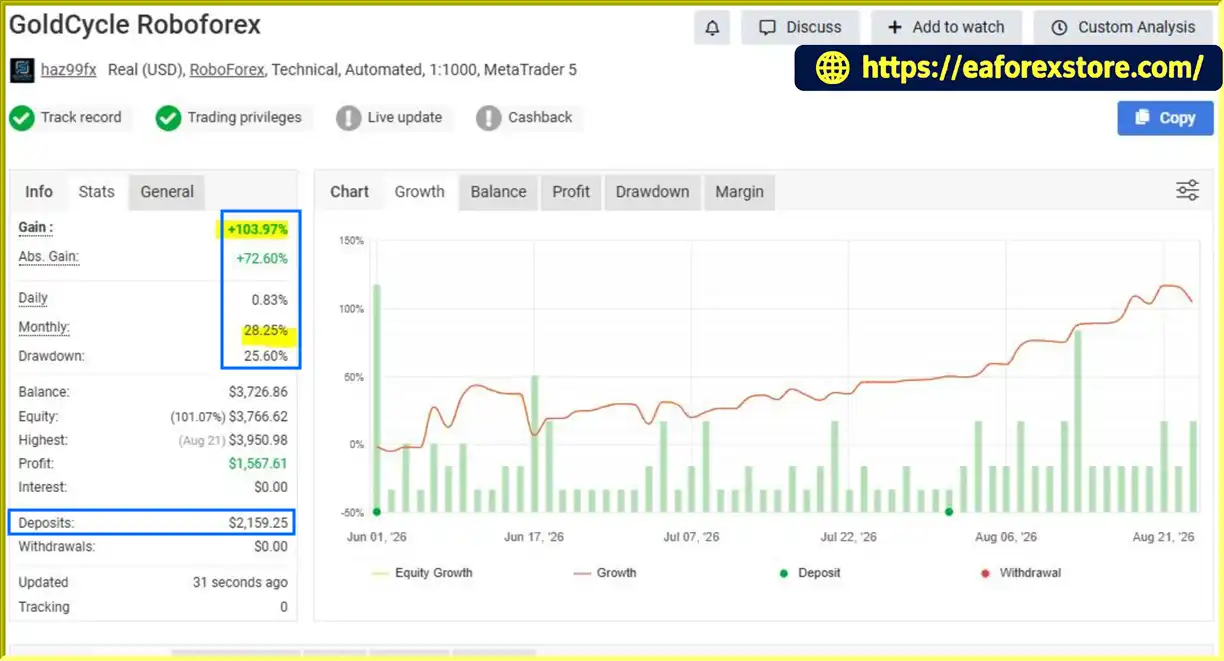
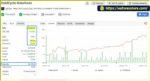
🔺XAUUSD (Gold) pair – 3 weeks of trading.
GoldCycle EA MT5 Myfxbook Results
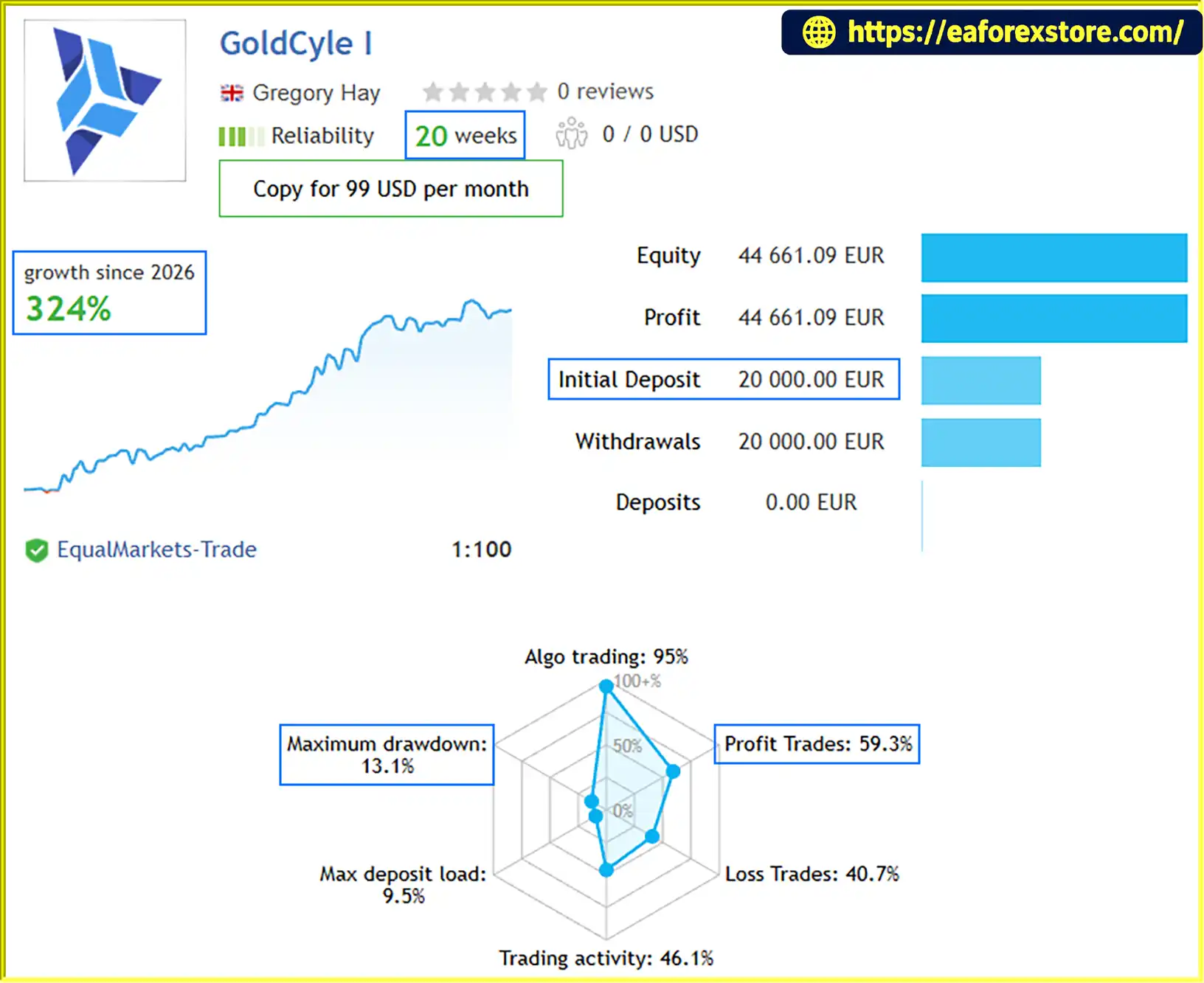
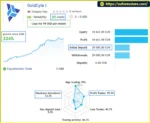
🔺GoldCycle I – 20 consecutive weeks
GoldCycle EA MT5 Live Signal
Risk management is an important component of GoldCycle EA MT5. Although the EA automates several protective functions, traders remain responsible for choosing suitable parameters and monitoring account exposure.
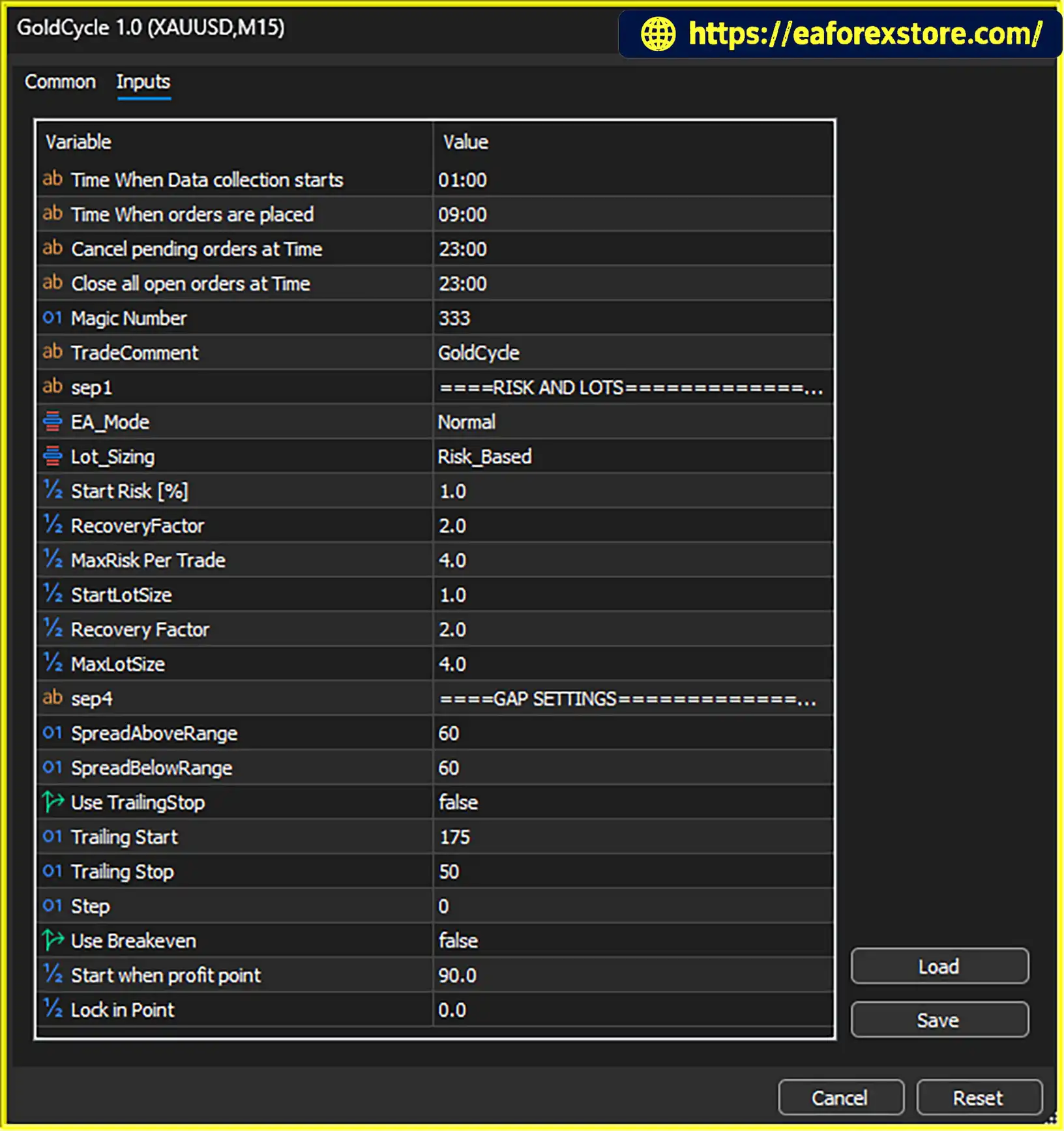
The Start Risk parameter defines the initial risk allocation for the first trade. The EA uses the selected risk and Stop Loss distance to calculate position size.
Traders should select a risk percentage that remains appropriate during losing streaks, periods of high volatility, and changes in account equity.
The Recovery Factor controls the risk increase following a loss when recovery mode is enabled. The Maximum Risk parameter establishes the upper risk limit for the configured system.
Increasing risk after losses can make recovery more difficult if subsequent trades also lose. Traders seeking more predictable exposure should consider fixed-risk settings and test their chosen configuration before live deployment.
The EA is designed to protect positions with automatic Stop Loss and Take Profit levels. These orders establish planned exit points, but they do not guarantee execution at the exact requested prices during gaps, slippage, or abnormal market conditions.
A maximum of one trade per day limits the number of new trading opportunities the EA can take. This can reduce repeated exposure, but a single trade can still produce a significant loss if position size is excessive.
The EA is designed to close open positions and cancel pending orders before the end of the New York session. Traders should verify the configured session time and test the closure behavior on their broker’s server time.
For additional reliability, monitor the EA and confirm that the terminal remains connected and automated trading is enabled.
Gold can experience sudden price movements during economic announcements, central bank decisions, and unexpected geopolitical events. The developer states that GoldCycle avoids news trading, but traders should verify the actual filter behavior and should not assume every event will be avoided.
The supplied information does not specify the exact notification channels supported by GoldCycle. Traders should check the EA documentation or inputs to determine whether it supports terminal alerts, push notifications, or email messages.
Regardless of the available alert options, regularly review the Experts and Journal tabs in MetaTrader 5 for order rejections, connection problems, invalid volume settings, or other execution errors.
Recommended risk practices:
Follow these steps to install and configure GoldCycle EA MT5.
Setting
Purchase or obtain the GoldCycle EA MT5 package from the developer. According to the supplied instructions, buyers should send the developer a private message to request the installation manual.
Make sure you receive the correct EA file, any required set files, and the recommended configuration for your broker.
Install and launch MetaTrader 5 through your broker or the official platform provider. Log in to your trading account and confirm that the XAUUSD symbol is available.
If the developer provides a compiled .ex5 file, use that file as supplied. If the package contains additional indicators or libraries, follow the developer’s installation instructions.
Open the Gold trading chart and select the H1 timeframe.
The developer’s default backtesting configuration is based on the GOLD H1 chart and assumes a broker using GMT+2 with a daylight-saving-time adjustment. Alternative set files are reportedly available for GMT0 and Exness users through the developer’s comments or support channel.
Verify your broker’s actual server time and symbol naming before loading a configuration. Gold may appear under names such as XAUUSD, GOLD, or a broker-specific variation.
Find GoldCycle EA MT5 in the Navigator panel and drag it onto the XAUUSD H1 chart.
Enable automated trading and review the EA’s permissions and input parameters. Only enable external or DLL permissions if they are genuinely required by the supplied software and you trust the source.
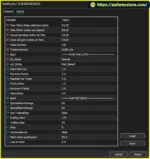
Review the main inputs before starting the EA:
The developer states that the default Stop Loss settings generally do not need to be changed. However, traders should verify the full configuration and understand the risk inputs rather than assuming that every default is appropriate for every broker.
Trailing stop and breakeven features are not enabled by default according to the supplied description.
Before trading live, use the MetaTrader 5 Strategy Tester to evaluate the EA on XAUUSD H1.
Where available, use real tick data, realistic spreads, commissions, and suitable execution assumptions. Test across different market conditions and examine drawdown, trade frequency, average loss, recovery behavior, and the effect of session settings.
A strong historical result is not a guarantee of future performance.
Run GoldCycle on a demo account to verify order placement, position sizing, Stop Loss and Take Profit behavior, and end-of-day closure.
Once you have confirmed that the EA operates as expected, decide whether its risk profile is appropriate for a live account.
Installation specifications:
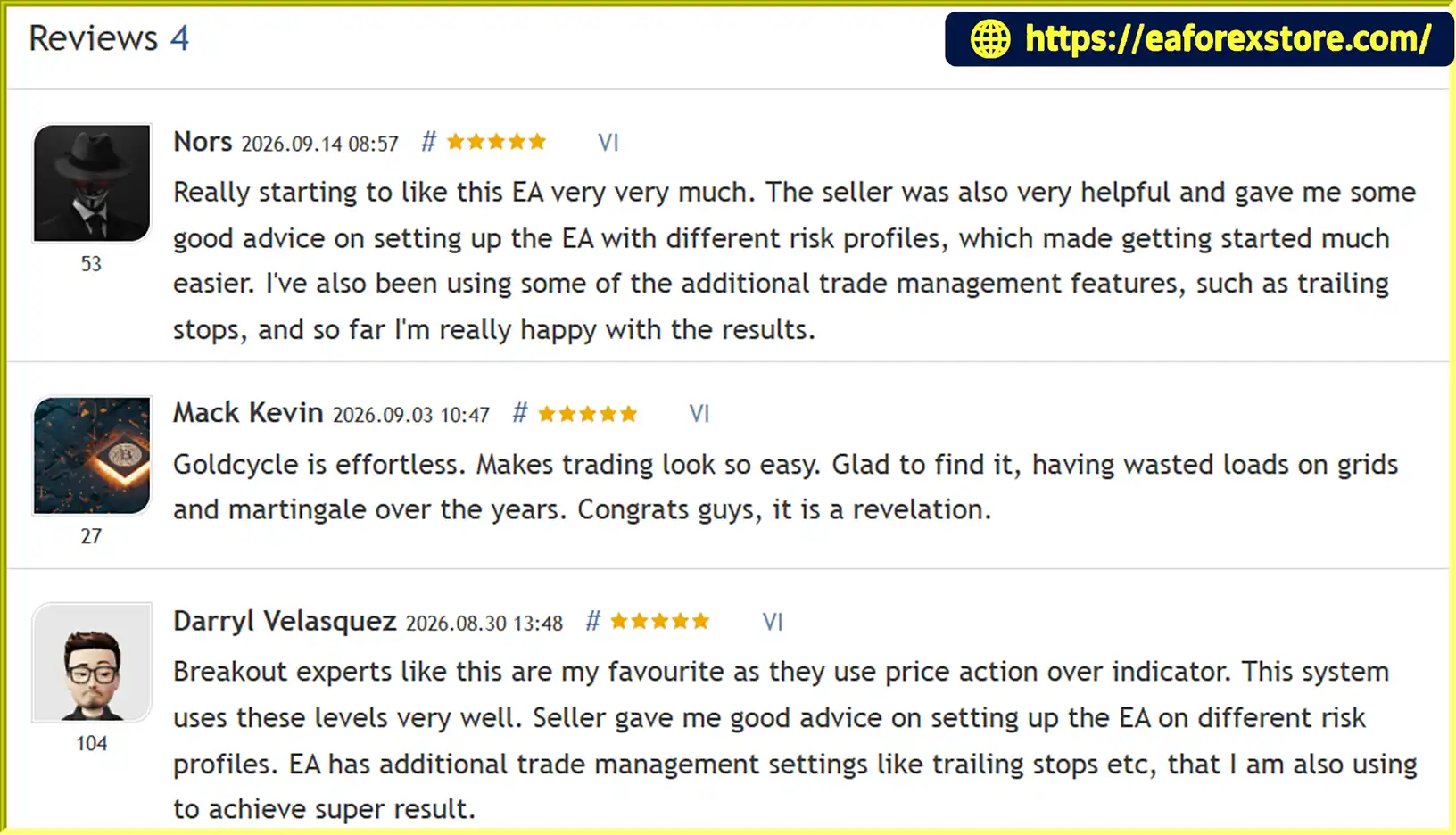
🔺GoldCycle EA MT5 is highly appreciated by the MQL5 community for bringing stable and reliable profits. Below are 5 star reviews from users:
Reviews
>>> Join VIP Membership Now <<<
GoldCycle EA MT5 offers an automated approach to Gold trading built around daily breakout levels, dynamic volatility-based trade management, and controlled trading frequency. By combining automatic position sizing with Stop Loss and Take Profit calculations, the EA aims to adapt its trade parameters to changing market conditions while maintaining a structured intraday trading process.
Its most distinctive characteristics are the one-trade-per-day limit, the absence of grid trading and averaging down, and the intended closure of positions before the end of the New York session. These features may appeal to traders who prefer a defined trading routine instead of strategies that continuously accumulate market exposure.
The percentage-based risk model also provides flexibility for different account sizes. However, traders should pay particular attention to the relationship between Stop Loss distance and lot size, as tighter stops can lead to larger positions. Optional recovery settings require additional caution because increased risk after losses can amplify drawdowns.
GoldCycle may be worth evaluating for traders who want an MT5 Gold trading robot with automated daily breakout execution and volatility-sensitive risk management. Before using it on a live or prop firm account, conduct independent backtesting, forward testing, and broker-specific execution checks.
Ultimately, the quality of an automated trading system should be assessed through realistic testing, transparent risk controls, and consistent execution rather than historical returns alone. GoldCycle EA MT5 provides a structured framework for automated XAUUSD trading, but profitability and capital preservation are never guaranteed.
1. What Is GoldCycle EA MT5 and How Does It Work?
GoldCycle EA MT5 is an automated Expert Advisor designed specifically for trading Gold (XAUUSD) on the MetaTrader 5 platform. It uses a daily high and low breakout strategy to identify potential trading opportunities during the early European session. The EA automatically places pending orders, calculates position sizes based on configured risk settings, adjusts Stop Loss and Take Profit levels according to market volatility, and manages positions according to its trading rules.
2. What Is the Recommended Timeframe and Minimum Deposit for GoldCycle EA MT5?
GoldCycle EA MT5 is designed to operate on the H1 (1-hour) timeframe, with XAUUSD as its primary trading instrument. The developer's stated minimum suggested deposit is $100, and the minimum trading volume is 0.01 lots, subject to broker specifications. However, the capital required for safe operation depends on leverage, margin requirements, Stop Loss distance, and the selected risk percentage.
3. Does GoldCycle EA MT5 Use Martingale, Grid, or Averaging Strategies?
GoldCycle EA MT5 does not use grid trading or average down losing positions, according to the supplied product description. It limits trading to a maximum of one trade per day rather than accumulating multiple positions. However, the EA includes an optional recovery function that can increase risk after a losing trade. Traders seeking more conservative risk management should evaluate fixed-risk settings and avoid recovery escalation if their configuration permits.
4. How Does GoldCycle EA MT5 Manage Risk and Calculate Lot Sizes?
GoldCycle EA MT5 uses percentage-based money management to calculate position sizes according to the configured risk percentage and Stop Loss distance. A wider Stop Loss generally results in a smaller lot size, while a tighter Stop Loss may produce a larger position. The EA also provides configurable Recovery Factor and Maximum Risk settings. Actual losses can exceed planned risk because of slippage, gaps, commissions, and execution conditions, so conservative settings and thorough testing are essential.
5. Does GoldCycle EA MT5 Close Trades Automatically at the End of the Day?
Yes. GoldCycle EA MT5 is designed to close open positions and cancel pending orders by the end of the configured New York trading session. This approach aims to reduce overnight and weekend exposure. Traders should verify the EA's session settings, broker server time, and closure behavior through demo testing, as successful execution depends on the platform remaining connected and the broker accepting the required orders.
6. Is GoldCycle EA MT5 Suitable for Prop Firm Challenges?
GoldCycle EA MT5 includes configurable risk controls and developer-provided set files or risk guidance intended to help traders configure the strategy for prop firm accounts. However, compatibility with a specific prop firm is not guaranteed. Before using the EA, check the firm's rules concerning daily drawdown, maximum overall loss, automated trading, news events, and overnight exposure. The EA's one-trade-per-day limit does not automatically ensure compliance with every firm's requirements.
7. What Are the Reported Backtest and Live Trading Results of GoldCycle EA MT5?
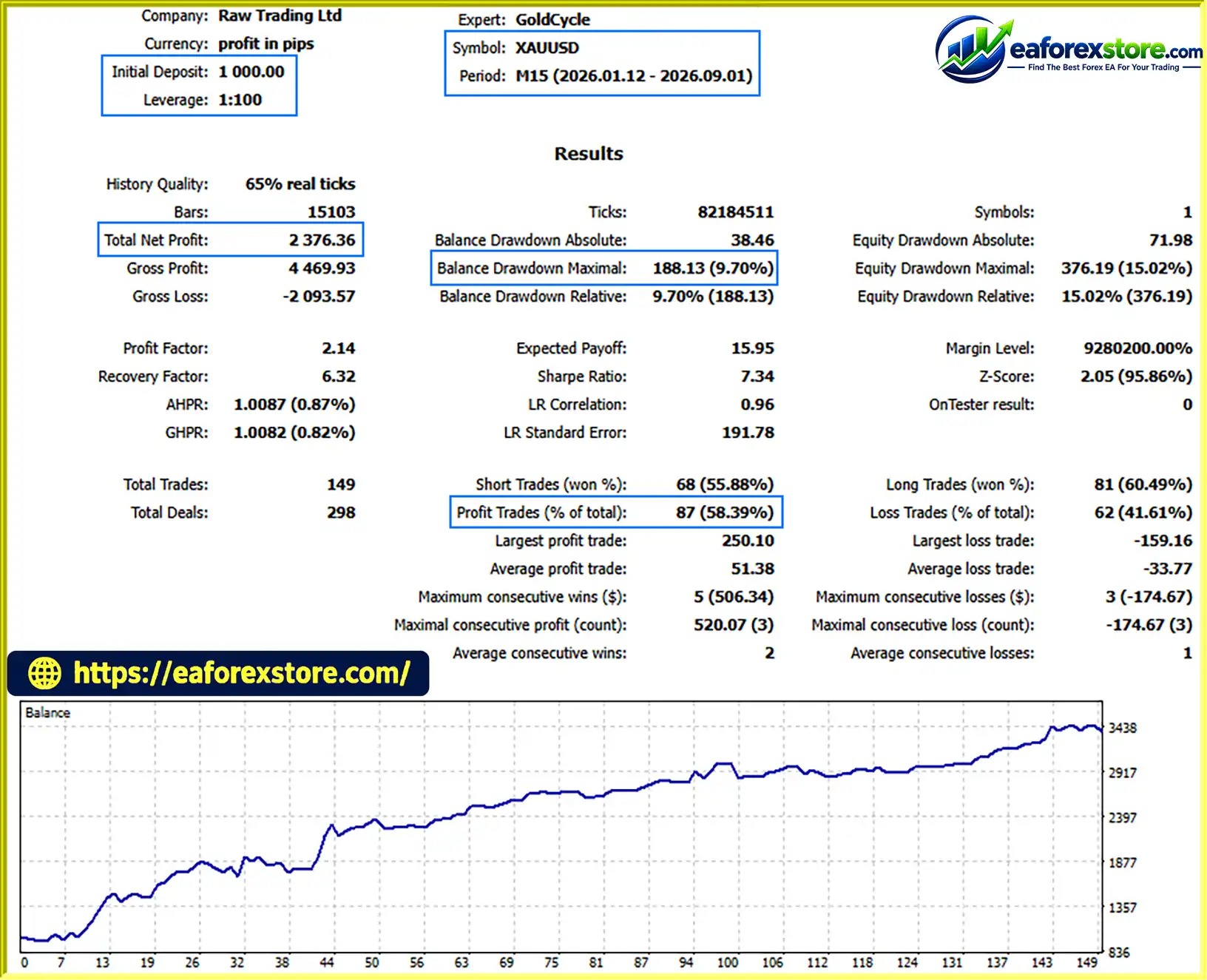
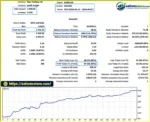
The supplied eight-month XAUUSD backtest reports an initial deposit of $1,000, total net profit of $2,376.36, a win rate of 58.39%, and maximum drawdown of 9.70%. The supplied three-week Myfxbook performance report also states a gain of 103.97% and maximum drawdown of 25.60%. These figures are reported results and should be independently checked against the original reports. The substantial drawdown in the shorter performance sample highlights the importance of evaluating risk alongside returns. Historical performance does not guarantee future profitability.
8. How Do I Install GoldCycle EA MT5 on MetaTrader 5?
To install GoldCycle EA MT5, obtain the EA package and open MetaTrader 5. Select File → Open Data Folder, navigate to MQL5/Experts, and copy the supplied GoldCycle EA MT5.ex5 file into the folder. Refresh the Navigator panel or restart MT5, open an XAUUSD H1 chart, and attach the EA. Configure the risk, recovery, session, and trade-management settings according to the developer's instructions. Backtest the strategy and run it on a demo account before using real funds. Verify your broker's server time and symbol specifications to ensure the EA operates as intended.
In stock
In stock
In stock
In stock
In stock
Out of stock
No account yet?
Create an Account












 Automatic EA
 EA Best Seller
 Expert Advisor MT4
 Expert Advisor MT5
 HFT EA


Reviews
Clear filtersThere are no reviews yet.