









-
 Unlimited Activations
-
 Instant delivery
-
 Easy to install

 Unlimited Activations
Instant delivery
Easy to install
Unlimited Activations
Instant delivery
Easy to install
 Free Update
 Free Install Support

AGI FX1 EA MT4 is an automated Forex Expert Advisor designed for the MetaTrader 4 platform, focusing on the EURUSD currency pair on the M30 (30-minute) timeframe. It uses a combination of technical indicators and algorithmic analysis to evaluate market conditions, identify potential trading opportunities, and execute trades according to its programmed strategy.
Developed by an R&D team that reports more than 10 years of experience, AGI FX1 aims to simplify trading through automated market analysis and predefined trading rules. It is designed for traders who want to reduce manual monitoring and follow a systematic approach to Forex trading.
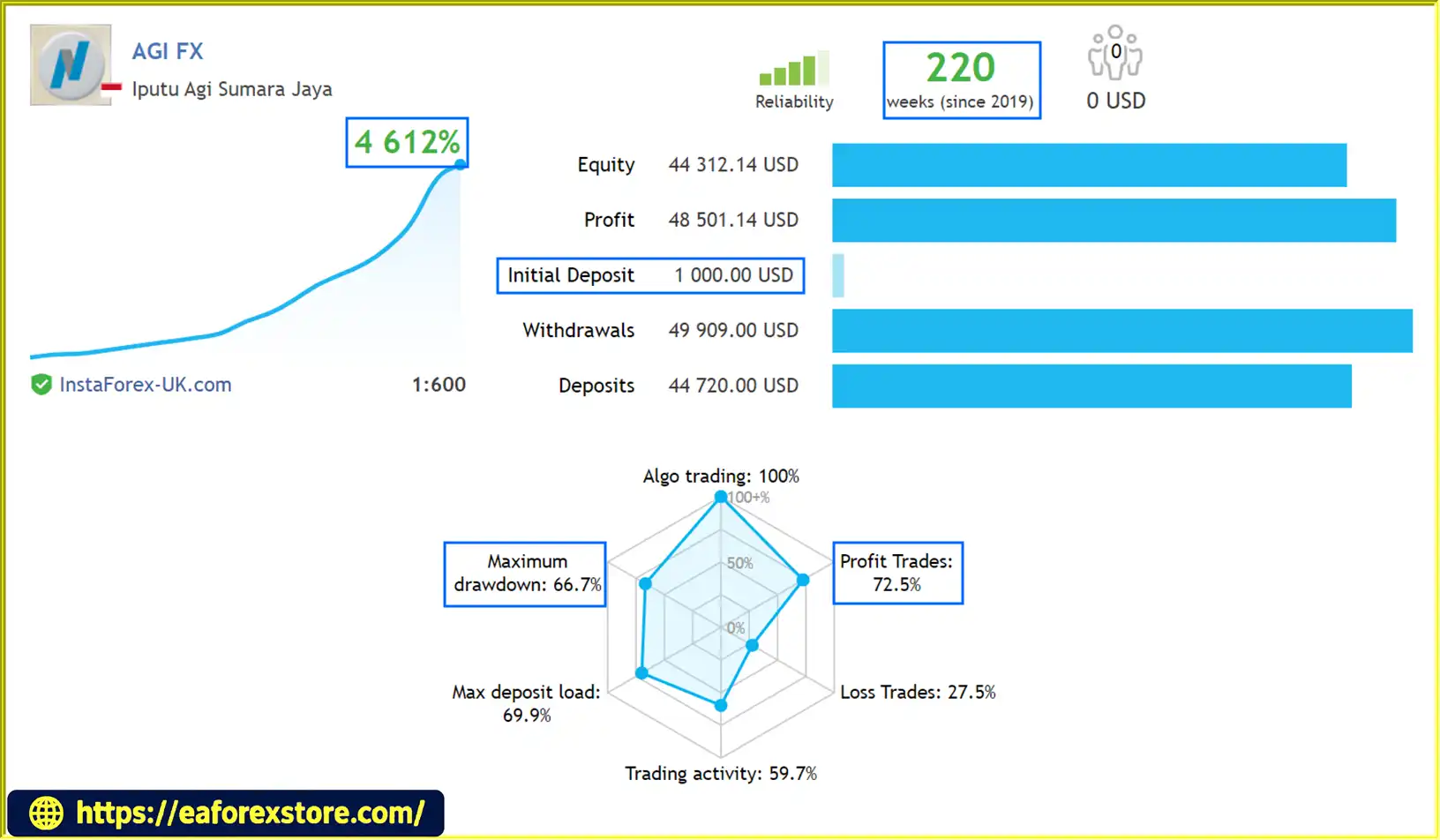
One of the product’s highlighted features is its claimed live trading history through MetaQuotes-verified accounts monitored via the MQL5 Signals service. These records may allow users to examine reported growth, win rate, and drawdown before deciding whether the EA fits their trading objectives. Prospective users should independently review the relevant signal pages and account history to verify the results.
AGI FX1 uses an averaging and martingale-based trading strategy, making risk evaluation particularly important. Although this approach may help manage a series of positions under certain market conditions, it can also increase exposure when the market moves against existing trades.
Past performance does not guarantee future results. Backtests, live monitoring records, and historical statistics should be evaluated alongside the strategy’s potential drawdown and capital requirements.
Reviewed by Jason Stap <<<
AGI FX1 EA MT4 reviews
AGI FX1 combines multiple technical indicators to analyze market conditions and identify potential entry opportunities. Once its programmed conditions are met, the EA can execute trades automatically, reducing the need for constant manual intervention.
The EA is designed specifically for EURUSD trading. Focusing on a single currency pair allows traders to evaluate its behavior under different market conditions and assess whether its trading approach suits their preferred strategy.
AGI FX1 operates on the 30-minute timeframe, providing a structured trading environment that differs from very short-term scalping systems. Traders can use this timeframe to evaluate entry frequency, holding periods, and exposure to market fluctuations.
The EA offers two preset configurations:
The actual risk associated with each preset should be confirmed through its settings and historical results. A preset labeled standard risk should not automatically be considered low risk.
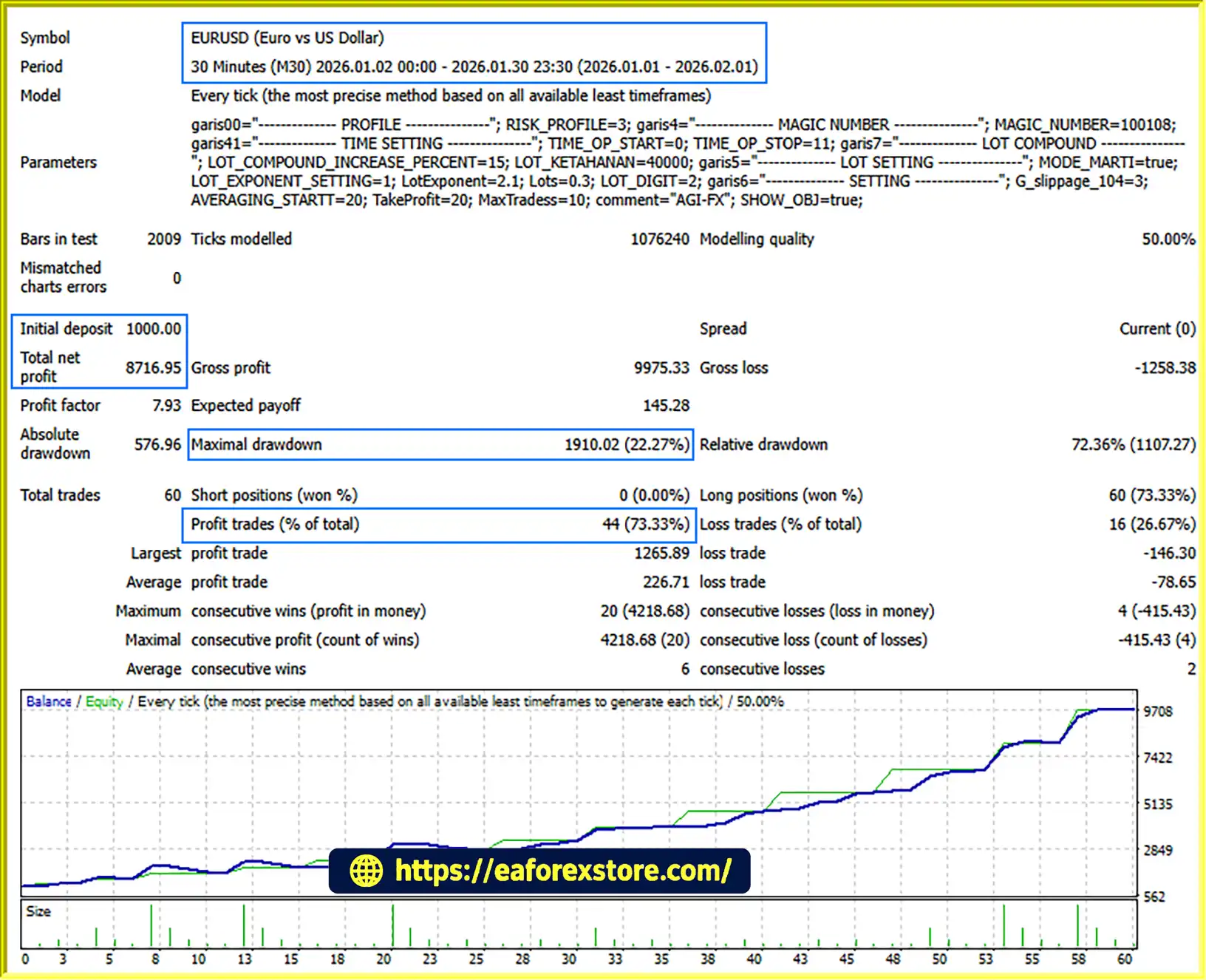
The developer reports eight years of backtesting covering 2015–2022 and four years of real-time testing covering 2019–2023. The product also highlights MetaQuotes-verified accounts monitored through MQL5 Signals.
These are historical testing periods and developer-reported claims, not a guarantee of current performance. Traders should examine the underlying reports, including maximum drawdown, floating losses, account balance, equity, and trading exposure.
AGI FX1 includes cash-management functionality intended to help structure trading exposure according to configured monetary parameters. Its effectiveness depends on the actual implementation and settings, so users should verify how the EA calculates position sizes, manages losses, and handles multiple open trades.
The EA is presented as easy to install and configure on MetaTrader 4. The developer also reports offering training for novice traders, which may help new users understand the software and its operating procedures.
However, ease of installation does not remove the need to understand the underlying strategy and its financial risks.
AGI FX1 follows an automated process based on its programmed indicators and trading strategy.
Step 1: Market Data Analysis
The EA evaluates EURUSD price data on the M30 timeframe and processes information from its configured technical indicators.
Step 2: Trading Signal Identification
When the indicator conditions meet the EA’s programmed requirements, the system identifies a potential trading opportunity.
Step 3: Automated Trade Execution
The EA opens positions according to its trading rules and configured parameters, reducing the need for manual entry decisions.
Step 4: Position and Exposure Management
AGI FX1 uses an averaging and martingale-based approach. Depending on the implementation, this type of strategy may open additional positions as market conditions evolve, potentially changing the average entry price while increasing total exposure.
Step 5: Cash Management and Trade Monitoring
The EA applies its configured money-management rules. Traders should monitor account equity, margin usage, open positions, and drawdown to understand how the system behaves during both favorable and adverse market conditions.
Because averaging and martingale strategies can accumulate positions, it is especially important to review the EA’s exit logic, maximum position limits, and protections against prolonged adverse trends.
AGI FX1 follows predefined trading rules rather than relying entirely on manual decisions. This can help traders maintain a consistent execution process and reduce the influence of emotional reactions.
By combining technical indicators, the EA seeks to evaluate market conditions through more than one input. Its actual effectiveness should be assessed through detailed trading records rather than the number of indicators alone.
The developer highlights historical backtests and live monitoring through MQL5 Signals. Where publicly available, verified account statistics can help users assess real-world trading behavior, including consistency, drawdown, and exposure.
Before relying on any published record, confirm that the account is genuinely linked to the EA and examine its deposit and withdrawal history, account equity, leverage, and trading duration.
The availability of standard-risk and high-risk presets gives users different configurations to evaluate. The suitability of either option depends on the actual settings, account size, leverage, and the trader’s tolerance for losses.
AGI FX1 is built for MT4, a widely used platform for automated Forex trading. Users familiar with MT4 can manage the EA through the platform’s Expert Advisors interface.
The developer reports offering training for beginners. This can be useful for learning the setup process and understanding automated trading, although users should still develop their own knowledge of Forex risk management.
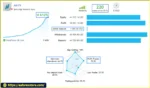
🔺AGI FX – 220 consecutive weeks
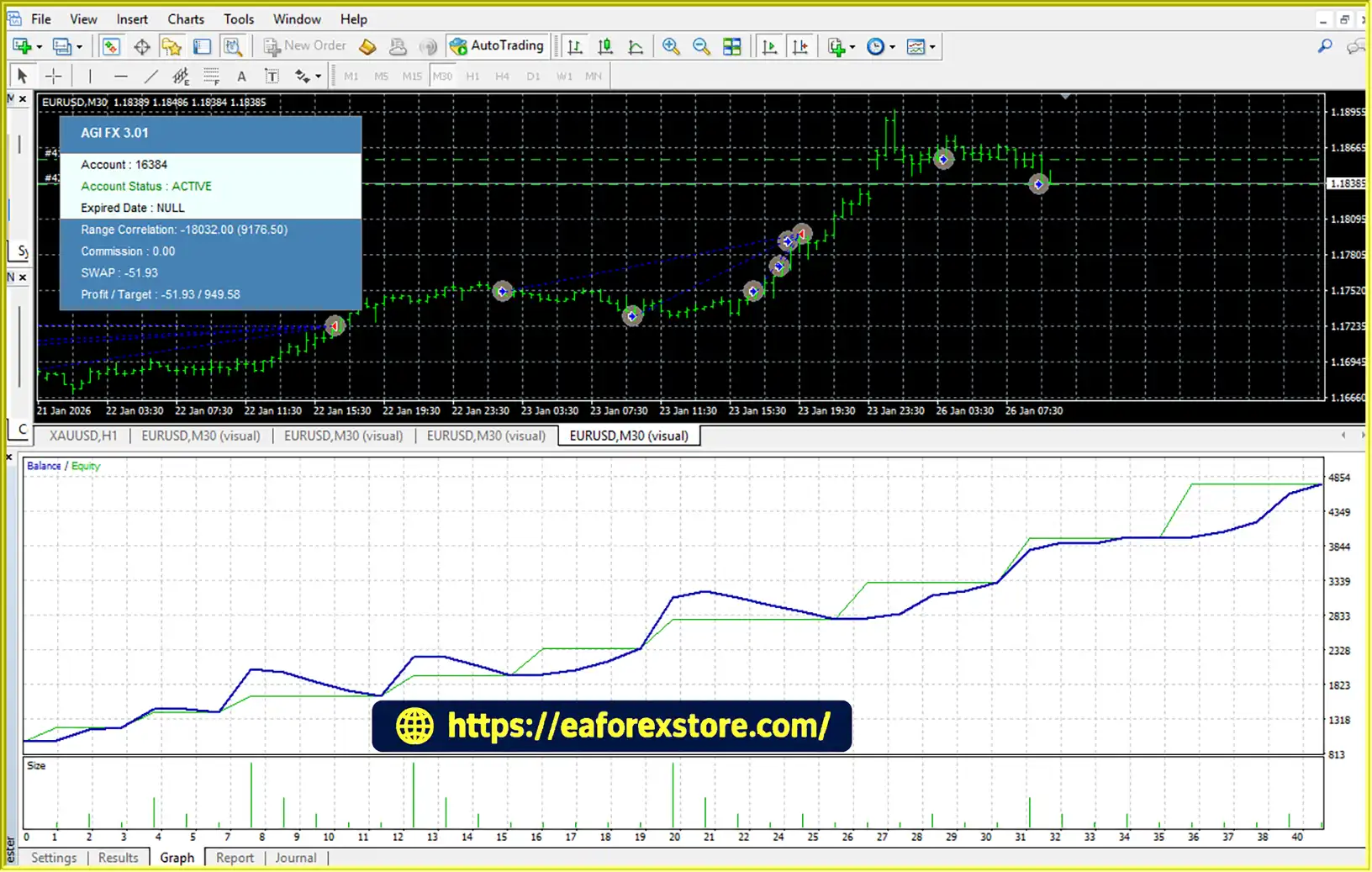
AGI FX1 EA MT4 Signal Results
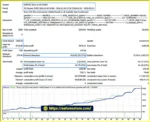
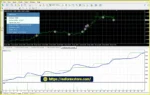
AGI FX1 EA MT4 backtets
Risk management is a critical consideration when using AGI FX1 EA MT4, particularly because its stated strategy uses averaging and martingale techniques.
Averaging may add positions as prices move away from an earlier entry, while martingale-style methods may increase position exposure following losses. Depending on the EA’s implementation, these mechanisms can create a more favorable average entry price but may also cause losses and margin requirements to grow during persistent adverse price movements.
A high win rate, if reported, does not necessarily mean a strategy has low risk. A system may close many trades profitably while remaining vulnerable to a small number of substantial drawdowns.
The developer lists a minimum deposit of $100 for a cent account or $4,000 for a standard account. These are stated product specifications, not evidence that either balance is sufficient for every broker, leverage level, or configuration.
Before using a live account, determine whether the available capital can withstand the EA’s historical and potential future drawdowns.
The EA’s specific alert features and protective mechanisms should be confirmed in its documentation and settings. No particular alert or account-protection function should be assumed unless it is explicitly supported.
Follow these general steps to install the EA on MetaTrader 4. Exact steps may vary depending on the file format supplied by the developer.
Step 1: Obtain the EA File
Download the official AGI FX1 EA MT4 package from the authorized source. Confirm that the file is intended for MetaTrader 4 rather than MetaTrader 5.
Step 2: Open the MT4 Data Folder
Launch MetaTrader 4 and select File → Open Data Folder.
Step 3: Copy the EA File
Open the MQL4 folder, then the Experts folder. Copy the supplied EA file into this directory.
Step 4: Refresh the Navigator
Return to MT4 and refresh the Navigator panel, or restart the platform if necessary.
Step 5: Attach the EA to EURUSD
Open an EURUSD chart, select the M30 timeframe, and attach AGI FX1 to the chart.
Step 6: Configure the Settings
Review the available parameters and select the appropriate preset. Carefully inspect lot sizing, averaging rules, risk settings, and any available limits on positions or drawdown.
Step 7: Enable Automated Trading
Enable the platform’s automated-trading function and confirm that the EA is permitted to trade in its settings.
Step 8: Test Before Live Deployment
Run the EA on a demo account and monitor its behavior across different market conditions. Review account equity, margin usage, trade frequency, and drawdown before considering real-money use.
For detailed instructions, use the developer’s official documentation and verify that the EA is compatible with your broker’s trading conditions.
>>> Join VIP Membership Now <<<
AGI FX1 EA MT4 is an automated EURUSD trading system for MetaTrader 4 that combines technical indicators, M30 market analysis, cash-management functionality, and an averaging and martingale-based strategy. Its developer highlights historical testing, live monitoring through MQL5 Signals, and two preset configurations for different risk preferences.
The main consideration is not simply whether the EA has recorded profitable trades, but how it behaves when the market moves against its positions. Averaging and martingale strategies can appear consistent during favorable conditions while remaining vulnerable to substantial drawdowns when adverse movements persist.
Before using AGI FX1 with real capital, independently review the available live trading records, evaluate equity drawdown and margin requirements, and test the software under realistic broker conditions.
AGI FX1 EA MT4 should be evaluated as a trading tool, not a guaranteed source of income. Past performance does not guarantee future results, and automated trading can result in the loss of some or all of the capital invested.
1. What Is AGI FX1 EA MT4?
AGI FX1 EA MT4 is an automated Forex Expert Advisor designed for the MetaTrader 4 (MT4) platform. It focuses on the EURUSD currency pair using the M30 (30-minute) timeframe. The EA analyzes market conditions through technical indicators and executes trades according to its programmed strategy, which includes averaging and martingale-based position management.
2. Is AGI FX1 EA MT4 Profitable?
AGI FX1 EA MT4 has reported historical backtesting results and live trading records monitored through the MQL5 Signals service. However, profitability depends on market conditions, broker execution, trading costs, account settings, and risk management. Its reported maximum drawdown should be carefully evaluated before use. Past performance does not guarantee future results, and losses are possible.
3. What Trading Strategy Does AGI FX1 EA MT4 Use?
AGI FX1 EA MT4 uses technical indicator-based market analysis combined with an averaging and martingale-based trading strategy. This approach may open additional positions as market prices move against existing trades, potentially improving the average entry price. However, it can also increase total exposure, floating losses, and margin requirements during prolonged adverse market movements.
4. What Is the Minimum Deposit Required for AGI FX1 EA MT4?
According to the product information, the stated minimum deposit is $100 for a cent account or $4,000 for a standard account. These figures should be treated as the developer's specifications rather than guaranteed capital requirements for every trading setup. The appropriate balance depends on broker leverage, lot sizing, account conditions, and the EA's potential drawdown.
5. Which Currency Pair and Timeframe Does AGI FX1 EA MT4 Support?
AGI FX1 EA MT4 is designed specifically for the EURUSD currency pair and operates on the M30 timeframe. This means its trading logic is intended for 30-minute EURUSD charts. Traders should follow the recommended configuration and verify compatibility with their broker's symbol specifications, spreads, and execution conditions.
6. Does AGI FX1 EA MT4 Offer Different Risk Settings?
Yes. The EA is described as offering standard-risk and high-risk preset configurations. Its download package also lists EURUSD conservative, balanced, and aggressive set files. These configurations may provide different trading parameters and exposure levels. Users should review the actual settings and test each configuration on a demo account, as preset labels alone do not establish the level of financial risk.
7. Can Beginners Use AGI FX1 EA MT4?
AGI FX1 EA MT4 is presented as relatively straightforward to install and configure on MetaTrader 4, and the developer reports offering training for beginners. However, automated trading still requires an understanding of account equity, margin, drawdown, and position sizing. Beginners should start with a demo account, learn how the averaging and martingale strategy operates, and avoid risking money they cannot afford to lose.
8. How Do I Install AGI FX1 EA MT4 on MetaTrader 4?
To install AGI FX1 EA MT4, download the authorized EA package, open MetaTrader 4, and select File → Open Data Folder. Copy the EA file into the MQL4/Experts folder, then refresh the Navigator panel or restart MT4. Attach the EA to an EURUSD chart using the M30 timeframe, configure the available settings, and enable automated trading. Test the EA on a demo account before considering live deployment, and consult the developer's documentation for product-specific setup instructions.
In stock
In stock
In stock
In stock
In stock
Out of stock
No account yet?
Create an Account












 Automatic EA
 EA Best Seller
 Expert Advisor MT4
 Expert Advisor MT5
 HFT EA


Reviews
Clear filtersThere are no reviews yet.