









-
 Unlimited Activations
-
 Instant delivery
-
 Easy to install




 Unlimited Activations
Instant delivery
Easy to install
Unlimited Activations
Instant delivery
Easy to install
 Free Update
 Free Install Support

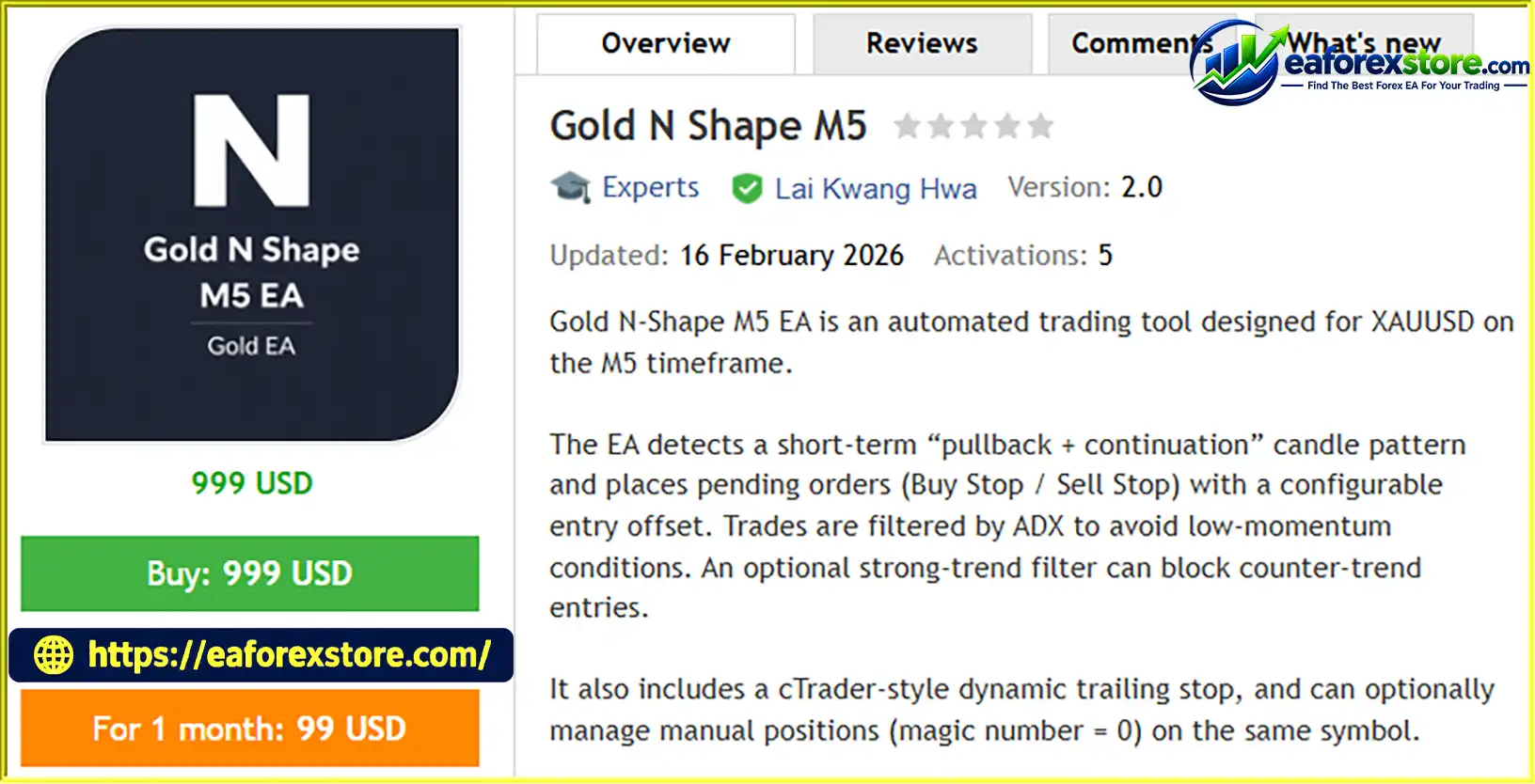
Gold N Shape M5 EA MT5 is an automated trading Expert Advisor developed for Gold (XAUUSD) on the MetaTrader 5 platform, specifically designed for the M5 (5-minute) timeframe. The EA uses a short-term price action strategy based on a pullback and continuation candle pattern to identify potential trading opportunities in the gold market.
Instead of entering trades immediately when a signal appears, Gold N Shape M5 EA MT5 places pending Buy Stop and Sell Stop orders with a configurable entry offset. This approach allows the system to wait for price to reach a predefined level before executing a trade.
To improve signal selection, the EA incorporates an Average Directional Index (ADX) filter that helps avoid trading during weak-momentum conditions. An optional strong-trend filter can also block counter-trend entries when market conditions indicate a stronger directional movement.
The EA includes configurable stop-loss and take-profit levels, automatic pending order cleanup, and an optional dynamic trailing stop inspired by cTrader-style trade management. Additionally, it can manage manual positions with a magic number of 0 on the same trading symbol when the relevant option is enabled.
Designed for short-term automated gold trading, Gold N Shape M5 EA MT5 combines price action analysis, pending order execution, momentum filtering, and flexible trade management in one trading system.
>>> Delivery time 24h-48h after payment.
>>> Refund if not delivered.
>>> You will receive the latest version without any limitations (ID+Time).Reviewed by Jason Stap <<<
Gold N Shape M5 EA MT5 Overview
Gold N Shape M5 EA MT5 follows a structured trading process that combines short-term price action analysis with momentum filtering and automated order execution.
The EA analyzes candle formations on the M5 chart to identify a potential pullback followed by a continuation setup. This pattern is used to evaluate whether price may resume its previous short-term movement.
Before placing trades, the EA applies an ADX filter to assess market momentum. This helps restrict trading when directional strength does not meet the configured requirements.
An optional strong-trend filter can further prevent counter-trend entries when a stronger directional market is detected.
When the configured trading conditions are satisfied, the EA places Buy Stop or Sell Stop pending orders at predefined price levels. The entry offset determines how far the pending order is positioned from the relevant reference price.
The use of pending orders allows the system to wait for price confirmation at the specified level rather than entering immediately when a candle pattern is detected.
Pending orders are monitored according to the EA’s configured expiry-by-bars setting. Orders that meet the applicable cleanup conditions are removed automatically, helping prevent outdated entry levels from remaining active indefinitely.
After a pending order is triggered and a position is opened, the EA uses the configured fixed stop-loss and take-profit levels to define its planned exit boundaries.
Actual execution and final results may vary depending on market conditions, broker specifications, and trading costs.
When enabled, the dynamic trailing stop adjusts the protective stop according to its configured activation threshold, distance, and step. This mechanism is designed to help manage open positions as price moves in a favorable direction.
The trailing stop does not guarantee that a position will close at the intended level, especially during gaps, rapid price movements, or execution delays.
When the relevant option is enabled, Gold N Shape M5 EA MT5 can also manage manual positions with magic number 0 on the same symbol. Traders should verify the exact management rules to understand how the EA may affect manually opened trades.
Gold N Shape M5 EA MT5 is designed specifically for XAUUSD on the five-minute timeframe. Its strategy focuses on short-term price action, making it an option for traders interested in automated intraday gold trading.
The EA uses Buy Stop and Sell Stop orders with configurable entry offsets. This approach provides a predefined framework for trade activation and allows traders to adjust entry placement according to their testing objectives.
The integrated ADX filter helps identify conditions that do not meet the selected momentum threshold. The optional strong-trend filter adds another layer of control by restricting counter-trend entries when stronger directional movement is present.
With fixed stop-loss and take-profit settings alongside optional dynamic trailing stop functionality, the EA offers multiple ways to configure position exits.
The expiry-by-bars feature helps clean up eligible pending orders that remain untriggered for the configured period. This supports a more systematic approach to managing short-term trade opportunities.
Traders who want to combine automated entries with manual trading can enable the supported management of manual positions on the same symbol. This feature should be configured carefully to avoid unintended changes to existing trades.
The EA provides adjustable settings for entry offsets, ADX filtering, trend conditions, stop-loss and take-profit levels, trailing stop behavior, and pending order expiry. Traders can evaluate different configurations through backtesting and demo trading.
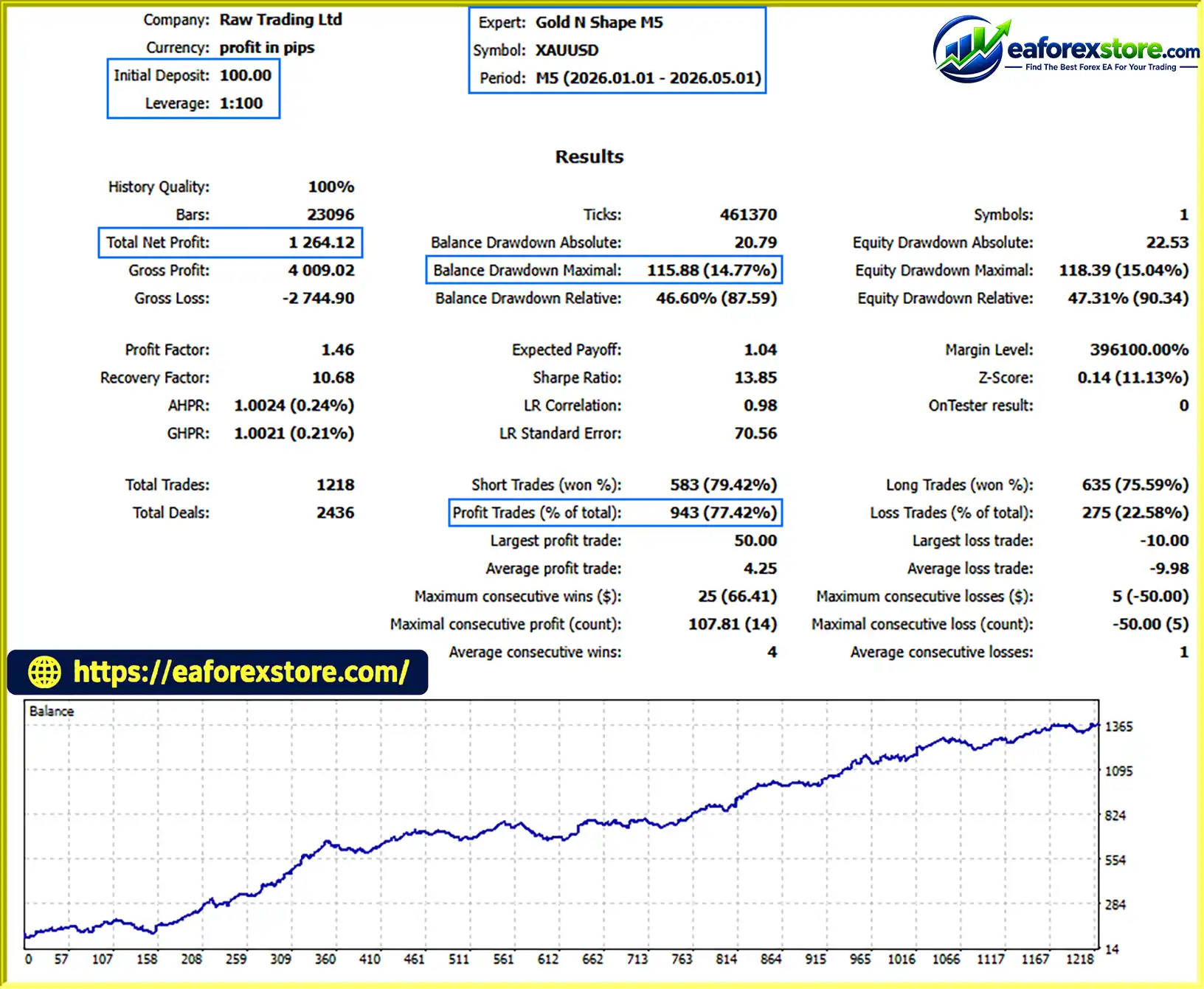
Gold N Shape M5 EA MT5 Backtets
Risk management is essential when using Gold N Shape M5 EA MT5, particularly because gold prices can experience rapid movements and changing spreads. Although the EA includes trade protection and filtering features, it cannot eliminate trading risk or guarantee profits.
Configure the stop-loss and take-profit values according to your risk tolerance and testing results. Confirm how the EA interprets pip-based distances for XAUUSD with your broker, as gold contract specifications and price digits can differ.
Use the ADX filter to control which momentum conditions qualify for trading. The optional strong-trend filter can help restrict counter-trend entries, but neither filter can guarantee that every trade follows the broader market direction.
Set an appropriate expiry-by-bars value to avoid leaving outdated pending orders active for longer than intended. Review how the EA handles order cancellation and any pending orders that have already been triggered.
If enabled, configure the trailing distance, activation level, and step carefully. A trailing stop that is too tight may close positions prematurely, while a wider setting may allow larger adverse price movements before an exit occurs.
If the EA is allowed to manage manual positions with magic number 0, review its management behavior before enabling the option on a live account. Use a demo account to confirm which positions may be affected.
Risk Warning: Gold N Shape M5 EA MT5 does not guarantee profits. Trading involves substantial financial risk, and traders remain responsible for their account settings, capital allocation, and trading decisions.
Follow these steps to install and configure Gold N Shape M5 EA MT5 on MetaTrader 5.
Obtain the official Gold N Shape M5 EA MT5 package from the authorized provider. Confirm that the file is compatible with MetaTrader 5.
Launch MetaTrader 5 on your computer and wait for the platform to finish loading.
Click File → Open Data Folder in the main menu. Navigate to the MQL5 folder and then open the Experts directory.
Copy the supplied EA file, typically ending in .ex5, into the MQL5/Experts folder. If the provider includes additional files or specific installation instructions, follow the supplied documentation.
Return to MetaTrader 5 and open the Navigator panel. Right-click Expert Advisors and select Refresh. Restart the terminal if the EA does not appear.
Open your broker’s gold trading symbol, which may be named XAUUSD or use a broker-specific suffix. Set the chart timeframe to M5.
Confirm that the symbol supports trading and that its contract specifications match your intended configuration.
Drag Gold N Shape M5 EA MT5 from the Navigator panel onto the XAUUSD M5 chart. Review the EA’s available settings and permissions before enabling automated trading.
Review the available inputs and configure the following settings where supported:
The exact input names and valid ranges may differ. Use the EA’s actual input panel and official documentation as the reference.
Run a backtest using historical XAUUSD data and realistic trading costs. Follow this with demo forward testing to evaluate pending order execution, filter behavior, stop-loss and take-profit handling, and trailing stop performance.
After enabling the EA, monitor the chart, open positions, pending orders, and terminal logs. Verify that the system operates as intended before considering live deployment.
>>> Join VIP Membership Now <<<
Gold N Shape M5 EA MT5 is an automated gold trading Expert Advisor for MetaTrader 5 that focuses on short-term pullback and continuation patterns. By combining pending order execution, ADX momentum filtering, optional strong-trend protection, automatic pending order cleanup, and configurable exit management, it provides a structured approach to automated XAUUSD trading on the M5 timeframe.
Its flexible settings and optional manual position management may appeal to traders who want greater control over entry conditions and trade handling. However, the fast-moving nature of gold markets makes careful configuration, realistic testing, and disciplined risk management essential.
Before using Gold N Shape M5 EA MT5 on a live account, evaluate its behavior through backtesting and demo forward testing. Confirm that its order management and pip-based settings work correctly with your broker, and choose position sizes appropriate for your available capital.
Trade responsibly, test every configuration carefully, and remember that no Expert Advisor can guarantee profits.
1. What is Gold N Shape M5 EA MT5?
Gold N Shape M5 EA MT5 is an automated Expert Advisor for MetaTrader 5, designed specifically for trading Gold (XAUUSD) on the M5 (5-minute) timeframe. It uses pullback and continuation candle patterns, pending orders, and momentum filters to identify potential trading opportunities.
2. How does Gold N Shape M5 EA MT5 work?
The EA analyzes short-term price action to identify potential pullback and continuation setups. When its configured conditions are met, it places pending Buy Stop or Sell Stop orders at predefined price levels. An ADX filter evaluates market momentum, while an optional strong-trend filter can restrict counter-trend entries.
3. What are the key features of Gold N Shape M5 EA MT5?
Key features include automated pending order execution, configurable entry offsets, ADX momentum filtering, an optional strong-trend filter, automatic pending order cleanup, fixed Stop Loss and Take Profit settings, and an optional dynamic trailing stop. It can also manage manual positions with magic number 0 on the same symbol when the relevant option is enabled.
4. Which trading instrument and timeframe does Gold N Shape M5 EA MT5 support?
The EA is specifically designed for Gold (XAUUSD) on the M5 timeframe. Its suitability for other instruments or timeframes should not be assumed without testing and confirmation from the developer.
5. Does Gold N Shape M5 EA MT5 use Stop Loss and Take Profit?
Yes. The EA supports configurable fixed Stop Loss and Take Profit levels, with distances specified in pips. It also offers an optional dynamic trailing stop that can adjust protective stops according to configured activation, distance, and step settings. Traders should verify pip calculations with their broker's XAUUSD specifications.
6. Can Gold N Shape M5 EA MT5 manage manual trades?
Yes. When enabled, the EA can manage manual positions identified by magic number 0 on the same trading symbol. Because this feature may modify manually opened positions, traders should test its behavior on a demo account before using it on a live account.
7. What are the reported backtest results for Gold N Shape M5 EA MT5?
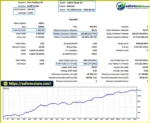
The supplied product description reports a four-month XAUUSD backtest with a $100 initial deposit, total net profit displayed as $1.264,12, a 77.42% win rate, and 14.77% maximum drawdown. The profit figure uses an ambiguous number format and should be confirmed with the original Strategy Tester report before publication. These results have not been independently verified and do not guarantee future performance.
8. How do I install Gold N Shape M5 EA MT5?
Download the EA from the authorized provider, copy the .ex5 file into the MQL5/Experts folder, and refresh the Expert Advisors list in MetaTrader 5. Open an XAUUSD chart on the M5 timeframe, attach the EA, configure its trading parameters, and enable automated trading after reviewing the settings. Backtest and demo-test the EA before considering live use.
In stock
In stock
In stock
In stock
In stock
Out of stock
No account yet?
Create an Account












 Automatic EA
 EA Best Seller
 Expert Advisor MT4
 Expert Advisor MT5
 HFT EA


Reviews
Clear filtersThere are no reviews yet.