









-
 Unlimited Activations
-
 Instant delivery
-
 Easy to install


 Unlimited Activations
Instant delivery
Easy to install
Unlimited Activations
Instant delivery
Easy to install
 Free Update
 Free Install Support

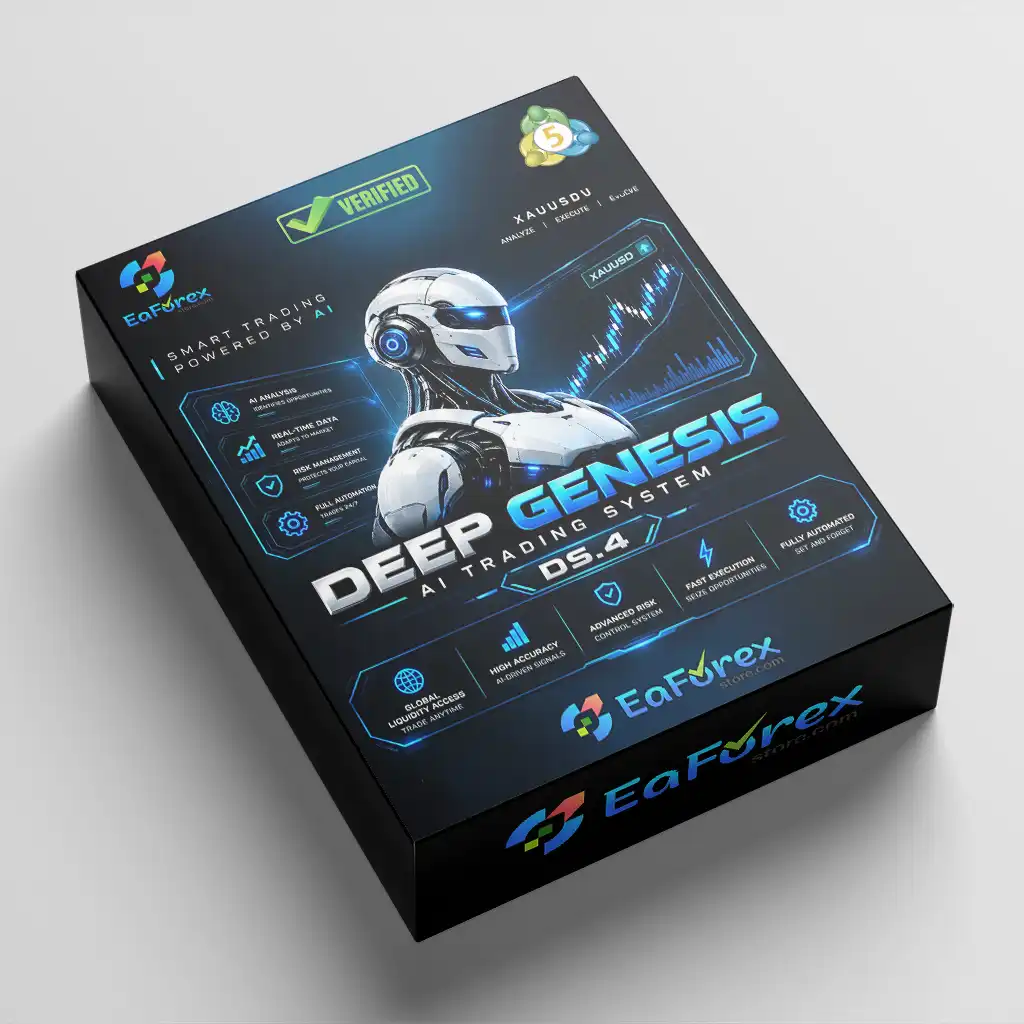
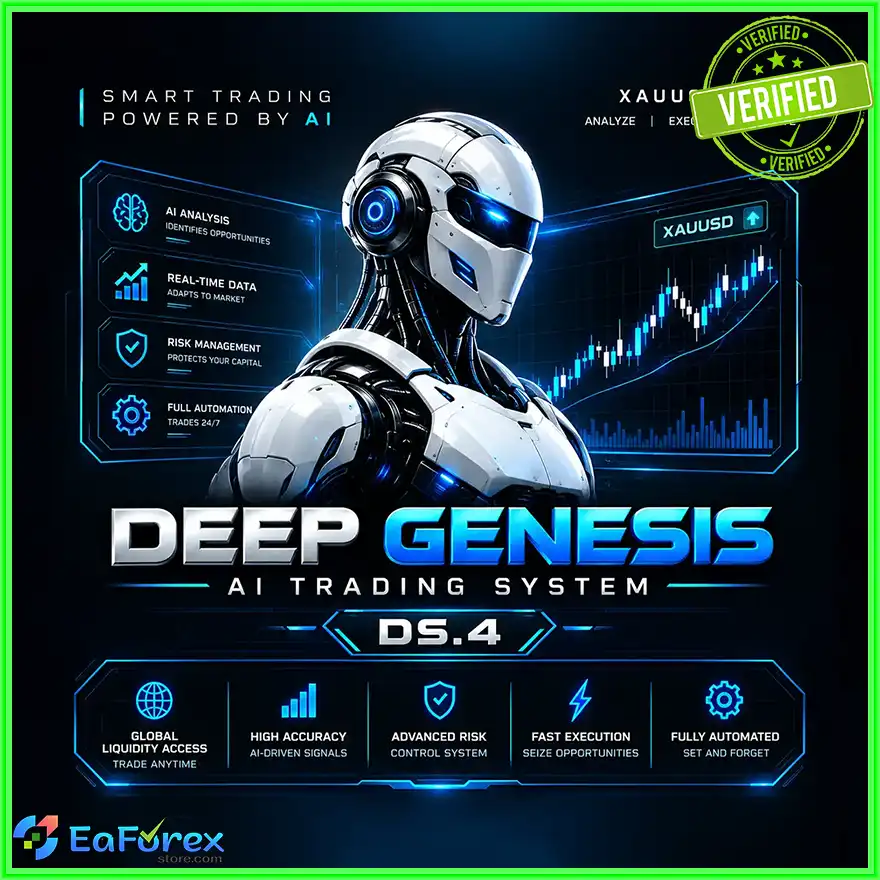
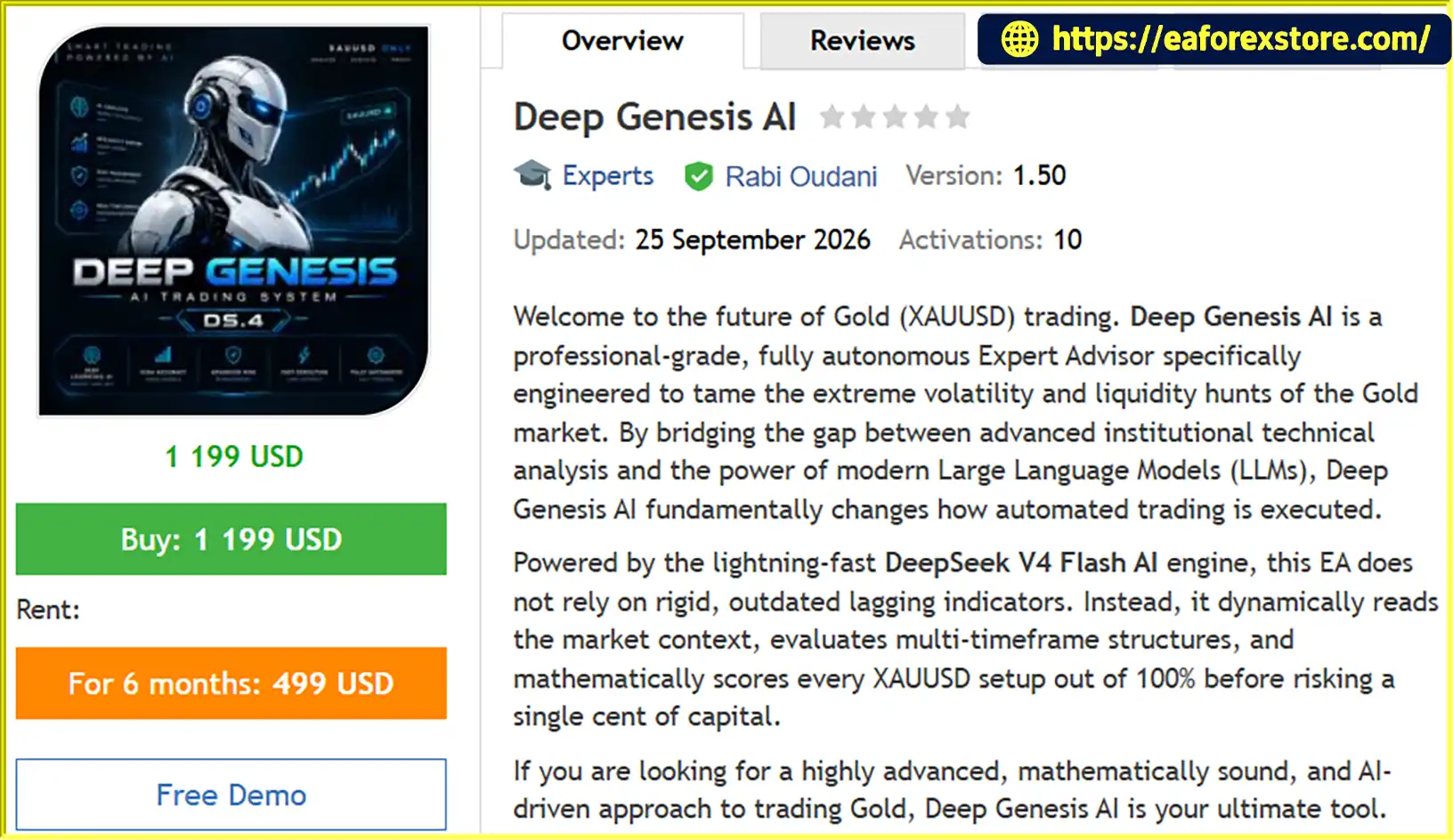
Deep Genesis AI EA MT5 is an AI-powered automated trading Expert Advisor designed specifically for Gold (XAUUSD) on the MetaTrader 5 platform. By combining multi-timeframe technical analysis, Smart Money Concepts (SMC), volatility assessment, and AI-assisted signal evaluation, the EA aims to identify potential trading opportunities in the highly volatile gold market.
Powered by the DeepSeek V4 Flash AI engine, Deep Genesis AI EA MT5 sends market information to the DeepSeek API for analysis and trade evaluation. Instead of relying exclusively on fixed technical indicator signals, the system evaluates market context, directional bias, momentum, liquidity conditions, and potential entry locations before deciding whether a trading setup meets its configured requirements.
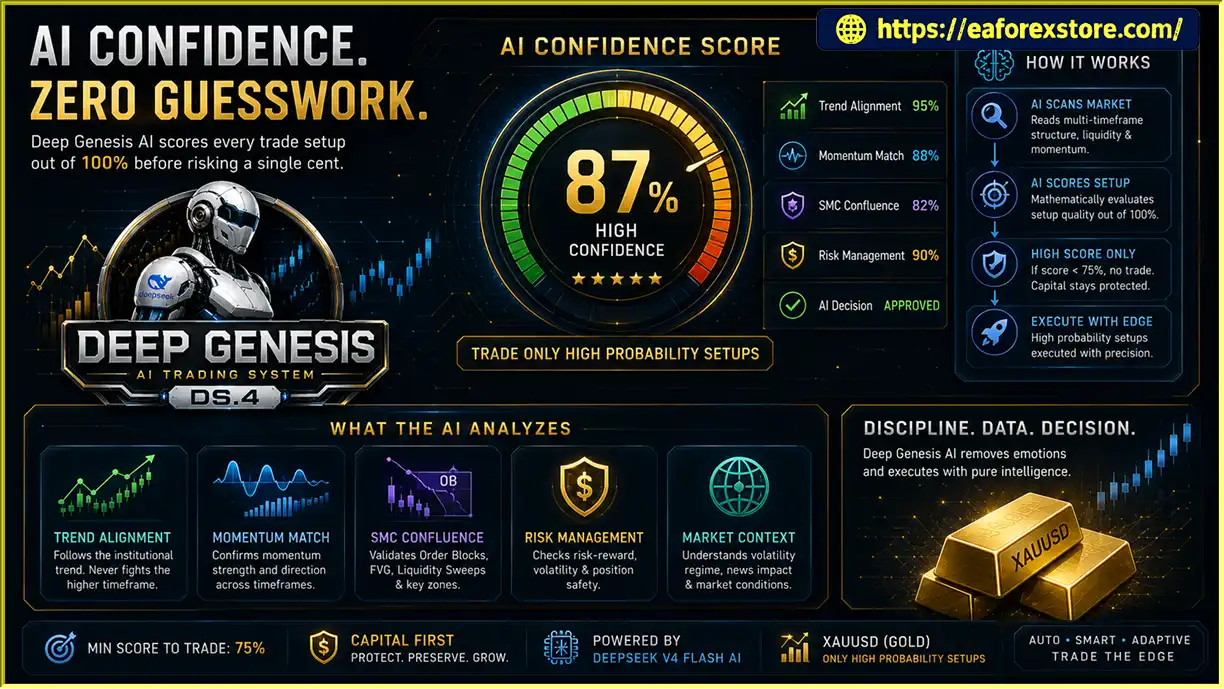
The EA uses a top-down analytical approach across three timeframes. It evaluates the primary market structure on H4, checks momentum alignment on H1, and searches for potential pullback entries on M15. Each setup receives an AI-generated confidence score, and the EA is configured to reject trades with a score below 75%.
To adapt to changing market conditions, Deep Genesis AI EA MT5 incorporates a Vortex Regime Filter that distinguishes between trending and ranging environments. It also features adaptive pending order handling, ATR-based trailing stops, a macroeconomic news filter, key support and resistance blocking, and a daily loss limit.
Designed for traders seeking an AI-assisted approach to automated gold trading, Deep Genesis AI EA MT5 combines external AI analysis with configurable execution and risk management features within MetaTrader 5.
>>> Delivery time 24h-48h after payment.
>>> Refund if not delivered.
>>> You will receive the latest version without any limitations (ID+Time).Reviewed by Jason Stap <<<
Deep Genesis AI EA MT5 follows a structured analysis and execution process that combines technical market data with AI-assisted decision-making.
The EA gathers relevant XAUUSD market information for its analytical process, including price structure, momentum, volume-related data, volatility, and liquidity-related patterns.
It then prepares this information for submission to the DeepSeek API. The quality and availability of the analysis depend on the EA’s implementation, the supplied data, and successful API connectivity.
The system applies a top-down analysis process across three timeframes:
This structure is intended to reduce trades that conflict with the broader directional context.
The EA incorporates Smart Money Concepts, including Fair Value Gaps, Order Blocks, and Liquidity Sweeps, into its setup evaluation.
These concepts are used to identify potential areas of price imbalance, reactions around important zones, and liquidity-related movements. They are analytical tools rather than guarantees of institutional activity or future price direction.
After evaluating the available market information, the DeepSeek AI engine returns an assessment that includes a confidence score.
The EA is configured to reject setups scoring below 75%. This threshold acts as a trade-selection rule; it should not be interpreted as a verified 75% probability of winning or as a guarantee of profitability.
The Vortex Regime Filter evaluates whether the market is trending or ranging. In trending conditions, the EA seeks opportunities consistent with its directional analysis. During ranging conditions, it can favor pending Limit orders near the configured range extremes instead of using Market orders, according to its execution logic.
If a proposed Stop order becomes invalid after a sudden price movement, the adaptive order engine may switch to a Limit order where the relevant conditions permit.
Before execution, the EA can apply additional restrictions based on economic news and key support or resistance levels. The daily loss limit is designed to act as a circuit breaker when the account reaches its configured daily drawdown threshold.
These controls aim to limit exposure to selected market conditions, but they cannot prevent every adverse price movement or trading loss.
Once the configured conditions are satisfied, the EA executes the selected order type according to its trading mode and broker capabilities.
After entry, the ATR-based trailing stop can adjust its distance as volatility changes. Risk settings, stop placement, order execution, and daily loss controls work together to manage trades according to the EA’s configuration.
Deep Genesis AI EA MT5 integrates an external language model into its trading workflow. This allows the system to evaluate structured market information using AI-generated assessments rather than relying exclusively on conventional fixed-rule indicators.
The quality of its decisions depends on the model, input data, implementation, API availability, and configured trading rules.
By combining H4, H1, and M15 analysis, the EA is designed to evaluate broader market structure, momentum alignment, and potential entry locations within a single trading workflow.
This top-down approach can help organize trade selection, although multi-timeframe confirmation does not eliminate false signals.
The inclusion of Fair Value Gaps, Order Blocks, and Liquidity Sweeps provides additional context for evaluating potential entry areas in the gold market.
These concepts complement the EA’s trend, momentum, and volatility analysis.
The Vortex Regime Filter is designed to distinguish trending markets from ranging conditions. By adapting its order-selection logic to different market regimes, the EA aims to avoid applying the same execution approach in every environment.
The ATR-based trailing stop adjusts to changes in market volatility. A wider trailing distance in more volatile conditions may help reduce premature stop-outs, while a tighter distance in quieter conditions may help protect accumulated gains. Actual behavior depends on the EA’s implementation and settings.
The economic news filter and support and resistance blocking provide additional controls around selected macroeconomic events and important price levels. These features are particularly relevant when trading gold, which can react sharply to economic releases.
With Normal and Intraday modes, configurable order types, fixed lot sizing, and percentage-based risk settings, Deep Genesis AI EA MT5 offers several options for adapting its operation to different trading objectives.
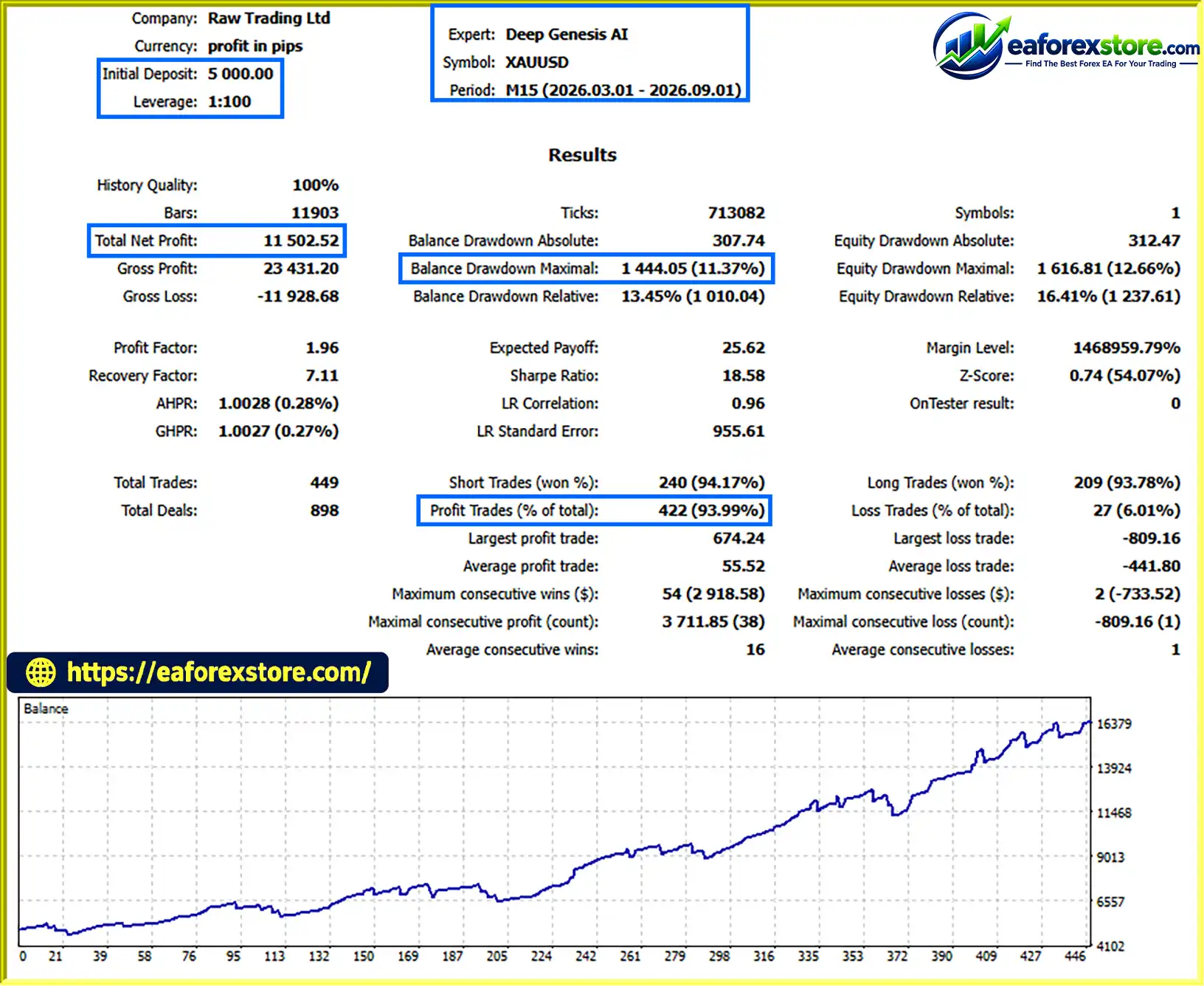
Deep Genesis AI EA MT5 backtets
Risk management is essential when using Deep Genesis AI EA MT5. Gold can experience rapid price movements, changing spreads, slippage, and sharp reactions to economic news. AI analysis and automated filters cannot eliminate these risks.
The EA allows traders to select fixed lot sizing or percentage-based risk settings. A percentage-based approach can help align trade exposure with account size when position sizing is calculated correctly.
Before live trading, verify how the EA calculates risk, including stop-loss distance, contract size, tick value, and the account currency. A configured risk percentage does not necessarily equal the final realized loss.
The 75% confidence threshold is designed to filter out setups that do not meet the EA’s configured score requirement. However, an AI confidence score is not the same as a statistically validated win probability.
Traders should evaluate the relationship between the AI scores and actual trade outcomes through independent testing.
The integrated news filter is designed to pause trading around selected economic events. Configure the available pre-news and post-news intervals according to the EA’s settings.
Verify the news calendar’s time zone, event coverage, and data source. If the calendar or external service becomes unavailable, confirm how the EA behaves.
The daily loss limit is intended to stop trading activity when the configured drawdown threshold is reached. Traders should verify whether the EA stops opening new trades, closes existing positions, or applies another form of shutdown.
A daily loss limit cannot guarantee that the account’s final daily loss will remain below the selected threshold, especially during gaps, slippage, or execution delays.
The ATR trailing stop adjusts according to market volatility. Traders should test its settings to ensure that the trailing distance is appropriate for gold’s price behavior and their selected trading mode.
Trailing stops can still experience slippage and may not execute at the intended level during fast markets.
The EA requires WebRequest permission in MetaTrader 5 and a valid DeepSeek API key where required. API delays, service interruptions, connectivity problems, or usage limits may affect signal generation.
Use a reliable internet connection or VPS, and review the EA’s logs to understand how it handles failed API requests. Never assume the system will continue making valid AI-assisted decisions when the required service is unavailable.
Follow these steps to install and configure Deep Genesis AI EA MT5 on MetaTrader 5.
Obtain the official Deep Genesis AI EA MT5 package from the authorized provider. Confirm that the supplied files are compatible with MetaTrader 5.
Open MetaTrader 5 and select File → Open Data Folder.
Navigate to MQL5/Experts and copy the supplied EA file, typically ending in .ex5, into this directory. Follow the provider’s instructions if the package includes additional files.
Return to MetaTrader 5 and open the Navigator panel. Right-click Expert Advisors and select Refresh. Restart the terminal if the EA does not appear.
Open your broker’s Gold (XAUUSD) chart and set the timeframe to H1.
According to the recommended setup, the EA should be attached to the H1 chart while it evaluates H4, H1, and M15 data in the background.
Check the broker’s symbol name and contract specifications before enabling trading.
Because Deep Genesis AI EA MT5 communicates with the DeepSeek API, WebRequest access must be configured in MetaTrader 5.
Important: Do not guess the URL. Use the correct endpoint required by the EA’s implementation. If the EA uses https://api.deepseek.com, add that exact base URL only after confirming it matches the version you are installing.
Open the EA’s input settings and enter your valid DeepSeek API key in the designated field, if required.
Keep your API key private. Do not publish it in screenshots, trading logs shared publicly, or other materials that could expose your credentials.
Confirm that your account or API setup has the required access and that usage limits are appropriate for your intended operation.
Review the available settings before enabling automated trading:
The exact input names and available options may differ between versions. Use the installed EA’s input panel and official documentation as the authoritative reference.
Attach the EA to the chart and confirm that MetaTrader 5 allows automated trading. Check the EA’s status indicators and terminal logs to ensure that it can access the required market data and API services.
Test the EA using historical XAUUSD data where supported. Then conduct demo forward testing to evaluate AI responses, order execution, news filtering, trailing stop behavior, and daily loss protection.
Because external API responses may not be reproduced exactly during historical tests, verify which parts of the EA’s AI workflow are actually included in the backtest.
Review the Experts and Journal logs, API connectivity, pending orders, open positions, and account exposure regularly.
Only consider live trading after confirming that the EA behaves as expected and that its risk settings are appropriate for your account.
>>> Join VIP Membership Now <<<
Deep Genesis AI EA MT5 is an AI-assisted Expert Advisor designed for Gold (XAUUSD) trading on MetaTrader 5. By combining DeepSeek API integration, multi-timeframe analysis, Smart Money Concepts, market regime filtering, adaptive order handling, and ATR-based trailing stops, it offers a multi-layered approach to automated trade selection and management.
Its economic news filter, key support and resistance blocking, and daily loss limit provide additional risk controls, while flexible trading modes and position-sizing options allow traders to configure the system according to their objectives.
However, AI integration does not guarantee superior trading performance. Results depend on market conditions, data quality, API reliability, order execution, configuration, and risk management. The 75% AI confidence threshold should be treated as a filtering parameter rather than a verified probability of winning.
Before using Deep Genesis AI EA MT5 on a live account, verify the API configuration, test all protection mechanisms, and conduct comprehensive demo forward testing. The suggested $200 minimum balance is a setup recommendation, not a guarantee that the account can safely withstand losses.
Trade responsibly, validate every configuration, and never risk capital you cannot afford to lose.
1. What is Deep Genesis AI EA MT5?
Deep Genesis AI EA MT5 is an AI-assisted automated trading Expert Advisor designed for Gold (XAUUSD) on the MetaTrader 5 platform. It combines DeepSeek API integration, multi-timeframe technical analysis, Smart Money Concepts (SMC), volatility assessment, and automated trade management to identify potential trading opportunities.
2. How does Deep Genesis AI EA MT5 work?
The EA uses a top-down analytical approach across three timeframes: H4 for primary market structure, H1 for momentum confirmation, and M15 for potential entries. It sends market information to the DeepSeek API for AI-assisted evaluation and applies configured trading filters before executing eligible trades.
3. What are the key features of Deep Genesis AI EA MT5?
Key features include DeepSeek AI integration, an AI confidence score threshold, H4/H1/M15 analysis, Smart Money Concepts, a Vortex Regime Filter, adaptive pending order handling, ATR-based trailing stops, an economic news filter, support and resistance blocking, and a configurable daily loss limit. It also supports fixed lot sizing or percentage-based risk settings.
4. Does Deep Genesis AI EA MT5 require a DeepSeek API key?
Yes. According to the product description, the EA requires external DeepSeek API connectivity and a valid API key where specified by the installed version. Traders must also enable WebRequest permissions in MetaTrader 5 and configure the exact API URL required by the EA. API usage costs or limits may apply.
5. What does the 75% AI confidence threshold mean?
The EA is configured to reject trading setups with an AI confidence score below 75%. This threshold is a trade-selection setting, not a verified 75% probability of winning. Actual performance depends on market conditions, the quality of input data, the AI implementation, execution, and risk management.
6. Which trading modes and order types does Deep Genesis AI EA MT5 support?
The product description lists Normal and Intraday trading modes, along with AUTO, MARKET, and PENDING order modes, depending on the selected settings and supported execution logic. The Vortex Regime Filter helps distinguish trending from ranging conditions, allowing the EA to adapt its order-selection approach according to its configuration.
7. What are the reported backtest results for Deep Genesis AI EA MT5?
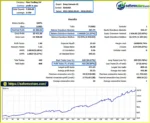
The supplied product description reports a six-month XAUUSD backtest with an initial deposit of $5,000, total net profit displayed as $11.502,52, a 93.99% win rate, and 11.37% maximum drawdown. The profit figure uses an ambiguous number format and should be confirmed against the original Strategy Tester report. These results have not been independently verified and do not guarantee future performance.
8. How do I install Deep Genesis AI EA MT5?
Copy the supplied EA file into the MQL5/Experts folder, refresh the Expert Advisors list, and attach the EA to the recommended XAUUSD H1 chart. Enable WebRequest permissions for the correct API URL, enter your API key if required, configure the risk and trading settings, and verify API connectivity. Backtest and demo-test the system before considering live trading.
In stock
In stock
In stock
In stock
In stock
Out of stock
No account yet?
Create an Account












 Automatic EA
 EA Best Seller
 Expert Advisor MT4
 Expert Advisor MT5
 HFT EA


Reviews
Clear filtersThere are no reviews yet.