









-
 Unlimited Activations
-
 Instant delivery
-
 Easy to install

 Unlimited Activations
Instant delivery
Easy to install
Unlimited Activations
Instant delivery
Easy to install
 Free Update
 Free Install Support

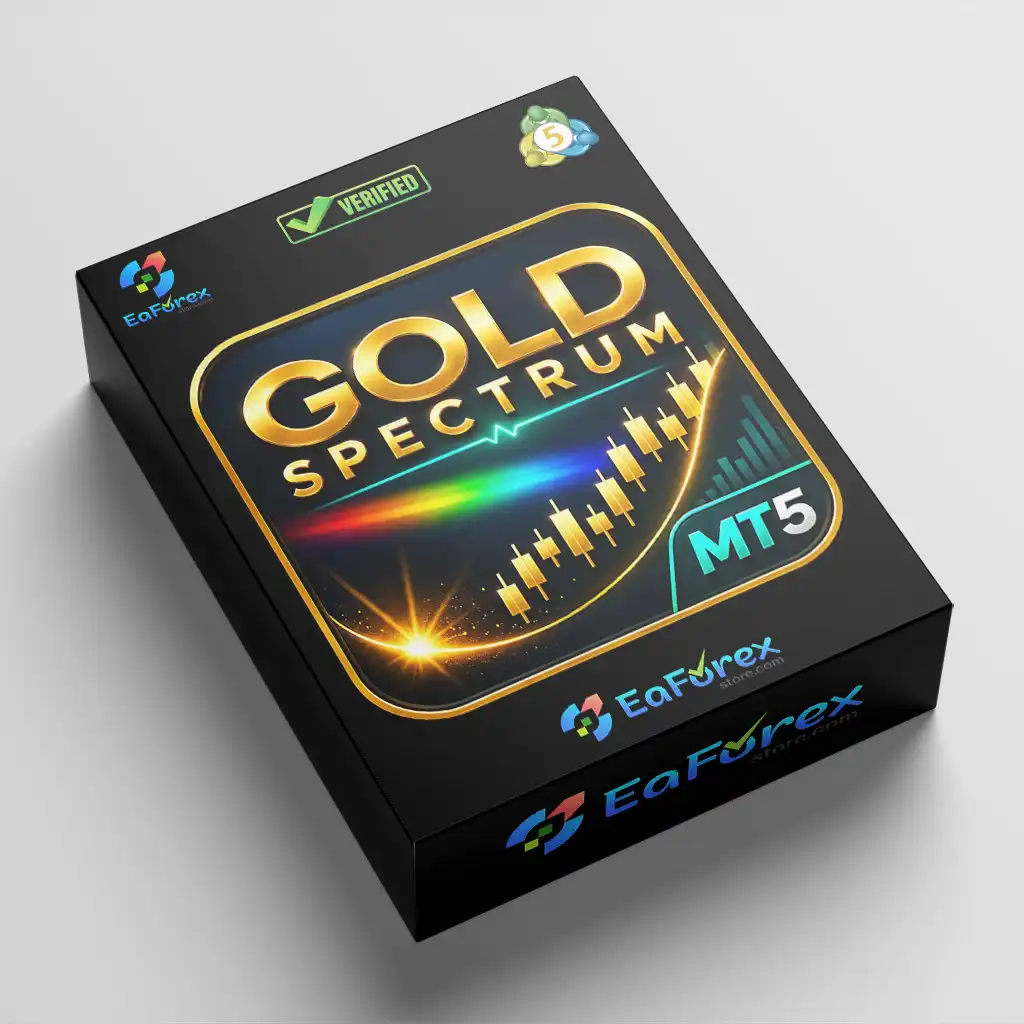
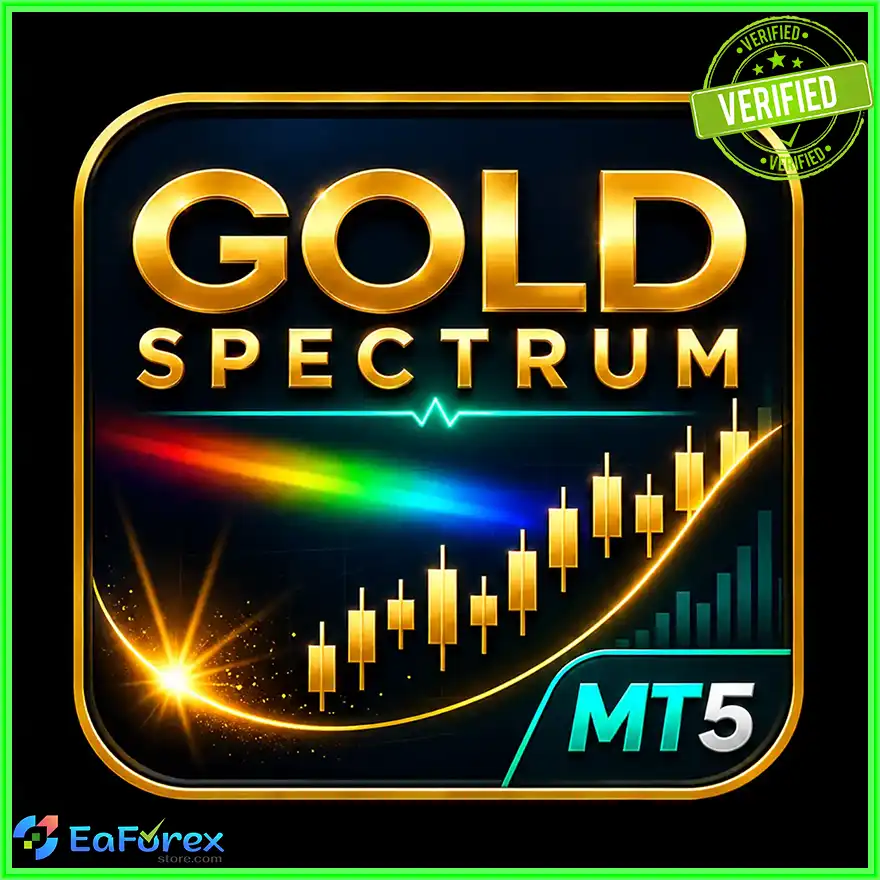
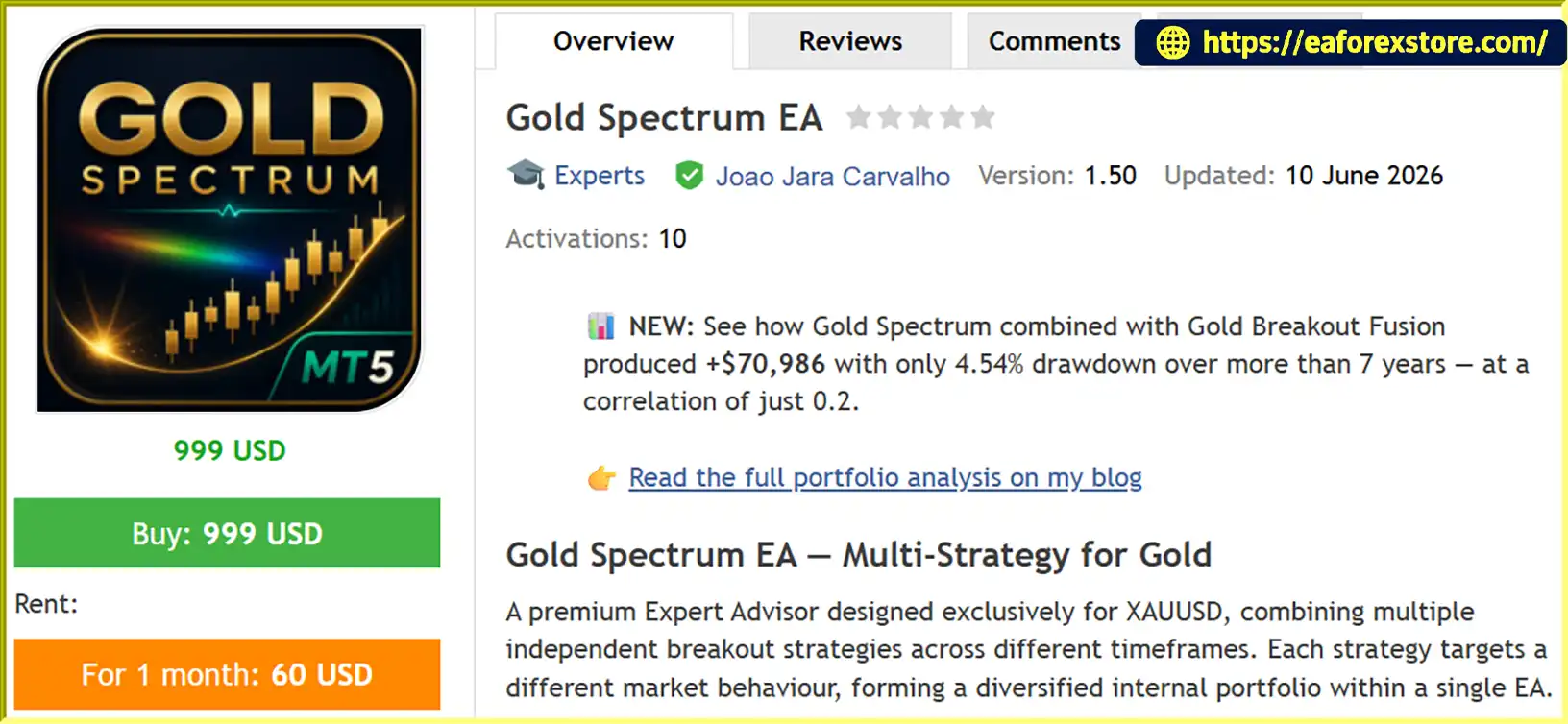
Gold Spectrum EA MT5 is a premium multi-strategy Expert Advisor developed exclusively for Gold (XAUUSD) trading on the MetaTrader 5 platform. It combines multiple independent breakout strategies operating across different timeframes, with each strategy designed to target specific market behaviors and maintain its own trading logic and risk profile.
Instead of relying on a single entry model, Gold Spectrum EA MT5 brings several strategies together within one automated trading system. This diversified internal approach is designed to evaluate different breakout opportunities while maintaining predefined risk controls for individual trades.
One of its key features is AUTO_DD, an adaptive risk management system that adjusts risk per trade according to the user’s selected maximum drawdown target. Traders can also choose traditional LOW, MEDIUM, HIGH, or CUSTOM risk settings to suit their preferred trading approach.
Gold Spectrum EA MT5 also includes features designed for traders who operate under proprietary trading firm rules, such as a Daily Loss Guard, configurable maximum drawdown, FIFO mode, and an optional Non-Farm Payrolls (NFP) news filter. Its integrated glass-morphism dashboard displays real-time account performance, trading status, and active protection mechanisms.
Unlike grid-based systems, Gold Spectrum EA MT5 does not use grid trading, martingale, or position averaging. Each trade is individually sized and protected by a fixed stop loss, providing a more structured approach to risk management.
According to the supplied backtest report, the EA was tested on XAUUSD from 2019 to 2026, with reported results including a Profit Factor of 2.08, a Sharpe Ratio of 2.96, a maximum drawdown of 8.60%, and a win rate of 75.48%. These figures describe the reported historical test and should not be interpreted as a guarantee of future trading performance.
>>> Delivery time 24h-48h after payment.
>>> Refund if not delivered.
>>> You will receive the latest version without any limitations (ID+Time).Reviewed by Jason Stap <<<
Gold Spectrum EA MT5 Overview
Gold Spectrum EA MT5 follows a multi-strategy breakout approach that combines automated entry logic with adaptive risk management and account protection.
The EA runs multiple independent breakout strategies, each designed to identify different types of market behavior. By operating across internal timeframes, these strategies aim to identify opportunities without relying on a single entry pattern.
The exact entry conditions and timeframe assignments depend on the EA’s internal implementation.
Each strategy evaluates market conditions according to its own logic and determines whether a potential breakout setup meets its entry requirements.
When a qualifying setup occurs, the EA can initiate a trade according to the relevant strategy’s execution rules and risk settings.
Before placing a trade, the EA applies the selected risk management mode. Under AUTO_DD, the system adjusts risk per trade according to the configured maximum drawdown target.
The supplied specifications state that risk is capped between 0.05% and 3.0% per trade. This range defines the stated risk limits, but actual account exposure and realized losses may differ depending on execution conditions and the EA’s calculations.
Every trade uses an individual fixed stop loss. This establishes a predefined exit level if the market moves against the position.
Because Gold can experience rapid price movements, slippage and gaps may cause the realized loss to differ from the planned amount.
The Daily Loss Guard and maximum drawdown controls provide additional layers of protection. These features are designed to help traders monitor account losses and restrict trading when configured limits are reached.
Their exact behavior should be verified in the EA documentation, including whether they block new entries, close existing positions, or apply other protective actions.
When the NFP filter is enabled, Gold Spectrum EA MT5 is configured to close open positions and cancel pending orders 100 minutes before the scheduled release, then resume trading 60 minutes afterward.
These timings can be adjusted according to the supplied specifications. Traders should verify the time zone, release schedule, and behavior around changes to the official economic calendar.
The NFP filter is optional and disabled by default.
The integrated dashboard provides visibility into account profit and loss, trading status, and active protective mechanisms. This allows traders to monitor the EA’s operation and review whether its configured safeguards are active.
Gold Spectrum EA MT5 combines multiple independent breakout strategies within a single EA. This approach is designed to address different market behaviors rather than depending entirely on one trading method.
However, strategies operating within the same gold market may still share exposure to similar market risks. Multiple strategies do not automatically guarantee diversification or lower drawdown.
AUTO_DD allows traders to select a target maximum drawdown and lets the EA adjust risk per trade according to its adaptive risk model.
The supplied examples illustrate three risk profiles:
The EA states that per-trade risk is capped between 0.05% and 3.0%. The actual risk selected by the algorithm depends on the configured target and its internal calculations.
Importantly, an AUTO_DD target is a risk-setting objective, not a guarantee that realized account drawdown will remain below that percentage.
The Daily Loss Guard, configurable maximum drawdown, and FIFO mode are intended to support traders who need additional account controls.
These features may help with rule-oriented risk management, but they do not guarantee compliance with every proprietary trading firm’s rules. Traders must independently verify requirements concerning daily losses, overall drawdown, news trading, position holding, and execution restrictions.
The EA does not use grid trading, martingale, or averaging to recover losing positions. Each trade is individually sized and protected by a fixed stop loss.
This provides a different risk structure from recovery-based systems that increase exposure as the market moves against open positions. Nevertheless, consecutive losses and correlated strategy exposure can still result in significant drawdown.
Gold can react sharply to US employment data. The configurable NFP filter is designed to reduce exposure around the scheduled release by closing positions and canceling pending orders when enabled.
This feature gives traders additional control over their exposure to a major scheduled economic event.
The supplied 2019–2026 backtest includes several performance metrics, including Profit Factor, Sharpe Ratio, maximum drawdown, win rate, and linear regression correlation.
These statistics can help traders assess historical strategy behavior, provided the report is complete, reproducible, and based on realistic trading conditions.
The glass-morphism dashboard presents trading status, profit and loss, and active protections in one interface. This makes it easier to monitor the system without manually checking each configuration setting.
Gold Spectrum EA MT5 Backtets
Risk management is a central component of Gold Spectrum EA MT5. Although the EA includes adaptive position sizing and account-level protection features, no automated trading system can eliminate market risk.
AUTO_DD adjusts per-trade risk according to the selected maximum drawdown target. The supplied risk profiles are designed to provide different levels of aggressiveness, while the stated risk range remains capped between 0.05% and 3.0% per trade.
Before live deployment, confirm how the EA calculates drawdown, how often risk is recalculated, and whether it uses balance, equity, or another reference value.
A selected drawdown target should not be treated as a guaranteed maximum loss.
Each trade has an individual fixed stop loss. This helps define the intended loss boundary for a position and avoids relying on averaging or martingale recovery.
However, realized losses may exceed the planned risk because of slippage, gaps, spread expansion, or execution delays.
The Daily Loss Guard is designed to restrict trading when daily loss conditions reach the configured limit.
Traders should verify the loss calculation method, daily reset time, and response to a triggered limit. This is particularly important when operating under proprietary trading firm restrictions.
The configurable maximum drawdown setting provides an account-level risk reference for AUTO_DD and related protection logic.
Actual drawdown can exceed the intended target during fast markets or when several strategies have open positions at the same time.
When enabled, the NFP filter is configured to close open positions and cancel pending orders before the scheduled release, then resume trading after the configured waiting period.
Users should confirm that the release time and time zone are correct and understand the potential impact of closing positions during changing spreads.
The filter is optional and disabled by default.
Before using Gold Spectrum EA MT5 with a proprietary trading firm, verify that the firm’s rules permit the EA’s strategy, execution behavior, FIFO settings, news filter behavior, and position management.
The presence of prop firm-oriented controls does not guarantee compliance with all firms or account types.
Follow these steps to install and configure Gold Spectrum EA MT5 on MetaTrader 5.
Obtain the official Gold Spectrum EA MT5 package from the authorized provider. Confirm that the supplied files are compatible with MetaTrader 5.
Launch MetaTrader 5 on your computer and wait for the platform to finish loading.
Select File → Open Data Folder from the main menu. Navigate to MQL5/Experts.
Copy the supplied EA file, typically ending in .ex5, into the Experts directory. If the package contains additional files, follow the provider’s installation instructions.
Return to MetaTrader 5 and open the Navigator panel. Right-click Expert Advisors and select Refresh. Restart the terminal if the EA does not appear.
Open your broker’s XAUUSD chart. According to the supplied specifications, Gold Spectrum EA MT5 can be attached to any chart timeframe because it uses its own internal timeframes.
Confirm the symbol name and contract specifications used by your broker.
Drag Gold Spectrum EA MT5 from the Navigator panel onto the selected chart. Review the EA’s permissions and enable automated trading only after checking the configuration.
Choose AUTO_DD if you want the EA to adjust risk according to a target drawdown, or select LOW, MEDIUM, HIGH, or CUSTOM if you prefer a traditional risk mode.
Review the stated 0.05%–3.0% per-trade risk range and verify how the EA calculates position size.
Review the following settings:
Confirm that the configuration aligns with your account type and any applicable proprietary trading firm rules.
Run a historical XAUUSD backtest using realistic trading costs. Compare the results with the supplied 2019–2026 report where the original settings and test conditions are available.
Follow with demo forward testing to evaluate order execution, risk scaling, news protection, and drawdown behavior.
Review the dashboard, Experts and Journal logs, account equity, and active protections regularly.
For continuous operation, consider a reliable VPS with a stable connection to your broker’s trading servers.
>>> Join VIP Membership Now <<<
Gold Spectrum EA MT5 is a multi-strategy automated trading system designed specifically for Gold (XAUUSD). By combining independent breakout strategies, adaptive AUTO_DD risk management, fixed stop-loss protection, and prop firm-oriented account controls, it offers a structured approach to automated gold trading.
Its key differentiators include the ability to adjust risk according to a selected drawdown target, an optional NFP news filter, a Daily Loss Guard, and a real-time dashboard that displays account performance and active protections.
The supplied backtest reports a Profit Factor of 2.08, a Sharpe Ratio of 2.96, a maximum drawdown of 8.60%, a win rate of 75.48%, and a linear regression correlation of 0.91 over the 2019–2026 test period. These figures may be useful for an initial assessment, but they should be independently verified using the original report, test settings, historical data, and realistic transaction costs.
Before using Gold Spectrum EA MT5 on a live account or with a proprietary trading firm, conduct thorough backtesting and demo forward testing. Verify that the EA’s risk controls and news-handling behavior match your requirements, and start with a conservative risk profile.
Trade responsibly, validate historical claims independently, and remember that past performance does not guarantee future results.
1. What Is Gold Spectrum EA MT5?
Gold Spectrum EA MT5 is an automated Expert Advisor designed for Gold (XAUUSD) trading on MetaTrader 5. It combines multiple independent breakout strategies across different internal timeframes and includes adaptive risk management, fixed stop losses, and account-level protection features.
2. How Does Gold Spectrum EA MT5 Work?
Gold Spectrum EA MT5 uses multiple breakout strategies to identify potential trading opportunities in the Gold market. Each strategy follows its own internal logic and risk profile. The EA applies the selected risk settings, places trades with individual fixed stop losses, and provides additional controls such as a Daily Loss Guard and configurable maximum drawdown.
3. What Is AUTO_DD Risk Management in Gold Spectrum EA MT5?
AUTO_DD is an adaptive risk management mode that adjusts risk per trade according to the user's selected maximum drawdown target. The supplied specifications state that per-trade risk is capped between 0.05% and 3.0%. However, the selected drawdown target is not a guaranteed maximum loss, and actual drawdown may exceed the target under adverse market conditions.
4. Does Gold Spectrum EA MT5 Use Martingale or Grid Trading?
No. According to the supplied product specifications, Gold Spectrum EA MT5 does not use grid trading, martingale, or position averaging. Each trade is individually sized and protected by a fixed stop loss. Nevertheless, consecutive losing trades and exposure across multiple strategies can still result in significant losses.
5. Is Gold Spectrum EA MT5 Suitable for Prop Firm Accounts?
Gold Spectrum EA MT5 includes prop firm-oriented features such as a Daily Loss Guard, configurable maximum drawdown, and FIFO mode. These controls may help traders manage account risk, but they do not guarantee compliance with every proprietary trading firm's rules. Users should verify restrictions on news trading, daily losses, overall drawdown, and automated trading before deployment.
6. Does Gold Spectrum EA MT5 Have an NFP News Filter?
Yes. The EA includes an optional Non-Farm Payrolls (NFP) news filter that is disabled by default. According to the supplied specifications, when enabled, it closes open positions and cancels pending orders 100 minutes before the scheduled NFP release, then resumes trading 60 minutes afterward. Users should confirm the event schedule, time zone, and configurable timing settings before relying on this feature.
7. What Are the Backtest Results of Gold Spectrum EA MT5?
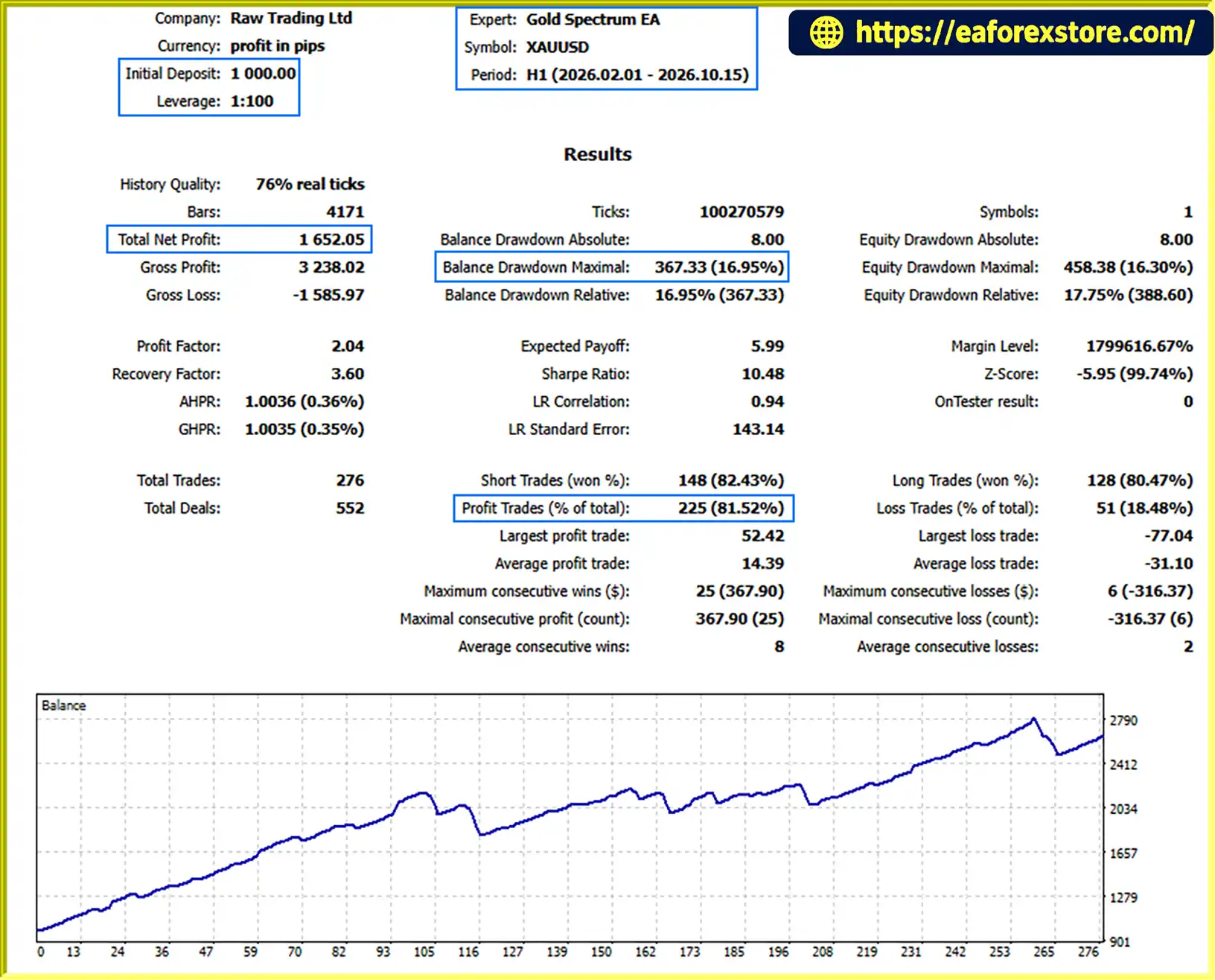
The supplied long-term backtest summary reports a Profit Factor of 2.08, a Sharpe Ratio of 2.96, maximum drawdown of 8.60%, and a win rate of 75.48% over a stated 2019–2026 test period. A separate backtest summary lists an initial deposit of $1,000, net profit displayed as $1.652,05, a win rate of 81.52%, and maximum drawdown of 16.95% over eight months. These appear to be different test summaries and should be verified against their original reports before publication. Historical results do not guarantee future performance.
8. How Do You Install Gold Spectrum EA MT5 on MetaTrader 5?
To install Gold Spectrum EA MT5, download the EA package from the authorized provider, open MetaTrader 5, and select File → Open Data Folder. Copy the .ex5 file into MQL5/Experts, refresh the Navigator panel, and attach the EA to an XAUUSD chart. Configure the risk mode, stop-loss settings, Daily Loss Guard, maximum drawdown controls, and optional NFP filter. Backtest the EA and conduct demo forward testing before using it on a live account.
In stock
In stock
In stock
In stock
In stock
Out of stock
No account yet?
Create an Account












 Automatic EA
 EA Best Seller
 Expert Advisor MT4
 Expert Advisor MT5
 HFT EA


Reviews
Clear filtersThere are no reviews yet.