









-
 Unlimited Activations
-
 Instant delivery
-
 Easy to install

 Unlimited Activations
Instant delivery
Easy to install
Unlimited Activations
Instant delivery
Easy to install
 Free Update
 Free Install Support

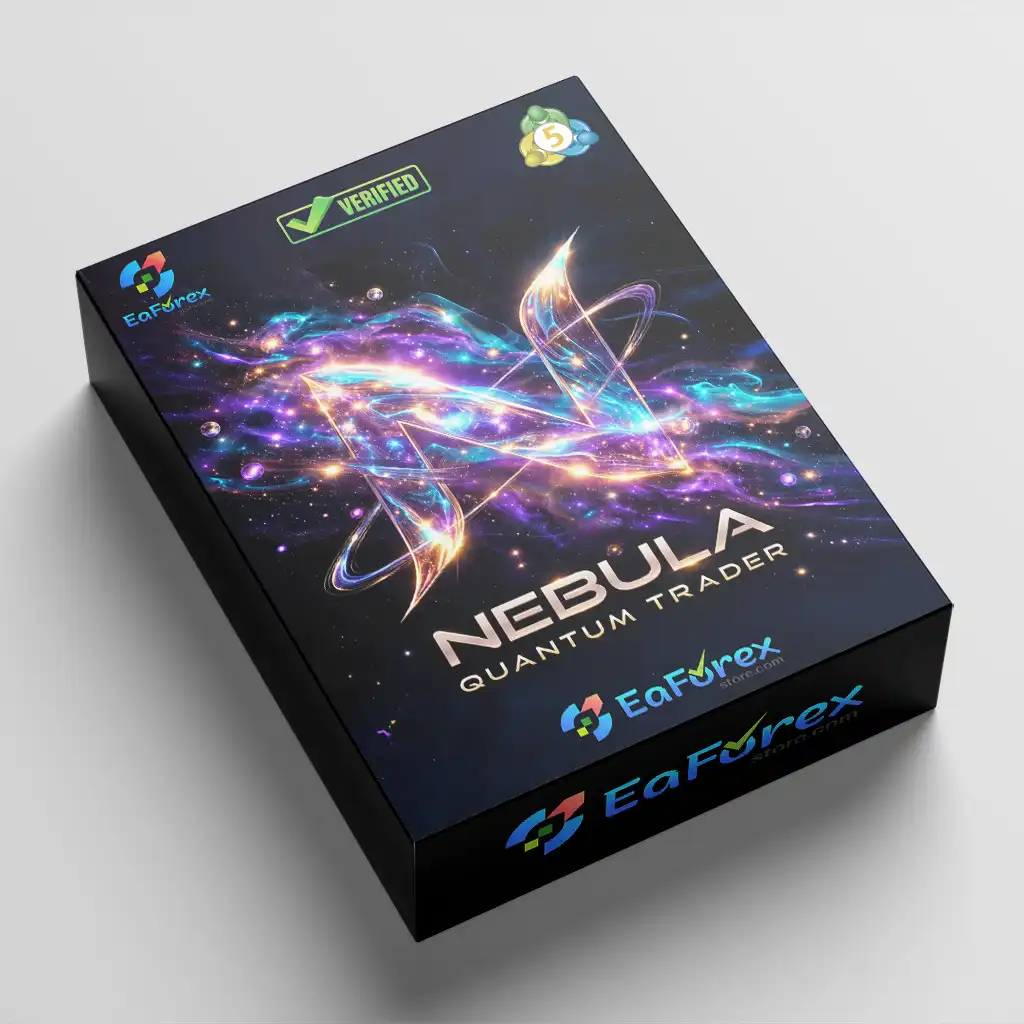
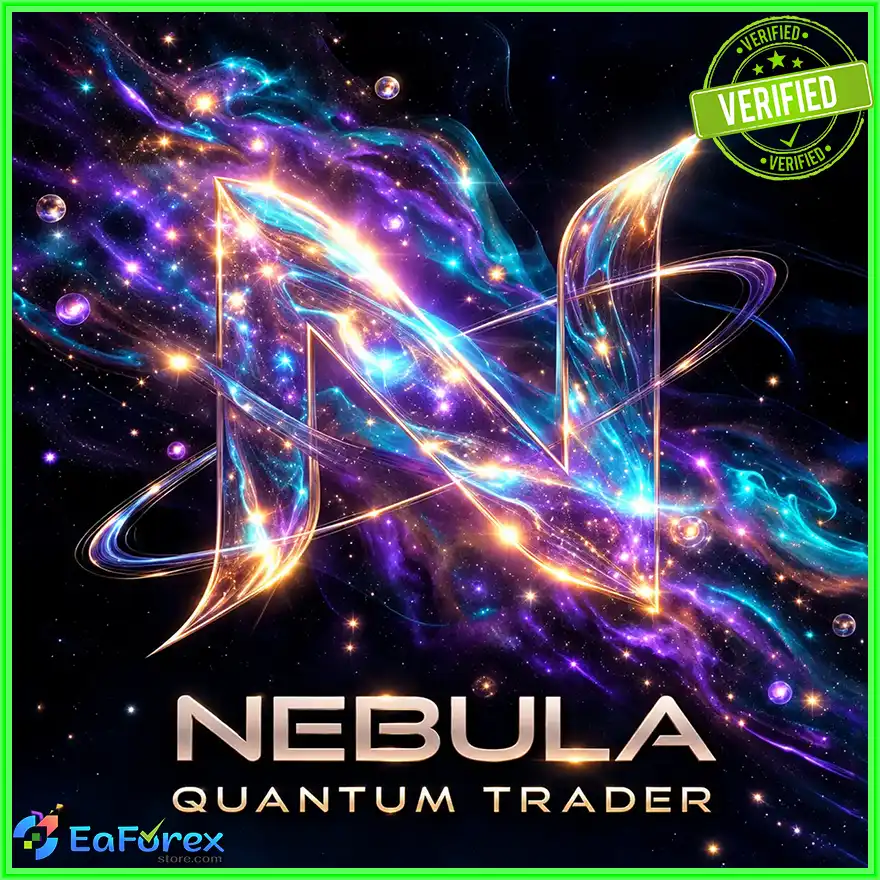
Nebula Quantum Trader EA MT5 is an advanced automated trading Expert Advisor designed specifically for Gold (XAUUSD) on the MetaTrader 5 platform, with a primary focus on the M5 timeframe. It combines eight independent analytical engines within a weighted voting framework to evaluate market conditions and identify potential trading opportunities.
The EA integrates adaptive market-state analysis, reinforcement learning, institutional trading methodologies, Fibonacci retracements, order flow analysis, volume evaluation, and volatility detection. Each module examines a different aspect of the gold market, helping the system assess directional bias, market structure, momentum, liquidity-related patterns, and potential entry zones.
One of its core components is the Multi-Scale Markov Confluence engine, which evaluates market states across M1, M5, and M15. The Q-Learning agent adds an adaptive decision-making layer, while ICT Silver Bullet and Smart Money Concepts modules analyze potential institutional trading setups. Additional engines assess Fibonacci levels, volume behavior, order flow, and range expansion.
Nebula Quantum Trader EA MT5 is designed to evaluate the combined evidence from its active modules before executing trades. Its risk management system includes configurable position sizing, initial stop loss, dynamic trailing stop, spread filtering, session controls, margin checks, and an adaptive grid engine.
The EA also features a real-time visual dashboard that displays account metrics, analytical module statuses, market structure, trading signals, and other key information. With its combination of multi-engine analysis and configurable risk controls, Nebula Quantum Trader EA MT5 offers a systematic approach to automated gold trading.
>>> Delivery time 24h-48h after payment.
>>> Refund if not delivered.
>>> You will receive the latest version without any limitations (ID+Time).Reviewed by Jason Stap <<<
Nebula Quantum Trader EA MT5 follows a multi-layered analysis process in which its eight engines evaluate different market characteristics. The combined signals are used to assess whether a potential trade satisfies the EA’s configured entry conditions.
The Markov engine analyzes market conditions across M1, M5, and M15 using four market states:
The MK_TransitionAlpha parameter controls the adaptive learning factor used in updating the Markov transition model. According to the supplied specifications, the engine seeks directional agreement across all three timeframes before generating its entry signal.
This approach is intended to identify short-term directional alignment while accounting for differences in market volatility.
The Q-Learning agent evaluates 36 composite states based on market regime, VWAP position, and a BiLSTM proxy signal. It selects among three possible actions: BUY, SELL, or WAIT.
The agent uses an epsilon-greedy policy to balance exploration and exploitation. Its Q-table is updated using observed trading returns according to the configured learning logic.
This reinforcement learning component is designed to adapt its decision policy as market conditions change. However, adaptive learning does not guarantee that future decisions will be profitable, and performance depends on the state definitions, reward function, implementation, and available data.
The ICT Silver Bullet module identifies potential trading setups using Fair Value Gaps, Order Blocks, and Liquidity Sweeps.
It operates during three configured server-time windows:
These time restrictions are intended to focus the strategy on selected trading sessions. Traders should verify the broker server’s time zone and any daylight-saving adjustments before relying on the configured windows.
The SMC engine analyzes H1 market structure to identify Break of Structure and Change of Character patterns. It also evaluates potential bullish Demand zones and bearish Supply zones associated with Order Blocks.
The EA uses this structural information as part of its trade-confirmation process, helping assess whether a potential setup aligns with the identified market structure.
These patterns provide analytical context but do not independently confirm institutional participation or guarantee future price direction.
The Fibonacci engine calculates recent price swings over a configurable period and evaluates the proximity of current price to the 38.2%, 50%, and 61.8% retracement levels.
ATR-based zone tolerance adjusts the relevant proximity thresholds according to changing gold volatility. This allows the system to evaluate retracement areas with a volatility-sensitive tolerance rather than relying exclusively on fixed distances.
The order flow module calculates normalized Delta and Cumulative Volume Delta over recent bars. It compares the direction of Delta with CVD behavior to evaluate whether the flow signals support the same directional bias.
When the configured confirmation conditions are not satisfied, conflicting order flow signals may be filtered out.
The accuracy of this analysis depends on the underlying volume data. For many retail XAUUSD feeds, volume represents tick activity rather than centralized exchange-traded volume, so it should not automatically be interpreted as a complete view of institutional gold order flow.
The volume engine identifies potential volume spikes by comparing current volume with the average volume over a configurable period. It combines this ratio with momentum analysis to evaluate whether a potential setup is accompanied by increased market activity.
This module is designed to add another layer of confirmation to the broader analytical process.
The Range Expansion Engine compares current ATR measurements with a historical volatility reference. When current volatility exceeds the configured threshold, the module identifies a potential range expansion condition.
This allows the EA to recognize periods when gold is moving more aggressively than its recent average, subject to the configured rules.
The eight engines contribute analytical information to the EA’s combined decision process. Trading opportunities are evaluated using the configured weighted voting and confluence rules.
When the required conditions are met, the EA can proceed with order placement, subject to its active trading filters, spread limits, session settings, margin availability, and risk parameters.
The exact voting weights and execution thresholds should be verified against the EA’s actual configuration and documentation.
After execution, the risk management system applies the configured stop loss, trailing stop, grid restrictions, and position-sizing rules.
The visual dashboard provides an overview of account metrics and the status of the analytical engines, helping traders monitor the system’s behavior in real time.
Nebula Quantum Trader EA MT5 evaluates the gold market through eight separate analytical modules. Rather than depending on one indicator or entry pattern, it combines statistical modeling, price structure, momentum, volume, and volatility analysis.
This multi-engine design provides a broader framework for evaluating potential trade setups.
The Markov engine evaluates market states across M1, M5, and M15, while the SMC module examines H1 market structure. This combination is designed to provide both short-term directional context and a broader structural reference.
Multi-timeframe agreement can improve the consistency of a trading process, but it does not eliminate false signals or guarantee successful trades.
The Q-Learning agent introduces a reinforcement learning component that updates its decision values according to observed rewards. Its BUY, SELL, and WAIT actions provide a framework for evaluating trade opportunities under different modeled market conditions.
The effectiveness of this approach depends on how the learning system is implemented and validated.
The ICT Silver Bullet and Smart Money Concepts engines incorporate FVGs, Order Blocks, Liquidity Sweeps, BOS, and CHoCH into the analytical process.
These concepts can help structure the evaluation of potential entry areas, market transitions, and price imbalances.
ATR-based Fibonacci tolerance and the Range Expansion Engine allow the system to account for changing volatility conditions. This is particularly relevant for gold, where price behavior can vary substantially between quiet sessions and rapid market movements.
The EA combines spread filtering, margin checks, initial stop loss, trailing stop management, session restrictions, and configurable position sizing.
These controls help establish predefined trading boundaries, although the adaptive grid feature requires particular attention because multiple positions can increase aggregate exposure.
The Black Hole Aurora dashboard displays key account metrics and analytical information through a dark interface with quantum cyan and supernova magenta accents.
Its monitoring features include module status, Markov confluence, Q-Learning actions and rewards, ICT windows, market structure, Fibonacci levels, order flow, and volume metrics.
This provides a consolidated view of the EA’s analytical state without requiring traders to inspect every module separately.
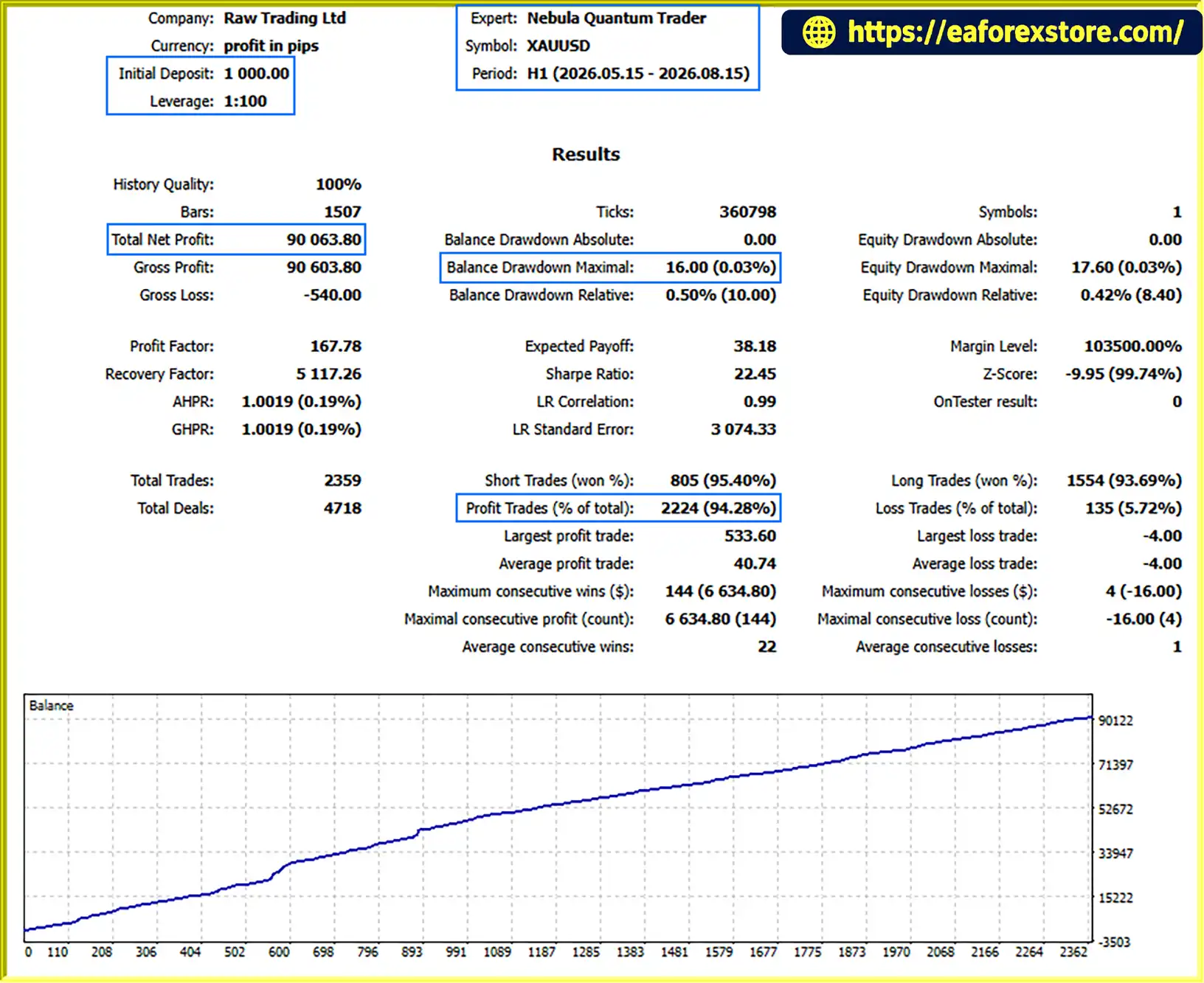
Nebula Quantum Trader EA MT5 Backtets
Risk management is especially important when trading XAUUSD on the M5 timeframe. Gold can experience sudden price movements, spread expansion, and sharp volatility changes. A complex analytical system cannot eliminate these risks.
Nebula Quantum Trader EA MT5 supports fixed lot sizing and percentage-based risk relative to account balance.
Traders should confirm how the EA calculates position size, including stop-loss distance, tick value, contract specifications, and account currency. Risk settings should be tested carefully before live trading.
Each position can use an initial stop loss with a configurable distance. This establishes a planned exit level if price moves against the position.
Actual losses may exceed the intended amount because of slippage, gaps, spread changes, or execution delays.
The trailing stop activates after the configured minimum profit threshold is reached. Traders should test the activation level and trailing distance to determine whether the settings are suitable for gold’s volatility.
A trailing stop cannot guarantee execution at the requested price.
The adaptive grid engine supports configurable pip spacing, maximum range limits, and maximum simultaneous pending orders.
Important: Grid-based trading can accumulate multiple positions and increase total exposure during sustained adverse price movements. A maximum order count does not by itself guarantee a maximum account loss.
Before live deployment, determine the maximum possible combined exposure, margin requirements, and behavior when price continues moving against the grid.
The automatic spread filter is designed to prevent new trading activity when the spread exceeds the configured threshold.
This may help avoid selected unfavorable execution conditions, but it cannot prevent all slippage or guarantee favorable fills.
The session filter allows users to define the permitted trading hours. Verify that the configured hours match the broker server’s time zone, especially for the ICT Silver Bullet windows.
The EA checks available margin before sending orders. This helps reduce the risk of submitting orders without sufficient available margin, but it cannot prevent all margin-related problems as account conditions change.
Risk Warning: Nebula Quantum Trader EA MT5 does not guarantee profits. Traders remain responsible for position sizing, configuration, and capital management.
Follow these steps to install Nebula Quantum Trader EA MT5 on MetaTrader 5.
Obtain the official Nebula Quantum Trader EA MT5 package from the authorized provider. Verify that the supplied files are compatible with MetaTrader 5.
Launch MetaTrader 5 on your computer and wait for the terminal to finish loading.
Select File → Open Data Folder from the platform menu. Navigate to MQL5/Experts.
Copy the supplied EA file, typically ending in .ex5, into the Experts folder. If the package contains additional files, follow the provider’s installation instructions.
Return to MetaTrader 5, open the Navigator panel, and right-click Expert Advisors. Select Refresh. Restart the terminal if the EA does not appear.
Open your broker’s Gold (XAUUSD) trading chart and set the timeframe to M5.
Confirm the broker’s symbol naming convention, contract specifications, minimum volume, and trading conditions before proceeding.
Drag Nebula Quantum Trader EA MT5 from the Navigator panel onto the XAUUSD M5 chart.
Review the EA’s permissions and input settings. Enable automated trading only after confirming that the configuration is appropriate.
Review the available parameters associated with:
Use the installed EA’s actual input panel and official documentation to confirm parameter names, valid ranges, and default values.
Set the fixed lot size or percentage-based risk option. Review the initial stop loss, trailing stop activation, grid spacing, maximum range, pending order limits, spread threshold, and trading session restrictions.
Confirm that the maximum potential exposure and margin requirements are appropriate for your account.
Run historical backtests where supported, then conduct demo forward testing. Evaluate trade frequency, drawdown, margin usage, order execution, and the behavior of each analytical module.
Where possible, use out-of-sample data to assess whether the strategy remains effective beyond the period used for parameter optimization.
Once the EA is running, review the Black Hole Aurora dashboard for account metrics, module status, market confluence, Q-Learning actions, ICT activity, SMC structure, Fibonacci levels, and order flow readings.
Continue monitoring the Experts and Journal logs to identify errors or unexpected behavior.
>>> Join VIP Membership Now <<<
Nebula Quantum Trader EA MT5 is a multi-engine automated trading system designed for Gold (XAUUSD) on the M5 timeframe. Its architecture combines Markov market-state analysis, reinforcement learning, ICT Silver Bullet concepts, Smart Money Concepts, Fibonacci retracements, order flow analysis, volume evaluation, and range expansion detection.
By combining these analytical methods with configurable stop loss, dynamic trailing stop, spread filtering, margin checks, session restrictions, and an adaptive grid engine, the EA aims to provide a structured framework for evaluating and managing automated gold trades.
Its real-time Black Hole Aurora dashboard adds visibility into the analytical process, allowing traders to monitor account conditions and the status of individual modules.
However, analytical complexity should not be confused with proven profitability. The performance of the system depends on the quality of its implementation, broker execution, market conditions, risk settings, and the validation of its adaptive learning components. The grid engine also requires particular attention because accumulated positions can significantly increase exposure.
Before using Nebula Quantum Trader EA MT5 on a live account, conduct thorough backtesting and demo forward testing, verify all risk controls, and ensure that the account can withstand adverse market conditions.
Trade responsibly, validate the strategy independently, and never risk capital you cannot afford to lose.
1. What is Nebula Quantum Trader EA MT5?
Nebula Quantum Trader EA MT5 is an automated Expert Advisor designed for Gold (XAUUSD) on MetaTrader 5, primarily using the M5 timeframe. It combines eight analytical engines covering market-state modeling, adaptive learning, ICT and Smart Money Concepts, Fibonacci retracements, order flow, volume, and volatility analysis to evaluate potential trading opportunities.
2. How does Nebula Quantum Trader EA MT5 work?
The EA combines information from eight analytical modules within a weighted voting framework. Its Multi-Scale Markov Confluence engine evaluates market states across M1, M5, and M15, while the Q-Learning agent selects between BUY, SELL, and WAIT actions. Additional modules assess market structure, Fibonacci levels, volume, order flow, and volatility before the EA evaluates whether its configured trading conditions are satisfied.
3. What are the main features of Nebula Quantum Trader EA MT5?
Key features include multi-timeframe Markov analysis, a Q-Learning decision engine, ICT Silver Bullet analysis, Smart Money Concepts, dynamic Fibonacci retracements, Delta and Cumulative Volume Delta analysis, volume spike detection, range expansion detection, adaptive grid management, and dynamic trailing stops. The EA also includes spread and margin filters, session controls, configurable position sizing, and a real-time trading dashboard.
4. Which trading instrument and timeframe does Nebula Quantum Trader EA MT5 support?
The EA is designed specifically for Gold (XAUUSD) on MetaTrader 5, with the M5 chart as its primary trading timeframe. Its analytical modules also examine other timeframes, including M1, M15, and H1. Compatibility with other instruments or chart timeframes should be confirmed with the developer.
5. What is the Q-Learning agent in Nebula Quantum Trader EA MT5?
The Q-Learning agent uses a reinforcement learning framework with 36 composite states and three possible actions: BUY, SELL, and WAIT. According to the product description, it uses an epsilon-greedy policy to balance exploration and exploitation and updates its Q-table using observed trading returns. Its effectiveness depends on the implementation, reward function, and validation; adaptive learning does not guarantee profitable decisions.
6. Does Nebula Quantum Trader EA MT5 use grid trading?
Yes. The EA includes an adaptive grid engine with configurable grid spacing, maximum range limits, and limits on simultaneous pending orders. Grid trading can increase aggregate exposure and margin requirements when multiple positions accumulate, especially during sustained adverse price movements. Traders should test the grid settings and assess potential drawdown before live deployment.
7. What are the reported backtest results for Nebula Quantum Trader EA MT5?
The supplied product description reports a seven-month XAUUSD backtest with an initial deposit of $1,000, total net profit displayed as $3.179,34, an 85.81% win rate, and 4.39% maximum drawdown. The profit figure uses an ambiguous number format and should be confirmed against the original Strategy Tester report. The results have not been independently verified and do not guarantee future performance.
8. How do I install Nebula Quantum Trader EA MT5?
Copy the supplied .ex5 file into the MQL5/Experts folder, refresh the Expert Advisors list in MetaTrader 5, and attach the EA to your broker's XAUUSD M5 chart. Configure the analytical engines, position sizing, stop loss, trailing stop, grid limits, spread filter, and session settings. Test the EA on a demo account and review its dashboard and terminal logs before considering live trading.
In stock
In stock
In stock
In stock
In stock
Out of stock
No account yet?
Create an Account












 Automatic EA
 EA Best Seller
 Expert Advisor MT4
 Expert Advisor MT5
 HFT EA


Reviews
Clear filtersThere are no reviews yet.