





-
 Unlimited Activations
-
 Instant delivery
-
 Easy to install




 Unlimited Activations
Instant delivery
Easy to install
 Free Update
 Free Install Support

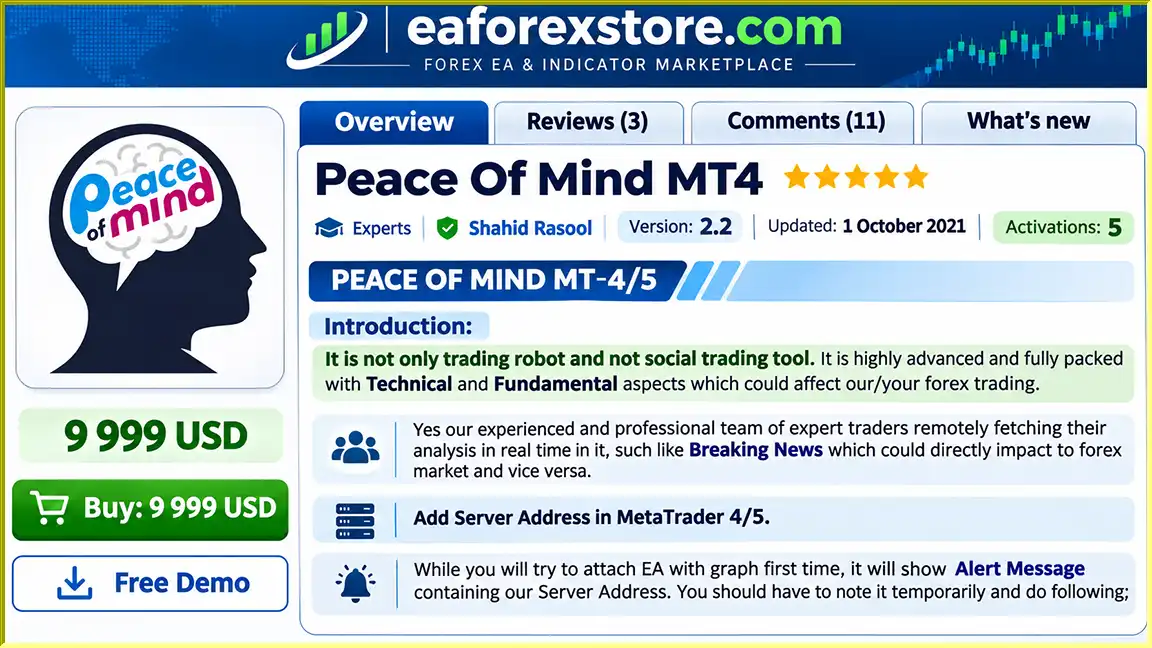
Peace Of Mind MT4 EA is an advanced Forex trading Expert Advisor designed to combine automated trading functionality with technical analysis, fundamental market insights, and real-time information.
Unlike conventional Forex robots that rely exclusively on predefined technical indicators, Peace Of Mind EA incorporates additional market intelligence, including breaking financial news and analysis provided remotely by a team of experienced traders.
The system aims to deliver a more comprehensive trading experience by considering multiple factors that may influence currency price movements.
Developed for traders seeking a combination of automation and market awareness, Peace Of Mind MT4 EA offers a flexible solution compatible with different currency pairs, chart timeframes, brokers, and supported account types.
Whether you are exploring automated Forex trading or looking to diversify your existing trading strategies, Peace Of Mind EA provides a feature-rich approach to navigating the Forex market.
>>> Delivery time 24h-48h after payment.
>>> Refund if not delivered.
>>> You will receive the latest version without any limitations (ID+Time).
>> Reviewed by Jason Stap <<<
Peace Of Mind MT4 Overview
Peace Of Mind MT4 EA offers automated trading functionality designed to reduce the need for continuous manual market monitoring.
By combining its internal trading logic with external market information, the Expert Advisor aims to support a more informed trading process.
One of the distinguishing characteristics of Peace Of Mind EA is its integration of both technical and fundamental analysis.
Technical analysis focuses on market price behavior, while fundamental analysis considers economic developments and financial events that may influence currency movements.
The EA connects to an external server to receive market-related information, including breaking financial news and remotely supplied trading analysis.
This functionality allows the system to incorporate information beyond conventional chart-based technical indicators.
According to its developer, Peace Of Mind EA receives analysis from a team of experienced Forex traders.
These remotely delivered insights are intended to supplement the EA’s trading functionality and provide additional market context.
Peace Of Mind EA can be attached to different Forex currency pair charts and is designed to operate across multiple chart timeframes.
This flexibility allows traders to integrate the Expert Advisor into different trading environments.
The EA is designed to support different Forex brokers and account types, provided the broker meets the necessary trading conditions.
It also includes a configurable symbol suffix setting for brokers using instrument names such as EURUSD.p.
Peace Of Mind MT4 EA operates by combining automated trading logic with market information retrieved from an external server.
After installation, the Expert Advisor connects to its designated server through MetaTrader’s WebRequest functionality.
This connection is intended to provide access to market analysis and breaking financial news that may affect Forex prices.
The trading process generally involves the following stages:
The precise entry conditions, exit rules, position-sizing calculations, and trade management algorithms are not fully disclosed in the available product description.
Therefore, traders should test the EA thoroughly before deploying it on a live trading account.
Peace Of Mind EA offers an alternative to Forex trading robots that rely solely on technical chart signals.
Its primary attraction is the combination of automated trading functionality, technical analysis, fundamental market information, and externally supplied professional insights.
Integrated Market Intelligence
The ability to receive financial news and trading analysis from an external server provides an additional source of market information.
Flexible Trading Environment
Compatibility with multiple currency pairs, timeframes, and supported account types makes the EA adaptable to different trading setups.
Reduced Manual Involvement
The automated functionality can help traders reduce repetitive trading tasks and the time required for continuous chart monitoring.
Accessible Product Model
The developer presents Peace Of Mind EA as a free product on MQL5, making it accessible to traders who wish to evaluate its capabilities without purchasing an EA license.
Additional Analytical Perspective
By combining technical and fundamental information, the EA seeks to offer a broader analytical perspective than systems focused on price indicators alone.
However, these features should not be interpreted as evidence of superior profitability or guaranteed trading performance.
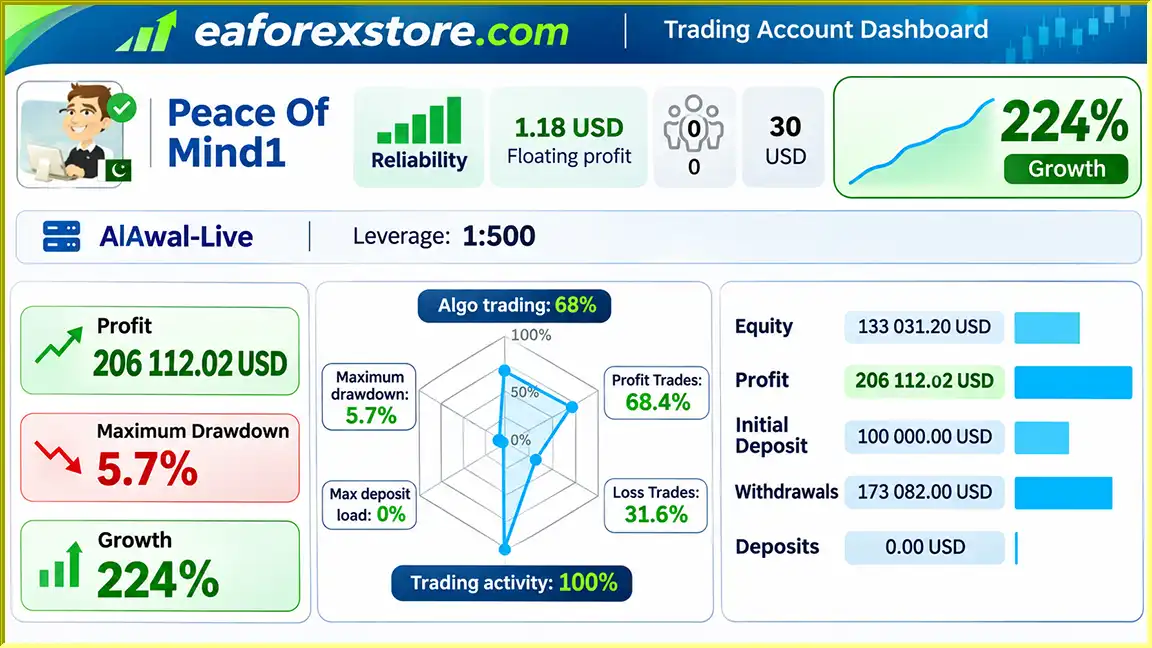
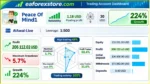
🔺Peace Of Mind1
Peace Of Mind MT4 Signal Results
Risk management is an essential consideration when using Peace Of Mind MT4 EA, particularly because the developer specifies relatively high minimum capital requirements and leverage.
According to the developer, the EA requires:
| Requirement | Minimum | Recommended |
|---|---|---|
| Cent Account Balance | $400 | $1,000 |
| Standard / ECN Account Balance | $40,000 | $100,000 |
| Account Leverage | 1:500 | Not specified |
| Minimum Broker Lot Size | 0.01 lots | 0.01 lots |
These figures reflect the developer’s stated requirements rather than independently verified capital recommendations.
Peace Of Mind EA is designed to receive breaking market news and trading analysis through its external server connection.
These updates may help the system account for significant economic events that can influence Forex markets.
However, the supplied documentation does not establish whether the EA automatically issues risk warnings, suspends trading during major news events, or provides specific drawdown alerts.
Risk Warning: Forex trading involves significant financial risk. Automated trading systems cannot eliminate losses or guarantee profits. Always evaluate the EA on a demo account and use capital you can afford to lose.
Installing Peace Of Mind EA involves downloading the Expert Advisor, configuring MetaTrader, and enabling its external server connection.
Open the MQL5 marketplace and search for Peace Of Mind EA.
Download the version compatible with your MetaTrader platform, following the installation instructions supplied by MQL5.
Launch your MetaTrader 4 platform and log in to your trading account.
Ensure that your account meets the developer’s minimum balance, leverage, and lot-size requirements.
Open a Forex currency pair chart and select your preferred timeframe.
Locate Peace Of Mind EA in the Navigator panel and attach it to the chart.
When attaching the EA for the first time, an alert should display the server address required for communication with the developer’s system.
Copy or note this address, then follow these steps:
Only authorize the server address if you trust its source. WebRequest permission allows the EA to communicate with the listed external endpoint.
In MetaTrader, open the Market Watch window.
Right-click within the symbol list and select Show All to display available trading instruments.
Some Forex brokers use additional characters after currency pair names.
For example:
If your broker uses a suffix, enter the appropriate characters in the corresponding EA input field.
Open the Expert Advisor’s input parameters and review the available configuration options.
If you are unfamiliar with a particular setting, the developer recommends retaining its default value.
Enable automated trading in MetaTrader and ensure the EA is permitted to perform live trading operations.
Check the Experts and Journal tabs for connection errors, trading restrictions, or configuration warnings.
Run the EA on a demo account before deploying it with real funds.
Monitor trading activity, drawdown, order execution, and platform connectivity to understand its behavior under different market conditions.
For continuous operation, MetaTrader must remain running and connected. A reliable VPS may be useful for traders who require uninterrupted platform availability.
>> Join VIP Membership Now <<<
Peace Of Mind MT4 EA is an automated Forex trading solution that distinguishes itself through its combination of technical analysis, fundamental information, breaking market news, and remotely supplied professional trading insights.
Its multi-currency compatibility, flexible chart integration, and free distribution model may appeal to traders interested in exploring automated strategies supported by external market intelligence.
Nevertheless, prospective users should carefully consider its high minimum capital requirements, 1:500 leverage requirement, dependence on an external server, and limited disclosure of its internal trading and risk management mechanisms.
Because independently verified profitability and drawdown records are not included in the supplied description, its effectiveness should be assessed through independent testing rather than promotional claims.
For traders exploring automated Forex trading, Peace Of Mind EA may be worth evaluating on a demo account before considering live deployment.
1. What is Peace Of Mind MT4 EA, and how does it work?
Peace Of Mind MT4 EA is an automated Forex trading robot designed for the MetaTrader 4 platform. It combines technical analysis, fundamental market insights, breaking financial news, and remotely supplied professional trading analysis. The Expert Advisor monitors market conditions and executes trades according to its programmed strategy, helping traders automate their Forex trading activities.
2. Is Peace Of Mind MT4 EA free to download and use?
According to the developer, Peace Of Mind MT4 EA is available as a free Forex Expert Advisor on the MQL5 marketplace. Traders can download the software and explore its automated trading features. However, users should verify the current licensing conditions, available versions, and any additional service requirements before installation.
3. What is the minimum deposit required to run Peace Of Mind MT4 EA?
The developer specifies a minimum balance of $400 for Cent accounts and $40,000 for Standard or ECN trading accounts. Recommended balances are $1,000 and $100,000, respectively. The EA also requires 1:500 leverage and a minimum broker lot size of 0.01 lots. These are developer-stated requirements, not guarantees of safe trading or profitability.
4. Is Peace Of Mind MT4 EA profitable, and does it guarantee consistent returns?
Peace Of Mind MT4 EA is designed to identify trading opportunities using automated strategies and additional market intelligence. Although promotional materials report positive trading results, independently verified performance records are not provided in the available documentation. Like any automated Forex trading system, the EA cannot guarantee profits, eliminate drawdowns, or prevent financial losses. Traders should evaluate its performance through demo testing before risking real capital.
5. Does Peace Of Mind MT4 EA work with all Forex brokers and currency pairs?
Peace Of Mind MT4 EA is designed to support multiple Forex currency pairs, chart timeframes, and compatible brokers. It also includes a configurable symbol suffix option for brokers using instrument names such as EURUSD.p. However, successful operation depends on the broker's trading conditions, minimum lot size, available leverage, execution quality, and account specifications.
6. How do I install and configure Peace Of Mind EA on MetaTrader 4?
To install Peace Of Mind MT4 EA, download the compatible Expert Advisor, open MetaTrader 4, and attach the EA to your preferred Forex chart. Next, navigate to Tools → Options → Expert Advisors and enable WebRequest for the trusted server URL supplied by the EA. Configure the broker symbol suffix if necessary, review the input parameters, and enable automated trading. Always test the configuration on a demo account before live trading.
7. Does Peace Of Mind MT4 EA use real-time Forex news and fundamental analysis?
Yes. One of the main features of Peace Of Mind MT4 EA is its ability to receive breaking financial news and professional market analysis through an external server connection. This information is intended to complement traditional technical analysis and provide broader market context. However, the available documentation does not confirm that the EA automatically stops trading during high-impact news events or applies specific news-based risk protection.
8. Do I need a VPS to run Peace Of Mind MT4 EA 24/7?
A VPS (Virtual Private Server) is not explicitly required, but it can be beneficial for traders who want to keep Peace Of Mind MT4 EA running continuously. Since the Expert Advisor operates through MetaTrader 4 and relies on an external connection for certain market information, the trading platform must remain active and connected. A reliable Forex VPS may help reduce interruptions caused by computer shutdowns, unstable internet connections, or power outages. However, VPS hosting does not guarantee better trading results.
In stock
In stock
In stock
In stock
In stock
Out of stock
No account yet?
Create an Account












 Automatic EA
 EA Best Seller
 Expert Advisor MT4
 Expert Advisor MT5
 HFT EA



Reviews
Clear filtersThere are no reviews yet.