









-
 Unlimited Activations
-
 Instant delivery
-
 Easy to install





 Unlimited Activations
Instant delivery
Easy to install
Unlimited Activations
Instant delivery
Easy to install
 Free Update
 Free Install Support

Edge Ensemble EA MT5 is a professional automated trading advisor for MetaTrader 5 that uses an ensemble of independent neural networks to analyze financial markets and generate trading signals. Instead of relying on a single machine-learning model, the EA combines 10 independently trained neural networks based on three different architectures: LSTM, TCN, and Transformer.
The core idea behind Edge Ensemble is to improve robustness when dealing with non-stationary financial time series. Financial markets constantly change, meaning that a model optimized for one historical period may not perform in the same way when market conditions evolve.
To address this challenge, Edge Ensemble allows different neural networks to analyze the market from different temporal and structural perspectives. LSTM models focus on long-term dependencies and market context, TCN models analyze local patterns, impulse dynamics, and potential regime changes, while Transformer models are designed to capture broader relationships and non-linear dependencies across the analyzed data.
The final trading decision is based on the aggregated output of the ensemble, rather than the forecast of a single neural network.
The EA operates primarily on the H6 timeframe and continuously reassesses market conditions as new data becomes available. It also supports multi-currency trading, allowing the system to trade up to six currency pairs simultaneously.
>> Delivery time 24h-48h after payment.
>>> Refund if not delivered.
>>> You will receive the latest version without any limitations (ID+Time).>>Reviewed by Jason Stap <<
Edge Ensemble uses 10 neural network models, with each model trained independently on its own historical data segment.
This approach allows the system to combine multiple market perspectives instead of depending on a single prediction model.
The ensemble combines three different types of neural networks:
The combination is intended to reduce dependence on a single model architecture.
Individual networks independently analyze market conditions before their outputs are combined into an overall trading decision.
This ensemble-based approach means that the final signal is not determined solely by one model’s forecast.
Financial markets are constantly changing. Patterns that appeared historically may weaken or disappear as market conditions evolve.
Edge Ensemble is specifically designed around the idea that combining different models and perspectives can help create a more adaptable trading framework.
The EA primarily operates on the H6 timeframe.
This timeframe is intended to provide a balance between reducing short-term market noise and maintaining sufficient responsiveness to changing market conditions.
Edge Ensemble supports simultaneous trading across six currency pairs.
Users can enable or disable individual symbols according to their preferred market selection.
The Risk per Trade (%) parameter allows users to define the percentage of account capital they want to allocate to each trade.
The EA can automatically calculate position size based on the configured risk percentage.
The system provides controls for:
These settings provide additional control over how positions are opened and managed.
The UTC Offset for Broker Time setting is used as an input for the neural network to identify different trading sessions.
Correct time configuration is important because the model uses session information as part of its input.
The EA supports broker-specific symbol suffixes such as:
.m_iThis makes it easier to configure the EA on brokers that use modified symbol names.
The trading process begins with market data being analyzed by multiple independent neural networks.
Instead of asking one model to make the entire trading decision, Edge Ensemble distributes the analysis across different neural network architectures.
The EA receives new market information and evaluates the current market environment on the H6 timeframe.
Market conditions are continuously reassessed as new data becomes available.
The ensemble contains 10 neural network models.
Each model has been trained independently and analyzes the market using its own learned patterns.
The different architectures provide different analytical perspectives.
The three main neural network types have different strengths:
LSTM focuses on historical context and long-term dependencies.
TCN focuses on temporal structure, local patterns, impulse behavior, and potential regime changes.
Transformer focuses on relationships across the broader data horizon and non-linear dependencies.
The outputs from the individual models are aggregated into a combined trading signal.
The objective is to prevent the entire trading decision from depending on the prediction of one model.
When the resulting signal satisfies the EA’s trading conditions, the system can execute a position while applying the configured:
This creates a complete automated workflow from market analysis to position management.
A single neural network can become overly dependent on specific historical patterns. Edge Ensemble uses multiple independently trained models to diversify the analytical process.
The combination of LSTM, TCN, and Transformer networks provides different ways of processing market information.
Rather than relying on one type of neural network, the EA combines their outputs into a broader ensemble decision.
The strategy is built around the idea that financial markets are non-stationary.
By combining models with different characteristics, Edge Ensemble attempts to make its overall signal less dependent on a single historical market regime.
The EA can operate across six available currency pairs, allowing traders to configure a broader portfolio rather than limiting the system to one market.
Users can configure risk per trade, maximum positions, spread limits, Stop Loss, Take Profit, and trailing-stop parameters according to their trading requirements.
Each of the six supported symbols can be individually enabled or disabled.
This allows traders to select only the currency pairs they want the EA to trade.
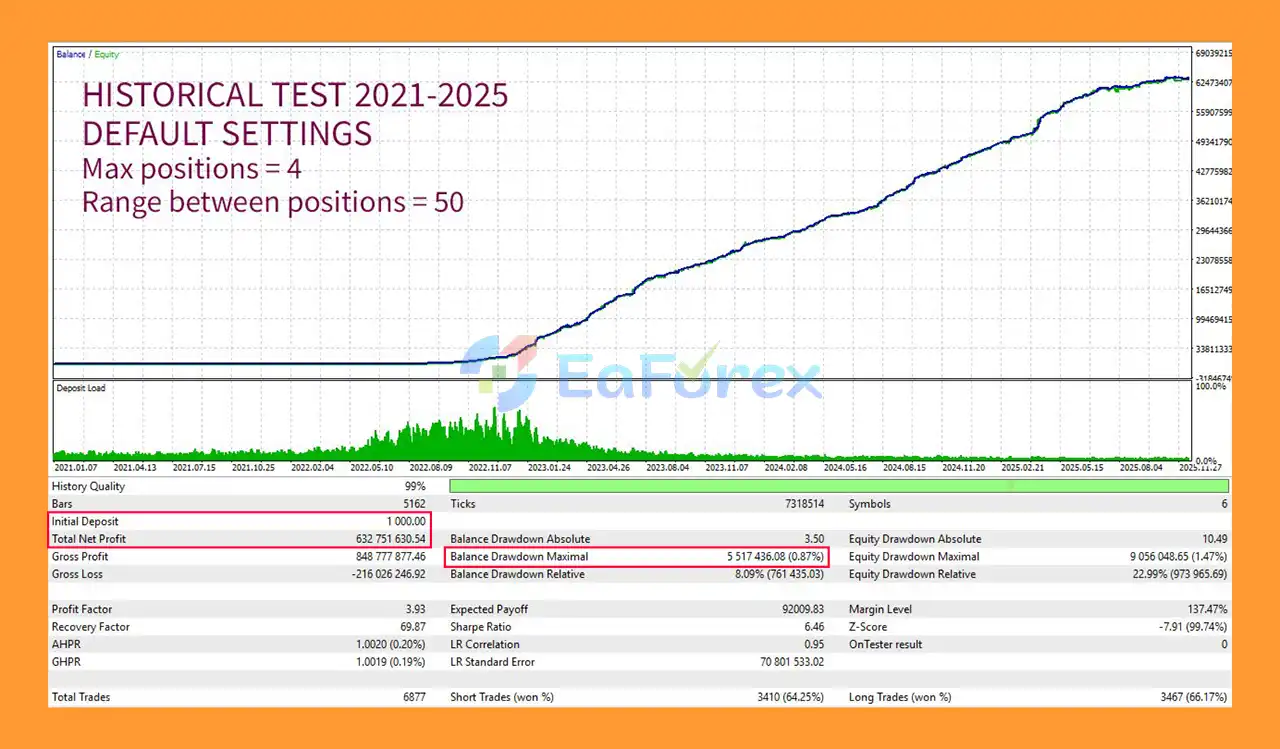
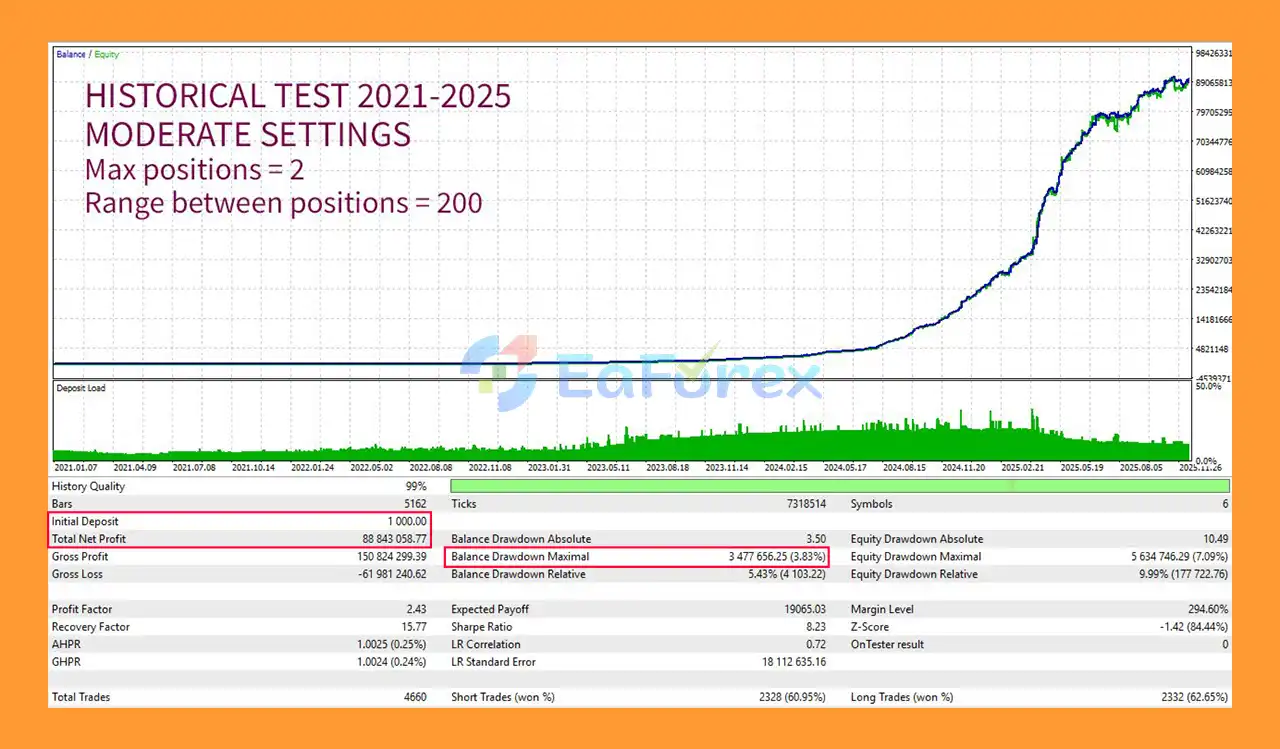
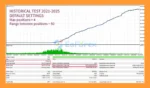
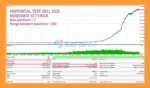
Edge Ensemble MT5 backtets
Edge Ensemble EA backtets
Edge Ensemble EA MT5 combines AI-based market analysis with several configurable trade-management parameters.
The Risk per Trade (%) setting allows automatic position sizing based on a selected percentage of account capital. This can help maintain a more consistent risk framework than using a fixed lot size alone.
The EA also includes a maximum spread filter, preventing new entries when market spread exceeds the configured threshold.
Additional controls include:
These features allow traders to customize the balance between trade frequency, exposure, and risk.
However, neural-network trading does not eliminate market risk. AI models are trained using historical data, and historical relationships may weaken or disappear as market conditions change.
For this reason, users should evaluate the EA with appropriate testing, conservative risk settings, and suitable trading conditions before using it on a live account.
No specific backtest profit, win rate, drawdown, or verified live-account performance figures were provided with the product information above, so such figures should not be assumed or presented as verified results.
Despite its advanced neural-network architecture, Edge Ensemble EA MT5 still has important limitations.
Machine-learning models identify patterns from historical data. They cannot guarantee that the same relationships will continue in future markets.
A model can perform differently when market structure changes significantly.
The ensemble architecture is designed to improve robustness, but it cannot completely eliminate regime-change risk.
The UTC offset for broker time must be configured correctly.
The EA uses time information to identify trading sessions. According to the supplied product documentation, an error of approximately one hour may not significantly affect results, while a larger time discrepancy can negatively affect forecasts.
The Spread Max setting is important for controlling trading costs.
During volatile market conditions, spreads can widen substantially and may prevent entries or affect trade execution.
Because the EA allows multiple positions per symbol, users should carefully configure the maximum number of positions and the minimum distance between additional positions.
Multiple positions can increase total exposure.
Configured SL and TP levels do not guarantee exact execution prices during major market volatility, gaps, or abnormal liquidity conditions.
An advanced AI architecture does not guarantee profitable trading. Users should test the EA on a demo account and evaluate broker conditions, spreads, execution quality, and risk parameters before considering live deployment.
Launch your MetaTrader 5 trading platform.
Go to:
File → Open Data Folder
Then navigate to:
MQL5 → Experts
Copy the Edge Ensemble EA MT5 file into the Experts folder.
Restart MetaTrader 5 or refresh the Expert Advisors section in the Navigator.
Attach the EA to the appropriate chart and configure the required H6 timeframe.
Because the EA operates in multi-currency mode, make sure the required symbols are available in your Market Watch.
Set the correct UTC Offset for Broker Time.
This is an important configuration because session timing is used as an input to the neural-network models.
Use the Your Symbols settings to enable or disable the six available currency pairs.
Only activate markets that match your trading and testing requirements.
Set:
Start with conservative settings when testing the EA.
The Multi Mode option should generally be enabled when using the EA’s multi-currency functionality.
Run the EA on a demo account first and evaluate its behavior under your broker’s actual spread, execution, symbol naming, and trading conditions.
🔺Edge Ensemble EA is highly appreciated by the MQL5 community for bringing stable and reliable profits. Below are 5 star reviews from users:
>>> Join VIP Membership Now <<<
In summary, Edge Ensemble EA MT5 takes a different approach to automated trading by combining multiple neural-network models rather than relying on a single AI prediction engine.
Its architecture combines LSTM, TCN, and Transformer networks, with 10 independently trained models contributing to the overall trading signal. This design is intended to provide multiple perspectives on market behavior and reduce dependence on a single model or historical market regime.
The use of the H6 timeframe, multi-currency capability, risk-based position sizing, spread filtering, position controls, and configurable SL/TP management adds flexibility for different trading environments.
However, the sophistication of the AI architecture should not be confused with guaranteed performance. Financial markets remain unpredictable, and neural-network models can experience periods of reduced effectiveness when market conditions change.
For traders interested in an AI-based MetaTrader 5 Expert Advisor with an ensemble architecture, Edge Ensemble provides an interesting framework for automated multi-currency trading. As with any automated strategy, proper testing, broker-condition evaluation, conservative risk management, and ongoing monitoring remain essential before live deployment.
1. What is Edge Ensemble EA MT5?
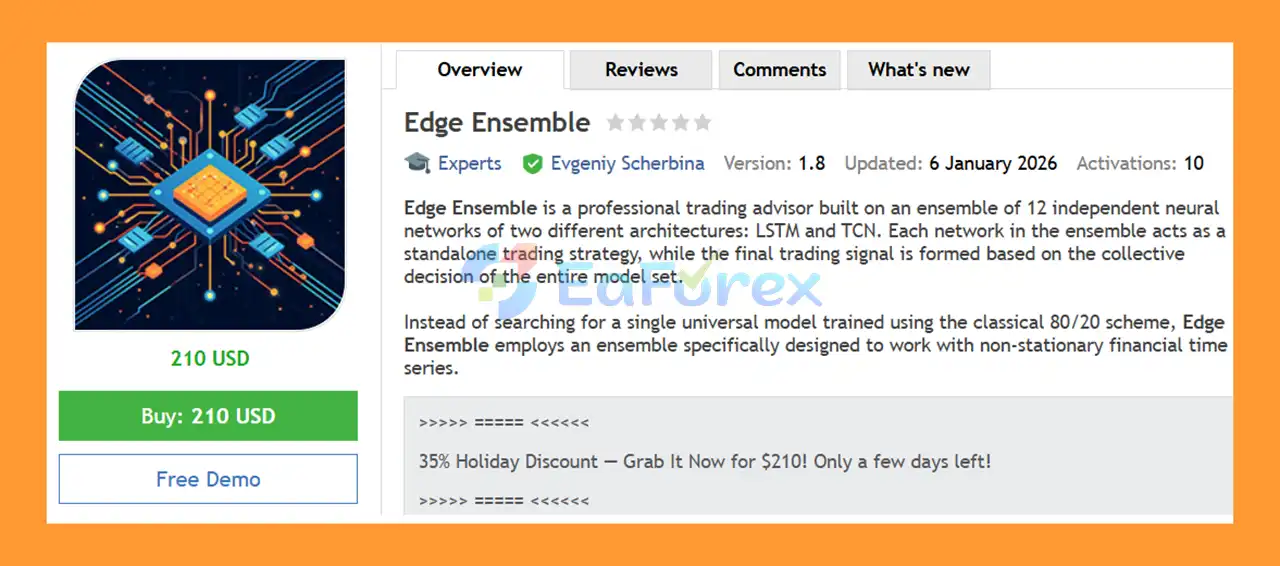
Edge Ensemble EA MT5 is an automated trading Expert Advisor that uses an ensemble of 12 neural networks (LSTM and TCN) to generate robust trading signals. The EA adapts to changing market conditions and aims to deliver stable performance in non-stationary financial markets.
2. How does the Edge Ensemble EA MT5 work?
The EA combines signals from 12 independent neural network models. Trades are executed only when multiple models agree through a collective voting system, helping reduce random trades and improve accuracy.
3. What trading platforms does Edge Ensemble EA MT5 support?
Edge Ensemble EA is designed exclusively for MetaTrader 5 (MT5). It does not support MT4 or other platforms.
4. Which trading instruments can Edge Ensemble EA MT5 trade?
The EA supports multi-currency trading and can manage up to six pairs simultaneously. Signals are generated independently for each symbol.
5. Does Edge Ensemble EA MT5 use Stop Loss and Take Profit?
Yes. The EA supports fixed SL/TP and optional trailing stop to protect profits and control drawdown.
6. Is Edge Ensemble EA MT5 suitable for beginners?
Yes. It includes an installation guide, visual control panel, and automated risk-based lot sizing, making it accessible for both beginners and experienced traders.
7. What is special about the neural network ensemble system?
Instead of relying on a single model, Edge Ensemble uses LSTM + TCN architectures. This combination helps capture long-term trends, regime shifts, and short-term momentum, making it more adaptive than traditional EAs.
8. Does Edge Ensemble EA MT5 work in changing market conditions?
Yes. The EA is specifically designed for non-stationary markets and dynamically reassesses conditions as new data arrives, helping it adapt to volatility and structural market changes.
9. What timeframe does Edge Ensemble EA MT5 use?
The EA primarily operates on the H6 timeframe, providing a balance between noise reduction and timely signal generation.
In stock
In stock
In stock
In stock
In stock
Out of stock
No account yet?
Create an Account












 Automatic EA
 EA Best Seller
 Expert Advisor MT4
 Expert Advisor MT5
 HFT EA


Reviews
Clear filtersThere are no reviews yet.