









-
 Unlimited Activations
-
 Instant delivery
-
 Easy to install





 Unlimited Activations
Instant delivery
Easy to install
Unlimited Activations
Instant delivery
Easy to install
 Free Update
 Free Install Support

Gap Professional MT5 is an automated Forex Expert Advisor for MetaTrader 5 designed to trade price gaps and gap closure movements in the currency market.
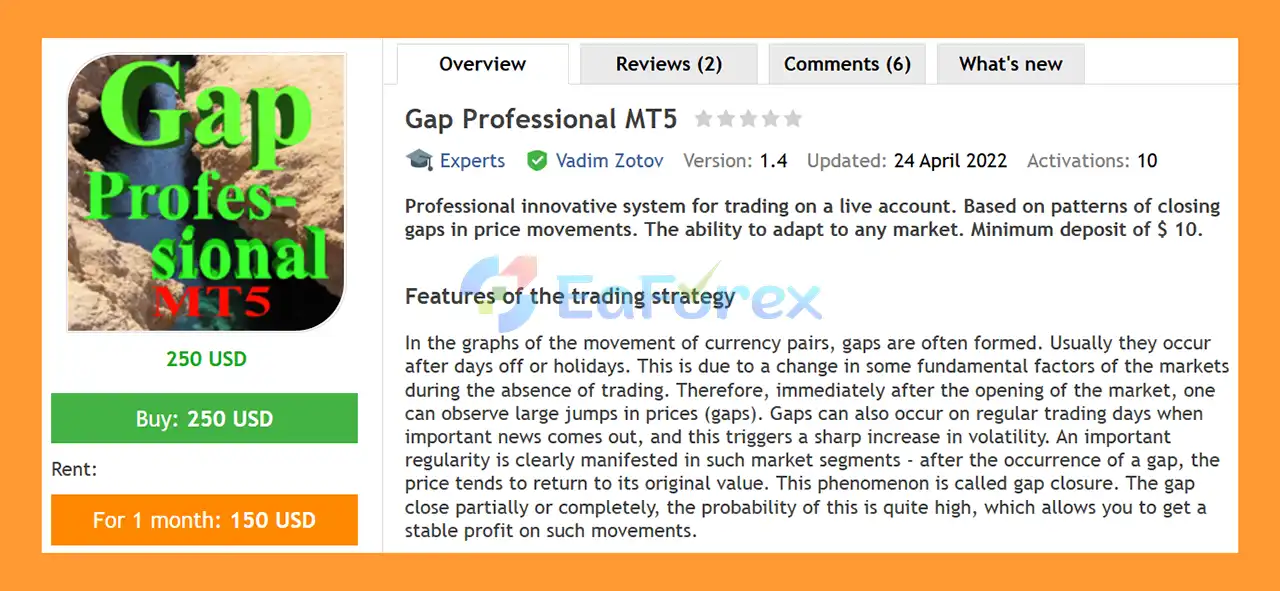
A market gap occurs when the opening price of a currency pair differs significantly from the previous closing price. Gaps commonly appear after weekends, holidays, or periods of major fundamental developments when the market is temporarily closed. They can also occur during normal trading sessions when important economic news causes a sudden increase in volatility.
Gap Professional MT5 is built around the market phenomenon known as gap closure, where price may move back toward the level from which the gap originated. The EA automatically detects a qualifying gap, measures its size, and analyzes subsequent price behavior to determine whether conditions support an entry toward the gap-closing direction.
The system can calculate an individual profit objective for each position according to the prevailing market conditions. It also incorporates multiple protection mechanisms, trailing options, spread controls and automated money management.
A distinctive feature of Gap Professional MT5 is its Tick Criterion, which can be used to monitor tick-by-tick price movement toward gap closure. This allows the EA to react to developing price movement without relying exclusively on completed candles.
Because significant gaps are relatively infrequent, the EA may not open trades frequently. Instead, its design focuses on selective gap opportunities and automated management of individual positions.
>> Delivery time 24h-48h after payment.
>>> Refund if not delivered.
>>> You will receive the latest version without any limitations (ID+Time).>>Reviewed by Jason Stap <<
Gap Professional MT5 automatically searches for qualifying price gaps and evaluates whether the market is potentially moving toward a gap closure.
The EA can measure the size of the detected gap and use predefined parameters to determine whether a trade is allowed.
The core strategy is based on the observation that some market gaps can partially or completely close as price returns toward the previous reference level.
Gap Professional MT5 attempts to participate in this movement when the programmed market conditions are satisfied.
The EA provides an optional Tick Criterion for analyzing price movement.
The parameter defines the number of ticks moving in the direction of gap closure before the trading condition can be confirmed.
When the Tick Criterion is set to 0, this additional condition can be disabled.
This tick-based approach allows the EA to react to developing price movement rather than waiting exclusively for candle formations.
The EA can calculate a target for each position according to the current market conditions.
The Coefficient of the Take Profit determines what portion of the detected gap is used as the profit target.
The available range is:
0.2–1.0
For example, a value of 0.5 represents 50% of the measured gap according to the parameter logic.
Gap Professional MT5 supports different trailing methods:
The trader can select the method that best matches the intended configuration.
The EA allows trailing to start under different conditions:
This gives traders additional control over how open positions are protected.
The Max Spread When Opening parameter allows traders to define the maximum spread at which a new position can be opened.
If the value is set to 0, spread control can be disabled.
This feature can help prevent new entries during periods of unusually wide spreads.
Gap Professional MT5 supports automatic position sizing based on available funds.
The EA can calculate the trading lot according to the configured:
Lot for 1000 Units of Free Margin
This allows position size to adapt as available account funds change.
Traders who prefer manual position sizing can select:
Fixed Lot
instead of automatic money management.
This allows a predetermined lot size to be used for each trading cycle.
Every trade can use an initial Stop Loss configured in points.
This provides a predefined protection level before any trailing mechanism takes over.
The EA includes a trading-day selection:
The Monday-only configuration can be useful for strategies focused on weekend-related gaps.
The Magic parameter allows the EA to assign a unique magic number to its positions, making it easier to distinguish Gap Professional trades from other Expert Advisors running on the same account.
Gap Professional MT5 follows a structured process from gap detection to automated trade management.
The EA continuously monitors the selected currency pair and looks for price differences that meet the configured gap conditions.
When a potential gap occurs, the EA measures its size.
The Size of the Gap parameter determines the minimum gap size required before a trade can be considered.
Only gaps exceeding the configured threshold are eligible for trading.
After detecting the gap, the EA evaluates subsequent price movement.
The system attempts to determine whether price behavior supports movement toward the gap-closing area.
If the Tick Criterion is enabled, the EA monitors the number of ticks moving in the direction of gap closure.
This can provide an additional confirmation before opening a position.
When the required conditions are satisfied, the EA opens a position in the direction of the expected gap closure.
The EA calculates an individual target based on the detected gap and the configured Take Profit Coefficient.
This allows the target to adapt to the size of the specific gap rather than relying exclusively on one fixed profit distance.
After entering the market, the EA manages the position using the configured Stop Loss and selected trailing method.
The trailing mechanism can either operate immediately or activate only after the position reaches a non-loss condition.
When automatic money management is selected, the EA calculates the lot size based on available free margin and the configured lot-per-1000-units parameter.
The position is closed when the relevant profit target, Stop Loss or trailing condition is triggered.
Gap Professional MT5 is designed for traders who want to automate a specialized gap trading strategy rather than rely on conventional trend-following or scalping systems.
The EA focuses on a specific market phenomenon: price gaps and potential gap closure.
One of its notable features is the combination of gap-size analysis and tick-based confirmation. The Tick Criterion can help the system identify developing movement toward the gap closure instead of relying exclusively on traditional candle analysis.
The EA also provides several layers of trade management, including:
Another advantage is its flexibility across different account configurations. The EA can be used with automatic position sizing or fixed lots, allowing traders to choose their preferred money-management approach.
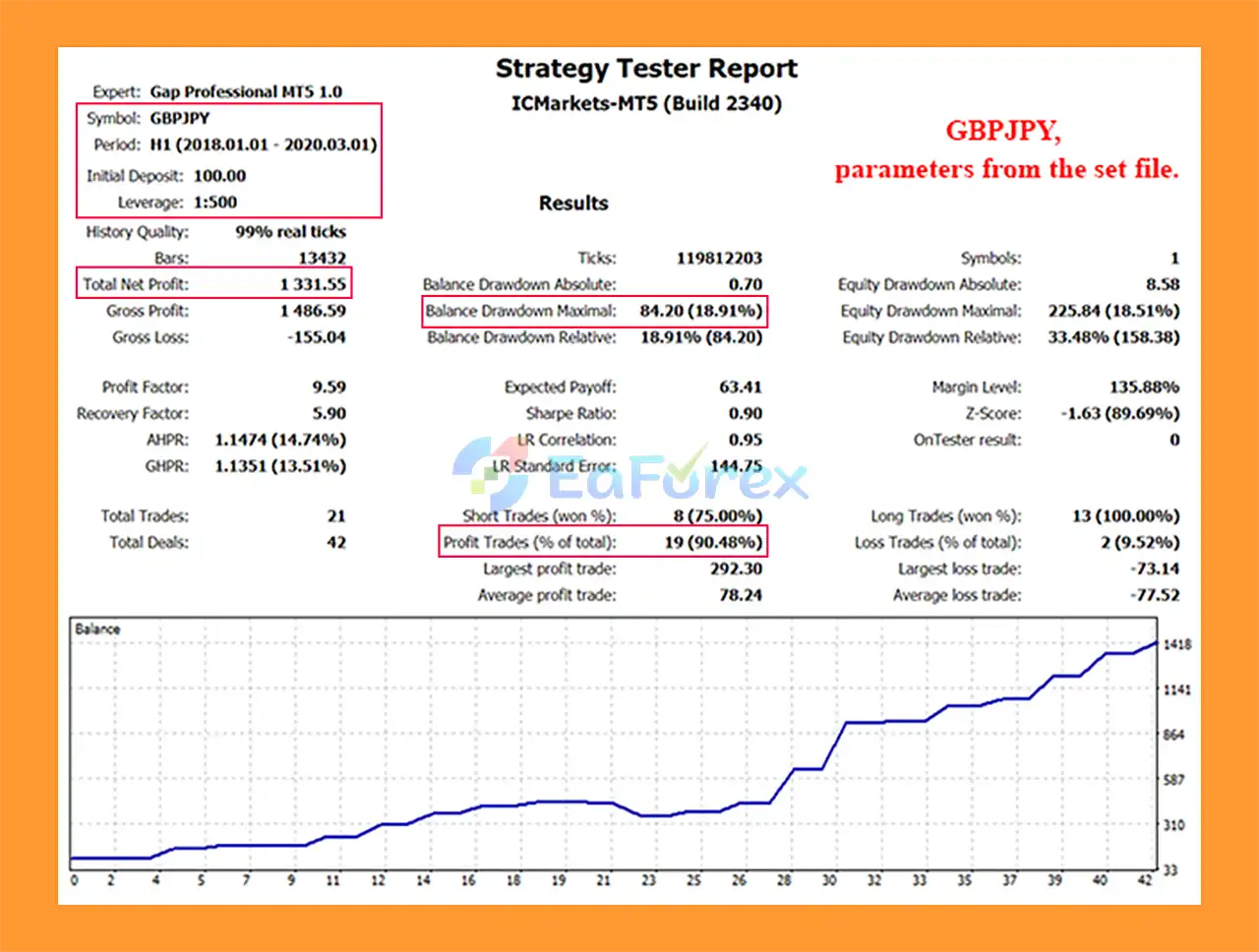
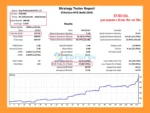
According to the supplied developer information, GBPJPY has produced the best results among the tested markets. However, historical or developer-reported results should not be interpreted as a guarantee of future performance.
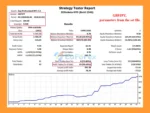
🔺USD/JPY pair
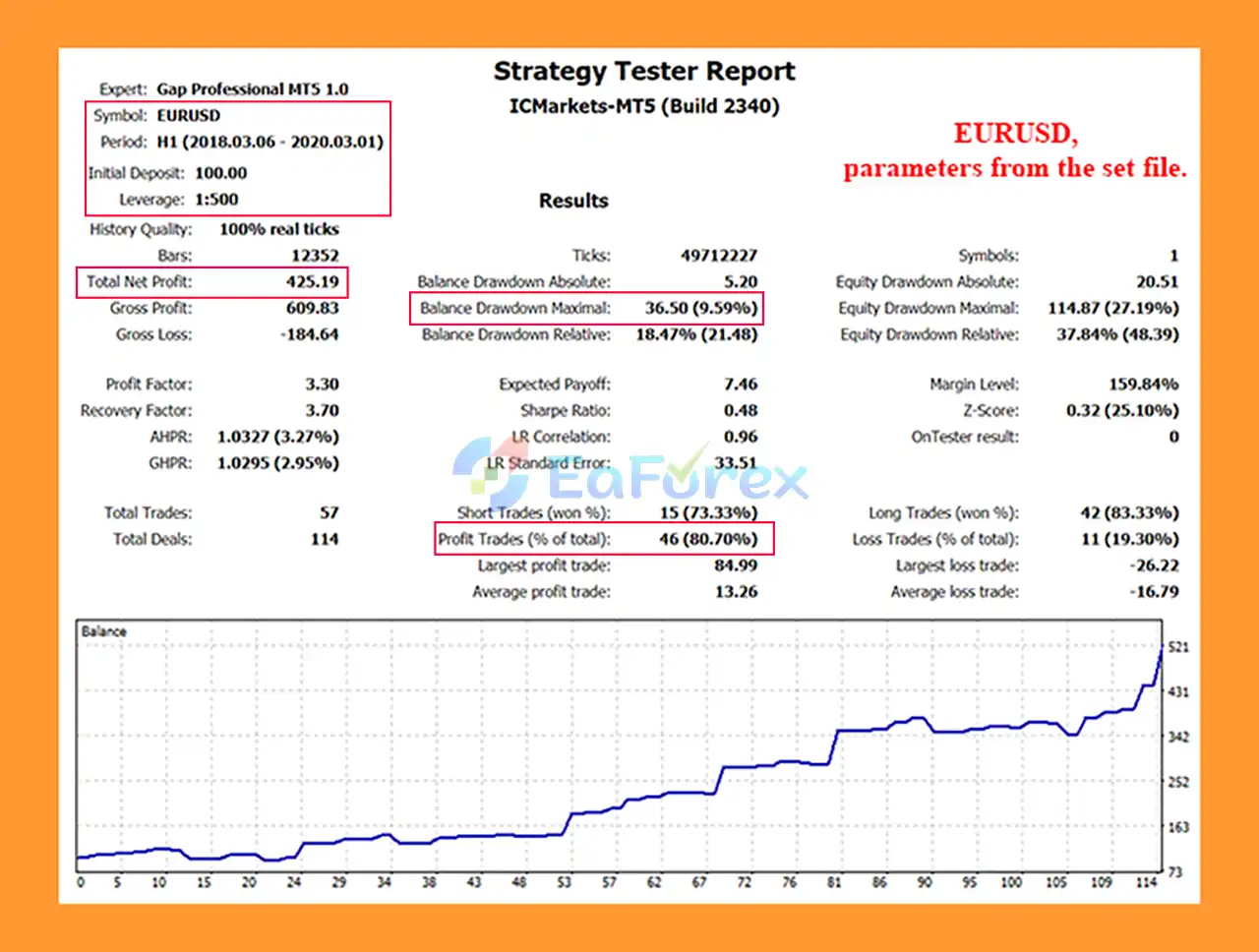
Gap Professional MT5 Backtest
In summary, Gap Professional MT5 is a specialized Forex Gap Trading Expert Advisor for MetaTrader 5, designed to identify qualifying price gaps and automatically trade potential gap-closure movements. Rather than continuously searching for market entries, the EA focuses on relatively selective opportunities where price behavior may support a return toward the previous closing or reference level.
A key feature of Gap Professional MT5 is its combination of gap-size analysis, optional Tick Criterion confirmation, individual profit-target calculation, Stop Loss protection, spread filtering, and multiple trailing methods. The ability to choose automatic money management or fixed-lot trading also provides flexibility when adapting the EA to different account sizes and risk preferences.
The main consideration is that not every price gap will close, while major news-related gaps can produce rapid movement and wider spreads. Traders should therefore carefully evaluate the EA under realistic broker conditions and avoid assuming that high leverage improves safety.
Overall, Gap Professional MT5 provides a focused automated framework for gap-closure trading. Thorough demo and forward testing, conservative position sizing, appropriate spread controls, and careful broker selection are recommended before considering live deployment.
>>> Reviewed by Jason Stap
1. What is Gap Professional MT5?
Gap Professional MT5 is an automated trading robot for the MetaTrader 5 platform that specializes in trading Forex price gaps. The system detects gaps that occur after weekends, holidays, or major economic events and trades the statistical probability that the price will move back to fill the gap.
2. How does Gap Professional MT5 work?
Gap Professional MT5 analyzes the market at the start of a trading session and identifies price gaps between the previous closing price and the new opening price. The algorithm evaluates the gap size and market conditions before entering a trade that targets the potential gap-closing movement.
3. What is a gap trading strategy in Forex?
A gap trading strategy focuses on price gaps that occur when the market opens at a significantly different level from its previous close. These gaps often happen after weekends or major news events, and historically, the market frequently retraces to close the gap, creating trading opportunities.
4. What markets can Gap Professional MT5 trade?
Gap Professional MT5 is designed primarily for the Forex market and can be used on various currency pairs. The EA supports multi-pair trading, allowing traders to run the robot on several charts simultaneously.
5. What risk management features does Gap Professional MT5 include?
The EA includes several built-in safety features, such as:
Predefined stop-loss protection for every trade
Adaptive money management based on free margin
Spread protection filters to avoid high-cost trading conditions
Trailing stop options to secure profits
Configurable gap size filters for controlled entries
These tools help reduce trading risk and improve long-term stability.
6. What is the minimum deposit required for Gap Professional MT5?
Gap Professional MT5 can operate with a minimum deposit starting from $10, making it accessible to traders with small accounts. However, using a higher balance may provide better risk distribution and smoother performance.
7. Can traders customize the settings of Gap Professional MT5?
Yes. The EA offers flexible configuration options, including:
Minimum gap size required to open trades
Stop-loss and take-profit settings
Trading day filters (for example, trading only on Mondays)
Trailing stop configurations
Money management parameters
These options allow traders to optimize the EA for different brokers and market conditions.
8. Does Gap Professional MT5 use a trailing stop?
Yes. Gap Professional MT5 includes advanced trailing stop options, including simple trailing stops and candle-extreme trailing. These tools help lock in profits while allowing trades to continue benefiting from favorable price movement.
9. What are the backtest results for Gap Professional MT5?
Example backtest results on the USD/JPY currency pair show:
Initial Deposit: $100
Total Net Profit: $1,331.55
Win Rate: 90.48%
Maximum Drawdown: 18.91%
These results demonstrate the EA’s potential effectiveness in trading gap-closure opportunities, although real trading performance may vary.
In stock
In stock
In stock
In stock
In stock
Out of stock
No account yet?
Create an Account












 Automatic EA
 EA Best Seller
 Expert Advisor MT4
 Expert Advisor MT5
 HFT EA


Reviews
Clear filtersThere are no reviews yet.