





-
 Unlimited Activations
-
 Instant delivery
-
 Easy to install






 Unlimited Activations
Instant delivery
Easy to install
 Free Update
 Free Install Support

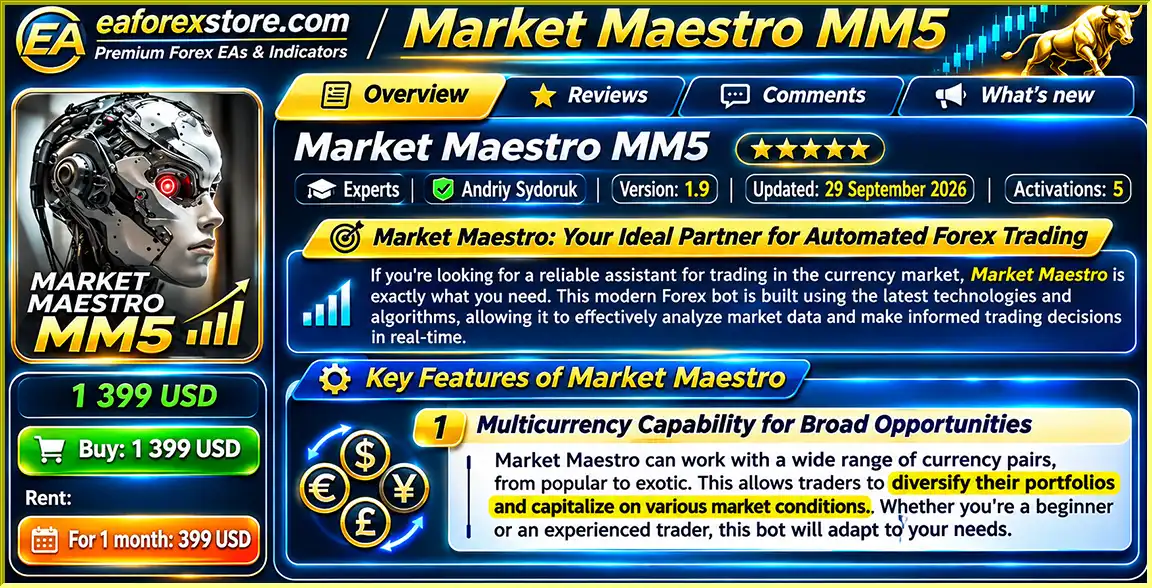
Market Maestro MM5 EA MT5 is a fully automated Forex trading robot designed for MetaTrader 5, helping traders analyze market trends, identify trading opportunities, and execute trades automatically.
The EA supports multi-currency trading, algorithm-based market analysis, automated order execution, and risk management features. It is designed to simplify Forex trading while reducing the need for constant manual monitoring.
With its user-friendly setup and flexible trading capabilities, Market Maestro MM5 EA MT5 is suitable for both beginners and experienced traders looking for an automated Forex trading solution.
>>> Delivery time 24h-48h after payment.
>>> Refund if not delivered.
>>> You will receive the latest version without any limitations (ID+Time).Reviewed by Jason Stap <<<
Market Maestro MM5 EA MT5 Overview
Market Maestro MM5 EA MT5 supports trading across a wide range of Forex currency pairs, including major, minor, and exotic pairs where supported by the broker and EA configuration.
This multi-currency capability allows traders to explore opportunities across different markets rather than relying on a single trading instrument.
It also provides greater flexibility when building an automated Forex trading portfolio.
Market Maestro MM5 EA MT5 uses automated trading algorithms to analyze Forex market data and identify potential trading opportunities.
The system evaluates market trends and programmed trading conditions to make decisions without requiring continuous manual analysis.
This automated approach helps traders follow predefined rules and reduces the influence of emotional decision-making.
The EA can automatically identify trading opportunities and execute trades according to its programmed strategy.
Once properly configured, Market Maestro monitors market conditions and manages trading activity through the MetaTrader platform.
This helps traders save time and reduce the need to watch charts throughout the trading day.
Market Maestro MM5 EA MT5 includes built-in risk management functionality intended to help traders manage exposure and potential losses.
These features support more structured automated trading, although the exact risk controls and their available settings depend on the EA version and configuration.
No automated risk management system can completely eliminate trading losses.
Market Maestro MM5 EA MT5 is designed to accommodate different trading preferences and account requirements.
Traders can configure the available EA settings according to their preferred trading approach, broker conditions, and risk tolerance.
The EA is designed with straightforward configuration and operation in mind.
Its accessible setup process makes it easier for traders to begin using automated Forex trading without complicated manual workflows.
Market Maestro is described as compatible with MetaTrader 4 and MetaTrader 5.
The Market Maestro MM5 EA MT5 version is intended for MetaTrader 5. Traders who want to use MetaTrader 4 should obtain the compatible MT4 version.
With support for multiple currency pairs, the EA can evaluate trading opportunities across different Forex instruments according to its configuration.
This provides broader market coverage and reduces the need for repeated manual chart analysis.
The product description indicates that Market Maestro receives software updates intended to maintain compatibility and improve operation.
Update availability and release frequency should be confirmed with the developer.
Market Maestro MM5 EA MT5 uses automated trading algorithms to analyze Forex market conditions and execute trades based on its programmed rules.
The EA monitors relevant Forex market data and evaluates market trends.
It processes trading information according to its internal algorithm to identify potential opportunities.
When market conditions satisfy the EA’s programmed requirements, Market Maestro generates a trading decision.
This process is automated and does not require traders to analyze each setup manually.
Before executing a trade, the EA uses its configured trading settings and applicable risk management rules.
These parameters help determine how trading opportunities are handled.
Once a valid trading opportunity is identified, Market Maestro can submit trading orders automatically through MetaTrader 5.
This removes the need to manually place every Buy or Sell order.
The EA monitors and manages trading activity based on its programmed strategy.
Specific exit conditions, Stop Loss methods, and Take Profit settings should be verified in the EA’s documentation.
Market Maestro can analyze different supported Forex instruments according to the selected trading configuration.
This allows traders to explore opportunities across multiple currency markets.
The EA continues monitoring market conditions while MetaTrader remains connected and automated trading is enabled.
A reliable VPS can help maintain uninterrupted operation.
Market Maestro MM5 EA MT5 helps simplify trading by automating market analysis, trading decisions, and order execution.
Traders can reduce time spent manually monitoring charts and executing individual trades.
The EA supports a range of Forex currency pairs, allowing traders to evaluate opportunities across different instruments.
This provides greater flexibility than systems designed for only one currency pair.
Market Maestro uses predefined trading algorithms rather than relying on discretionary decisions.
This helps establish a systematic trading process and can reduce emotion-driven manual trading.
The EA is designed for both beginners and experienced traders.
Its accessible setup makes it easier for new users to explore automated trading, while configurable settings provide flexibility for experienced traders.
Built-in risk management functionality helps traders establish a more structured approach to automated trading.
However, actual risk exposure depends on the EA’s settings, broker conditions, and market volatility.
Market Maestro is designed to work with different currency pairs and compatible broker environments.
Traders can adjust available settings to match their preferred trading approach.
Once configured, the EA automatically analyzes the market and manages supported trading activities.
This can save time for traders who cannot continuously monitor Forex charts.
Market Maestro MM5 EA MT5 integrates with the MetaTrader 5 platform, providing access to MT5 trading tools, charting, account monitoring, and the Strategy Tester.
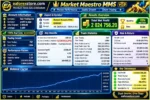
Market Maestro MM5 EA MT5 Backtets
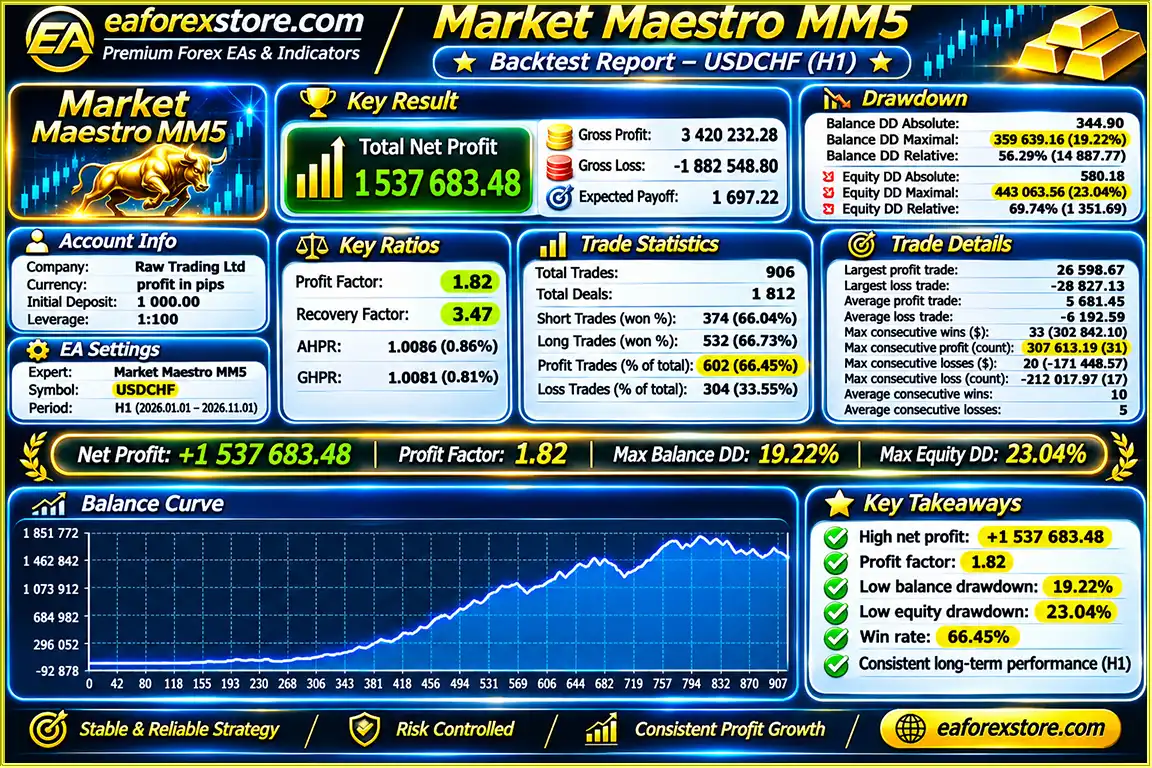
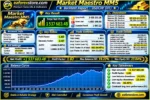
🔺USDCHF – 10 months
Market Maestro MM5 EA Backtets
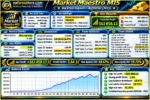
Market Maestro MM5 MT5 Backtets
Risk management is an essential consideration when using Market Maestro MM5 EA MT5 or any automated Forex trading robot.
Market Maestro includes risk management functionality designed to help control trading exposure.
The exact risk calculation methods, protective order settings, and available limits have not been specified in the supplied product description.
Traders should review the EA’s available parameters before using it on a live account.
Position sizes should be configured according to account balance, available margin, and individual risk tolerance.
Trading multiple currency pairs may increase combined account exposure, especially when positions are correlated.
Forex markets can experience rapid price movements during economic announcements, changes in liquidity, and unexpected global events.
Automated algorithms cannot guarantee accurate trading decisions under every market condition.
Trading performance may be affected by spreads, commissions, slippage, order execution speed, and broker restrictions.
Traders should test Market Maestro using conditions that closely resemble their intended live trading environment.
Although multi-currency trading provides more market opportunities, it does not automatically reduce risk.
Several currency pairs may move in similar directions, creating correlated exposure.
Before trading with real capital, test Market Maestro MM5 EA MT5 using the MetaTrader 5 Strategy Tester and a demo account.
Evaluate drawdown, trade frequency, execution quality, and trading behavior under different market conditions.
MetaTrader 5 provides native account monitoring and notification capabilities.
However, specific built-in email alerts, mobile push notifications, Telegram integration, and remote control features have not been confirmed for Market Maestro MM5 EA.
Installing Market Maestro MM5 EA MT5 is straightforward using the standard MetaTrader 5 Expert Advisor installation process.
Download and install MetaTrader 5 from your broker or the official MetaTrader website.
Log in to your trading account and ensure that the desired Forex currency pairs are available.
Open MetaTrader 5 and navigate to:
File → Open Data Folder → MQL5 → Experts
Copy the Market Maestro MM5 EA MT5 file into the Experts folder.
Restart MetaTrader 5 or refresh the Expert Advisors section in the Navigator panel.
Open a supported Forex currency pair in MetaTrader 5.
Choose the timeframe recommended by the developer.
The supplied product information does not identify specific recommended currency pairs or chart timeframes, so these should be confirmed before live trading.
Locate Market Maestro MM5 EA MT5 in the Navigator panel.
Drag and drop the EA onto the selected chart.
Confirm that the Expert Advisor has the required permissions.
Open the EA Inputs tab and review the available trading parameters.
Configure the settings according to the developer’s recommendations and your preferred account risk level.
Avoid changing unfamiliar parameters without understanding their effects.
Examine the available lot management, protective order, and account risk settings.
Ensure that the selected configuration is appropriate for your trading capital and broker conditions.
Enable Algorithmic Trading in MetaTrader 5.
Verify that Market Maestro is active and permitted to execute trades.
Before live trading, evaluate Market Maestro MM5 EA MT5 through the MetaTrader 5 Strategy Tester.
Use appropriate historical data and realistic spread, commission, and execution assumptions.
Run the EA on a demo account to observe its trading behavior, risk exposure, and compatibility with your broker.
Review trading results before considering live deployment.
For uninterrupted automated trading, consider running MetaTrader 5 on a stable Forex VPS.
This can help maintain a continuous connection during trading sessions.
Review open positions, account margin, trading history, and overall results regularly.
Although Market Maestro operates automatically, active supervision is still important.
| Parameter | Configuration |
|---|---|
| Expert Advisor | Market Maestro MM5 EA |
| Trading Platform | MetaTrader 5 |
| Trading Market | Forex |
| Currency Pairs | Multiple Supported Pairs |
| Trading Type | Automated Algorithmic Trading |
| Strategy | Market Analysis and Automated Execution |
| Chart Timeframe | Confirm with Developer |
| Lot Management | According to Available EA Settings |
| Risk Management | Built-In Functionality |
| Account Type | Confirm Broker Compatibility |
| Minimum Deposit | Not Specified |
| Recommended Leverage | Not Specified |
| Backtesting | MetaTrader 5 Strategy Tester |
| VPS | Recommended for Continuous Trading |
| MT4 Version | Described as Available Separately |
>>> Join VIP Membership Now <<<
Market Maestro MM5 EA MT5 is an automated multi-currency Forex trading robot designed to simplify market analysis, trade execution, and strategy management through MetaTrader 5.
With its multi-currency capabilities, algorithm-based trading decisions, automated execution, and built-in risk management functionality, Market Maestro provides a flexible framework for traders interested in automated Forex trading.
The EA’s straightforward setup makes it accessible to traders exploring algorithmic trading, while its configurable functionality allows users to adapt available settings to their trading preferences.
By automating routine trading activities, Market Maestro can reduce the time required for manual market monitoring and help traders follow a more systematic trading process.
However, automated trading does not guarantee consistent profits. Actual results depend on market conditions, broker execution, trading parameters, and account risk management.
For traders looking for a MetaTrader 5 Forex Expert Advisor with multi-currency support and automated trading capabilities, Market Maestro MM5 EA offers a practical solution worth evaluating through backtesting and demo trading.
Market Maestro MM5 EA MT5 – Simplify Your Forex Trading with Smart Automation.
Risk Disclaimer: Forex trading involves substantial financial risk. Automated trading algorithms cannot guarantee profits or prevent losses. Market volatility, leverage, slippage, and broker execution conditions may affect trading performance. Always test an Expert Advisor on a demo account and use appropriate risk management before trading with real capital.
1. What is Market Maestro MM5 EA MT5, and how does it work?
Market Maestro MM5 EA MT5 is a fully automated Forex trading robot designed for the MetaTrader 5 platform. It uses algorithm-based market analysis to identify potential trading opportunities, monitor currency price movements, and execute trades automatically. The Expert Advisor supports multi-currency Forex trading and includes built-in risk management functionality. By automating trading decisions and order execution, Market Maestro MM5 helps traders follow systematic strategies while reducing the need for continuous manual chart monitoring.
2. Is Market Maestro MM5 EA MT5 suitable for beginners and experienced Forex traders?
Yes, Market Maestro MM5 EA MT5 is designed for both beginners and experienced Forex traders. Its user-friendly setup simplifies automated trading, while configurable settings allow more experienced users to adjust the Expert Advisor according to their trading preferences and risk tolerance. However, beginners should understand basic Forex concepts such as leverage, margin, lot sizing, and trading risk. Testing Market Maestro MM5 on a demo account before using real money is strongly recommended.
3. Which Forex currency pairs and timeframes does Market Maestro MM5 EA support?
Market Maestro MM5 EA supports multi-currency Forex trading, including major, minor, and exotic currency pairs where supported by the broker and EA configuration. This flexibility allows traders to explore opportunities across different Forex markets. However, the developer has not specified a definitive list of recommended currency pairs or chart timeframes in the supplied product information. Traders should confirm the appropriate trading symbols, timeframes, and recommended settings with the developer before starting live trading.
4. How profitable is Market Maestro MM5 EA MT5, and what are its backtest results?
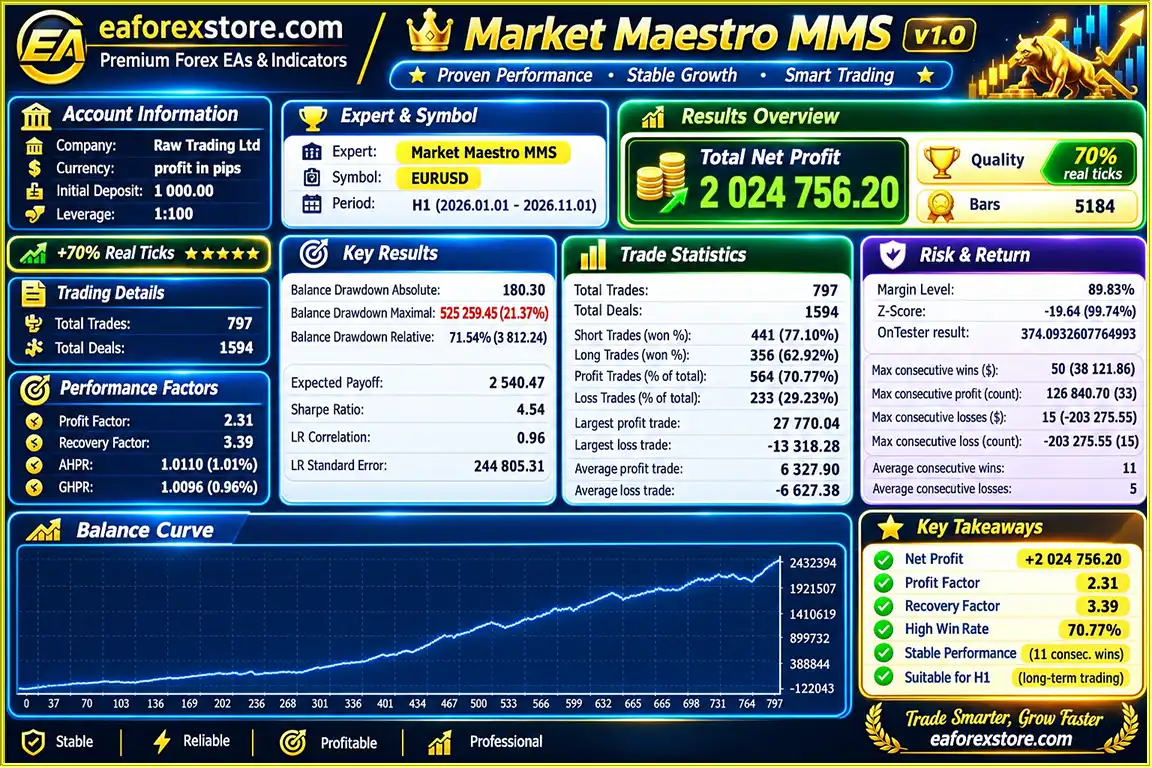
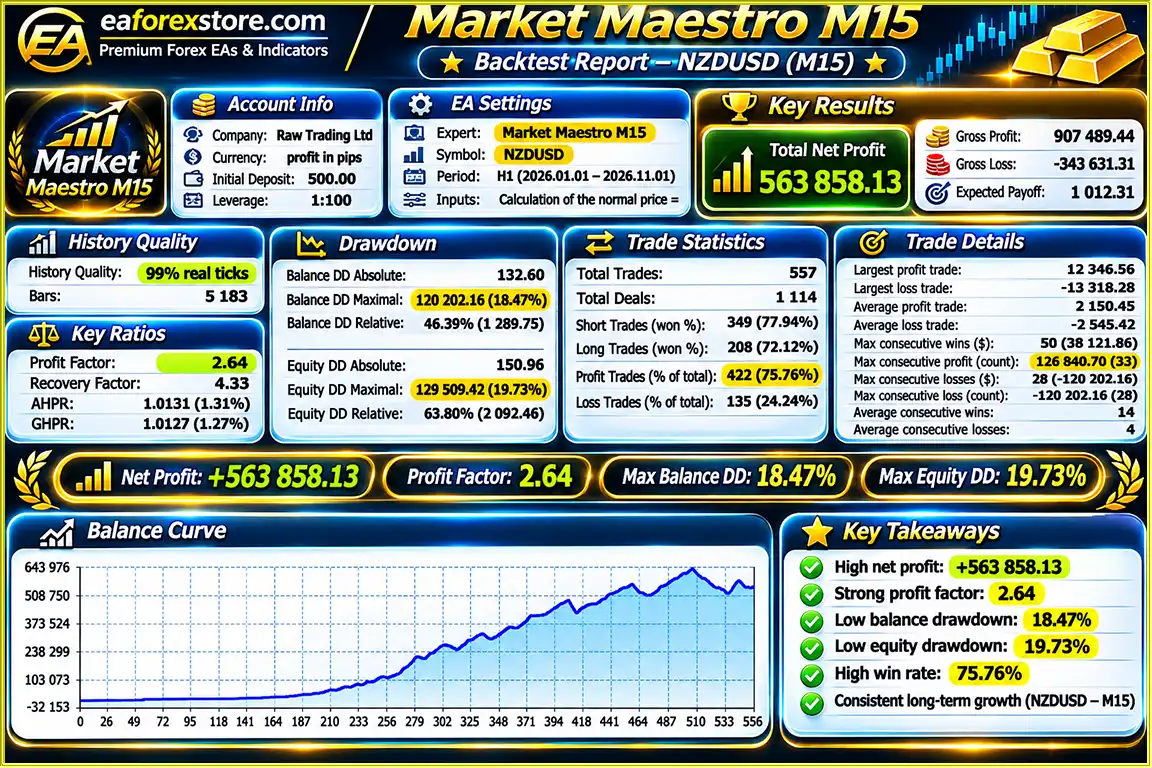
According to the supplied 10-month backtest results, Market Maestro MM5 EA MT5 reported the following performance:
- NZDUSD: $563,858.13 net profit from a $500 initial deposit, with a 75.76% win rate and 18.47% maximum drawdown.
- USDCHF: $1,537,683.48 net profit from a $1,000 initial deposit, with a 66.45% win rate and 19.22% maximum drawdown.
- EURUSD: $2,024,756.20 net profit from a $1,000 initial deposit, with a 70.77% win rate and 21.37% maximum drawdown.
These figures represent reported historical backtests, not independently verified live trading performance. Actual results may vary significantly due to market volatility, broker execution, spreads, slippage, and trading settings. Past performance does not guarantee future profits.
5. What is the minimum deposit required to use Market Maestro MM5 EA MT5?
The developer has not specified an official minimum deposit requirement for Market Maestro MM5 EA MT5. The appropriate starting capital depends on the selected currency pairs, lot sizes, leverage, margin requirements, and risk management settings. Although the published backtests used initial deposits ranging from $500 to $1,000, these amounts should not be considered recommended minimum deposits for live trading. Traders should evaluate their account size and test the Expert Advisor under realistic broker conditions before investing real capital.
6. Does Market Maestro MM5 EA MT5 include automatic risk management features?
Yes, Market Maestro MM5 EA MT5 includes built-in risk management functionality designed to help traders control trading exposure and manage potential losses. The EA uses configurable trading parameters and automated execution rules to support systematic Forex trading. However, the exact Stop Loss methods, Take Profit settings, position-sizing calculations, and account protection limits have not been specified in the supplied product documentation. Traders should review the available settings before live trading, as automated risk management cannot eliminate financial losses.
7. Can Market Maestro MM5 EA run on MetaTrader 4 and MetaTrader 5, and does it require a VPS?
Market Maestro is described as available for both MetaTrader 4 (MT4) and MetaTrader 5 (MT5). However, Market Maestro MM5 EA MT5 is specifically designed for MetaTrader 5, and traders using MT4 should obtain the compatible MT4 version. A Forex VPS is not strictly required for installation, but it is recommended for uninterrupted automated trading. Running MetaTrader 5 on a reliable VPS helps maintain a stable connection and allows the Expert Advisor to monitor markets and execute trades while the trader's personal computer is turned off.
8. How do I install Market Maestro MM5 EA MT5, and what do I receive after purchase?
To install Market Maestro MM5 EA MT5, open MetaTrader 5 and navigate to File → Open Data Folder → MQL5 → Experts. Copy the Market Maestro MM5.ex5 file into the Experts folder, then restart or refresh MetaTrader 5. Open a supported Forex chart, attach the Expert Advisor, configure the recommended trading parameters, and enable Algorithmic Trading. Test the EA using the MT5 Strategy Tester and a demo account before live deployment.
According to the supplied product information, buyers receive the latest version of Market Maestro MM5 EA MT5, with delivery typically taking 24–48 hours after payment. A refund is offered if the product is not delivered. Traders should confirm licensing terms, supported account configurations, and update policies with the seller before purchasing.
In stock
In stock
In stock
In stock
In stock
Out of stock
No account yet?
Create an Account












 Automatic EA
 EA Best Seller
 Expert Advisor MT4
 Expert Advisor MT5
 HFT EA



Reviews
Clear filtersThere are no reviews yet.