









-
 Unlimited Activations
-
 Instant delivery
-
 Easy to install




 Unlimited Activations
Instant delivery
Easy to install
Unlimited Activations
Instant delivery
Easy to install
 Free Update
 Free Install Support

NKV EA MT5 is an automated trading system built on a disciplined reversal strategy designed to trade both bullish and bearish market conditions with precision and stability. It uses multi-step confirmation, predefined stop-loss and take-profit levels, and structured entry validation to maintain consistent performance. With continuous market monitoring and controlled risk exposure, NKV EA focuses on adaptability, capital protection, and long-term trading reliability in real-market conditions.
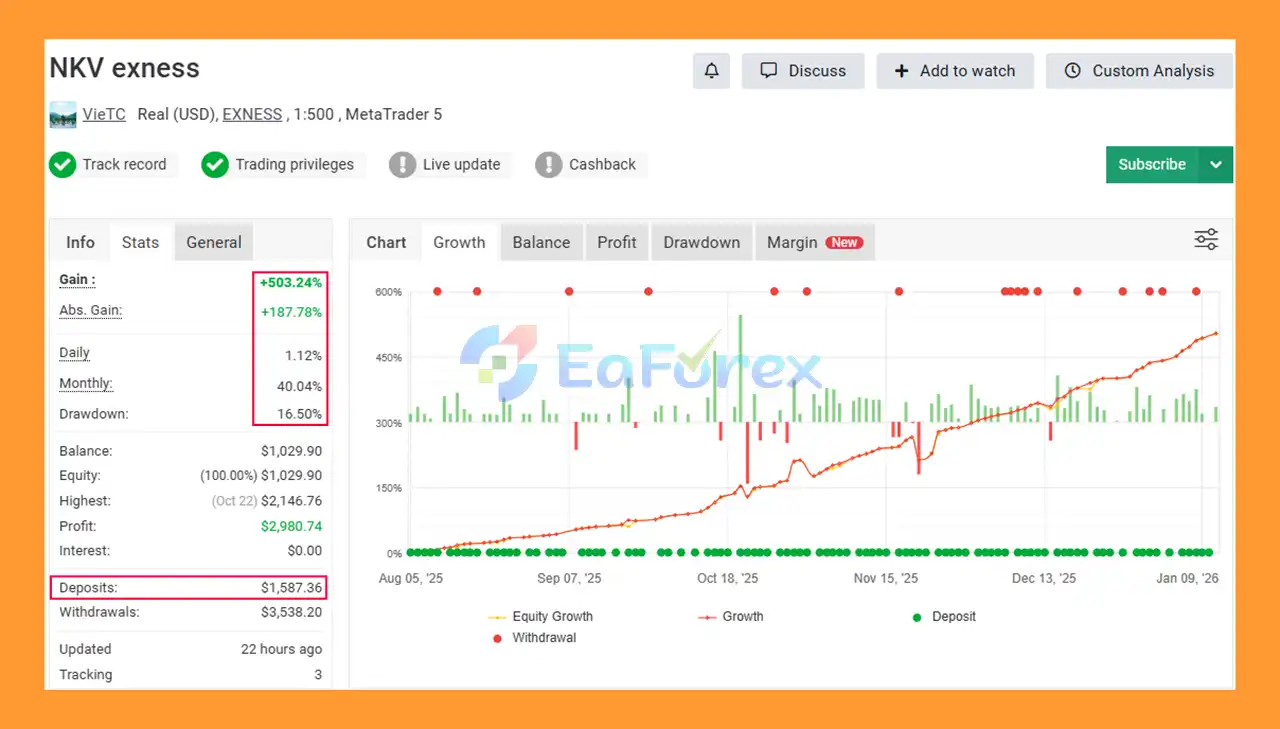
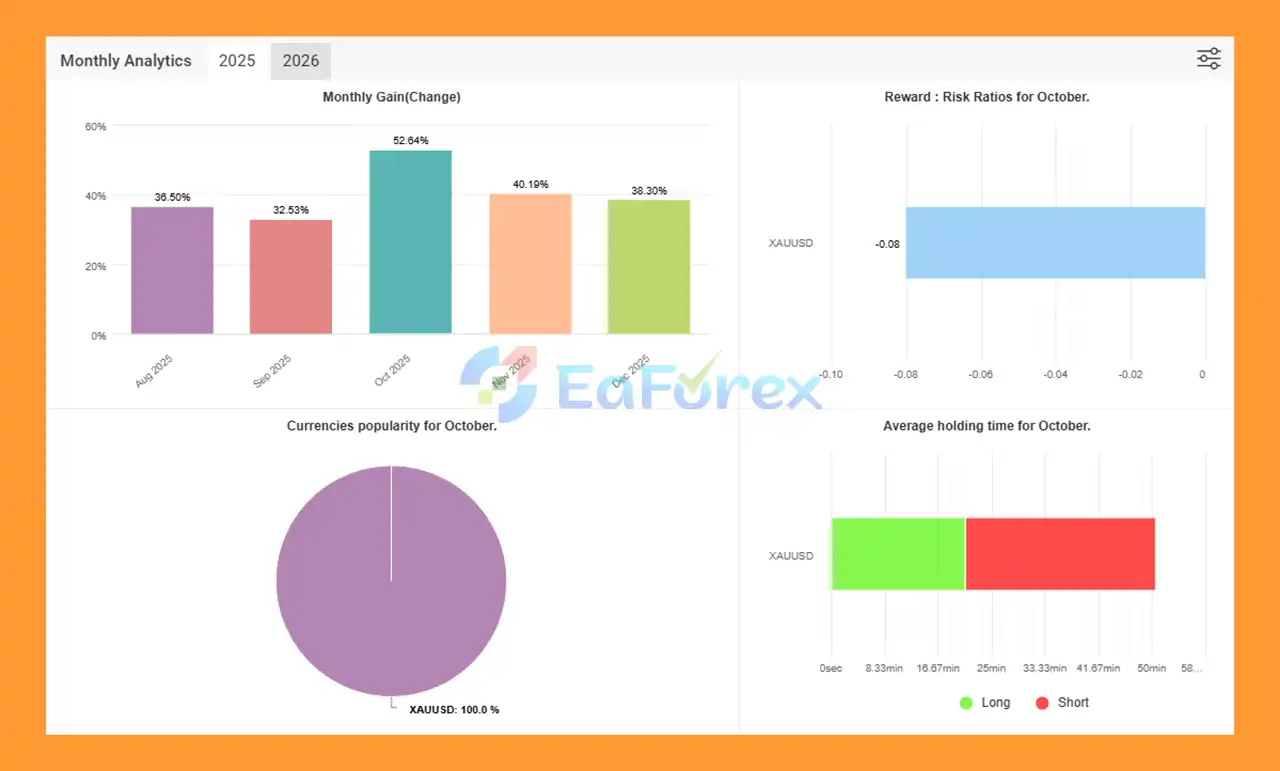
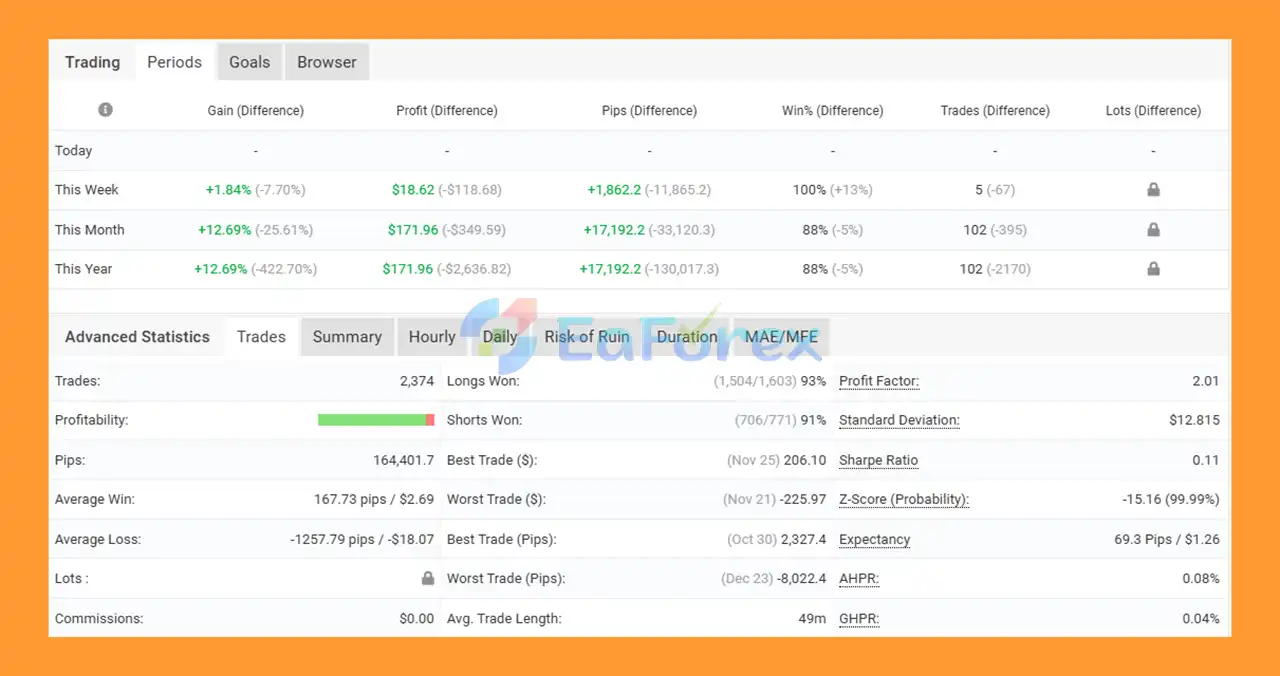
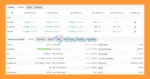
NKV EA MT5 Myfxbooks
NKV MT5 Myfxbook
NKV EA Myfxbook
🔺NKV EA MT5 is an automated trading robot for the MetaTrader 5 platform, designed for Forex trading using the Money Flow Index (MFI) indicator. The EA supports both Buy and Sell orders, integrates risk management, and allows for flexible customization to suit different trading strategies and market conditions. Below are instructions on how to properly install and configure NKV EA MT5 to ensure optimal performance and consistent trading results.
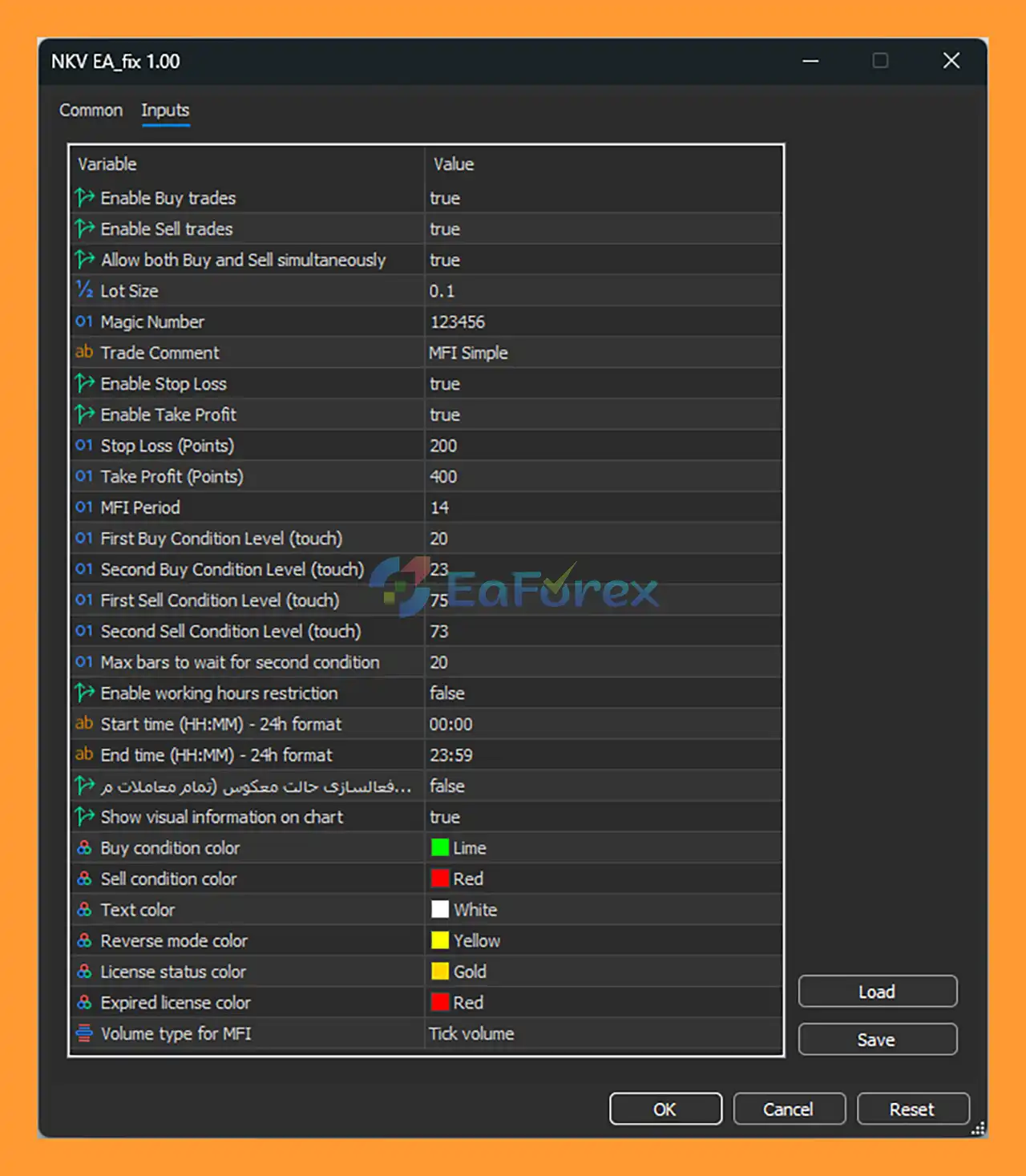
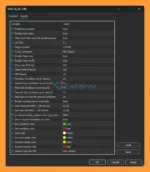
setting
MQL5 → Experts✅ Recommended: Use Forex pairs with good liquidity (e.g., EURUSD, GBPUSD, XAUUSD).
➡️Before running the EA, make sure:
truetruetrue0.1123456 (use a unique number per chart)MFI Simpletrue200true400📌 Tip: Adjust SL/TP based on symbol volatility and timeframe.
14Tick Volume202320➡️ Logic: The EA waits for MFI to touch the first oversold level, then confirms entry when the second level is reached within the defined bar limit.
7573➡️ Logic: The EA identifies overbought conditions and confirms reversal before opening Sell trades.
false00:0023:59🕒 You can enable this feature to avoid trading during low-liquidity sessions or news hours.
true➡️These settings help you visually monitor EA behavior directly on the chart.
In summary, NKV EA MT5 delivers a disciplined reversal-trading approach built around structured confirmations, fixed protective levels, and dual-direction market coverage. By combining MFI-based reversal detection with multi-step filters, predefined SL/TP, and continuous market monitoring, it avoids risky tactics such as grid or martingale while maintaining stable, rule-based performance. Designed for adaptability, transparency, and capital protection, NKV EA MT5 is an excellent choice for traders seeking long-term consistency, controlled risk, and reliable automated trading across changing market conditions.
>>> Reviewed by Jason Stap <<<
1. What is NKV EA MT5?
NKV EA MT5 is an automated trading system for MetaTrader 5 that uses disciplined reversal logic to trade both bullish and bearish market movements. It applies multi-step confirmation, predefined stop-loss and take-profit levels, and strict entry validation to deliver stable and consistent trading performance.
2. How does NKV EA MT5 identify trading signals?
The EA uses Money Flow Index (MFI) reversal detection combined with additional confirmation filters. It looks for overbought and oversold zones, waits for sequential validation, and opens trades only when reversal probability is strong.
3. Does NKV EA MT5 trade both buy and sell positions?
Yes. NKV EA MT5 supports dual-direction trading, meaning it can open both buy and sell trades to adapt to changing market direction and capture reversals on both sides.
4. Does NKV EA MT5 use martingale or grid systems?
No. NKV EA MT5 avoids high-risk strategies such as martingale, grid, averaging, or aggressive lot scaling. Every position is protected with fixed Stop Loss and Take Profit levels.
5. Which pairs and timeframes are recommended for NKV EA MT5?
The EA performs best on liquid pairs such as EURUSD, GBPUSD, and XAUUSD. Recommended timeframes are M15, M30, and H1, while very low timeframes like M1–M5 are not advised unless fully optimized.
6. Is NKV EA MT5 suitable for beginners?
Yes. NKV EA MT5 is fully automated, easy to install, and includes preset configuration examples. It is designed for hands-free operation while maintaining transparent logic and visual chart feedback.
7. How does NKV EA MT5 manage risk?
The EA uses predefined SL/TP levels, balanced risk–reward ratios, and multi-step entry confirmation to reduce false signals. These fixed protective levels help control drawdown and support long-term account stability.
8. Can NKV EA MT5 run 24/5 automatically?
Yes. The EA supports continuous market monitoring across the full trading day. Users can also enable optional trading-time filters to avoid low-liquidity sessions or high-impact news periods.
9. Is NKV EA MT5 designed for long-term trading?
Yes. The EA focuses on capital protection, structured risk exposure, and long-term consistency instead of short-term, high-risk gains. Its disciplined reversal strategy is built for real-market adaptability over time.
In stock
In stock
In stock
In stock
In stock
In stock
No account yet?
Create an Account











 Automatic EA
 EA Best Seller
 Expert Advisor MT4
 Expert Advisor MT5
 HFT EA


Reviews
Clear filtersThere are no reviews yet.