









-
 Unlimited Activations
-
 Instant delivery
-
 Easy to install






 Unlimited Activations
Instant delivery
Easy to install
Unlimited Activations
Instant delivery
Easy to install
 Free Update
 Free Install Support

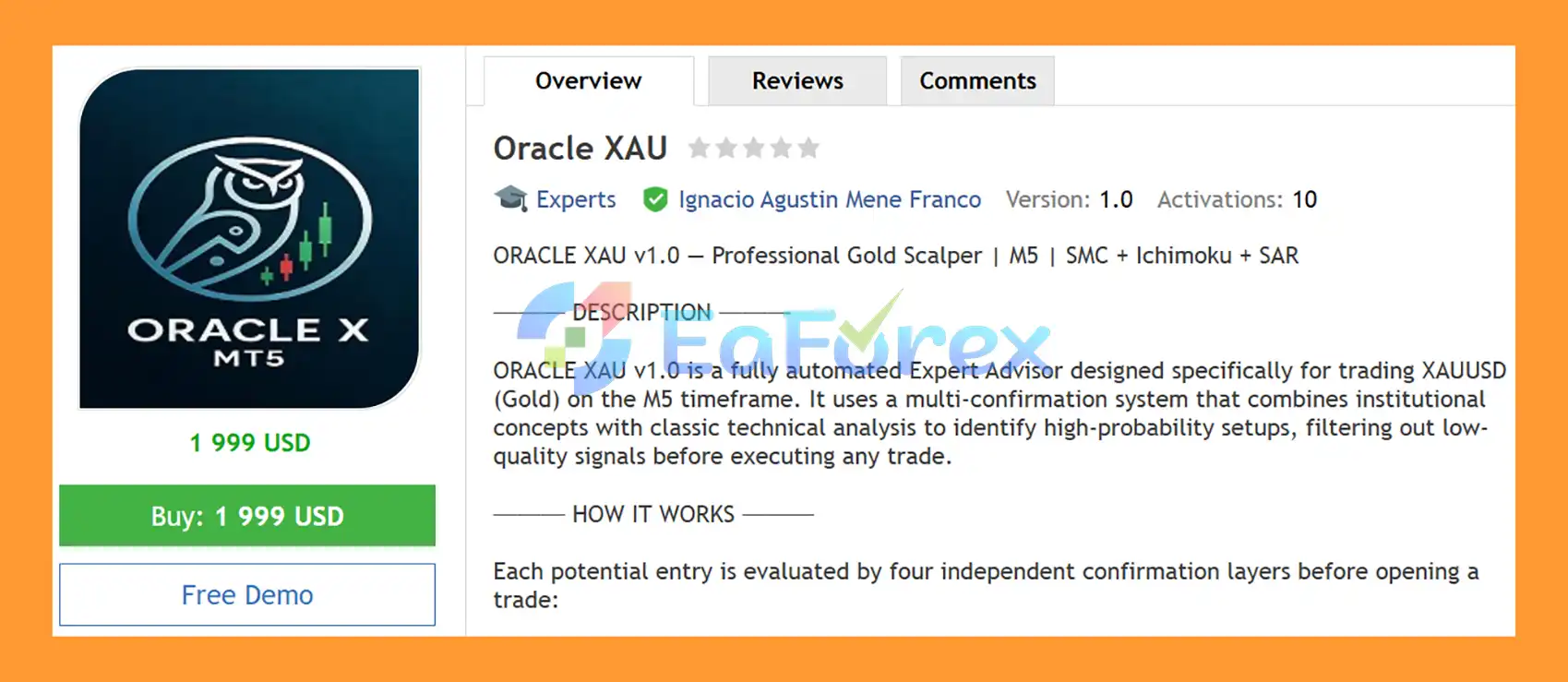
Oracle XAU EA MT5 is a fully automated Expert Advisor for MetaTrader 5, specifically designed to trade XAUUSD (Gold) on the M5 timeframe. The EA combines institutional-style market concepts with classic technical indicators and price-action patterns to identify potential trading setups while filtering out conditions that do not meet its confirmation requirements.
Instead of relying on a single indicator, Oracle XAU EA MT5 uses four independent confirmation layers: trend direction, institutional zones, momentum, and price-action patterns. A trade is considered only when the required conditions are aligned.
The system also includes ATR-based Stop Loss and Take Profit, trailing stop, break-even protection, configurable position sizing, daily loss protection, spread filtering, margin verification, and maximum exposure controls. This makes the EA configurable for different trading approaches while keeping risk-management tools at the center of its operation.
>> Delivery time 24h-48h after payment.
>>> Refund if not delivered.
>>> You will receive the latest version without any limitations (ID+Time).>>Reviewed by Jason Stap <<
Oracle XAU EA MT5 Overview
Oracle XAU EA MT5 evaluates potential trades through four separate analytical layers:
This multi-layer architecture is designed to reduce reliance on a single signal and filter out setups that fail the required conditions.
The EA calculates Stop Loss and Take Profit dynamically using the Average True Range (ATR).
The default configuration uses:
Because ATR responds to changing market volatility, the distance of the protective and profit targets can adapt to current XAUUSD conditions.
Users can select from different position-sizing methods:
A 1% risk per trade configuration is recommended in the supplied settings, although the actual exposure depends on the account, broker specifications, lot calculation, and user configuration.
Oracle XAU EA MT5 includes several tools designed to manage open positions and account exposure:
The EA first evaluates the overall market direction using Parabolic SAR and the 9/21 EMA crossover.
The purpose of this layer is to identify the prevailing trend and avoid taking trades against the primary directional bias when the required conditions are not satisfied.
Oracle XAU EA MT5 then analyzes SMC Order Blocks and dynamic Support and Resistance levels.
These zones are used to identify areas where price may react based on previous market structure and price activity.
The next layer uses Ichimoku Kinko Hyo and Bollinger Band Squeeze conditions.
Ichimoku evaluates the relationship between price, the cloud, and the Tenkan/Kijun lines, while Bollinger Band conditions help identify changes in volatility and potential momentum expansion.
Before executing an entry, the EA evaluates additional price-action information, including:
These patterns provide another layer of confirmation before an order is considered.
When the required confirmation conditions are aligned, the EA can automatically execute the trade.
After entry, Oracle XAU EA MT5 manages the position using its configured ATR-based SL/TP, trailing stop, break-even, spread, margin, position, and daily-loss controls.
The EA does not depend on one technical indicator. Trend, institutional zones, momentum, and price-action confirmation are combined into a structured entry process.
Oracle XAU EA MT5 is configured specifically for Gold trading on M5, allowing its parameters and confirmation logic to be tailored to the characteristics of short-term XAUUSD price movements.
The system combines:
This creates a multi-factor analytical framework rather than a single-indicator strategy.
The ability to choose fixed lots, percentage-based risk, or dynamic equity sizing allows users to adjust position sizing according to their account and risk preferences.
Trailing stop, break-even, daily loss protection, margin checks, spread filtering, and position limits provide multiple layers of automated trade and account management.
Turbo Mode allows the EA to scan multiple bars for simultaneous trading opportunities. Because this can potentially increase trading activity and exposure, it should be tested carefully before being used on a live account.
The EA is designed to work with both Netting and Hedging account types, subject to the broker’s MT5 implementation and account specifications.
🔺Gold (XAUUSD) – 3Months
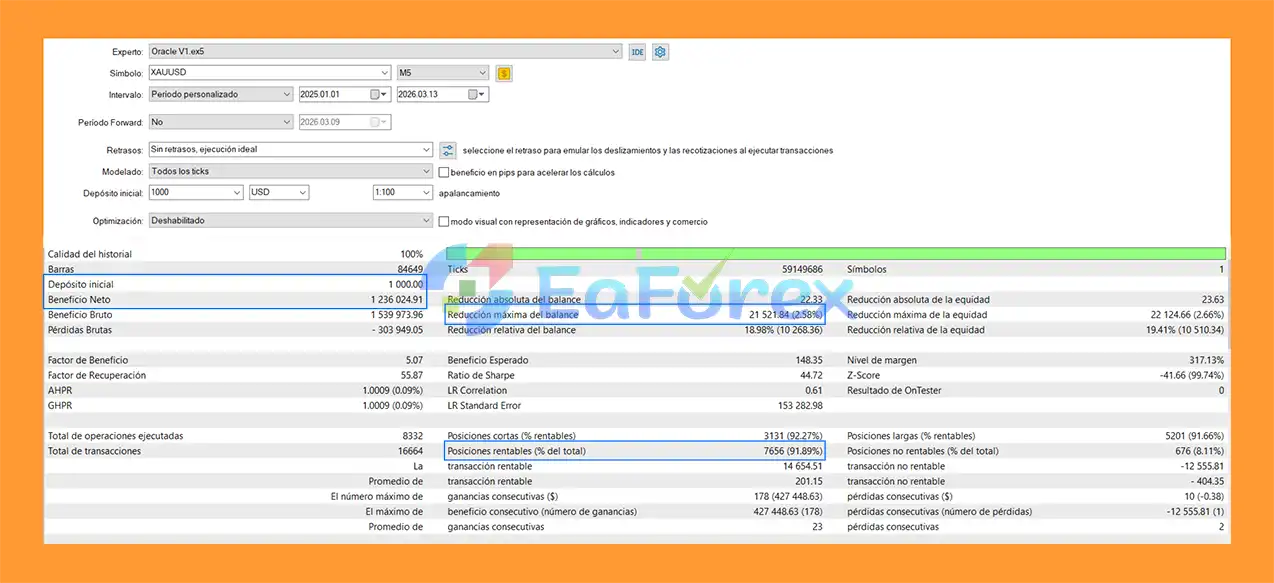
Oracle XAU EA MT5 Backtets
Oracle XAU EA MT5 uses a combination of automated trade-management and account-protection mechanisms.
| Risk Management Feature | Function |
|---|---|
| ATR Stop Loss | Dynamically calculates protective SL distance |
| ATR Take Profit | Dynamically calculates profit-target distance |
| Trailing Stop | Adjusts protection as a position moves into profit |
| Break Even | Can move the SL toward entry after sufficient profit |
| Fixed Lot | Uses a predefined lot size |
| Fixed % Balance | Calculates position size from account balance risk |
| Dynamic Equity | Adjusts sizing based on account equity |
| Daily Loss Limit | Restricts trading after the configured daily loss threshold |
| Maximum Positions | Limits simultaneous open trades |
| Maximum Volume | Controls total trading exposure |
| Margin Verification | Checks available margin before trading |
| Spread Filter | Helps avoid entries during unfavorable spread conditions |
The supplied recommendation is:
These figures are configuration recommendations rather than guarantees of profitability or maximum drawdown.
Actual trading risk can vary because of leverage, contract specifications, spread, slippage, execution speed, market gaps, volatility, and the selected EA parameters.
Despite its multi-confirmation architecture, Oracle XAU EA MT5 cannot eliminate the risks associated with automated Gold trading.
Gold can experience rapid price movements during major economic releases, geopolitical events, market openings, and changes in liquidity. Fast movements can result in increased slippage or execution at prices different from the expected levels.
Trend, Order Blocks, Ichimoku, Bollinger Bands, and candlestick patterns can all produce false signals. A setup that satisfies several technical conditions can still fail when market conditions change unexpectedly.
Short-term trading can be sensitive to spread, slippage, latency, and execution quality. A broker with high spreads or slow execution may produce different results from testing.
Turbo Mode can identify multiple opportunities and potentially increase trading activity. Users should carefully evaluate the resulting position frequency and total exposure before enabling it on a live account.
A 1% risk configuration is not automatically safe for every account. Increasing lot sizes, risk percentages, maximum positions, or total volume can materially increase potential losses.
Backtests and historical results, if available, do not guarantee future live performance. Forward testing on a demo or appropriately sized live account is recommended before relying on the EA with significant capital.
| Pros | Cons |
|---|---|
| Four-layer confirmation system | Designed specifically for XAUUSD M5 |
| Combines institutional concepts with technical analysis | M5 trading can be sensitive to execution conditions |
| ATR-based dynamic SL/TP | Gold volatility can produce rapid losses |
| Trailing stop and break-even protection | Multiple confirmations cannot eliminate false signals |
| Fixed lot, balance %, and equity risk modes | Turbo Mode may increase trading activity |
| Daily loss and exposure controls | Results can vary between brokers |
| Spread and margin filters | Requires careful parameter configuration |
| Netting and hedging support | No trading system can guarantee profits |
| Real-time visual monitoring panel | Live performance may differ from backtests |
| Parameter | Recommended Setting |
|---|---|
| Platform | MetaTrader 5 |
| Expert Advisor | Oracle XAU EA MT5 |
| Trading Symbol | XAUUSD / Gold |
| Recommended Timeframe | M5 |
| Risk Mode | Fixed Percentage |
| Suggested Risk | 1% per trade |
| Minimum Deposit | $1,000 with 0.10 lot sizing |
| Standard Sizing | $3,000+ |
| Broker Type | ECN / Raw Spread preferred |
| Account Type | Netting or Hedging |
| VPS | Recommended for automated trading |
| Spread Filter | Configurable |
| Trading Session | Configurable |
| SL/TP | ATR-based |
| Position Management | Trailing Stop + Break Even |
For multiple independent setups, use appropriate and unique Magic Numbers where supported by the EA configuration.
In summary, Oracle XAU EA MT5 uses a structured four-layer confirmation approach for automated XAUUSD M5 trading, combining trend analysis, institutional zones, momentum confirmation, and price-action patterns. Its ATR-based trade management, flexible risk modes, trailing stop, break-even, daily-loss protection, and exposure controls provide a broad set of tools for managing automated positions.
The EA is particularly configuration-focused, with adjustable filters, trading sessions, risk parameters, and system behavior. However, Gold remains a highly volatile market, and the final trading outcome depends on market conditions, broker execution, spread, slippage, leverage, and the selected settings.
As with any automated trading system, users should backtest the EA, forward-test it on a demo account, and select risk parameters appropriate for their capital and risk tolerance before deploying it in live trading.
1. What is Oracle XAU EA MT5?
Oracle XAU EA MT5 is a fully automated Expert Advisor designed for trading XAU/USD (Gold) on the MetaTrader 5 platform. It uses a multi-layer confirmation system that combines institutional trading concepts with technical indicators to identify high-probability trading opportunities.
2. How does Oracle XAU EA MT5 work?
Oracle XAU EA MT5 works by combining trend analysis, momentum indicators, and price action signals. It only executes trades when multiple conditions align, including EMA crossovers, Parabolic SAR direction, institutional order blocks, and volatility filters like ATR and Bollinger Bands.
3. What timeframe is Oracle XAU EA MT5 optimized for?
This EA is specifically optimized for the M5 (5-minute) timeframe on XAU/USD. It is designed to capture short-term gold price movements while maintaining strong confirmation rules to avoid low-quality entries.
4. What trading strategies does Oracle XAU EA MT5 use?
Oracle XAU EA MT5 uses a hybrid strategy combining institutional trading concepts (such as order blocks and liquidity zones) with technical indicators like EMA 9/21, Parabolic SAR, Ichimoku Cloud, and Bollinger Band squeeze patterns for trade confirmation.
5. Is Oracle XAU EA MT5 suitable for beginners?
Yes, Oracle XAU EA MT5 is fully automated and can be used by beginners. However, users should still understand basic forex concepts and risk management to optimize performance and avoid misuse of leverage or settings.
6. What risk management features does Oracle XAU EA MT5 include?
The EA includes ATR-based stop loss and take profit, trailing stop, break-even protection, session filters, and spread protection. These features are designed to control risk and protect capital during volatile market conditions.
7. What are the backtest results of Oracle XAU EA MT5?
According to provided data, Oracle XAU EA MT5 achieved a net profit of approximately $1.236 million from a $1,000 initial deposit over three months, with a 91.89% win rate and a maximum drawdown of 2.58%, showing strong historical performance under test conditions.
8. Why is Oracle XAU EA MT5 popular for gold trading?
Oracle XAU EA MT5 is popular because it combines institutional trading logic with technical indicators, offering strict trade filtering, strong risk management, and optimization specifically for the high volatility of XAU/USD, making it suitable for disciplined automated gold trading.
In stock
In stock
In stock
In stock
In stock
Out of stock
No account yet?
Create an Account












 Automatic EA
 EA Best Seller
 Expert Advisor MT4
 Expert Advisor MT5
 HFT EA


Reviews
Clear filtersThere are no reviews yet.