









-
 Unlimited Activations
-
 Instant delivery
-
 Easy to install



 Unlimited Activations
Instant delivery
Easy to install
Unlimited Activations
Instant delivery
Easy to install
 Free Update
 Free Install Support

Zoom MAX AI EA MT4 is an automated Forex trading Expert Advisor designed for the MetaTrader 4 platform. Powered by advanced trading algorithms and Neural Network MAX artificial intelligence technology, this Forex robot aims to analyze market conditions, identify potential trading opportunities, and execute trades automatically.
Unlike traditional trading systems that rely exclusively on fixed entry rules, Zoom MAX AI EA incorporates AI-based market analysis, trend detection, and supply and demand zones to support its trading decisions.
The Expert Advisor is primarily designed for short-term trading and scalping strategies, with support for popular Forex pairs and gold (XAUUSD). It integrates automated Stop Loss and Take Profit management, spread filtering, and customizable trading parameters.
Zoom MAX AI EA MT4 is suitable for traders interested in algorithmic Forex trading, AI-assisted scalping, and automated trade execution without continuous manual market monitoring.
>>> Delivery time 24h-48h after payment.
>>> Refund if not delivered.
>>> You will receive the latest version without any limitations (ID+Time).
>> Reviewed by Jason Stap <<<
Zoom MAX AI EA MT4 Overview
1. Neural Network MAX Artificial Intelligence
Zoom MAX AI EA MT4 uses its proprietary Neural Network MAX technology to analyze market behavior and identify potential trading opportunities. The system is designed to adapt its trading decisions to changing market conditions.
2. Intelligent Forex Scalping
The EA focuses on short-term price movements and scalping opportunities, particularly on M1, M5, and M15 timeframes. Its automated execution system helps traders implement strategies without manually monitoring every market movement.
3. Advanced Trend Detection
Zoom MAX AI combines algorithmic analysis with trend identification to assess market direction and identify potential entry and exit points.
4. Supply and Demand Zone Analysis
The trading robot incorporates supply and demand zones into its market analysis. These price areas help the system evaluate potential buying and selling opportunities.
5. No Martingale or Grid Strategy
According to its stated strategy design, Zoom MAX AI EA does not use Martingale, Grid, or Arbitrage trading methods. This avoids reliance on position-multiplication and grid-recovery techniques, although trading losses remain possible.
6. Automated Stop Loss and Take Profit
The Expert Advisor includes AI-controlled Stop Loss and Take Profit functionality. Traders can also adjust risk parameters manually to suit their trading preferences.
7. Multi-Currency Trading Support
Recommended trading instruments include:
8. Customizable Trading Parameters
Users can modify lot sizes, spread limits, slippage settings, Stop Loss levels, and technical indicator configurations directly within MetaTrader 4.
Zoom MAX AI EA MT4 operates through a combination of artificial intelligence-based market analysis, technical indicators, and automated trade execution.
Step 1: Market Analysis
The Expert Advisor continuously evaluates available price data using its trading algorithms and Neural Network MAX framework.
Step 2: Trend Identification
The system applies trend-detection logic and technical indicators, including Ichimoku and MACD, to assess market direction and momentum.
Default Ichimoku parameters:
Default MACD parameters:
Step 3: Supply and Demand Evaluation
The EA incorporates supply and demand zone analysis to evaluate potential trading areas and support its entry decisions.
Step 4: Automated Trade Execution
When the system identifies a trading opportunity that meets its programmed conditions, it can automatically open a buy or sell order.
Before executing a trade, it also checks configured conditions such as maximum spread, allowable slippage, and trading permissions.
Step 5: Automated Risk Management
After entering a position, Zoom MAX AI EA applies its Stop Loss and Take Profit management logic to control trade exits according to its programmed settings.
Step 6: Continuous Market Monitoring
Once activated on MetaTrader 4, the Expert Advisor continues monitoring the market while the trading platform remains connected and operational.
For more consistent operation, a Forex VPS is recommended.
AI-Powered Trading Technology
Zoom MAX AI EA MT4 integrates artificial intelligence-based analysis with technical indicators to support automated Forex trading decisions.
Designed for Forex and Gold Scalping
With recommended M1, M5, and M15 trading timeframes, the system is designed to identify short-term trading opportunities across Forex and gold markets.
Avoids Martingale and Grid Recovery Systems
The EA’s stated strategy does not rely on Martingale or Grid trading techniques. This may appeal to traders who prefer strategies without automatic lot multiplication after losing trades.
Integrated Trading Controls
The robot provides configurable lot sizes, spread filters, slippage restrictions, and Stop Loss settings, giving users control over important execution and risk parameters.
Flexible Broker Compatibility
Zoom MAX AI EA MT4 is designed for use with MT4-compatible brokers. The developer reports experience using the system with Tickmill, IC Markets, Pepperstone, and Alpari.
However, trading conditions, execution quality, and compatibility may vary between brokers.
Easy-to-Use Default Settings
The Expert Advisor provides default trading parameters, allowing users to begin testing without building a complex trading strategy from scratch.
Supports Automated Trading Around the Clock
When MetaTrader 4 is running and connected, Zoom MAX AI EA can monitor trading opportunities automatically during available market hours.
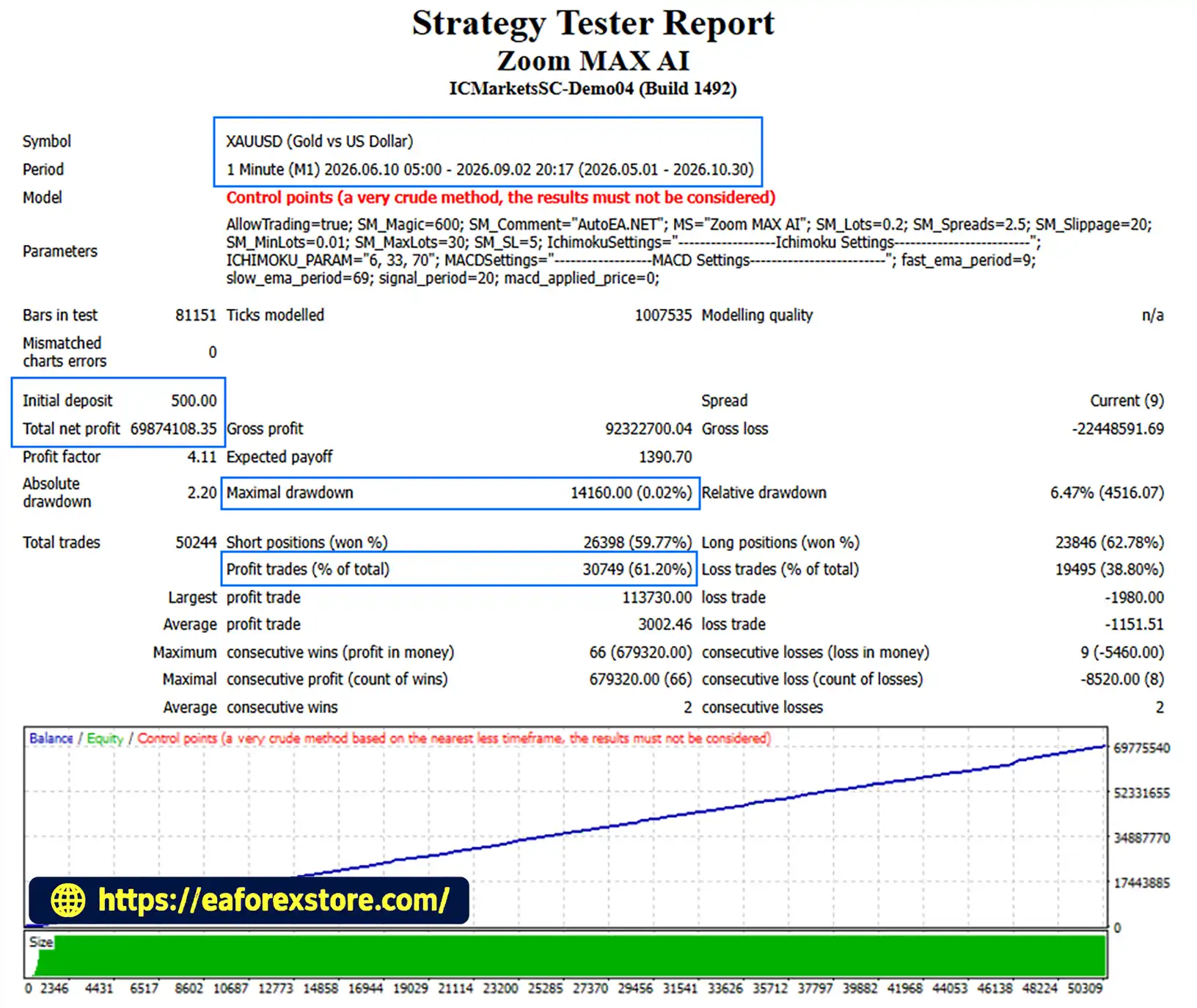
🔺XAUUSD (Gold) – 6 Months
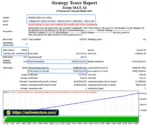
Zoom MAX AI EA MT4 backtets
Risk management is essential when using any automated Forex trading system. Zoom MAX AI EA MT4 includes several configurable controls intended to manage execution conditions and individual trade risk.
The EA includes a default Stop Loss setting of 5 pips. Traders can modify this value according to their strategy and preferred risk exposure.
Stop Loss orders help define potential losses, but actual execution prices may differ during volatile markets or periods of slippage.
Zoom MAX AI EA MT4 includes a maximum spread filter to avoid opening trades when the spread exceeds the configured threshold.
This feature is particularly relevant for scalping strategies, where trading costs can significantly affect results.
The Expert Advisor provides a configurable slippage parameter.
Actual trade execution remains dependent on market liquidity, broker execution policies, and platform conditions.
The system includes automatic lot sizing and minimum/maximum lot restrictions.
Default parameters:
The default automatic lot setting may create substantial exposure depending on account equity, instrument specifications, and Stop Loss distance. Traders should verify the effective position size before live trading.
Users can enable or disable automated execution through the Allow Trading parameter.
This allows traders to suspend new automated trades when necessary.
Zoom MAX AI EA MT4 can experience temporary or prolonged drawdowns due to unpredictable market movements, volatility, or unfavorable trading conditions.
No Forex robot can guarantee profitability or eliminate trading risk. Drawdowns can deepen, and recovery is never guaranteed.
Traders should monitor open positions, trading history, platform journal messages, and broker notifications through MetaTrader 4.
Specific built-in push, email, or custom alert functions have not been confirmed in the supplied product specifications.
Important Risk Warning: Backtesting results are hypothetical and do not guarantee future performance. Forex and CFD trading involves significant risk, including the potential loss of your entire trading capital. Always test the Expert Advisor on a demo account before considering live deployment.
Installing Zoom MAX AI EA MT4 follows the standard MetaTrader 4 Expert Advisor installation process.
Step 1: Download the Expert Advisor
Download the Zoom MAX AI EA installation file from your trusted product source.
The EA is typically distributed in EX4 or MQ4 format.
Step 2: Open MetaTrader 4
Launch the MetaTrader 4 trading platform and log in to your brokerage account.
Step 3: Access the Expert Advisors Folder
Navigate to:
File → Open Data Folder → MQL4 → Experts
Copy the Zoom MAX AI EA file into the Experts folder.
Step 4: Restart or Refresh MT4
Restart MetaTrader 4 or refresh the Expert Advisors list in the Navigator window.
Zoom MAX AI EA should appear under the Expert Advisors section.
Step 5: Open a Recommended Trading Chart
Select one of the recommended instruments:
XAUUSD, GBPUSD, EURUSD, AUDJPY, or EURJPY.
Recommended timeframes:
M1, M5, or M15.
Step 6: Attach the EA to the Chart
Zoom MAX AI EA MT4 from the Navigator panel onto the selected trading chart.
Open the EA settings window and configure the necessary parameters.
Step 7: Configure Trading Parameters
Suggested initial configuration based on the supplied defaults:
| Parameter | Default Value |
|---|---|
| Allow Trading | Yes |
| Magic Number | 600 |
| Trade Comment | AutoEA.NET |
| Auto Lots | 0.2 per 1,000 |
| Maximum Spread | 2.5 pips |
| Maximum Slippage | 2 pips |
| Minimum Lot Size | 0.01 |
| Maximum Lot Size | 30 |
| Stop Loss | 5 pips |
| Ichimoku | 6, 33, 70 |
| MACD Fast EMA | 9 |
| MACD Slow EMA | 69 |
| MACD Signal | 20 |
| MACD Applied Price | 0 |
These are the supplied product defaults, not independently validated optimal or low-risk settings. Check your broker’s point/pip conventions and symbol specifications before enabling trading.
Step 8: Enable Automated Trading
In the EA’s Common tab, enable Allow live trading if required.
Then activate the AutoTrading button on the MetaTrader 4 toolbar.
Make sure the Expert Advisor is active and check the Experts and Journal tabs for errors.
Step 9: Test Before Live Trading
Run historical strategy tests and forward-test Zoom MAX AI EA on a demo account.
Evaluate trading costs, drawdowns, trade execution, position sizing, and overall strategy behavior before using real capital.
Step 10: Use a Forex VPS
For continuous operation, consider installing MetaTrader 4 on a reliable Forex VPS.
A VPS can help maintain platform availability and reduce interruptions caused by local computer shutdowns or internet disconnections.
For the intended trading approach, the developer recommends the following environment:
| Setting | Recommendation |
|---|---|
| Trading Platform | MetaTrader 4 (MT4) |
| Trading Type | Automated Forex Scalping |
| Main Technology | Neural Network MAX AI |
| Recommended Pairs | XAUUSD, GBPUSD, EURUSD, AUDJPY, EURJPY |
| Recommended Timeframes | M1, M5, M15 |
| Account Type | ECN |
| Broker Conditions | Low Spread and Low Slippage |
| Settings | Default for Initial Testing |
| VPS | Recommended |
The developer identifies Tickmill, IC Markets, Pepperstone, and Alpari as brokers previously used with the Expert Advisor. This does not establish current compatibility, suitability, or equivalent performance across these brokers.
The supplied product description references historical tests conducted between January 1, 2020, and October 1, 2021, involving XAUUSD, GBPJPY, and GBPUSD.
The described test environment included Tickmill Pro account conditions with a stated spread of 20 points.
However, no complete performance report, profit factor, maximum drawdown, trade count, or independently verified results were provided.
As a result, no specific profitability claims can be established from the available information.
Backtesting should be treated as a research tool rather than proof of future trading performance.
>> Join VIP Membership Now <<<
Zoom MAX AI EA MT4 is an AI-based automated Forex trading robot that combines Neural Network MAX technology, intelligent scalping, trend detection, and supply and demand analysis.
Its key features include automated trade execution, configurable Stop Loss and Take Profit settings, spread and slippage controls, and a trading approach that avoids Martingale and Grid strategies according to the developer’s description.
For traders exploring AI Forex robots for MetaTrader 4, Zoom MAX AI EA offers a configurable trading system designed for short-term opportunities across Forex and gold markets.
Nevertheless, successful automated trading depends on strategy robustness, risk management, broker execution, market conditions, and ongoing performance monitoring.
Zoom MAX AI EA MT4 is best evaluated through careful backtesting, forward testing, and conservative risk management rather than expectations of guaranteed returns.
Disclaimer: Forex and CFD trading involves substantial risk. Past performance, including backtesting results, does not guarantee future results. Always trade responsibly and use capital you can afford to lose.
1. What Is Zoom MAX AI EA MT4 and How Does It Work?1. What Is Zoom MAX AI EA MT4 and How Does It Work?
Zoom MAX AI EA MT4 is an AI-powered Forex trading robot designed to automate trading on the MetaTrader 4 platform. It combines Neural Network MAX artificial intelligence, advanced trend detection, technical indicators, and supply and demand zone analysis to identify potential trading opportunities.
The Expert Advisor automatically executes buy and sell orders based on predefined market conditions. It also includes automated Stop Loss and Take Profit management, allowing traders to participate in Forex and gold trading without manually executing every trade.
2. Is Zoom MAX AI EA MT4 Profitable and Can It Guarantee Consistent Returns?
Zoom MAX AI EA MT4 is designed to identify short-term trading opportunities using AI-assisted market analysis and automated scalping strategies. However, no Forex trading robot can guarantee consistent profits or risk-free returns.
Trading performance depends on market volatility, broker execution, spreads, slippage, and risk management settings. Historical backtesting results do not guarantee future performance.
Traders should evaluate Zoom MAX AI EA through backtesting and demo account testing before using it with real money.
3. Which Forex Pairs and Timeframes Are Best for Zoom MAX AI EA MT4?
Zoom MAX AI EA MT4 supports automated trading across several popular Forex currency pairs and gold.
The recommended trading instruments include:
XAUUSD (Gold)
GBPUSD (British Pound / US Dollar)
EURUSD (Euro / US Dollar)
AUDJPY (Australian Dollar / Japanese Yen)
EURJPY (Euro / Japanese Yen)
The Expert Advisor is primarily designed for short-term trading on the M1, M5, and M15 timeframes.
Trading results may vary between instruments and market conditions, so users should test each currency pair before enabling live automated trading.
4. What Is the Minimum Deposit Required to Run Zoom MAX AI EA MT4?
There is no independently verified minimum deposit requirement for Zoom MAX AI EA MT4.
The Expert Advisor supports customizable lot sizes, including a minimum lot setting of 0.01 and an automatic lot-sizing parameter of 0.2 lots per 1,000 account units.
The appropriate starting balance depends on your broker's margin requirements, leverage, chosen trading instruments, and risk tolerance.
For safer initial evaluation, traders should begin with a demo account and use conservative position-sizing settings before considering live trading.
5. Does Zoom MAX AI EA MT4 Use Martingale or Grid Trading Strategies?
No. According to the developer's stated strategy design, Zoom MAX AI EA MT4 does not use Martingale, Grid, or Arbitrage trading strategies.
Instead, the Forex robot combines AI-based market analysis, trend detection, and supply and demand zones to evaluate potential entry opportunities.
The system also provides configurable Stop Loss, Take Profit, spread filtering, and slippage controls.
Although avoiding Martingale and Grid strategies reduces reliance on certain position-recovery techniques, it does not eliminate trading losses or drawdown risk.
6. Which Brokers Work Best With Zoom MAX AI EA MT4?
Zoom MAX AI EA MT4 is designed to operate with brokers that support the MetaTrader 4 trading platform.
The developer has reported experience using the Expert Advisor with brokers such as IC Markets, Tickmill, Pepperstone, and Alpari.
For automated Forex scalping, an ECN trading account with competitive spreads, low slippage, and reliable order execution is recommended.
Broker compatibility and trading performance can vary. Users should verify the EA's execution behavior on their chosen broker before trading with real funds.
A reliable Forex VPS is also recommended for maintaining a stable MT4 connection.
7. How Do I Install and Set Up Zoom MAX AI EA on MetaTrader 4?
Installing Zoom MAX AI EA MT4 is straightforward and follows the standard Expert Advisor installation process.
Step 1: Download the Zoom MAX AI EA installation file.
Step 2: Open MetaTrader 4 and navigate to File → Open Data Folder → MQL4 → Experts.
Step 3: Copy the EA file into the Experts folder.
Step 4: Restart MT4 or refresh the Expert Advisors section in the Navigator panel.
Step 5: Open a recommended trading chart, such as XAUUSD or EURUSD, using the M1, M5, or M15 timeframe.
Step 6: Attach Zoom MAX AI EA to the chart and configure the trading parameters.
Step 7: Enable automated trading in the EA settings and activate the AutoTrading button in MT4.
Before live trading, test the default settings on a demo account and review the lot size, Stop Loss, maximum spread, and slippage parameters.
8. What Will I Receive After Purchasing Zoom MAX AI EA MT4, and How Long Does Delivery Take?
After purchasing Zoom MAX AI EA MT4, customers will receive the Expert Advisor trading file, identified in the product package as Zoom MAX AI.ex4, for use with MetaTrader 4.
According to the supplied product information:
Delivery Time: Within 24–48 hours after payment.
Product Version: Latest available version.
License: Advertised without ID and time limitations.
Delivery Guarantee: Refund available if the product is not delivered.
Customers should confirm the applicable license terms, installation requirements, and delivery details before completing their purchase.
In stock
In stock
In stock
In stock
In stock
Out of stock
No account yet?
Create an Account












 Automatic EA
 EA Best Seller
 Expert Advisor MT4
 Expert Advisor MT5
 HFT EA


Reviews
Clear filtersThere are no reviews yet.