









-
 Unlimited Activations
-
 Instant delivery
-
 Easy to install






 Unlimited Activations
Instant delivery
Easy to install
Unlimited Activations
Instant delivery
Easy to install
 Free Update
 Free Install Support

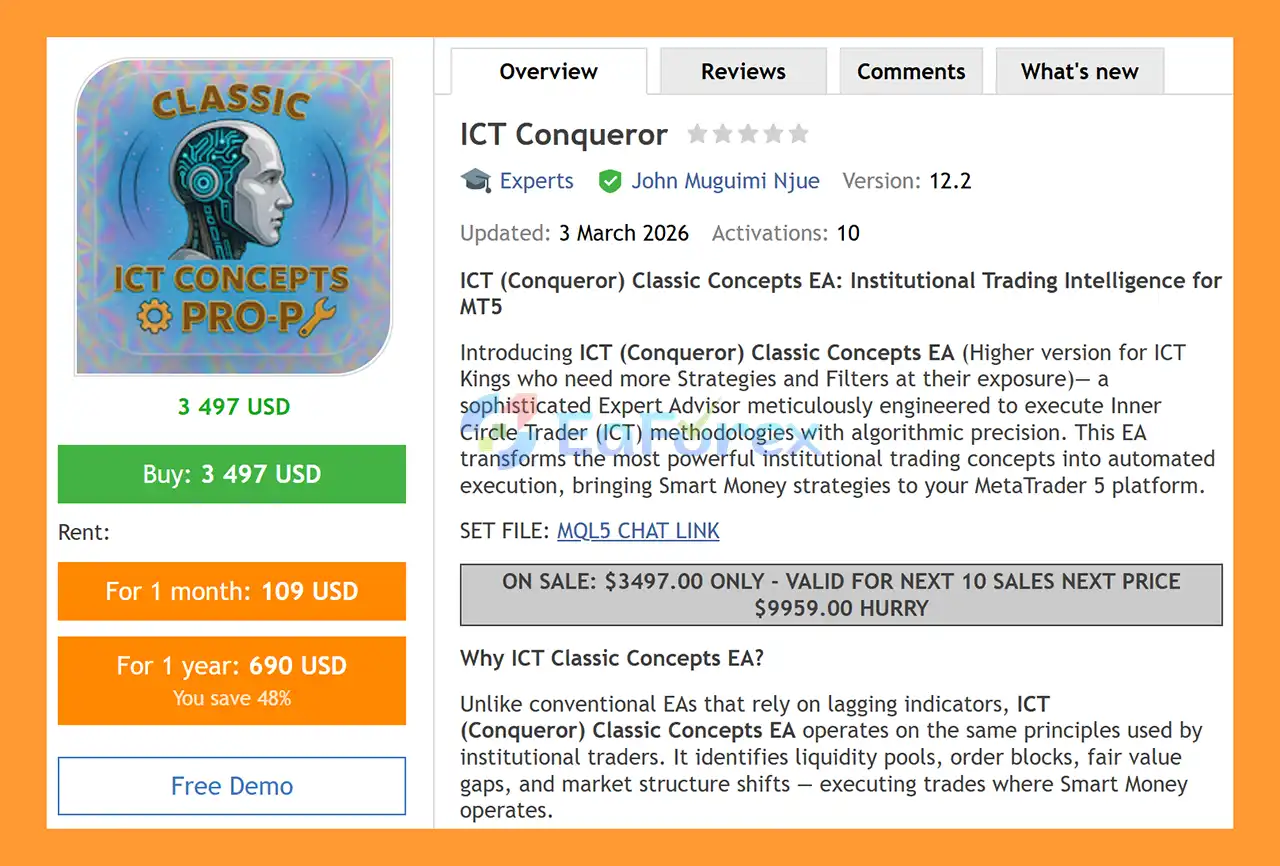
ICT Conqueror EA MT5 is an advanced automated trading Expert Advisor for MetaTrader 5, designed to bring classic Inner Circle Trader (ICT) concepts into algorithmic trading. The EA combines liquidity analysis, market structure, Fair Value Gaps (FVG), Order Blocks, Breaker Blocks, Optimal Trade Entry (OTE), displacement, and liquidity sweeps to identify potential trading opportunities.
Rather than relying primarily on conventional lagging indicators, ICT Conqueror EA MT5 focuses on price-action and market-structure concepts commonly associated with ICT and Smart Money Trading methodologies.
The EA supports XAUUSD, major Forex pairs, and indices, with M15 used for entry and H1/H4 available for higher-timeframe analysis.
ICT Conqueror EA MT5 is also designed without Martingale, Grid trading, or risky lot multipliers. Each position can use calculated stop-loss and take-profit levels based on configurable market-structure and volatility conditions.
>> Delivery time 24h-48h after payment.
>>> Refund if not delivered.
>>> You will receive the latest version without any limitations (ID+Time).>>Reviewed by Jason Stap <<
ICT Conqueror EA MT5 Overview
ICT Conqueror EA MT5 includes several core strategies designed around liquidity and market-structure behavior:
Each strategy can be configured according to the trader’s preferred trading conditions.
The EA provides multiple configurable ICT filters that can be combined to increase entry selectivity.
Available concepts include:
The OTE range can be configured around the commonly used 61.8%–78.6% Fibonacci area, while other filters help determine whether multiple market-structure conditions are aligned.
ICT Conqueror EA MT5 provides 8 configurable Smart SL modes:
The stop-loss system can also use price-alignment options such as:
This allows traders to select a stop-loss methodology that matches their preferred ICT trading approach.
The EA supports configurable institutional trading sessions, allowing users to restrict trading to selected periods of the day.
Available sessions include:
The trading schedule can be adjusted to match the broker’s server time and the trader’s preferred market sessions.
Day-of-week filters are also available to enable or disable trading on specific days.
ICT Conqueror EA MT5 includes several risk-control functions that can be useful when trading accounts with defined drawdown limits.
Features include:
The default example uses a 3% daily drawdown limit and 6% total drawdown cap, but these values should be adjusted according to the current rules of the specific broker or prop firm being used.
Prop-firm tools can help manage predefined limits, but they do not guarantee compliance, account approval, or successful completion of any prop-firm evaluation.
The EA provides multiple tools for managing open trades.
Positions can be divided into multiple profit targets:
Users can configure how much of the position is closed at each target.
The breakeven system can automatically move the stop-loss toward the entry price after a configurable trigger distance.
A safety buffer can also be configured to reduce the possibility of immediately re-entering around the same price level.
The EA supports:
These settings allow open positions to be managed dynamically as market conditions change.
ICT Conqueror EA MT5 includes controls designed to manage multiple positions within the same trading direction.
The basket system can:
This provides additional control when several valid signals occur within the same market structure.
The integrated trading panel provides real-time information about the EA and account.
The panel also displays active filters, cluster-position information, and selected risk parameters.
ICT Conqueror EA MT5 follows a multi-stage process designed around ICT market-structure concepts.
The EA analyzes higher- and lower-timeframe price data to identify relevant swing highs, swing lows, structural breaks, and potential directional conditions.
The system searches for potential liquidity pools around swing extremes and other relevant price levels.
These areas can be used to identify possible liquidity sweeps and reversal conditions.
Depending on the selected strategy and filters, the EA can evaluate:
The selected filters determine whether the required market conditions are sufficiently aligned for a potential trade.
Traders can use a smaller number of filters for broader signal generation or combine several concepts for more selective entries.
After a potential setup is identified, the EA can use the selected order type and Smart SL mode to determine the entry and protective stop-loss.
Once a position is open, the EA can manage it through:
This creates a complete automated workflow from setup detection to position management.
ICT Conqueror EA MT5 is designed for traders who want to automate a broad selection of ICT trading concepts rather than depend on a single entry pattern.
Key reasons to consider the EA include:
The combination of strategies and filters also allows users to configure the EA for different trading styles and levels of signal selectivity.
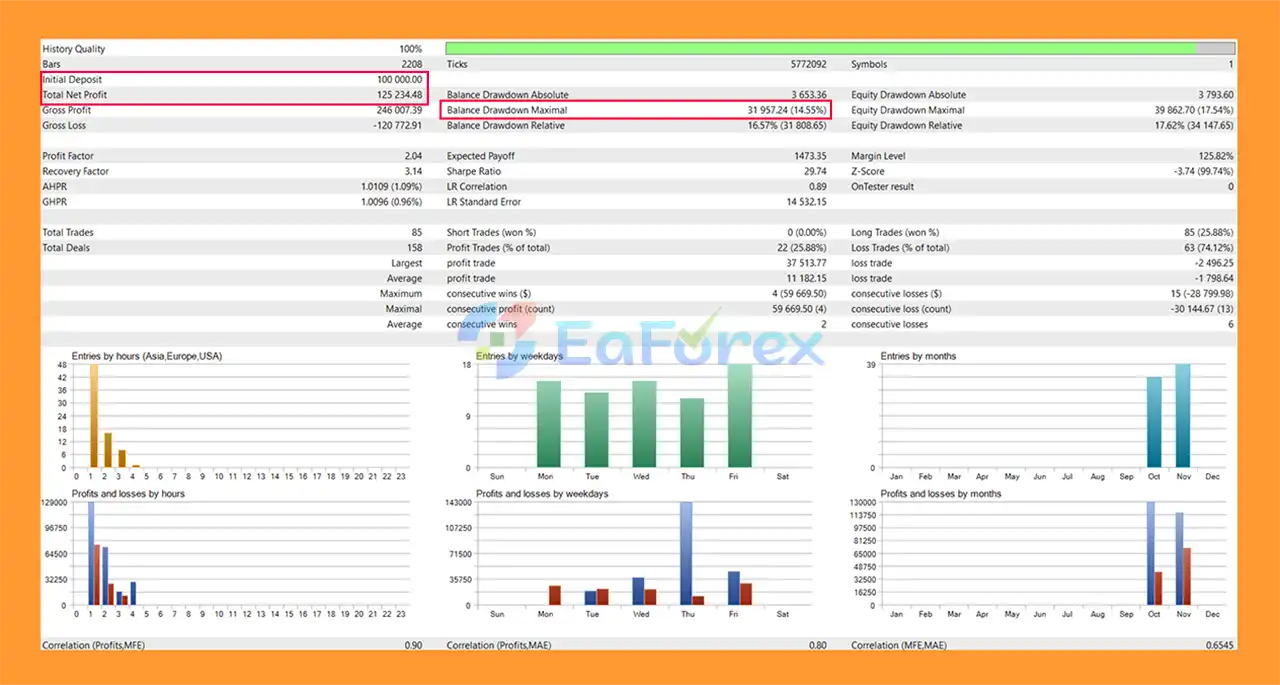
ICT Conqueror EA MT5 Backtests
ICT Conqueror EA MT5 does not rely on a single fixed risk model. Users can configure the risk percentage per trade, fixed lots, maximum concurrent positions, and capital allocation.
For initial testing, the supplied recommendation is:
These are starting parameters rather than guarantees of performance.
The EA also provides multiple layers of risk management, including stop-loss protection, maximum-position controls, daily drawdown limits, total drawdown controls, daily targets, and equity-based protection.
However, ICT-based trading remains exposed to normal market risks. Slippage, spread expansion, gaps, abnormal volatility, execution delays, and changing market conditions can affect actual results.
Backtest performance should therefore be treated as historical evidence rather than a guarantee of future live performance.
Although ICT Conqueror EA MT5 provides extensive configuration options, its flexibility also introduces several considerations.
Complex configuration:
The large number of strategies, filters, SL modes, and risk settings may require careful testing before live deployment.
ICT concepts are not guaranteed signals:
Liquidity sweeps, FVGs, Order Blocks, market-structure shifts, and other price-action concepts can produce false or incomplete setups.
More filters do not automatically mean better performance:
Adding too many conditions may reduce trade frequency or cause the EA to become overly restrictive.
Prop firm rules can change:
The included drawdown presets are configuration references. Always verify the current rules of the specific prop firm before deployment.
Market conditions change:
A strategy configuration that performs well during one market regime may behave differently during trending, ranging, high-volatility, or news-driven conditions.
Broker execution matters:
Spread, slippage, liquidity, execution speed, contract specifications, and server time can affect results.
For these reasons, thorough backtesting and forward testing are recommended before using the EA with real capital.
| Specification | Details |
|---|---|
| Platform | MetaTrader 5 |
| EA Type | ICT / Smart Money Concepts EA |
| Entry Timeframe | M15 |
| Analysis Timeframes | H1 / H4 |
| Supported Markets | XAUUSD, Major Forex Pairs, Indices |
| Minimum Deposit | $500 recommended |
| Recommended Leverage | 1:100+ |
| Broker | ECN / Low-Spread recommended |
| VPS | Recommended for 24/5 operation |
| Martingale | No |
| Grid Trading | No |
| Smart SL Modes | 8 |
| ICT Filter Options | 18 |
| Strategies | Multiple configurable strategies |
| Trading Sessions | London, New York Open, New York Close |
| Position Management | TP, Partial TP, Breakeven, Trailing |
Open MetaTrader 5 and select:
File → Open Data Folder → MQL5 → Experts
Copy the ICT Conqueror EA file into the Experts folder.
Restart MetaTrader 5 or refresh the Expert Advisors section in the Navigator.
For the recommended starting configuration, open:
XAUUSD → M15
The EA can also be configured for supported Forex pairs and indices.
Set:
For initial testing, consider enabling only 1–2 strategies and 2–3 confluence filters rather than activating every available condition at once.
Set the London, New York Open, and/or New York Close Kill Zones according to your broker’s server time and the intended GMT offset.
Once all parameters have been reviewed, activate AutoTrading in MetaTrader 5.
Run historical backtests and forward tests on a demo account before considering live deployment. Monitor execution quality, spread, drawdown, trade frequency, and the behavior of the selected strategies.
In summary, ICT Conqueror EA MT5 is an advanced ICT Trading Expert Advisor for MetaTrader 5 that automates key Smart Money Concepts and price-action principles, including liquidity sweeps, Fair Value Gaps, Order Blocks, Breaker Blocks, OTE, displacement, and market-structure analysis. Its multiple trading strategies, 8 Smart Stop Loss modes, Kill Zone filters, partial Take Profit, breakeven, trailing stop, and prop-firm-oriented drawdown controls provide a configurable framework for automated trading.
The published backtest reports $114,679.69 in net profit from a $100,000 initial deposit, with a maximum drawdown of 16.97%. These results represent historical testing under specific conditions and should not be interpreted as a guarantee of future live performance. Actual results can vary depending on the selected strategy, filters, instrument, broker conditions, spreads, slippage, execution quality, and market environment.
For traders considering an ICT EA MT5, ICT Conqueror should be thoroughly backtested and forward-tested before live deployment. Starting with 1–2 strategies and a limited number of confluence filters can make the system easier to evaluate and monitor. Traders should also carefully configure position risk, drawdown limits, trading sessions, and prop-firm requirements before using the EA with real capital.
1. What is ICT Conqueror EA MT5?
ICT Conqueror EA MT5 is an advanced automated trading robot designed for MetaTrader 5. It executes trades based on Inner Circle Trader (ICT) and Smart Money concepts, focusing on liquidity, market structure, and institutional trading strategies instead of traditional indicators.
2. How does ICT Conqueror EA MT5 work?
ICT Conqueror EA MT5 analyzes key market elements such as liquidity sweeps, order blocks, fair value gaps (FVG), and break of structure (BOS). It then automatically places high-probability trades when multiple confluences align.
3. Is ICT Conqueror EA MT5 suitable for beginners?
Yes, ICT Conqueror EA MT5 is beginner-friendly thanks to its fully automated system. However, basic knowledge of MetaTrader 5 and risk management is recommended for optimal results.
4. What trading strategies does ICT Conqueror EA MT5 use?
The EA integrates multiple ICT strategies, including liquidity sweep detection, order block trading, fair value gap entries, breakout and retest confirmation, Turtle Soup strategy, and double top/bottom patterns.
5. Does ICT Conqueror EA MT5 use martingale or grid trading?
No, ICT Conqueror EA MT5 does not use martingale or grid strategies. It focuses on controlled risk management and high-precision entries to ensure safer trading performance.
6. Can ICT Conqueror EA MT5 pass prop firm challenges?
Yes, the EA is designed to be prop firm friendly. It includes features like daily drawdown protection, smart stop-loss systems, and disciplined risk management to meet strict trading rules.
7. What risk management features are included?
ICT Conqueror EA MT5 offers advanced risk management tools such as smart stop-loss calculation, breakeven automation, trailing stop, partial take profit, and daily drawdown limits.
8. What are the system requirements for ICT Conqueror EA MT5?
You need MetaTrader 5 installed on your device and a stable internet connection. A VPS (Virtual Private Server) is recommended for 24/7 automated trading without interruptions.
9. What results can traders expect from ICT Conqueror EA MT5?
Backtest results show strong performance, including significant net profit and controlled drawdown. However, real trading results may vary depending on market conditions and user settings.
10. What is included in the ICT Conqueror EA MT5 download package?
The download package typically includes the EA file, setup configuration (if available), and a detailed installation guide to help users get started quickly.
In stock
In stock
In stock
In stock
In stock
Out of stock
No account yet?
Create an Account












 Automatic EA
 EA Best Seller
 Expert Advisor MT4
 Expert Advisor MT5
 HFT EA


Reviews
Clear filtersThere are no reviews yet.