









-
 Unlimited Activations
-
 Instant delivery
-
 Easy to install






 Unlimited Activations
Instant delivery
Easy to install
Unlimited Activations
Instant delivery
Easy to install
 Free Update
 Free Install Support

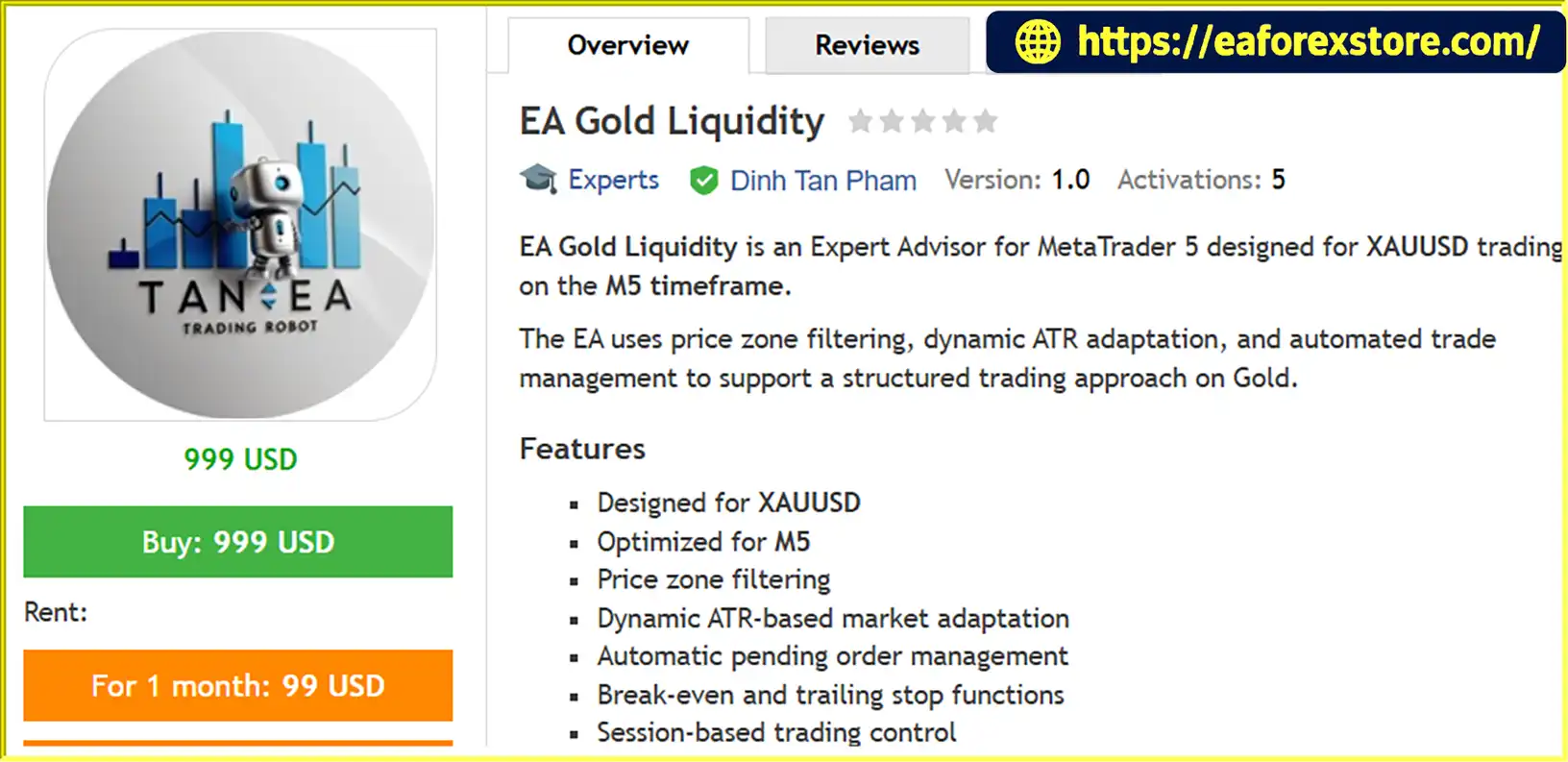
EA Gold Liquidity MT5 is an automated Expert Advisor designed for the MetaTrader 5 (MT5) trading platform, specifically developed for trading Gold (XAUUSD) on the M5 timeframe. The EA combines price zone filtering, dynamic Average True Range (ATR) adaptation, and automated trade management to support a structured approach to short-term Gold trading.
Designed for traders who want to automate their XAUUSD trading strategies, EA Gold Liquidity MT5 incorporates pending order management, break-even functionality, and trailing stop mechanisms. These features help organize trade entries and manage open positions according to the EA’s configured parameters.
The system also includes session-based trading controls, allowing users to configure trading activity around selected market sessions. Its ATR-based adaptation is intended to account for changing market volatility, while price zone filtering helps define the areas used by the strategy to evaluate potential trading opportunities.
EA Gold Liquidity MT5 is intended exclusively for XAUUSD trading, with M5 recommended as its primary timeframe. The suggested starting balance is between $500 and $1,000, depending on broker conditions, trading costs, and individual risk settings.
As with any automated trading system, users should test the EA carefully before deploying it on a live account. Historical backtest results do not guarantee future profitability, and actual performance can vary depending on execution quality, spreads, slippage, and market volatility.
>>> Delivery time 24h-48h after payment.
>>> Refund if not delivered.
>>> You will receive the latest version without any limitations (ID+Time).Reviewed by Jason Stap <<<
EA Gold Liquidity MT5 Overview
EA Gold Liquidity MT5 is developed for XAUUSD, one of the most actively traded precious metal instruments in the Forex market. Gold can experience rapid price movements and changing volatility, making appropriate entry filtering and trade management important considerations.
By focusing on a single instrument, the EA provides a specialized framework for traders who want to automate their Gold trading activities.
The EA is designed to operate on the five-minute chart. The M5 timeframe allows the system to evaluate short-term price movements and identify potential trading opportunities throughout its configured trading sessions.
However, shorter timeframes can be sensitive to spread fluctuations, market noise, and execution delays. Traders should verify that their broker provides suitable conditions for automated XAUUSD trading.
The EA uses price zone filtering to help organize its trading decisions around selected price areas. This approach is intended to filter potential entries based on predefined market zones rather than treating every price movement as a trading opportunity.
The effectiveness of this feature depends on the EA’s underlying rules and the prevailing market environment.
Average True Range (ATR) is a technical indicator commonly used to measure market volatility. EA Gold Liquidity MT5 incorporates dynamic ATR-based adaptation to account for changing price movement conditions.
This feature is intended to help the strategy respond to different volatility environments. Nevertheless, volatility adaptation does not guarantee accurate entries or prevent losses during sudden market movements.
The EA includes automated pending order management to handle order placement and related trading operations according to its programmed logic.
Automating these tasks can reduce the need for manual order handling, although actual order placement and execution remain dependent on broker conditions and the EA’s configuration.
The break-even function helps manage open positions by adjusting the Stop Loss toward the entry price when the configured conditions are met.
This mechanism is intended to protect a position from turning into a larger loss after the market moves favorably. However, a break-even adjustment does not guarantee a risk-free trade because commissions, spreads, slippage, and execution differences can affect the final result.
The trailing stop function is designed to adjust the protective Stop Loss as a trade moves in a favorable direction, according to the configured rules.
This can help manage open positions and potentially protect accumulated gains while allowing a trade to continue developing. Its effectiveness depends on market volatility, trailing parameters, and execution conditions.
EA Gold Liquidity MT5 includes session-based trading controls that allow trading activity to be managed around selected market periods.
Session filtering can help traders define when the EA is permitted to operate. Users should verify the applicable time settings and account for their broker’s server time before enabling live trading.
EA Gold Liquidity MT5 combines price zone filtering, volatility adaptation, pending order management, and automated position management into a structured trading process.
The EA evaluates price behavior using its configured price zone filtering rules. These zones help define the market areas in which potential trading opportunities may be considered.
The specific zone calculation and entry criteria depend on the EA’s programmed strategy.
The system uses ATR-based adaptation to account for changing market volatility. ATR provides information about the magnitude of recent price movements, helping the strategy adjust according to its configured volatility-related rules.
This is particularly relevant to Gold, where short-term price fluctuations can change considerably between market sessions.
When the required trading conditions are satisfied, the EA manages pending orders according to its internal rules. This automates order-related tasks and reduces the need for continuous manual intervention.
Order activation, execution price, and fill quality depend on market conditions and the broker’s trading environment.
Once a position is active, the EA can apply its configured break-even and trailing stop functions. These tools are designed to manage downside exposure and respond to favorable price movements.
The resulting trade behavior depends on the selected parameters and how the market develops after entry.
The EA uses its session controls to determine when trading activity is permitted. This allows users to configure the system around their preferred trading periods rather than necessarily operating throughout the entire trading day.
The EA operates according to its configured rules while MetaTrader 5 is running and the trading environment remains available. Users should monitor order execution, account equity, and overall performance to ensure that the strategy continues to behave as expected.
EA Gold Liquidity MT5 is designed specifically for Gold rather than being presented as a general-purpose multi-currency Expert Advisor. This focused approach may appeal to traders who primarily follow XAUUSD and want a dedicated automated trading tool.
Price zone filtering provides a framework for evaluating potential trading opportunities around predefined market areas. This can help organize entry decisions within the strategy’s programmed rules.
The inclusion of ATR-based adaptation addresses an important characteristic of Gold trading: volatility can vary significantly over short periods.
Although this feature does not eliminate volatility risk, it provides a volatility-aware component within the EA’s trading framework.
Pending order management reduces the need to handle every order manually. Combined with automated trade management, this can make the trading process more systematic for users who prefer rule-based execution.
The availability of break-even and trailing stop mechanisms provides additional tools for managing open positions. Traders can evaluate how these functions affect trade duration, realized gains, and overall drawdown during testing.
Session-based trading settings allow users to configure when the EA operates. This flexibility can be useful when evaluating how Gold behaves during different trading periods.
The recommended starting balance of $500 to $1,000 provides an initial reference for evaluating account requirements. The actual capital needed depends on lot sizing, margin requirements, broker specifications, and the level of risk accepted by the trader.
The suggested balance should not be interpreted as a guarantee that the account can safely support every configuration.
EA Gold Liquidity MT5 Backtets
Risk management is essential when using EA Gold Liquidity MT5 because Gold can experience rapid price movements, sharp reversals, and sudden changes in trading costs.
The recommended starting balance is between $500 and $1,000, depending on broker conditions and risk settings. Before trading, users should confirm that their account has sufficient free margin for the intended position size and potential adverse price movements.
A smaller balance can limit flexibility when trading XAUUSD, particularly if the broker’s minimum lot size or margin requirements are relatively high.
ATR-based adaptation is intended to account for changing market volatility. However, users should not assume that the EA automatically adjusts every aspect of trading risk unless this behavior is confirmed in its settings and documentation.
Gold can move rapidly during economic announcements and unexpected market events, so volatility-related settings should be tested under a range of historical conditions.
Break-even and trailing stop parameters should be configured carefully. Setting a trailing stop too tightly may cause positions to close during ordinary price fluctuations, while a wider setting may allow larger adverse movements before protection is activated.
Testing different configurations can help users understand the trade-off between protecting open positions and allowing trades sufficient room to develop.
Pending orders may be activated at prices different from those expected because of gaps, rapid market movements, or execution conditions. Users should verify how the EA manages pending orders and whether its rules account for changing spreads and market conditions.
Trading costs can vary throughout the day. Before enabling the EA, evaluate the broker’s XAUUSD spread, commissions, execution quality, and trading-session settings.
A session filter does not automatically guarantee favorable trading conditions during the selected period.
The available product information does not confirm whether EA Gold Liquidity MT5 includes dedicated push notifications, email alerts, or a custom alert dashboard. Users should check the EA’s inputs and MetaTrader 5 notification settings to establish which alert features are available.
Regularly monitor:
Important risk warning: Backtest results are historical examples and do not guarantee future performance. Actual results may differ because of market volatility, spreads, slippage, liquidity, execution quality, and broker-specific trading conditions.
setting
Obtain the EA Gold Liquidity MT5 package from the official product provider. Confirm that the files are compatible with your MetaTrader 5 installation.
Launch MetaTrader 5 on your computer and log in to the account you intend to use for testing.
In MetaTrader 5, select File → Open Data Folder. Open the MQL5 directory and navigate to Experts.
Copy the supplied Expert Advisor files into the appropriate MQL5/Experts folder. If the package includes additional indicators or dependencies, follow the provider’s instructions for installing them.
Return to MetaTrader 5 and refresh the Navigator panel or restart the platform if necessary. Locate EA Gold Liquidity MT5 under Expert Advisors.
Open the Gold chart offered by your broker and select the M5 timeframe. Verify the symbol name because some brokers use suffixes or prefixes for their Gold instruments.
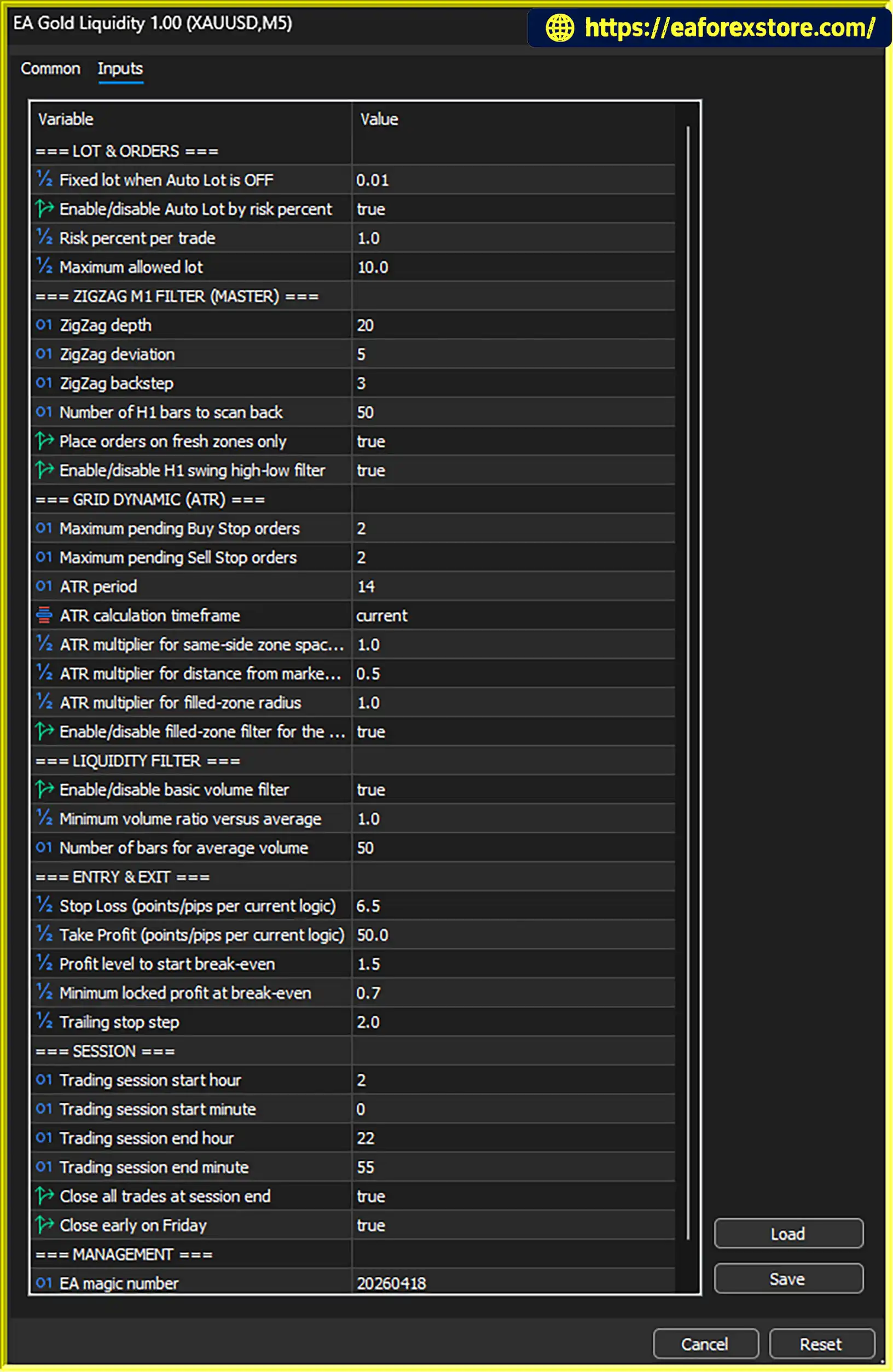
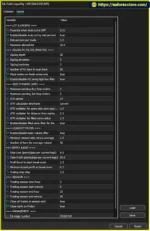
Attach the EA to the chart and review the available input parameters. Configure the price zone, ATR-related settings, pending order management, break-even, trailing stop, and trading session options according to the available inputs.
Confirm that the EA’s settings are appropriate for your account size and broker conditions.
Enable automated trading in MetaTrader 5 and verify that the EA has the required permissions. Check the Experts and Journal tabs for initialization errors or order execution problems.
Use the MetaTrader 5 Strategy Tester to evaluate the EA on historical XAUUSD data. Review net profit, drawdown, trade frequency, transaction costs, and the stability of the results across different market conditions.
Do not rely exclusively on a profitable historical test when deciding whether to use the EA with real money.
Run the EA on a demo account using conditions similar to your intended live setup. Check how it handles pending orders, volatility changes, break-even adjustments, trailing stops, and session restrictions.
A reliable Virtual Private Server (VPS) may help maintain a stable MetaTrader 5 environment when continuous operation is required. Monitor the platform regularly because VPS hosting cannot eliminate broker outages, execution problems, or trading losses.
Installation note: The exact file format, licensing requirements, activation process, and any additional dependencies depend on the package supplied by the developer.
EA Gold Liquidity MT5 is intended for traders who want to automate Gold trading on MetaTrader 5 using the M5 timeframe.
Recommended configuration:
Before deploying the EA, confirm that the broker offers suitable XAUUSD trading conditions. Review contract specifications, minimum lot size, margin requirements, commissions, spreads, and execution quality.
The recommended starting balance is a guideline rather than a guarantee of adequate capital. Traders should determine an appropriate position size based on their financial circumstances and ability to tolerate losses.
>>> Join VIP Membership Now <<<
EA Gold Liquidity MT5 is a specialized Expert Advisor for automated XAUUSD trading on the M5 timeframe. It combines price zone filtering, ATR-based market adaptation, pending order management, break-even functionality, trailing stops, and session-based trading controls within a structured trading framework.
Its focus on Gold and its automated trade-management features may appeal to traders who prefer a dedicated XAUUSD strategy rather than a general-purpose multi-currency EA. The volatility-aware approach and position-management functions provide useful areas to evaluate during strategy testing.
However, Gold trading carries significant risk, particularly on shorter timeframes where price movements, spreads, and execution quality can have a substantial impact on results. The suggested starting balance of $500 to $1,000 should be assessed carefully against broker margin requirements and the selected risk settings.
Before using EA Gold Liquidity MT5 on a live account, test it with historical data, validate its behavior on a demo account, and review the effects of realistic trading costs. Pay particular attention to drawdown, pending order execution, trailing stop behavior, and session settings.
Overall, EA Gold Liquidity MT5 may be worth evaluating for traders seeking automated Gold trading tools on MetaTrader 5. Its suitability depends on the quality of testing, the broker’s trading environment, and the user’s ability to maintain disciplined risk management.
1. What is EA Gold Liquidity MT5?
EA Gold Liquidity MT5 is an automated Expert Advisor (EA) designed for trading Gold (XAUUSD) on the MetaTrader 5 platform. It combines price zone filtering, ATR-based volatility adaptation, automated pending order management, break-even functionality, and trailing stops to help manage trades according to predefined trading rules.
2. Which trading pair and timeframe does EA Gold Liquidity MT5 support?
EA Gold Liquidity MT5 is specifically designed for the XAUUSD (Gold) trading pair, with the M5 (5-minute) timeframe recommended as its primary operating timeframe. Before installation, check your broker's Gold symbol specifications, as the symbol name may include a prefix or suffix.
3. What is the recommended starting balance for EA Gold Liquidity MT5?
The suggested starting balance is between $500 and $1,000, depending on your broker's trading conditions, margin requirements, minimum lot size, and risk settings. This amount is a guideline, not a guarantee of sufficient capital or profitability. Traders should test the EA with an appropriate position size and ensure they can afford potential losses.
4. How does EA Gold Liquidity MT5 work?
EA Gold Liquidity MT5 evaluates potential trading opportunities using price zone filtering and ATR-based market volatility adaptation. When its programmed conditions are satisfied, the EA manages pending orders and applies its configured trade-management rules. Break-even and trailing stop functions help manage open positions, while session-based controls determine when trading is permitted.
5. Does EA Gold Liquidity MT5 include Stop Loss, break-even, and trailing stop features?
The EA includes break-even functionality and trailing stop management to help manage open positions. These features can adjust protective Stop Loss levels according to configured conditions. However, the exact initial Stop Loss behavior should be verified in the EA's settings and documentation. Neither break-even nor trailing stops can eliminate all trading risks or guarantee a profitable outcome.
6. Is EA Gold Liquidity MT5 profitable, and what are its backtest results?
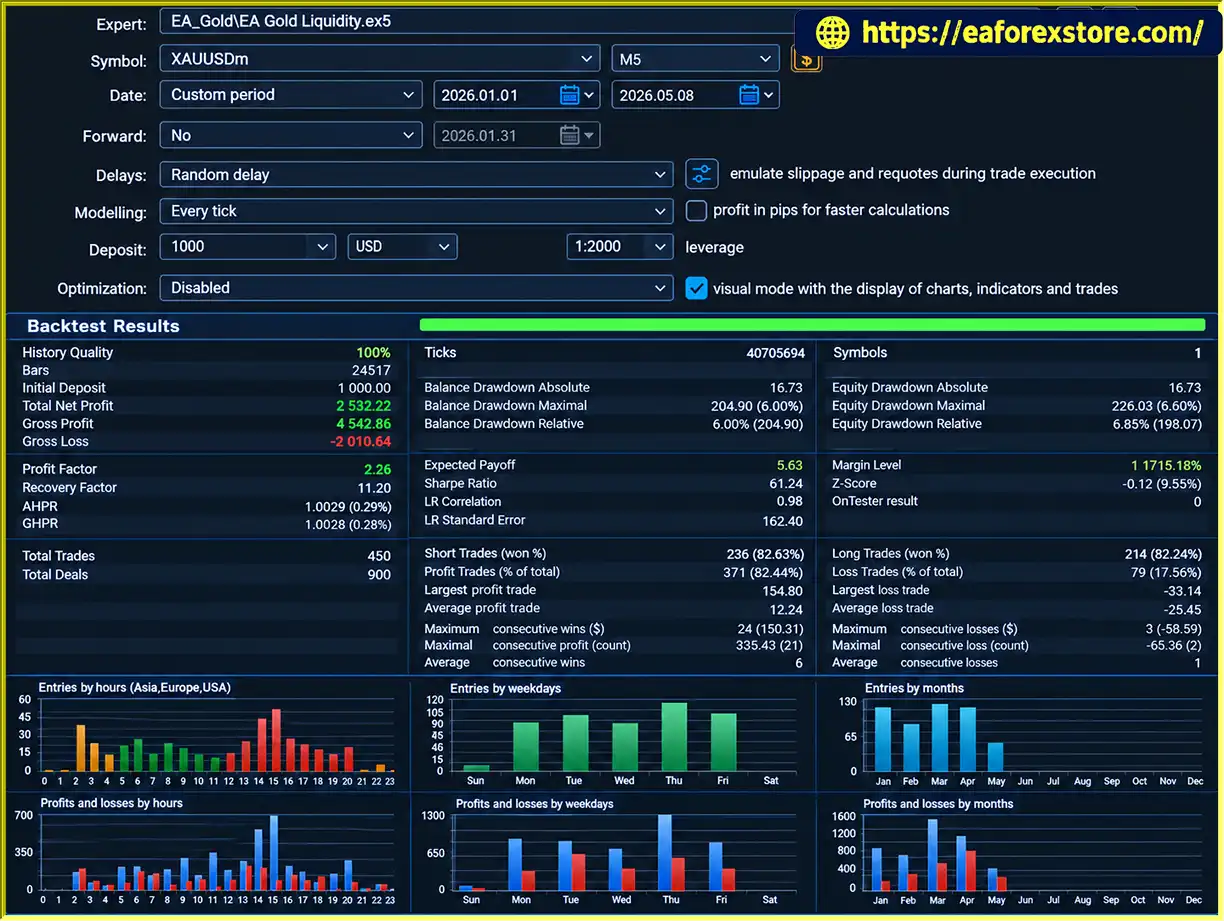
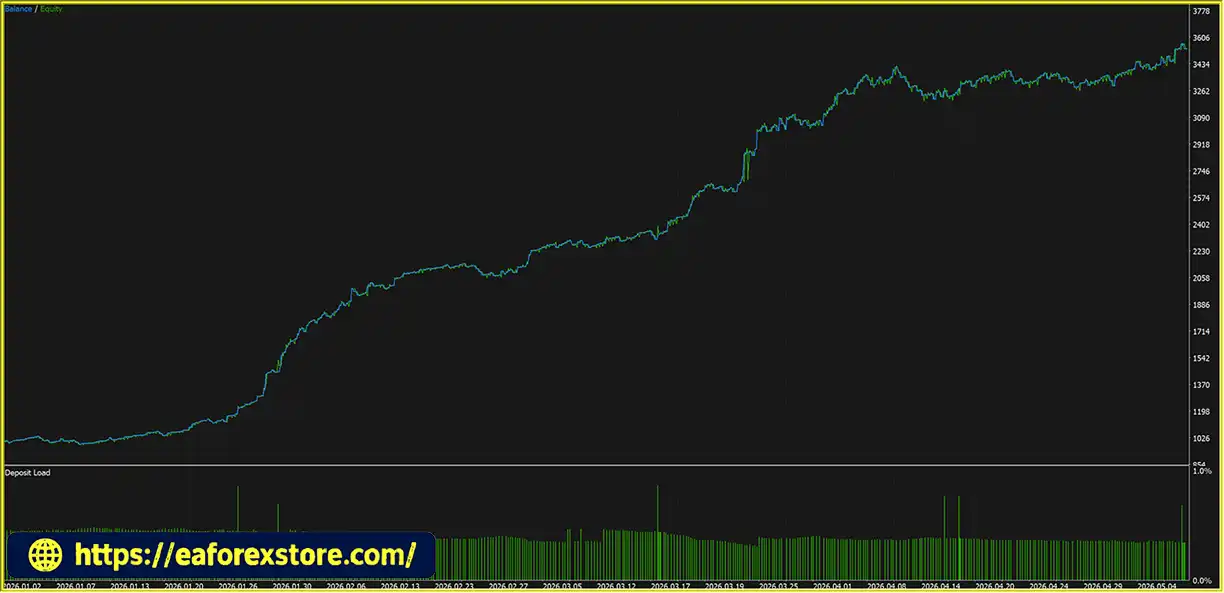
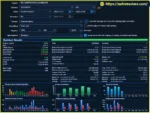
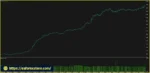
The supplied seven-month XAUUSD backtest reports an initial deposit of $1,000, total net profit of $2,532.22, a win rate of 82.44%, and maximum drawdown of 6.00%. These figures represent the reported historical test results and should not be interpreted as guaranteed future performance. Actual trading outcomes may differ because of spreads, commissions, slippage, market volatility, and broker execution conditions.
7. How do I install EA Gold Liquidity MT5 on MetaTrader 5?
To install EA Gold Liquidity MT5, download the EA package, open MetaTrader 5, and select File → Open Data Folder. Copy the supplied EA Gold Liquidity.ex5 file into the MQL5/Experts folder, then refresh the Navigator panel or restart MT5. Attach the EA to your broker's XAUUSD M5 chart, review its available settings, and enable automated trading. Backtest the EA and test it on a demo account before using real money.
8. Is EA Gold Liquidity MT5 suitable for beginners, and does it guarantee profits?
EA Gold Liquidity MT5 may appeal to traders who want to automate Gold trading without manually managing every order. However, beginners should understand basic MetaTrader 5 operations, position sizing, margin requirements, and trading risk before using it. The EA does not guarantee profits, and automated trading can result in significant losses. Demo testing, realistic backtesting, ongoing monitoring, and appropriate risk management are essential before live deployment.
In stock
In stock
In stock
In stock
In stock
Out of stock
No account yet?
Create an Account












 Automatic EA
 EA Best Seller
 Expert Advisor MT4
 Expert Advisor MT5
 HFT EA


Reviews
Clear filtersThere are no reviews yet.