









-
 Unlimited Activations
-
 Instant delivery
-
 Easy to install





 Unlimited Activations
Instant delivery
Easy to install
Unlimited Activations
Instant delivery
Easy to install
 Free Update
 Free Install Support

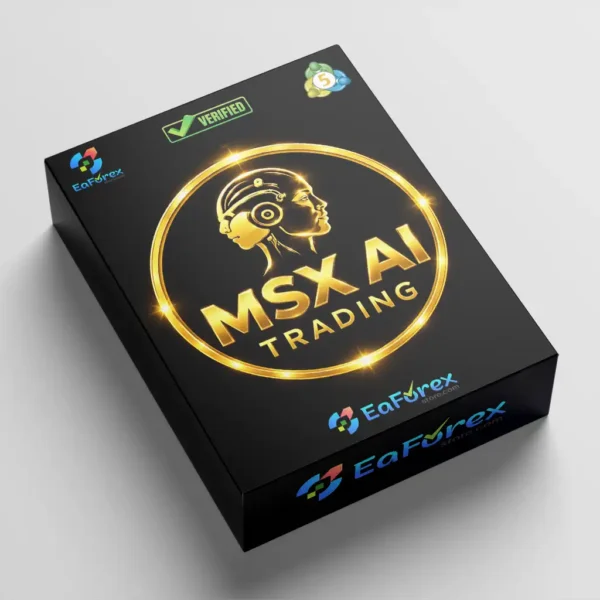
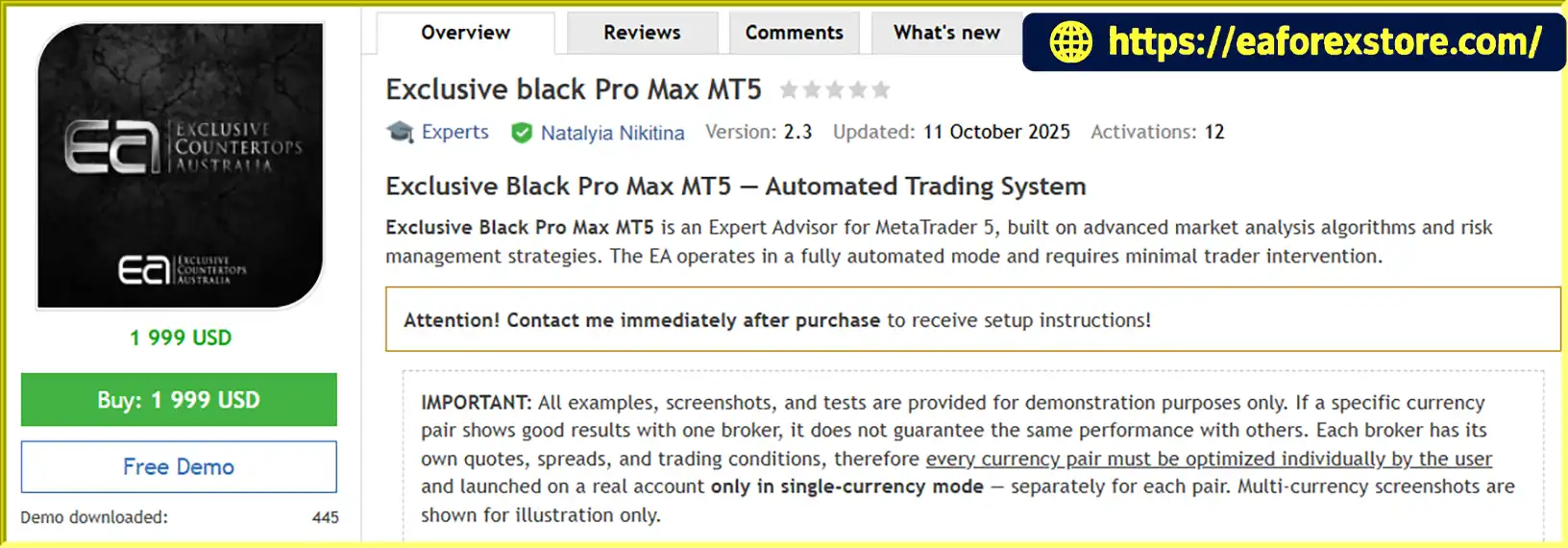
Exclusive Black Pro Max MT5 is an automated Expert Advisor (EA) designed for the MetaTrader 5 (MT5) trading platform. It uses advanced market analysis algorithms, indicator combinations, and trading filters to identify potential trading opportunities across multiple currency pairs.
Developed for traders seeking a systematic approach to Forex trading, this EA combines automated trade execution with adaptive stop-loss mechanisms and dynamic capital protection strategies. Once configured, it can operate with minimal manual intervention, allowing traders to follow predefined trading parameters without constantly monitoring the market.
Exclusive Black Pro Max MT5 is designed for the M15 timeframe and is compatible with Raw Spread and ECN trading accounts. It supports modern order execution modes, including IOC, FOK, Return, and BOC, depending on broker and instrument compatibility.
Although the EA includes built-in settings for initial testing, individual optimization is essential before using it on a live account. Trading parameters should be adjusted to match the broker, account balance, spreads, execution conditions, and selected currency pairs.
Important: The EA’s demo version is intended for evaluation purposes. Unoptimized backtest results do not guarantee future profitability or reflect the strategy’s actual performance under every trading condition.
>>> Delivery time 24h-48h after payment.
>>> Refund if not delivered.
>>> You will receive the latest version without any limitations (ID+Time).Reviewed by Jason Stap <<<
Exclusive Black Pro Max MT5 Overview
Exclusive Black Pro Max MT5 combines multiple indicators and market filters to evaluate potential trading setups. This approach aims to identify suitable entry opportunities based on predefined trading conditions rather than relying on a single indicator.
Once configured, the EA can analyze market conditions and execute trades automatically according to its programmed rules. Automation reduces the need for continuous manual monitoring, although regular supervision remains important.
The system incorporates adaptive stop-loss settings and dynamic capital protection strategies. These features are designed to help manage exposure and respond to changing market conditions. Actual risk levels depend on the EA’s configuration, broker execution, and market volatility.
The EA can be configured for multiple Forex currency pairs. Example instruments include EURUSD, GBPUSD, USDJPY, AUDUSD, USDCAD, EURJPY, and NZDUSD, alongside several less commonly traded pairs.
Each currency pair must be configured and optimized individually before live trading. Using more pairs may increase diversification opportunities, but it can also increase total exposure and the complexity of portfolio management.
Exclusive Black Pro Max MT5 supports several order execution types:
Availability depends on the broker, symbol, and supported MetaTrader 5 execution settings.
Built-in parameters allow users to begin testing after installation without creating every setting from scratch. However, these default parameters should be treated as a starting point rather than a guarantee of optimal performance.
The EA is designed to operate on the 15-minute chart (M15). This timeframe provides a structured environment for short-term market analysis while allowing traders to evaluate trading opportunities throughout different market sessions.
Exclusive Black Pro Max MT5 follows an automated trading process based on market analysis, configured parameters, and broker execution conditions.
Step 1: Market Analysis
The EA evaluates available market data using its programmed indicators and filters. These calculations help identify conditions that may qualify as potential trading opportunities.
Step 2: Trading Signal Evaluation
The algorithm checks whether the market satisfies its entry requirements. Trading decisions depend on the EA’s configured parameters and the behavior of the selected currency pair.
Step 3: Order Execution
When the required conditions are met, the EA submits trading orders through the connected MetaTrader 5 account. The final execution result depends on broker rules, liquidity, spreads, slippage, and the selected execution mode.
Step 4: Stop-Loss and Risk Control
The EA applies its configured stop-loss and capital protection mechanisms to manage trading exposure. These settings should be reviewed carefully before live deployment because protective orders cannot eliminate all trading risks.
Step 5: Ongoing Monitoring and Optimization
The EA continues operating according to its programmed logic while MetaTrader 5 remains connected and the trading environment meets the required conditions. Traders should monitor results, review execution quality, and periodically reassess the optimized settings.
For reliable operation, optimization should be performed separately for each currency pair and repeated at least once a year, or sooner when market conditions or broker specifications change significantly.
Exclusive Black Pro Max MT5 is suitable for traders who prefer systematic execution over making every trading decision manually. Once the EA is configured, it can monitor the market and manage trading operations according to its programmed rules.
Combining indicators and filters can provide a more structured evaluation of market conditions than relying on a single signal. However, the effectiveness of these components depends on the underlying algorithm and the quality of the selected parameters.
The EA supports individual configuration across a range of currency pairs. This flexibility allows users to select instruments that match their broker’s trading conditions, available capital, and risk tolerance.
The EA is intended for Raw Spread and ECN trading environments, where competitive spreads may be available. Traders should also consider commissions, overnight financing, slippage, and execution quality when evaluating the total cost of trading.
Users can begin evaluating the EA with its supplied parameters before conducting more detailed optimization. This makes initial testing more accessible while preserving the need for independent validation.
A Virtual Private Server (VPS) is recommended to maintain a stable trading environment. A properly configured VPS can help reduce interruptions caused by local computer shutdowns or unstable internet connections.
However, a VPS does not prevent losses or guarantee uninterrupted broker connectivity.
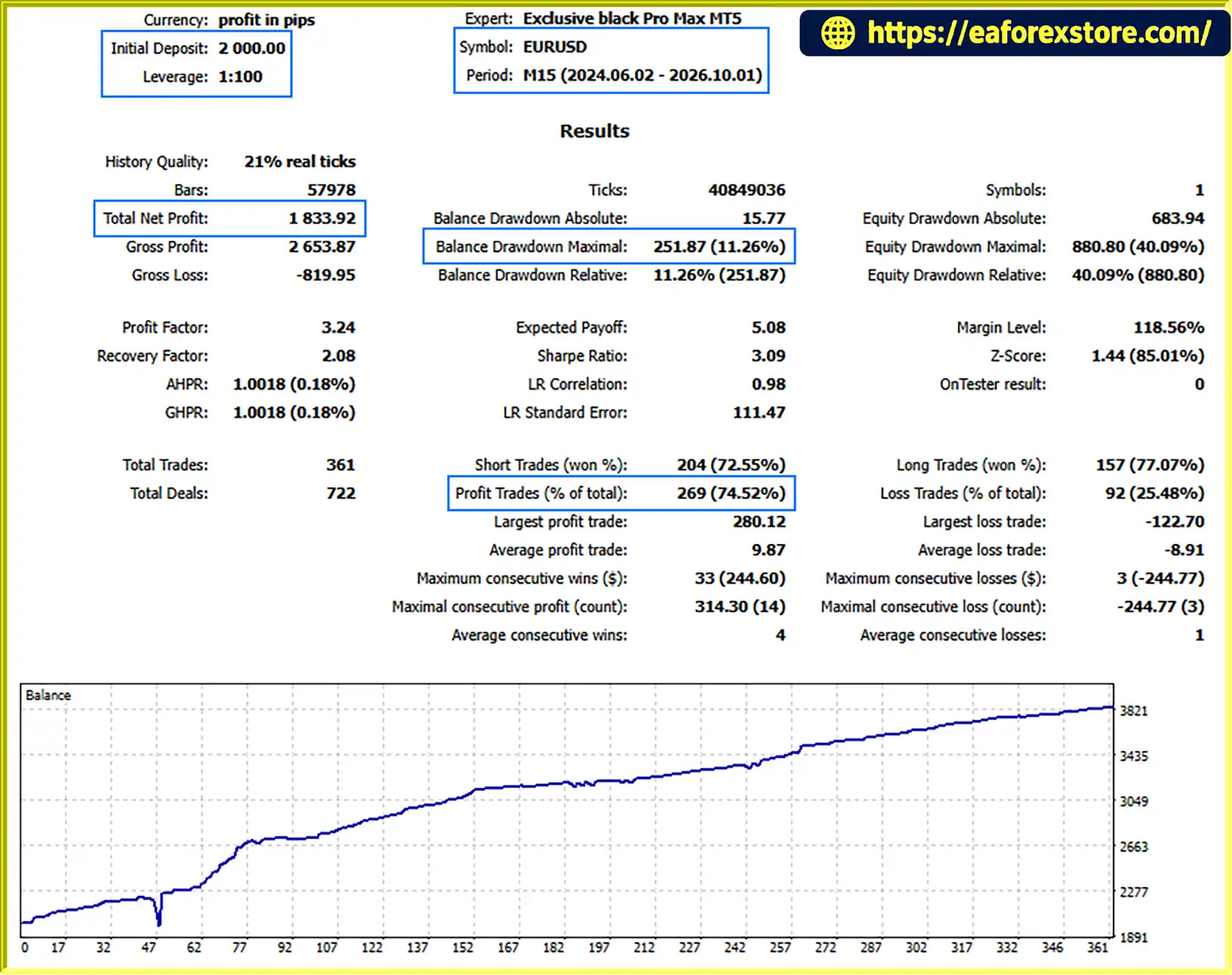
Exclusive Black Pro Max MT5 backtets
Risk management is an essential part of using Exclusive Black Pro Max MT5. Although the EA includes adaptive stop-loss and capital protection features, no automated trading system can eliminate market risk.
Each currency pair has different volatility, spreads, liquidity, and price behavior. Consequently, settings optimized for EURUSD may not perform equally well on GBPJPY or other instruments.
Users should optimize each selected pair independently and evaluate the results using historical data, out-of-sample testing, and demo trading.
The recommended minimum deposit starts at $1,000, which is the developer’s stated guideline for proper algorithm operation. This is not a guarantee of sufficient capital for every instrument or risk setting.
The appropriate account size depends on position sizing, stop-loss distance, leverage, simultaneous trades, and the possibility of adverse market movements. Traders should avoid risking money they cannot afford to lose.
The stated leverage requirement is from 1:500. High leverage can increase market exposure relative to account equity and may accelerate losses or trigger margin liquidation.
Confirm the broker’s actual leverage limits and margin requirements for every instrument before enabling automated trading.
The developer recommends repeating optimization at least once a year. More frequent reviews may be necessary when volatility, spreads, execution conditions, or market behavior change significantly.
Optimization should not focus exclusively on maximizing historical profits. Drawdown, trade frequency, risk-to-reward characteristics, transaction costs, and out-of-sample stability should also be considered.
The supplied information does not confirm the availability of dedicated push notifications, email alerts, or a built-in alert dashboard. Traders should verify these functions in the EA’s settings and use the available MetaTrader 5 monitoring tools where appropriate.
Monitor the following conditions regularly:
Risk warning: Historical performance is not a reliable guarantee of future results. Backtests may not fully reproduce real spreads, slippage, liquidity constraints, or broker execution behavior.
Follow these steps to install and configure Exclusive Black Pro Max MT5 on MetaTrader 5.
Obtain the Exclusive Black Pro Max MT5 files from the official product provider. Confirm that the package is compatible with your MetaTrader 5 installation.
Launch MetaTrader 5 on your computer and log in to the trading account you intend to use for testing.
In MetaTrader 5, select File → Open Data Folder. Navigate to the MQL5 directory and open the Experts folder.
Copy the supplied EA files into the appropriate MQL5/Experts directory. If the package contains additional files or dependencies, place them in the correct folders according to the provider’s instructions.
Return to MetaTrader 5 and refresh the Navigator panel, or restart the platform if necessary. Locate Exclusive Black Pro Max MT5 under the Expert Advisors section.
Open the chart for the currency pair you want to test and switch the timeframe to M15. Ensure the symbol matches the instrument supported by your broker.
Attach the EA to the chart and review all available input parameters. Configure the settings according to your account balance, trading conditions, risk tolerance, and optimization results.
Confirm that automated trading is enabled and that the EA has the necessary permissions to operate.
Start with historical backtesting using suitable data and realistic trading costs. Follow this with out-of-sample testing and demo trading to evaluate stability under different market conditions.
Do not assume that default settings are suitable for live trading simply because the EA starts without errors.
Optimize every intended currency pair individually. Review drawdown, trade frequency, transaction costs, and robustness instead of selecting parameters solely because they produce the highest historical profit.
For continuous operation, consider using a reliable VPS with stable connectivity. Check the platform regularly to confirm that the EA is running correctly and that orders are being processed as expected.
Installation note: The exact file format, activation process, licensing requirements, and any additional dependencies depend on the package supplied by the developer.
Exclusive Black Pro Max MT5 can be configured for a broad selection of Forex instruments. The following pairs are provided as examples, not as a guarantee that every pair will be suitable for live trading.
Example currency pairs:
Before trading less liquid or exotic currency pairs, check their spreads, commissions, trading hours, contract specifications, and execution quality. These factors may differ significantly between brokers.
The developer lists IC Markets Global, Exness, RoboForex, Tickmill, FxPro, XM, Alpari, AMarkets, FP Markets, Pepperstone, HFM, FXTM, Octa, and FreshForex as examples of brokers to consider.
This list is not exhaustive and should not be interpreted as an endorsement or a guarantee of compatibility. Verify current account availability, regulation, trading costs, leverage, and symbol specifications directly with the chosen broker.
>>> Join VIP Membership Now <<<
Exclusive Black Pro Max MT5 is an automated Forex trading solution for MetaTrader 5 that combines market analysis algorithms, multiple indicators and filters, adaptive stop-loss mechanisms, and flexible configuration across different currency pairs.
Its main appeal is the ability to automate trading while allowing users to tailor settings to their selected instruments and broker conditions. Support for M15 trading, Raw Spread and ECN accounts, and multiple order execution modes provides a defined technical framework for traders who prefer systematic trading strategies.
However, optimization and risk management are essential parts of using this EA successfully. The recommended $1,000 starting deposit, stated leverage requirements, and annual optimization schedule should be considered alongside individual financial circumstances and trading objectives.
Before committing real capital, traders should backtest the EA, validate the results with out-of-sample data, and run it on a demo account under realistic conditions. Performance should be assessed using drawdown, execution quality, transaction costs, and consistency rather than historical profit alone.
Overall, Exclusive Black Pro Max MT5 may be worth evaluating for traders seeking automated multi-pair Forex trading on MetaTrader 5. Its suitability ultimately depends on the quality of optimization, the reliability of the trading environment, and the user’s ability to manage risk responsibly.
1. What Is Exclusive Black Pro Max MT5?
Exclusive Black Pro Max MT5 is an automated Forex trading Expert Advisor (EA) developed for the MetaTrader 5 platform. It uses multiple indicators, market analysis algorithms, and trading filters to identify potential trading opportunities. The EA also includes adaptive stop-loss mechanisms and capital protection features to help manage trading risk.
2. Which Timeframe Does Exclusive Black Pro Max MT5 Use?
Exclusive Black Pro Max MT5 is designed for the M15 (15-minute) timeframe. It can analyze market conditions and execute trades according to its programmed strategy and configured parameters. Traders should test the EA on the intended currency pair and timeframe before using it on a live account.
3. Which Currency Pairs Does Exclusive Black Pro Max MT5 Support?
Exclusive Black Pro Max MT5 supports configuration across multiple Forex currency pairs, including EURUSD, GBPUSD, USDJPY, AUDUSD, USDCAD, EURJPY, and NZDUSD. Other currency pairs may also be suitable, depending on broker support and trading conditions. Each pair should be optimized independently because spreads, volatility, liquidity, and price behavior can affect performance.
4. Does Exclusive Black Pro Max MT5 Support Automatic Risk Management?
Yes. Exclusive Black Pro Max MT5 includes adaptive stop-loss mechanisms and dynamic capital protection strategies designed to help manage trading exposure. However, the effectiveness of these features depends on the EA's settings, market volatility, and broker execution. Traders should carefully configure position sizing, stop-loss parameters, and risk limits before enabling automated trading.
5. What Is the Recommended Minimum Deposit for Exclusive Black Pro Max MT5?
The developer recommends a starting deposit of $1,000. However, this amount does not guarantee sufficient capital for every currency pair, trading configuration, or leverage level. The appropriate deposit depends on position sizing, margin requirements, stop-loss distances, and potential drawdowns. Traders should test the EA with their intended account conditions and only risk money they can afford to lose.
6. Is Exclusive Black Pro Max MT5 Compatible With Raw Spread and ECN Accounts?
Yes. Exclusive Black Pro Max MT5 is designed to support Raw Spread and ECN trading accounts. It also supports IOC, FOK, Return, and BOC order execution modes, subject to broker and instrument compatibility. Before trading, users should verify the broker's supported execution settings, spreads, commissions, slippage, and margin requirements.
7. Are the Backtest Results of Exclusive Black Pro Max MT5 Guaranteed to Be Profitable?
No. Historical backtest results do not guarantee future profits or identical performance in live trading. The published EURUSD backtest reports an initial deposit of $2,000, total net profit of $1,833.92, a win rate of 74.52%, and maximum drawdown of 11.26% over more than two years. Actual results may differ because of market conditions, optimization settings, spreads, commissions, and execution quality. Independent backtesting, out-of-sample testing, and demo forward-testing are recommended.
8. How Do I Install Exclusive Black Pro Max MT5 on MetaTrader 5?
To install Exclusive Black Pro Max MT5, download the EA file, open MetaTrader 5, and select File → Open Data Folder → MQL5 → Experts. Copy the supplied .ex5 file into the Experts folder, refresh the Navigator panel, and attach the EA to an M15 chart for your selected currency pair. Configure the trading parameters, enable automated trading, and test the EA on a demo account before considering live deployment. A reliable VPS is recommended for continuous operation.
In stock
In stock
In stock
In stock
In stock
Out of stock
No account yet?
Create an Account












 Automatic EA
 EA Best Seller
 Expert Advisor MT4
 Expert Advisor MT5
 HFT EA


Reviews
Clear filtersThere are no reviews yet.