









-
 Unlimited Activations
-
 Instant delivery
-
 Easy to install

 Unlimited Activations
Instant delivery
Easy to install
Unlimited Activations
Instant delivery
Easy to install
 Free Update
 Free Install Support

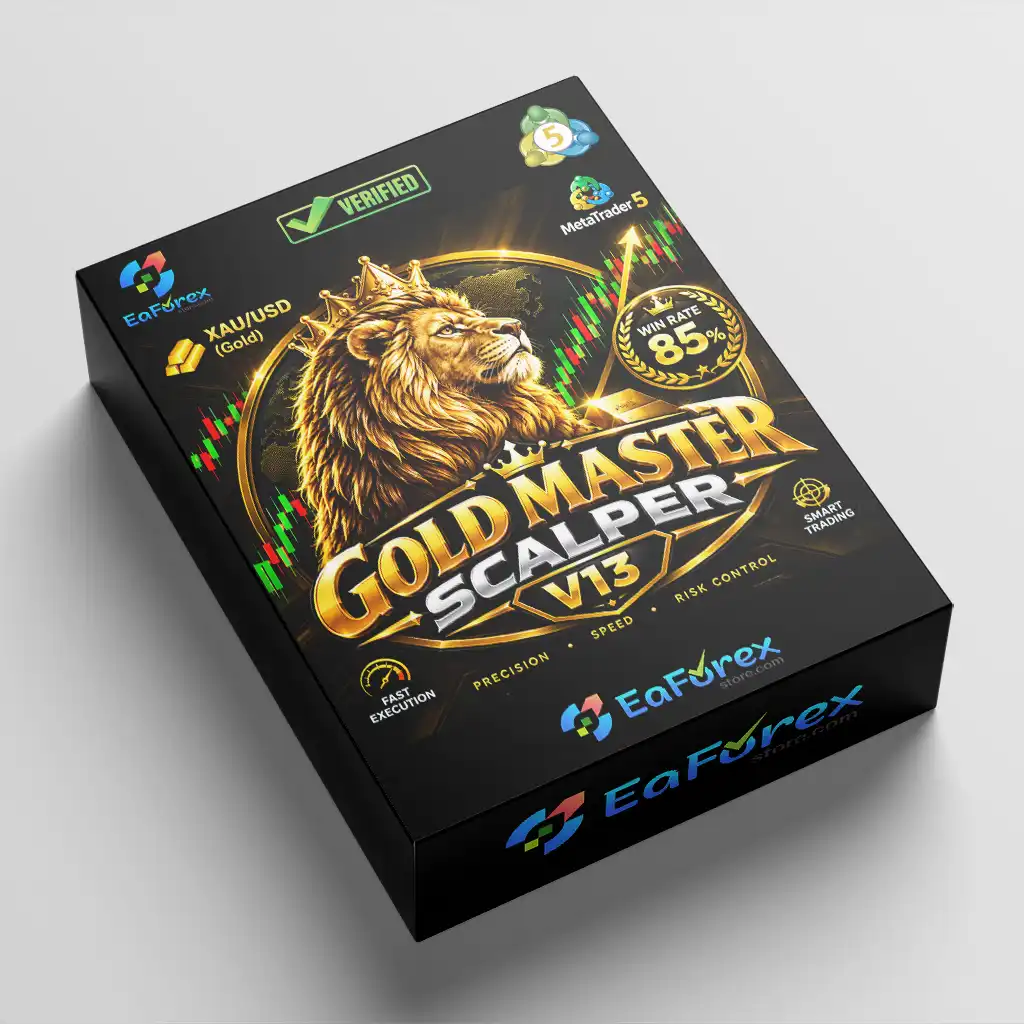
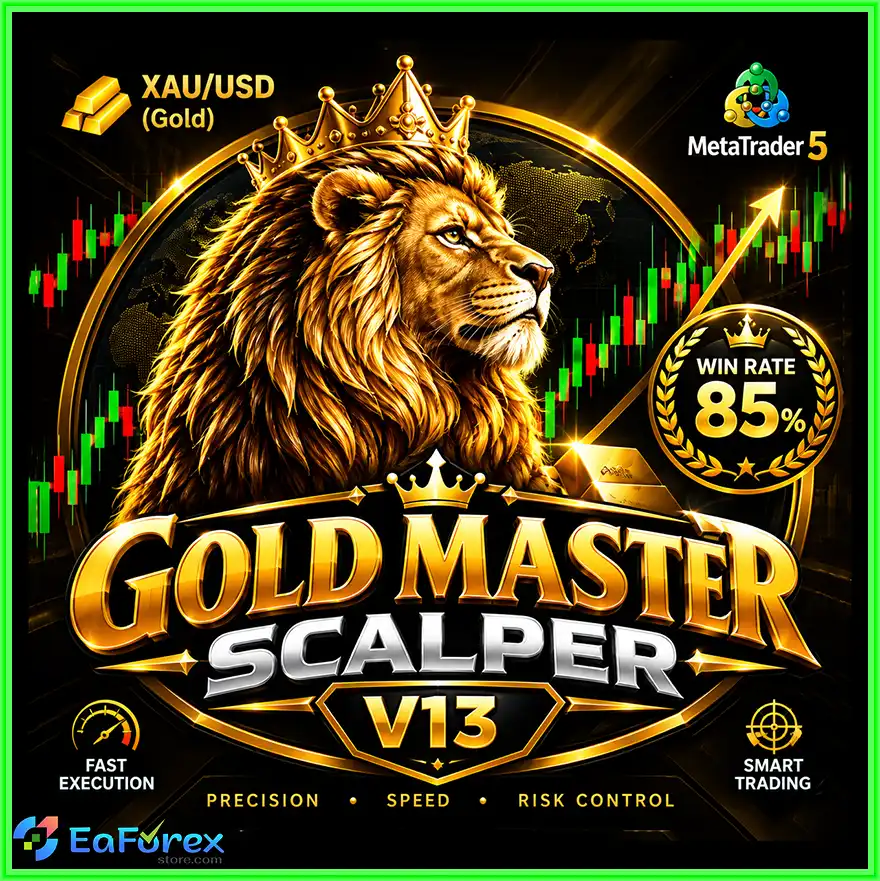
GoldMasterScalperV13 MT5 is an automated Expert Advisor (EA) developed specifically for Gold (XAUUSD) trading on the MetaTrader 5 platform. Designed for short-term scalping, this trading robot focuses on fast execution, selective entry conditions, and structured risk management to identify potential opportunities in the gold market.
GoldMasterScalperV13 is primarily designed for the M5 timeframe, with M1 also presented as a suitable option. It continuously monitors market conditions and executes trades when its internal trading criteria are satisfied. Rather than opening positions indiscriminately, the EA aims to identify potential short-term opportunities while maintaining predefined risk controls.
One of its main strengths is its integrated risk management framework. The EA includes dynamic risk-based position sizing, automatic lot calculation, configurable risk percentages, and automatic Stop Loss and Take Profit placement. Additional safeguards, including daily loss protection and maximum losing-trade controls, are designed to help traders manage exposure during unfavorable market conditions.
GoldMasterScalperV13 MT5 also incorporates broker-oriented execution safeguards, such as price normalization and stop-level validation. These functions help the EA accommodate different broker specifications and reduce order placement errors caused by invalid prices or minimum stop-distance requirements.
With automated trade execution, dedicated Magic Number identification, and detailed execution logs, GoldMasterScalperV13 offers a structured approach to automated XAUUSD scalping. The developer reports a win rate of up to 85%, although this figure should be independently verified through reliable backtesting and forward testing before live deployment.
For traders seeking a Gold-focused MT5 trading robot with configurable risk settings and short-term execution capabilities, GoldMasterScalperV13 MT5 provides an automated framework worth evaluating.
>>> Delivery time 24h-48h after payment.
>>> Refund if not delivered.
>>> You will receive the latest version without any limitations (ID+Time).Reviewed by Jason Stap <<<
GoldMasterScalperV13 is designed specifically for XAUUSD, a market known for its frequent price fluctuations and periods of rapid movement.
Its scalping approach aims to identify short-term trading opportunities and execute orders when its internal conditions are met. This makes the EA suitable for traders interested in an automated strategy focused on shorter market movements rather than long-term position holding.
The EA is presented as suitable for both M1 and M5 charts.
The actual trading frequency and performance may differ between timeframes. Traders should test each configuration independently rather than assuming that results from one timeframe will transfer to another.
GoldMasterScalperV13 continuously monitors market conditions to identify potential entries based on its internal strategy.
Its entry logic is designed to prioritize qualifying setups rather than entering the market randomly. Fast execution is particularly relevant for scalping because short-term opportunities can change quickly.
However, execution speed depends on broker infrastructure, server latency, market liquidity, and order-processing conditions.
The EA supports risk-based position sizing and automatic lot calculation.
Depending on its configured risk percentage and Stop Loss distance, the system determines the position size intended to match the selected account risk.
This approach can help maintain a more consistent planned monetary risk across trades with different Stop Loss distances. Actual losses may exceed the intended amount because of slippage, gaps, commissions, or execution limitations.
GoldMasterScalperV13 automatically places Stop Loss and Take Profit levels according to its trading configuration.
These protective orders establish planned exit points and reduce the need for manual trade management. Their effectiveness still depends on broker execution and the EA’s correct operation.
The EA includes a daily loss protection feature designed to help limit trading activity after losses reach a configured threshold.
This function may be useful for traders who want to establish a daily risk boundary rather than allowing the strategy to continue trading without restriction.
The exact threshold, reference balance, and behavior after the limit is reached should be verified in the EA’s input settings.
GoldMasterScalperV13 includes a maximum losing-trade control intended to restrict trading after a specified number of unsuccessful trades.
This feature can help prevent the EA from repeatedly entering the market during unfavorable conditions. However, stopping after a losing streak does not guarantee that the strategy will avoid further drawdown when trading resumes.
Different brokers may apply different minimum distances for Stop Loss, Take Profit, and pending orders.
GoldMasterScalperV13 includes stop-level validation and automatic price normalization to help accommodate these requirements. These safeguards are intended to reduce invalid-order errors caused by price precision or broker restrictions.
They cannot eliminate every execution problem, including requotes, rejected orders, or unexpected changes in trading conditions.
The EA uses a dedicated Magic Number to identify its own trades.
This helps distinguish GoldMasterScalperV13 positions from manual trades or positions opened by other Expert Advisors. Proper identification is particularly useful when multiple automated strategies operate on the same account.
The EA records trading activity and important execution events in the MetaTrader 5 terminal.
These logs help traders investigate order errors, review trading activity, and monitor the EA’s behavior during testing or live operation.
Once installed and configured, GoldMasterScalperV13 can analyze market conditions, identify potential entries, calculate position sizes, and manage trades automatically.
Although manual entry is not required during normal operation, traders should continue monitoring account performance, execution logs, and risk settings.
GoldMasterScalperV13 follows an automated workflow that combines market monitoring, entry evaluation, risk calculation, order execution, and trade protection.
The EA continuously monitors Gold price movements on the selected M1 or M5 chart.
Its internal logic evaluates market conditions to identify potential short-term trading opportunities. The precise indicators and entry rules are proprietary or unspecified in the supplied description.
When the EA detects conditions that satisfy its programmed criteria, it evaluates whether a new trade can be opened.
This selective-entry approach is intended to avoid unnecessary trades and focus on potentially favorable market conditions.
The number of entries depends on market behavior, the selected timeframe, and the EA’s internal rules.
Before placing an order, the EA uses its risk-management configuration to calculate the appropriate lot size.
The calculation considers the configured risk percentage and relevant Stop Loss distance, subject to broker volume and contract specifications.
Traders should verify the resulting lot size and estimated monetary risk before allowing the EA to trade a live account.
The EA applies price normalization and stop-level validation to help ensure that submitted orders comply with the broker’s trading requirements.
This process is intended to reduce order rejection caused by invalid price precision or protective levels that are too close to the market price.
When the entry conditions and execution requirements are satisfied, the EA submits the trade to the broker.
The order is executed according to the broker’s available liquidity, pricing, and execution rules. Actual entry prices may differ from the requested prices during fast market movements.
After entry, GoldMasterScalperV13 manages the position using its configured Stop Loss and Take Profit levels.
Its risk management settings may also apply daily loss limits and maximum losing-trade restrictions to help control subsequent trading activity.
The EA records important execution events in the MT5 terminal and applies its configured risk controls.
Traders can review the logs and account history to assess trade quality, identify execution problems, and determine whether the EA is operating as intended.
GoldMasterScalperV13 focuses on Gold rather than attempting to apply a general-purpose strategy to multiple currency pairs.
This specialized design may appeal to traders who want an automated scalping system dedicated to XAUUSD’s short-term price behavior.
The availability of M1 and M5 configurations gives traders the option to evaluate different short-term trading environments.
M1 may offer more frequent opportunities, while M5 can provide a broader view of intraday price action. Neither timeframe is inherently more profitable, and both require realistic testing.
The EA combines automated entries with position sizing, Stop Loss and Take Profit management, daily loss protection, and losing-trade limits.
This structured approach can help traders establish predefined rules for both trade execution and account exposure.
Automatic lot calculation reduces the need to manually calculate trade volume for every entry.
When implemented correctly, risk-based position sizing can help maintain a consistent planned risk percentage across trades with different stop distances.
Price normalization and stop-level validation help the EA work within different broker pricing conventions and order-placement requirements.
Although these features can improve compatibility, traders should still test the EA with their specific broker, account type, and XAUUSD symbol.
Detailed execution logs provide information that can help traders investigate errors and evaluate the EA’s behavior.
Combined with MT5 Strategy Tester reports and account history, these records support a more systematic approach to strategy evaluation.
Once the EA is configured, traders do not need to manually identify every entry or calculate every lot size.
This can reduce routine trading tasks, although automated systems still require supervision and periodic performance reviews.
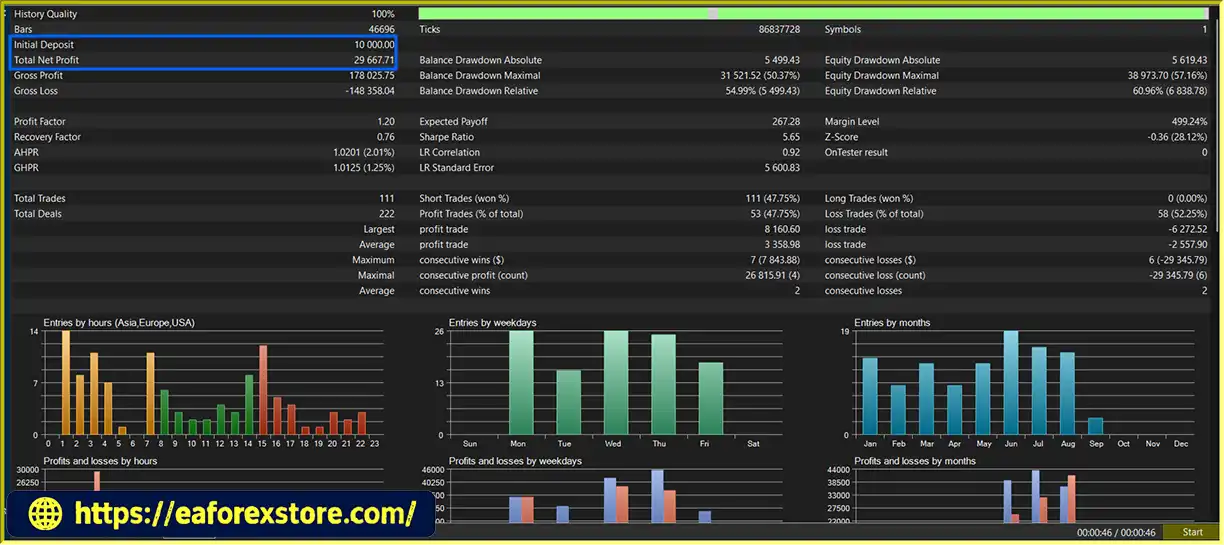
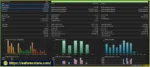
GoldMasterScalperV13 MT5 backtets
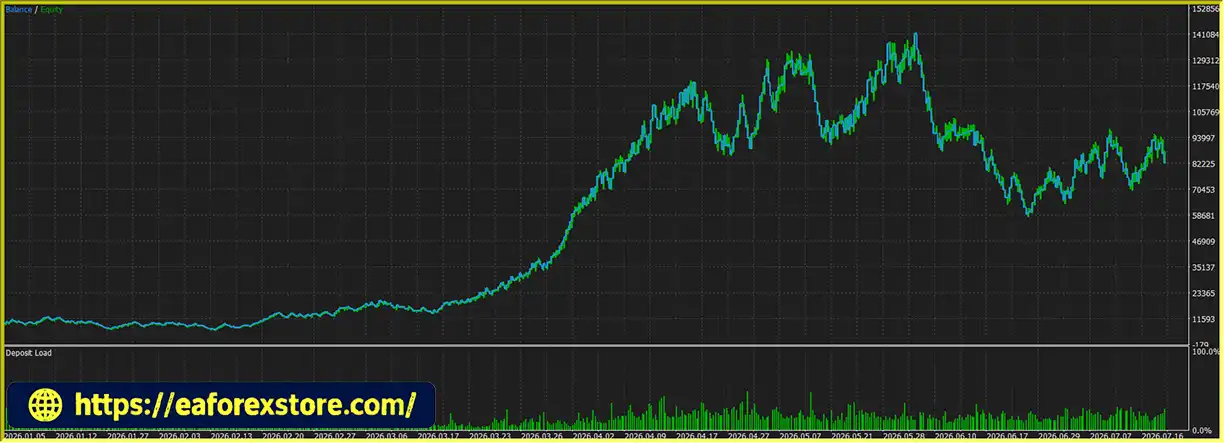
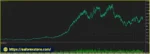
GoldMasterScalperV13 MT5 EA backtets
Risk management is a central component of GoldMasterScalperV13 MT5. Its automated lot calculation, protective orders, daily loss protection, and maximum losing-trade controls are designed to establish boundaries around trading activity.
However, these mechanisms cannot eliminate the risks associated with leveraged Gold trading.
The configured risk percentage determines the intended account exposure for each trade.
A conservative risk setting can reduce the impact of individual losses, while a higher setting increases both potential returns and potential drawdown.
Traders should evaluate the actual monetary risk per trade rather than selecting a risk percentage without considering account size, Stop Loss distance, and broker contract specifications.
Stop Loss and Take Profit levels provide predefined exit points for individual trades.
Stop Loss orders do not guarantee execution at the exact requested price during slippage or price gaps. Traders should also confirm that protective orders are accepted by the broker and remain active after entry.
The daily loss control is intended to restrict further trading after the configured daily loss threshold is reached.
Before live deployment, confirm whether the threshold is based on realized losses, equity drawdown, balance changes, or a combination of these factors. Also verify whether reaching the threshold closes existing positions or only prevents new entries.
The maximum losing-trade setting is intended to limit trading after a specified number of losses.
This may help prevent continued trading during unfavorable conditions, but the feature should be evaluated alongside the daily loss limit and overall risk percentage.
Gold scalping can be particularly sensitive to transaction costs because many trades target relatively short price movements.
High spreads, commissions, slippage, and execution delays can reduce or eliminate the expected advantage of a trading setup. Traders should test the EA using realistic broker conditions rather than relying solely on idealized historical data.
XAUUSD can move rapidly during economic announcements, central bank decisions, and geopolitical events.
Sudden movements may result in unfavorable entries, stop-loss slippage, or larger-than-expected losses. The supplied description does not establish whether GoldMasterScalperV13 includes a dedicated news filter, so traders should verify this separately.
The EA provides detailed execution logs through the MT5 terminal. However, the supplied specifications do not confirm support for push notifications, email alerts, or dedicated external alert services.
Traders should review the Experts and Journal tabs regularly and check whether additional notifications are available in the EA’s documentation.
Recommended risk management practices:
Follow these steps to install and configure GoldMasterScalperV13 MT5 on MetaTrader 5.
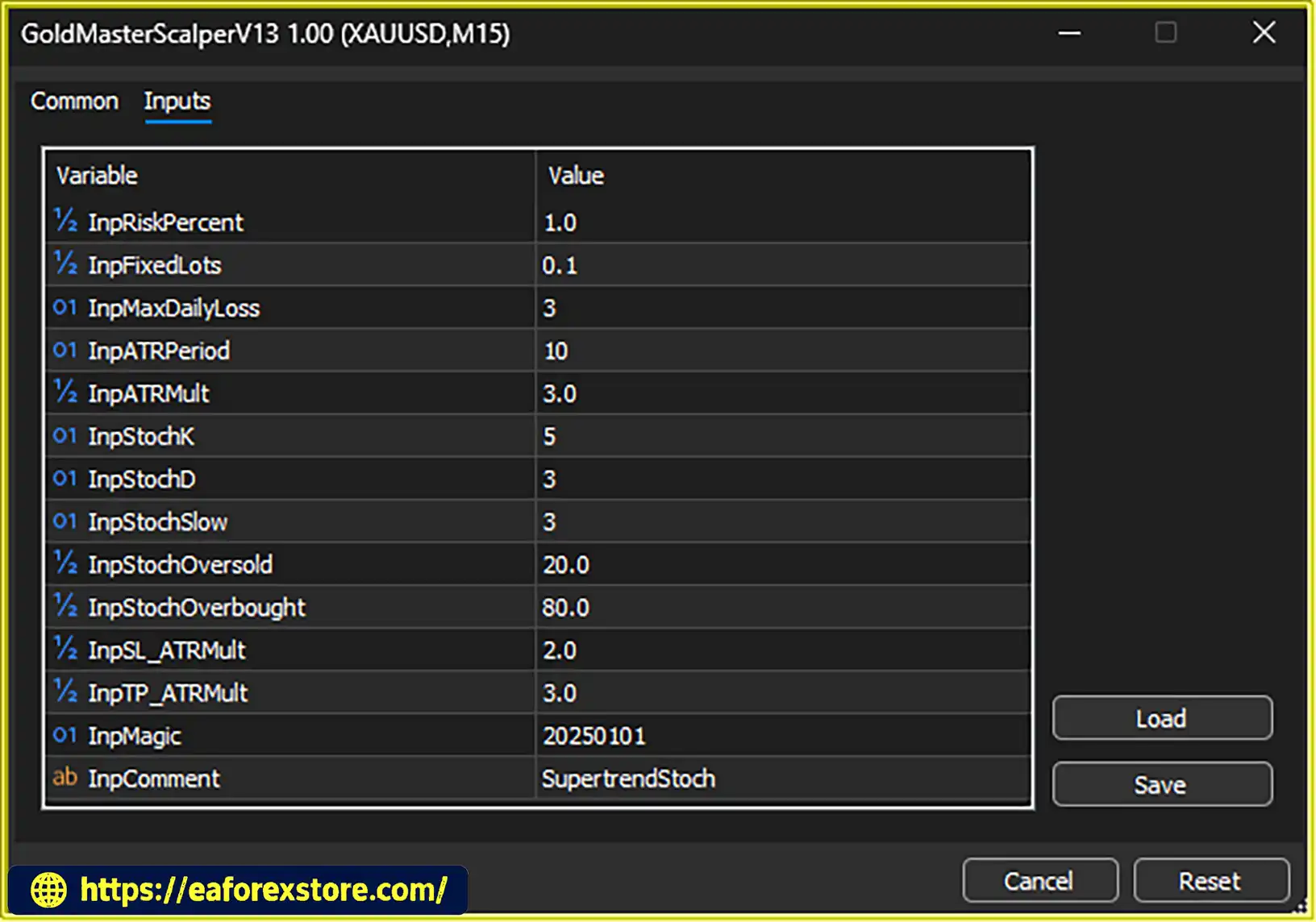
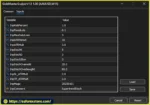
setting
Obtain the official GoldMasterScalperV13 EA package from the developer or authorized provider.
Confirm that the file is designed for MetaTrader 5 and review any accompanying instructions or recommended settings.
Launch MT5 and log in to your trading account. Make sure your broker connection is active and the XAUUSD symbol is available.
Some brokers use alternative symbol names, such as GOLD or XAUUSD with a suffix.
If the developer provides a compiled .ex5 file, install it as supplied. Follow the official instructions for any additional files included in the package.
Open the XAUUSD chart and select your preferred timeframe.
The developer presents M5 as the primary timeframe while also describing M1 as a suitable option. Test both settings independently before choosing one for live trading.
Find GoldMasterScalperV13 in the Navigator panel and drag it onto the XAUUSD chart.
Review the EA properties and enable algorithmic trading. Ensure that the required permissions are configured correctly.
Review all available inputs, paying particular attention to:
The exact parameter names and default values should be confirmed using the supplied EA documentation.
Start with conservative settings and avoid increasing exposure until the strategy has been thoroughly tested.
Confirm that the EA is operating on the correct symbol and timeframe.
Check the broker’s minimum lot size, volume step, tick size, stop-level restrictions, and typical spread. Review the Experts and Journal tabs for initialization errors or rejected orders.
Open the MT5 Strategy Tester and select GoldMasterScalperV13.
Run historical tests using suitable XAUUSD data, preferably real tick data when available. Include realistic transaction costs and execution assumptions.
Evaluate net profit alongside maximum drawdown, profit factor, number of trades, average trade outcome, and consecutive losses.
Do not judge the EA solely by its reported win rate.
Run the EA on a demo account to observe its behavior under current market conditions.
Confirm that entries, lot sizing, Stop Loss and Take Profit placement, daily loss protection, and losing-trade controls function as expected.
Consider live trading only after the EA has demonstrated acceptable behavior during testing.
Start with a risk level appropriate for your account, monitor execution quality, and review performance regularly. Adjust the configuration only after understanding how each parameter affects the strategy.
>>> Join VIP Membership Now <<<
GoldMasterScalperV13 MT5 is an automated Gold scalping Expert Advisor designed to combine short-term entry detection, fast order execution, and structured risk management on the MetaTrader 5 platform.
Its main strengths include support for M1 and M5 trading, automatic position sizing, Stop Loss and Take Profit management, daily loss protection, and maximum losing-trade controls. Broker-oriented price normalization and stop-level validation also provide useful safeguards for automated order placement.
The reported win rate of up to 85% may attract traders looking for a high-accuracy scalping system, but win rate alone does not determine profitability. Average profit per winning trade, average loss, transaction costs, maximum drawdown, and execution quality are equally important when assessing a trading strategy.
Gold scalping can be especially sensitive to spreads and slippage, so results from historical testing may differ considerably from live trading. Traders should also verify that daily loss protection and other risk controls operate as expected under adverse conditions.
For traders seeking a fully automated XAUUSD trading robot with configurable risk management, GoldMasterScalperV13 MT5 may be worth evaluating through independent backtesting and demo forward testing.
Ultimately, consistent risk management and realistic performance evaluation are more important than an advertised win-rate target. Test the EA carefully, use conservative position sizing, and remember that no automated trading system can guarantee profits or eliminate trading risk.
1. What Is GoldMasterScalperV13 MT5?
GoldMasterScalperV13 MT5 is an automated Expert Advisor designed for Gold (XAUUSD) scalping on the MetaTrader 5 platform. It aims to identify short-term trading opportunities and manage positions using automated lot sizing, Stop Loss and Take Profit placement, daily loss protection, and maximum losing-trade controls. The EA is designed to reduce manual trading tasks while maintaining configurable risk parameters.
2. Which Timeframes Does GoldMasterScalperV13 MT5 Support?
GoldMasterScalperV13 MT5 is designed primarily for the M5 timeframe, with M1 also presented as a suitable option. M1 may generate more trading opportunities but is generally more sensitive to market noise, spreads, and execution delays. M5 provides a broader view of short-term price movements. Traders should backtest and forward-test both timeframes to determine which configuration suits their broker and trading objectives.
3. Does GoldMasterScalperV13 MT5 Support Automatic Lot Sizing?
Yes. GoldMasterScalperV13 MT5 supports risk-based position sizing and automatic lot calculation. The intended position size depends on the configured risk percentage, Stop Loss distance, and relevant broker specifications. Traders should verify the actual lot size and estimated monetary risk before trading live because slippage, price gaps, commissions, and execution conditions can cause actual losses to differ from planned risk.
4. What Risk Management Features Does GoldMasterScalperV13 MT5 Offer?
The EA includes automatic Stop Loss and Take Profit placement, configurable risk percentages, daily loss protection, and maximum losing-trade controls. It also uses a dedicated Magic Number to identify its trades and includes price normalization and stop-level validation to help reduce invalid-order errors. These features support structured risk management but cannot eliminate trading losses or guarantee a specific maximum drawdown.
5. Can GoldMasterScalperV13 MT5 Achieve an 85% Win Rate?
The developer reports a win rate of up to 85%, but this figure should not be treated as a guaranteed or independently verified result. The supplied backtest information also reports a 47.75% win rate and maximum drawdown of 57.16%, illustrating why performance claims must be evaluated in context. Traders should review the original testing reports, number of trades, profit factor, average win and loss, transaction costs, and maximum drawdown before assessing the EA's performance.
6. Is GoldMasterScalperV13 MT5 Suitable for Beginners?
GoldMasterScalperV13 MT5 may appeal to beginners who want automated Gold trading and configurable risk controls. However, automated execution does not remove the need to understand leverage, margin, spreads, slippage, and drawdown. Beginners should test the EA on a demo account, use conservative risk settings, and learn how its daily loss protection and maximum losing-trade controls operate before considering live trading.
7. Can GoldMasterScalperV13 MT5 Work With Different Forex Brokers?
The EA includes price normalization and stop-level validation designed to accommodate different broker pricing conventions and minimum stop-distance requirements. Nevertheless, actual performance depends on the broker's XAUUSD symbol specifications, spreads, commissions, execution speed, and account type. Traders should confirm symbol compatibility and test the EA under their broker's conditions before using real funds.
8. How Do You Install GoldMasterScalperV13 MT5?
To install GoldMasterScalperV13 MT5, download the official EA file, open MetaTrader 5, and select File → Open Data Folder → MQL5 → Experts. Copy the supplied .ex5 file into the Experts folder, refresh the Navigator panel, and attach the EA to an XAUUSD chart using M1 or M5. Enable algorithmic trading, configure the risk and protection settings, and check the Experts and Journal tabs for errors. Finally, backtest the EA and conduct demo forward testing before considering live deployment.
In stock
In stock
In stock
In stock
In stock
Out of stock
No account yet?
Create an Account












 Automatic EA
 EA Best Seller
 Expert Advisor MT4
 Expert Advisor MT5
 HFT EA


Reviews
Clear filtersThere are no reviews yet.