









-
 Unlimited Activations
-
 Instant delivery
-
 Easy to install





 Unlimited Activations
Instant delivery
Easy to install
Unlimited Activations
Instant delivery
Easy to install
 Free Update
 Free Install Support

Onyx Liquidity XAU EA MT5 is an advanced automated trading system designed specifically for trading Gold (XAUUSD) on the MetaTrader 5 (MT5) platform. Operating on the M5 timeframe, this Expert Advisor (EA) combines Smart Money Concept (SMC) principles, liquidity sweep detection, and price action analysis to identify potential trading opportunities in the gold market.
Unlike conventional trading robots that rely on a single technical indicator, Onyx Liquidity XAU EA MT5 uses multiple confluence factors to evaluate market conditions before entering a trade. These include Order Blocks, Fair Value Gaps (FVG), Supply and Demand zones, RSI divergences, and selected candlestick patterns.
The EA is designed to identify potential liquidity grabs and subsequent price movements that may occur when market structure changes. By combining these signals, it aims to help traders develop a more systematic approach to gold trading while reducing the influence of emotional decision-making.
Onyx Liquidity XAU EA MT5 also incorporates professional risk management tools, including dynamic position sizing, adaptive Stop Loss and Take Profit levels, trailing stops, break-even protection, and daily loss limits.
Key Specifications:
Onyx Liquidity XAU EA MT5 is intended for traders who want to automate a confluence-based gold trading strategy rather than manually monitor every potential setup. However, its actual performance depends on market conditions, broker execution, trading costs, and the quality of its strategy implementation.
> Delivery time 24h-48h after payment.
>>> Refund if not delivered.
>>> You will receive the latest version without any limitations (ID+Time).Reviewed by Jason Stap <<<
Onyx Liquidity Xau EA MT5 Overview
The EA uses Smart Money Concept principles to evaluate market structure and identify areas where liquidity may accumulate. These areas can provide potential trading opportunities when price action suggests a liquidity sweep followed by a directional move.
Liquidity sweeps occur when price moves beyond a previous high or low, potentially triggering stop-loss orders before reversing or continuing in the original direction.
Onyx Liquidity XAU EA MT5 is designed to detect these situations and assess whether they align with other technical signals. However, not every liquidity sweep leads to a reversal, so confirmation and risk controls remain essential.
Order Blocks are commonly used in SMC trading to identify price areas associated with significant directional movements.
The EA incorporates Order Block analysis as one of its potential trade-confirmation factors, helping it evaluate whether a setup aligns with an important price zone.
Fair Value Gaps represent areas of rapid price movement where the market may have traded inefficiently.
By incorporating FVG analysis, the EA aims to identify potential retracement zones and areas where price could revisit before continuing its movement.
The system also considers Supply and Demand zones to evaluate potential buying and selling pressure.
These zones can provide additional context for assessing trade entries, especially when they overlap with liquidity sweeps or other SMC signals.
Relative Strength Index (RSI) divergence can occur when price movement and momentum indicators move in different directions.
The EA incorporates RSI divergence as another analytical factor to help identify possible momentum changes. Divergence is not a guaranteed reversal signal and should be interpreted alongside other market conditions.
Onyx Liquidity XAU EA MT5 incorporates selected candlestick patterns, including:
These patterns provide additional context but do not independently guarantee profitable entries.
The EA supports dynamic risk percentage settings and fixed lot sizing. These options allow traders to choose a position-sizing approach that matches their account size and risk tolerance.
The system includes adaptive Stop Loss and Take Profit functionality intended to adjust trade protection and profit targets according to its trading logic.
Actual placement and effectiveness depend on the EA’s implementation, broker specifications, and prevailing market volatility.
Trailing stops can adjust protective stop levels as a trade moves favorably, while break-even functionality can move the Stop Loss toward the entry price under configured conditions.
These tools can help manage open positions, although slippage and rapid market movements may prevent execution at the expected price.
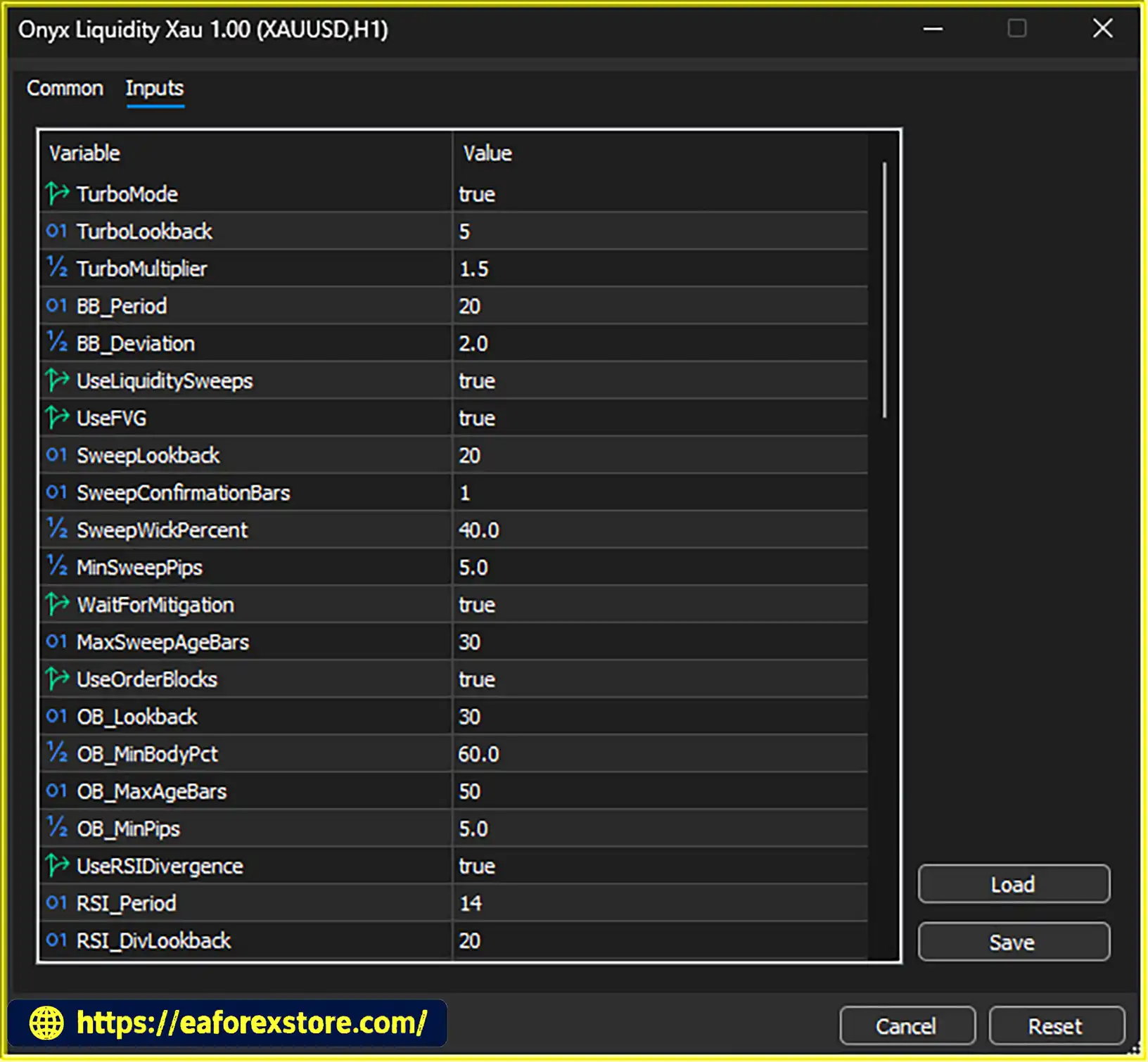
Turbo Mode is an optional aggressive trading setting designed for more active conditions.
Because aggressive settings may increase exposure, trading frequency, or drawdown, users should evaluate this feature carefully in a demo account before considering live deployment.
The EA includes session and spread filters designed to avoid selected trading periods and unfavorable transaction costs.
These filters are particularly relevant to Gold, where spreads and volatility can change significantly around economic announcements, market openings, and periods of reduced liquidity.
The built-in dashboard displays relevant trading information, such as current signals, risk-reward information, confidence readings, and account equity.
This can help traders monitor the EA’s activity without manually reviewing every chart signal.
Onyx Liquidity XAU EA MT5 is designed to evaluate Gold market conditions through a combination of liquidity analysis, market structure, and technical confirmation. Its general workflow can be understood through the following stages.
The EA monitors the XAUUSD chart on the recommended M5 timeframe, assessing price behavior and potential trading conditions.
Gold can experience rapid price changes, so the system’s session and spread filters are important components of its trading environment.
The EA searches for price movements around relevant highs, lows, and liquidity areas.
A potential setup may develop when price moves beyond a significant level and then shows signs of rejection or a change in direction.
Rather than relying solely on a liquidity sweep, the strategy incorporates additional factors such as:
The purpose of combining these elements is to filter potential trades and identify setups that satisfy multiple conditions.
The exact signal hierarchy, indicator thresholds, and entry rules depend on the EA’s internal programming and configurable settings.
When a trading setup qualifies, the EA can apply the selected fixed-lot or dynamic-risk method.
It then uses its configured Stop Loss and Take Profit logic to establish trade protection and profit objectives. Traders should verify that the resulting position size is appropriate for their account balance and the volatility of Gold.
After entering a position, the EA can manage the trade using its supported trailing stop, break-even, and risk-control functions.
Daily loss, margin, and volume limits are intended to help restrict exposure when market conditions become unfavorable.
The session and spread filters help determine whether current conditions meet the system’s operating requirements.
Turbo Mode may alter the EA’s behavior toward a more aggressive approach, so it should be tested separately from the standard configuration.
Although this workflow describes the strategy’s stated design, it does not establish that the EA will consistently identify profitable trades. Backtesting and forward testing are necessary to evaluate its real-world effectiveness.
Onyx Liquidity XAU EA MT5 may appeal to traders who want to combine institutional-style price analysis with automated trade execution on MetaTrader 5.
Multi-Factor Trade Analysis
The combination of liquidity sweeps, Order Blocks, FVGs, Supply and Demand zones, RSI divergence, and price action provides a broader analytical framework than a strategy based on one indicator alone.
Designed Specifically for Gold
The EA focuses on XAUUSD, a market known for its substantial price movements and sensitivity to economic data, interest-rate expectations, and geopolitical developments.
Its specialized focus may be useful for traders who prefer a dedicated gold trading system rather than a general-purpose multi-currency robot.
Automated Trade Management
The inclusion of Stop Loss, Take Profit, trailing stop, and break-even functions can reduce the need for constant manual trade supervision.
Automation can also help traders follow predefined rules more consistently.
Flexible Position Sizing
Fixed-lot and dynamic-risk options offer flexibility for different account sizes and risk preferences. However, position sizing must be configured carefully to avoid excessive exposure.
Built-In Risk Controls
Daily loss limits, margin restrictions, volume limits, and spread filters provide additional mechanisms for managing risk.
These features can support a disciplined trading process, although they cannot eliminate losses or guarantee that every protection will execute at its intended price.
Useful Monitoring Tools
The real-time dashboard provides an overview of the EA’s signals and account information, helping users monitor activity and review the system’s behavior.
Suitable for Systematic Strategy Testing
Because the EA operates within the MetaTrader 5 environment, traders can evaluate its behavior through historical testing, demo trading, and performance monitoring before committing substantial capital.
Ultimately, Onyx Liquidity XAU EA MT5 is worth considering for traders interested in automated SMC-based Gold trading, provided they independently verify its results and understand the risks of leveraged trading.
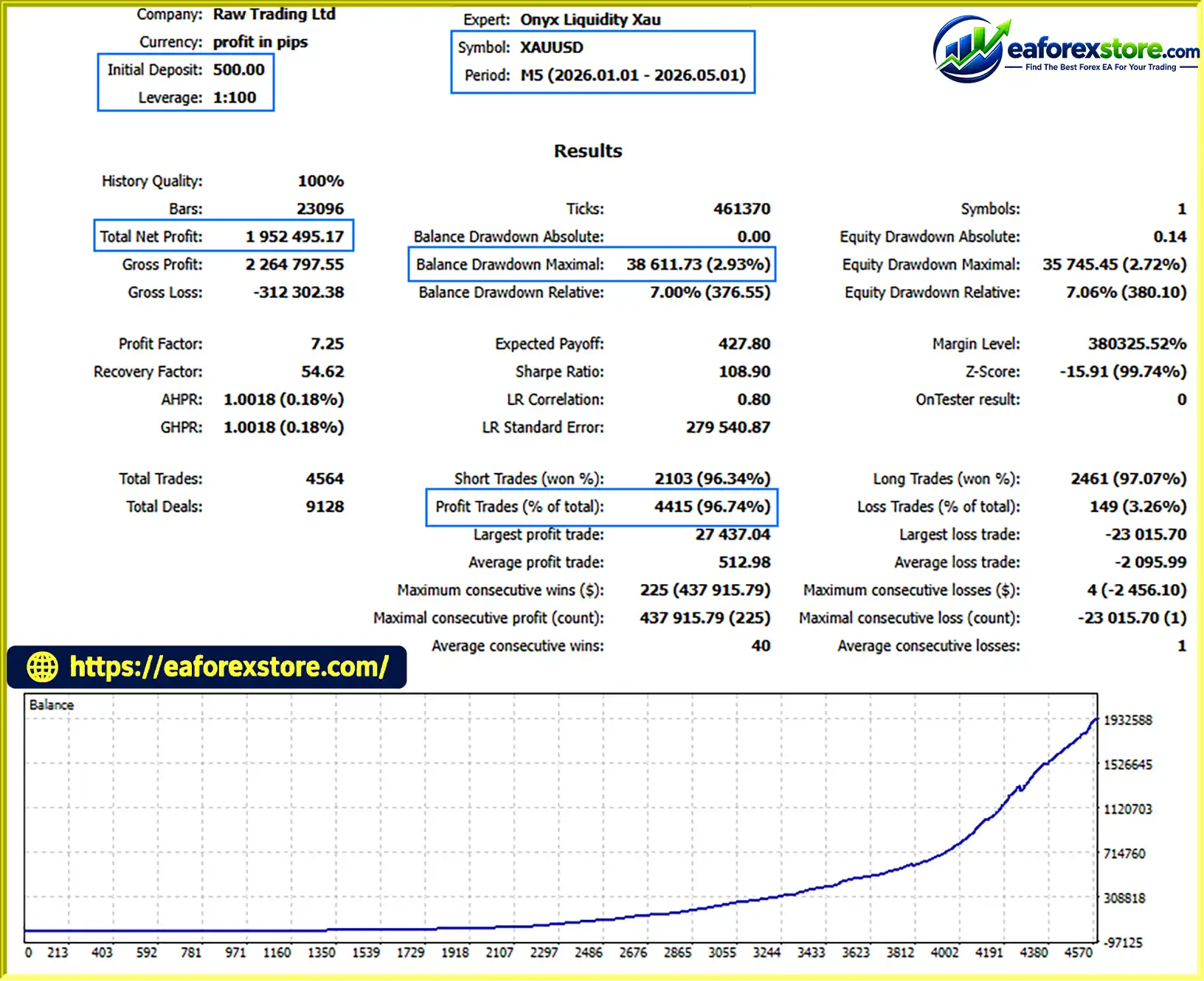
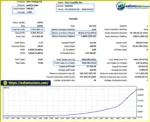
🔺XAUUSD (Gold) – 4 Months
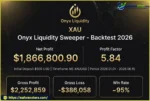
Onyx Liquidity Xau EA MT5 backtets
Performance and risk management are essential when evaluating any Gold trading Expert Advisor. XAUUSD can move rapidly, and a strategy that performs well in one market environment may struggle when volatility, liquidity, or market structure changes.
Dynamic position sizing adjusts trade volume according to a configured risk percentage and the distance to the Stop Loss, subject to the EA’s implementation and broker constraints.
A conservative starting point for testing may be 0.25%–0.5% of account equity per trade. This is an illustrative risk-management range, not a guarantee of safety or a recommendation suitable for every account.
For example, a 0.5% planned risk on a $500 account equals $2.50 before considering slippage, commissions, gaps, and execution differences.
Fixed-lot trading allows users to select a predefined trade volume.
This approach is straightforward, but the same lot size can produce substantially different monetary risk when Stop Loss distances or Gold volatility change. Traders should calculate the potential loss for each trade rather than assuming that a small lot is automatically safe.
Stop Loss orders can limit the intended loss on a position, while Take Profit orders can close trades at predetermined profit levels.
Adaptive settings may help the strategy respond to different market conditions, but their effectiveness should be measured through historical testing and live demo observations.
Trailing stops can protect some accumulated gains when price moves favorably. Break-even logic can reduce the planned loss on a trade by moving the Stop Loss toward the entry price.
Neither mechanism guarantees a risk-free position. Spread changes, slippage, gaps, and execution delays can still produce losses.
These controls are particularly important for an automated strategy operating on Gold. Traders should verify how the EA calculates daily losses, whether limits use balance or equity, and whether the system stops opening new trades or also manages existing positions when a threshold is reached.
Gold trading costs can rise during volatile periods or around major economic announcements. Spread filters can help the EA avoid some unfavorable conditions, but they may not fully protect against sudden spread expansion or poor execution.
Before using the EA on a live account, consider the following process:
The suggested $500 initial deposit should be treated as a starting configuration provided for consideration, not a verified minimum capital requirement. Whether it is sufficient depends on contract specifications, minimum lot size, margin requirements, and the EA’s actual risk per trade.
Likewise, 1:100 leverage or higher may affect margin availability but does not improve the strategy’s underlying profitability. Higher leverage can magnify losses and increase the likelihood of margin-related problems.
No verified live performance statistics have been provided here. Therefore, profitability, win rate, maximum drawdown, and long-term consistency should not be assumed without independently verifiable evidence.
Despite its range of analytical and risk-management features, Onyx Liquidity XAU EA MT5 has several potential limitations that traders should understand before using it.
XAUUSD is sensitive to US economic releases, Federal Reserve decisions, inflation data, interest-rate expectations, and geopolitical events.
Unexpected price movements can trigger Stop Loss orders quickly and create losses even when several technical signals appear to agree.
A liquidity sweep does not necessarily indicate a reversal. Price may continue in its original direction after breaking a previous high or low.
As a result, the EA may encounter losing trades when market behavior does not match its expected setup.
Combining multiple technical factors may improve selectivity, but it can also introduce complex entry conditions and parameter sensitivity.
Without transparent rules and independent testing, it is difficult to determine whether the combination delivers a genuine trading advantage across different market environments.
A strategy may produce attractive historical results because its parameters fit past data unusually well.
To reduce this risk, traders should use out-of-sample testing, realistic transaction costs, and forward testing rather than relying on a single optimized backtest.
Results may vary between brokers due to spreads, commissions, swap charges, slippage, execution latency, and contract specifications.
Although the EA is described as optimized for IC Markets, this should not be interpreted as independently verified compatibility or a guarantee of superior performance.
Aggressive settings can increase trading activity or overall exposure, depending on how the feature is implemented.
Users should verify its effect on lot sizing, simultaneous positions, and drawdown before enabling it on a live account.
A small account can be particularly vulnerable to minimum lot-size restrictions, margin requirements, and adverse price movements.
Traders should confirm that the EA can calculate appropriately sized positions for their broker and account type. If the minimum permitted volume creates excessive risk, the account may be unsuitable for the intended configuration.
No Forex EA can guarantee consistent profits or eliminate market risk. Risk-management tools reduce or control certain exposures, but they cannot prevent all losses.
Risk warning: Trade only with capital you can afford to lose. Never assume that previous backtest results, a high confidence score, or the presence of institutional trading concepts guarantees future performance.
Overall assessment: Onyx Liquidity XAU EA MT5 offers a broad set of SMC-inspired analytical tools and automated risk-management features. Its potential value depends on whether the underlying trading logic produces a measurable advantage after realistic costs and across different market conditions.
Follow these steps to install and configure Onyx Liquidity XAU EA MT5 on MetaTrader 5.
Obtain the Onyx Liquidity XAU EA MT5 file from the official developer or a trusted source. The file will commonly use the .ex5 extension or may be supplied as an editable .mq5 source file.
Avoid unverified downloads and modified files that could compromise your trading account or computer.
Launch the MetaTrader 5 trading platform and log in to your broker account. For initial testing, use a demo account rather than immediately connecting the EA to a live account.
In MetaTrader 5:
MQL5.Experts folder.Copy the downloaded EA file into the MQL5/Experts directory.
If the developer provides additional indicators, libraries, or supporting files, place them in the appropriate folders according to the official installation instructions. Do not assume that every EA requires additional components.
Return to MetaTrader 5 and open the Navigator panel.
Right-click Expert Advisors and select Refresh. If the EA does not appear, restart the platform and check that the file is in the correct directory.
Open the Gold trading instrument offered by your broker. Its symbol may be XAUUSD or a broker-specific variation, such as XAUUSD.a or XAUUSDm.
Select the M5 timeframe, as specified in the recommended configuration.
Drag Onyx Liquidity XAU EA MT5 from the Navigator panel onto the XAUUSD chart.
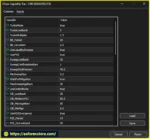
Review the available inputs and configure the trading parameters according to your account size, risk tolerance, and the developer’s documentation.
Check that automated trading is enabled in MetaTrader 5 and that the EA’s settings permit the required trading operations.
Only grant permissions necessary for the EA to function. Review any external dependencies or additional permissions before enabling them.
Before running the EA, review the following settings where available:
For initial testing, conservative settings are preferable. Leave Turbo Mode disabled until its behavior has been evaluated separately.
Run a historical backtest in the MT5 Strategy Tester using XAUUSD and the M5 timeframe. Choose the highest-quality tick data available and account for realistic trading costs.
Next, forward-test the EA on a demo account. Check the Experts and Journal tabs for errors, confirm that position sizes are appropriate, and observe whether the EA respects its configured risk limits.
Only consider live deployment after you understand the strategy’s behavior and have established that the potential losses are acceptable.
Installation note: Menu labels, symbol names, permissions, and configuration options may differ slightly depending on the MT5 version and the EA package supplied by its developer.
>>> Join VIP Membership Now <<<
Onyx Liquidity XAU EA MT5 is an automated Gold trading Expert Advisor designed around Smart Money Concept principles, liquidity sweep detection, and multi-factor price action analysis. Its combination of Order Blocks, Fair Value Gaps, Supply and Demand zones, RSI divergence, and candlestick patterns provides a comprehensive framework for evaluating potential XAUUSD trading opportunities.
The EA also offers several practical risk-management tools, including dynamic position sizing, adaptive Stop Loss and Take Profit, trailing stops, break-even functionality, daily loss limits, and spread filters. These features may help traders implement a more structured trading process on MetaTrader 5.
However, the presence of sophisticated trading concepts does not establish profitability. Gold remains a volatile instrument, and false signals, transaction costs, slippage, and changing market conditions can significantly affect results. Turbo Mode also deserves particular caution because its actual impact on exposure must be verified.
For traders considering this system, the most sensible approach is to start with realistic historical testing, continue with demo forward testing, and evaluate performance using objective metrics such as profit factor, maximum drawdown, recovery factor, and risk-adjusted returns.
The suggested $500 starting deposit and IC Markets configuration should be assessed against the broker’s contract specifications, trading costs, and the EA’s actual position-sizing behavior rather than accepted as universal requirements.
Final verdict: Onyx Liquidity XAU EA MT5 may be worth evaluating for traders seeking an SMC-based, automated Gold trading strategy with integrated trade-management tools. Its suitability should ultimately be determined by transparent testing results, reliable execution, and disciplined risk management—not marketing claims or the complexity of its strategy alone.
Trade carefully, verify performance independently, and remember that protecting trading capital is just as important as identifying profitable opportunities.
1. What Is Onyx Liquidity XAU EA MT5?
Onyx Liquidity XAU EA MT5 is an automated trading Expert Advisor designed specifically for Gold (XAUUSD) on the MetaTrader 5 (MT5) platform. It uses Smart Money Concept (SMC) principles, liquidity sweep detection, Order Blocks, Fair Value Gaps, Supply and Demand zones, RSI divergence, and price action patterns to identify potential trading opportunities. The EA also includes automated trade management and risk-control features.
2. Which Trading Platform and Timeframe Does Onyx Liquidity XAU EA MT5 Support?
Onyx Liquidity XAU EA MT5 is developed for MetaTrader 5 and is designed to trade Gold (XAUUSD). The recommended timeframe is M5, or the five-minute chart. Traders should confirm that their broker supports the required Gold symbol and check the EA's documentation for the correct chart setup and configuration.
3. How Does Onyx Liquidity XAU EA MT5 Identify Trading Signals?
The EA combines several technical factors to evaluate potential entries. It looks for liquidity sweeps around relevant price highs and lows, then considers additional confirmation from Order Blocks, Fair Value Gaps, Supply and Demand zones, RSI divergence, and selected candlestick patterns. This multi-factor approach aims to filter potential setups, but it cannot eliminate false signals or guarantee profitable trades.
4. What Are the Main Features of Onyx Liquidity XAU EA MT5?
The main features of Onyx Liquidity XAU EA MT5 include SMC-based market analysis, liquidity sweep detection, Order Block and FVG analysis, Supply and Demand zones, RSI divergence, and candlestick pattern recognition. It also supports dynamic risk percentage, fixed lot sizing, adaptive Stop Loss and Take Profit, trailing stops, break-even protection, daily loss limits, session and spread filters, Turbo Mode, and a real-time trading dashboard.
5. Does Onyx Liquidity XAU EA MT5 Include Risk Management Tools?
Yes. According to its product description, the EA includes several risk-management functions, such as dynamic position sizing, fixed lot settings, Stop Loss and Take Profit, trailing stops, break-even protection, daily loss limits, margin and volume controls, and spread filters. These tools are intended to help manage trading exposure. However, their effectiveness depends on the EA's implementation, selected settings, and broker execution conditions.
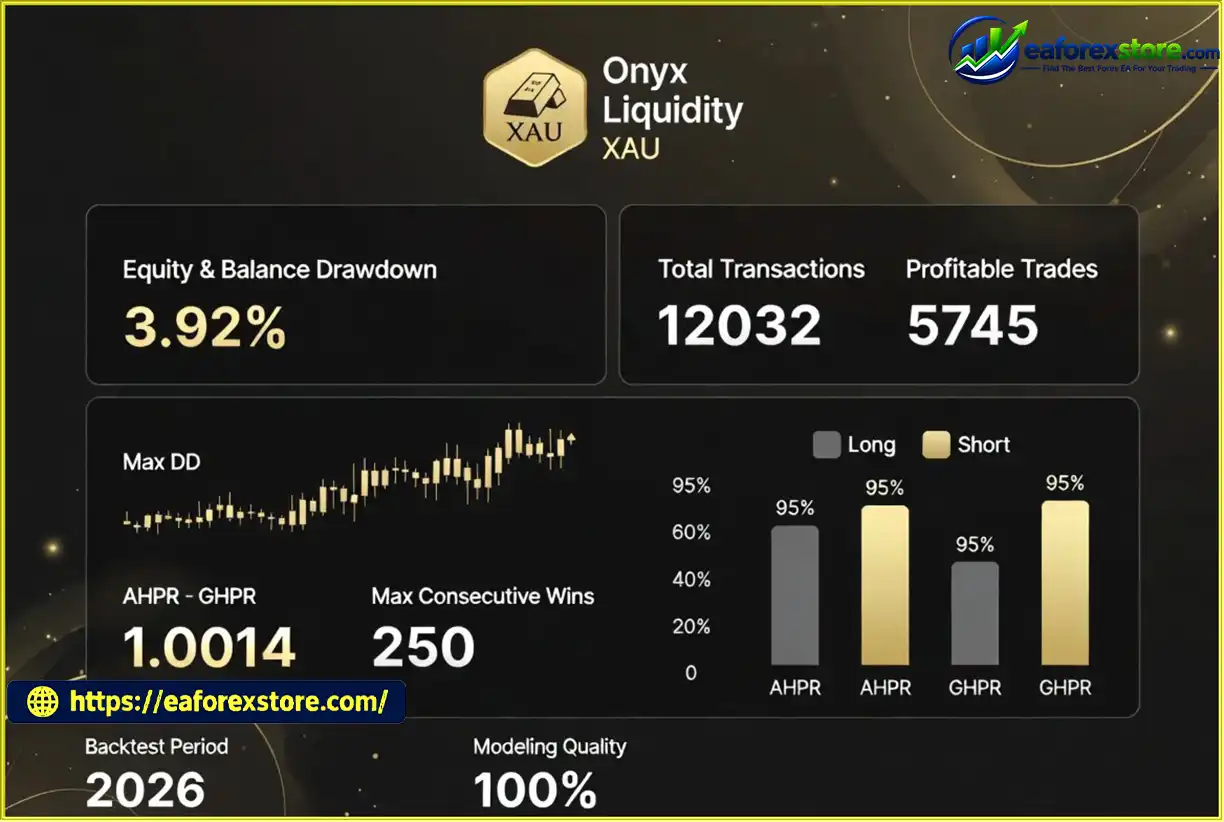
6. What Are the Backtest Results of Onyx Liquidity XAU EA MT5?
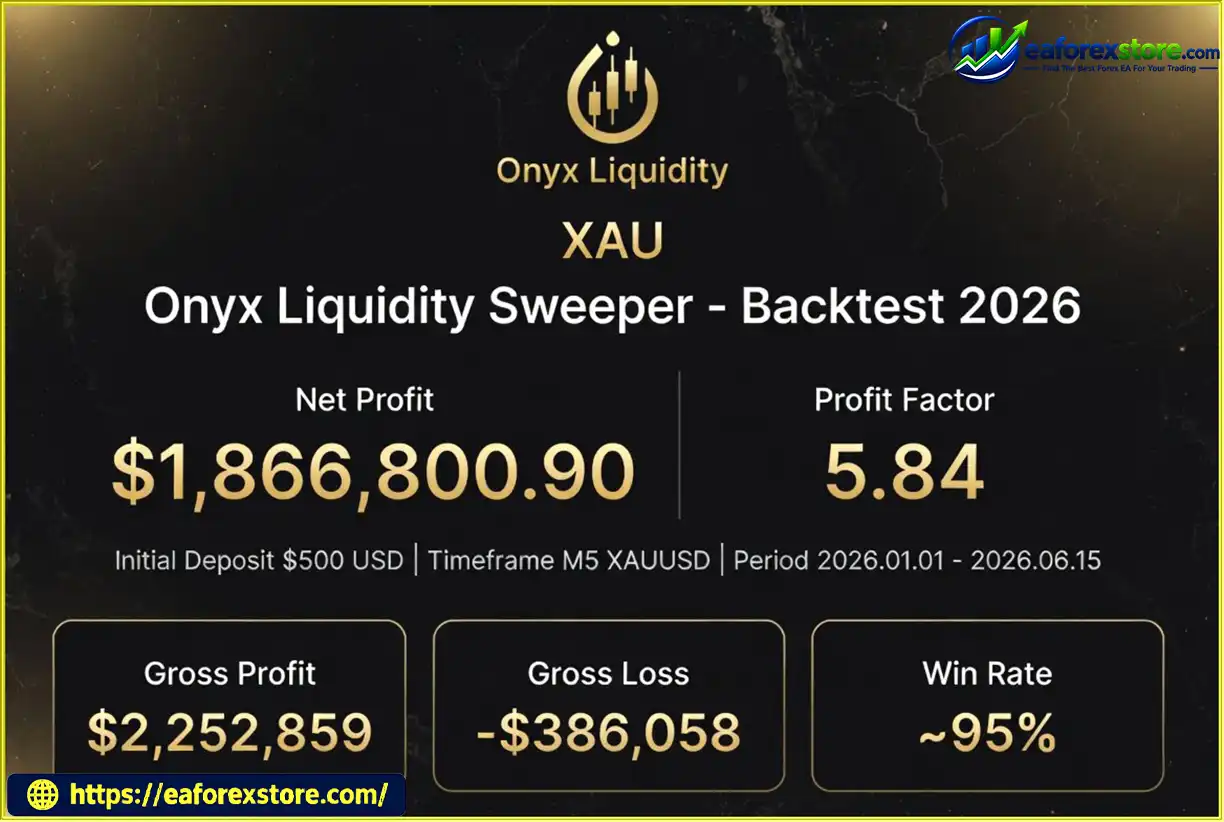
The supplied product description reports a four-month XAUUSD backtest with an initial deposit of $500, total net profit of $1.952 billion, a win rate of 96.74%, and maximum drawdown of 2.93%. These figures are reported claims and have not been independently verified in the supplied information. The unusually large stated profit relative to the initial deposit warrants careful verification of the complete backtest report, account settings, trade history, testing period, and modeling assumptions before relying on these results.
7. What Is the Recommended Initial Deposit for Onyx Liquidity XAU EA MT5?
The product description suggests an initial deposit of $500. However, the amount required in practice depends on the broker's minimum lot size, Gold contract specifications, margin requirements, account type, and the EA's position-sizing rules. Traders should verify the potential monetary loss per trade and test the configuration on a demo account before committing real funds.
8. Which Broker Is Recommended for Onyx Liquidity XAU EA MT5?
The product description recommends IC Markets, particularly Raw Spread or Zero Spread accounts, and suggests leverage of 1:100 or higher, subject to broker conditions and applicable regulations. These are the stated configuration preferences, not a guarantee of compatibility or profitability. Compare spreads, commissions, execution quality, margin requirements, and account conditions before selecting a broker.
9. How Do I Install Onyx Liquidity XAU EA MT5 on MetaTrader 5?
To install Onyx Liquidity XAU EA MT5, download the compatible EA file and open MetaTrader 5. Select File → Open Data Folder → MQL5 → Experts, copy the EA file into that directory, and refresh the Expert Advisors list in the Navigator panel. Open your broker's XAUUSD chart on the M5 timeframe, attach the EA, configure its available risk settings, and enable automated trading if required. Complete historical backtesting and demo forward testing before considering live deployment.
10. Is Onyx Liquidity XAU EA MT5 Profitable and Suitable for Beginners?
Onyx Liquidity XAU EA MT5 is designed to automate SMC-based Gold trading, but its actual profitability cannot be established from the supplied product description alone. Although the reported backtest claims a high win rate and low drawdown, these figures require independent verification. Beginners should understand Gold market volatility, leverage, execution costs, and drawdown risk before using an automated trading system. Start with conservative settings, test on a demo account, and never risk money you cannot afford to lose.
In stock
In stock
In stock
In stock
In stock
Out of stock
No account yet?
Create an Account












 Automatic EA
 EA Best Seller
 Expert Advisor MT4
 Expert Advisor MT5
 HFT EA


Reviews
Clear filtersThere are no reviews yet.