


Product Overview
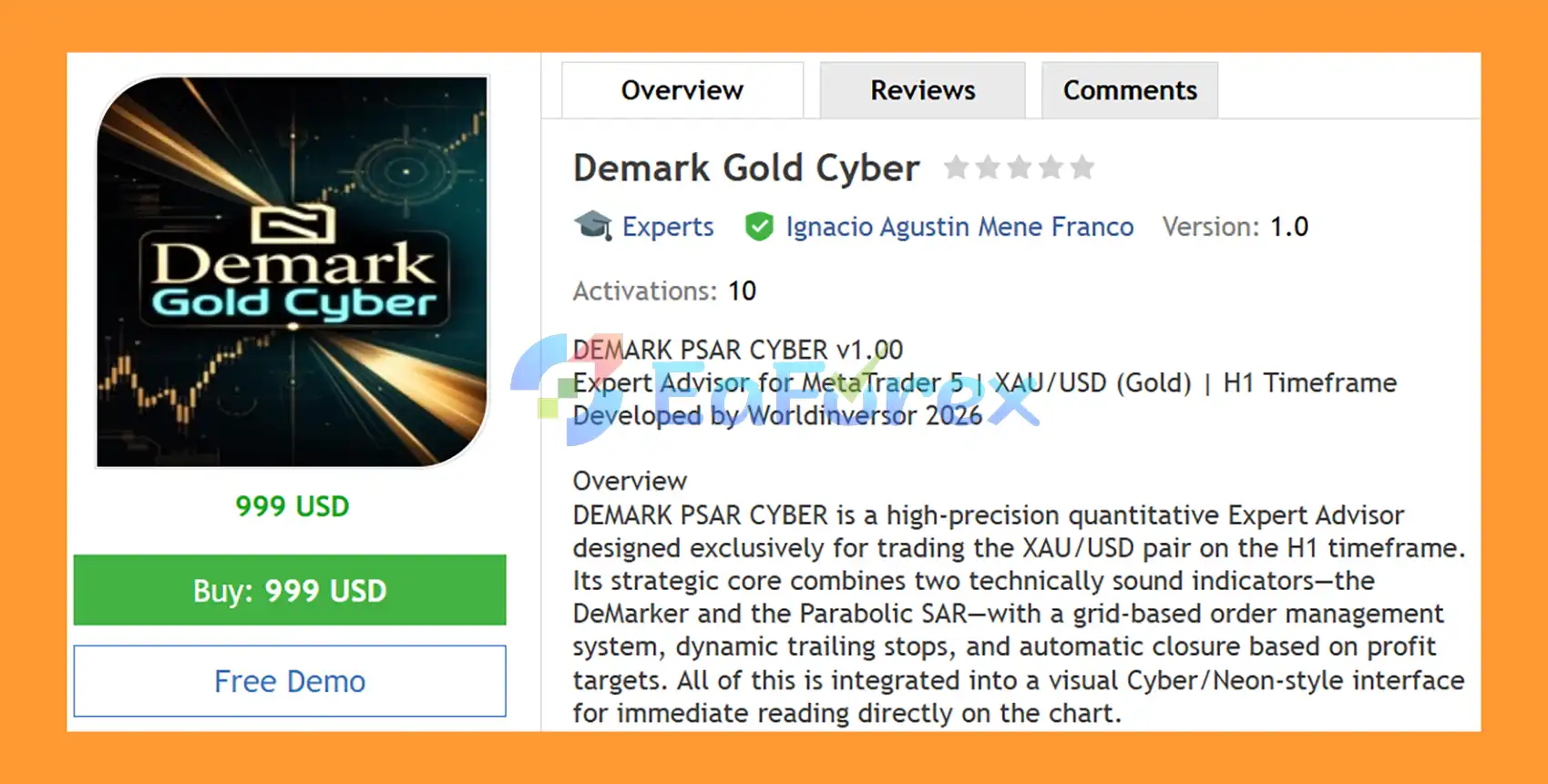
Demark Gold Cyber EA MT5 is a high-precision quantitative Expert Advisor for MetaTrader 5, designed specifically for XAU/USD (Gold) on the H1 timeframe. The EA combines the DeMarker indicator and Parabolic SAR (PSAR) to identify directional trading conditions through a dual-confirmation signal system.
Unlike systems that enter the market based on a single indicator, Demark Gold Cyber EA MT5 requires both indicators to confirm the same market direction before activating a trade setup. When DeMarker shows strong bullish or bearish pressure and Parabolic SAR confirms the corresponding price direction, the EA can place configurable pending Stop orders.
The trading engine is supported by grid-based order management, fixed Stop Loss, automatic profit closure, dynamic trailing stops, break-even protection, spread filtering, margin validation, and configurable money management.
A built-in Cyber/Neon dashboard provides real-time information about account conditions, open positions, pending orders, market spread, DeMarker readings, Parabolic SAR signals, drawdown, and current trading activity directly on the MT5 chart.
About the Developer
- Author: Ignacio Agustin Mene Franco
- Experience: Over 3 years of experience on MQL5.
- Notable Products: Demark Gold Cyber EA MT5, Trader Gold EA MT5, Vwap Scalper XAU EA MT5, Alligator Gold Cyber EA MT5, Merket Structure Pro EA MT5, Harmonic Pro AI EA MT5, Volumen Scalper GOLD EA MT5, Storm Trader EA MT5, Ichimoku Scalper Gold EA MT4, Level Hard Xauusd, Danesha Xauusd, Power Fusion Xauusd, Level Slow Xauusd EA MT4 and other advisors.
- Flagship Product: Demark Gold Cyber EA MT5 is rated as the best performing product of the year.
>> Delivery time 24h-48h after payment.
>>> Refund if not delivered.
>>> You will receive the latest version without any limitations (ID+Time).>>Reviewed by Jason Stap <<
Key Features of Demark Gold Cyber EA MT5
- XAU/USD-focused trading system designed for Gold.
- H1 timeframe strategy for structured directional analysis.
- Dual indicator confirmation using DeMarker and Parabolic SAR.
- Bullish confirmation: DeMarker ≥ 0.70 with PSAR below price.
- Bearish confirmation: DeMarker ≤ 0.30 with PSAR above price.
- Neutral market filter: No new directional setup when DeMarker remains between 0.30 and 0.70.
- Pending Buy Stop and Sell Stop orders with configurable entry distance.
- Maximum pending orders per direction to limit excessive order accumulation.
- 20-pip default Stop Loss with broker-level validation.
- Automatic profit closure based on a configurable pip target.
- Three-phase dynamic trailing stop for progressive profit protection.
- Break-even protection after the trade reaches the configured profit level.
- Fixed lot or percentage-based risk sizing.
- Margin validation before sending new orders.
- Maximum spread filter designed for changing Gold liquidity conditions.
- Configurable trading hours based on broker server time.
- Real-time Cyber/Neon trading dashboard.
- Live account, position, market, DeMarker, and PSAR information.
- Automatic Cyber-style chart theme for a distinctive trading interface.
How Does DEMARK PSAR CYBER EA MT5 Work?
The EA follows a structured process that combines market direction analysis, pending-order execution, and automated trade management.
🔺DeMarker Market Pressure Analysis
The DeMarker indicator is used to evaluate the current directional pressure of the market.
- DeMarker ≥ 0.70: bullish pressure.
- DeMarker ≤ 0.30: bearish pressure.
- 0.30–0.70: neutral zone.
When DeMarker remains inside the neutral zone, the EA avoids generating a directional trading setup.
🔺Parabolic SAR Confirmation
The Parabolic SAR provides a second layer of confirmation.
For a potential Buy setup, the PSAR must be positioned below the current market price.
For a potential Sell setup, the PSAR must be positioned above the current market price.
This creates a dual-confirmation mechanism rather than relying exclusively on DeMarker.
🔺Pending Stop Order Execution
Once the required conditions are aligned, the EA can place Buy Stop and Sell Stop pending orders at a configurable distance from the current price.
The distance, maximum pending orders, and other grid-related parameters can be adjusted according to the user's trading configuration.
🔺Stop Loss and Profit Management
Each trade receives a configurable Stop Loss, with the default setting being 20 pips. The EA also checks the broker's minimum stop level before placing an order.
Instead of requiring a conventional fixed Take Profit on every order, the EA can monitor positions in real time and automatically close them when the configured profit target is reached. The default profit-close target is 15 pips.
🔺Dynamic Trailing Stop
Demark Gold Cyber EA MT5 includes a progressive trailing system designed to adjust protection as a position moves further into profit.
Initial Trailing:
Trailing begins after the configured initial profit threshold, with the default activation level at 5 pips and a 2-pip trailing increment.
Aggressive Trailing:
At higher profit levels such as 10, 15, and 20 pips, the trailing increment can be progressively reduced to tighten profit protection.
Break-Even:
When profit exceeds the configured break-even threshold, the Stop Loss can be moved to the entry price plus 0.5 pips, helping protect the position from turning into a losing trade.
Why Choose DEMARK PSAR CYBER EA MT5?
- Demark Gold Cyber EA MT5 is designed for traders looking for an automated Gold trading system that combines indicator confirmation with structured order management.
- One of its main characteristics is the requirement for two independent technical conditions to align before a directional setup is considered. DeMarker evaluates market pressure, while Parabolic SAR provides a trend-direction reference.
- The EA also integrates trade execution and risk-management functions into one automated framework. Users can configure lot sizing, risk percentage, trading hours, spread limits, pending-order limits, Stop Loss, profit targets, and trailing parameters.
- Another practical feature is the built-in Cyber dashboard, which allows traders to monitor important trading information directly from the MT5 chart without relying exclusively on the standard terminal panels.
Demark Gold Cyber EA MT5 Backtest Results
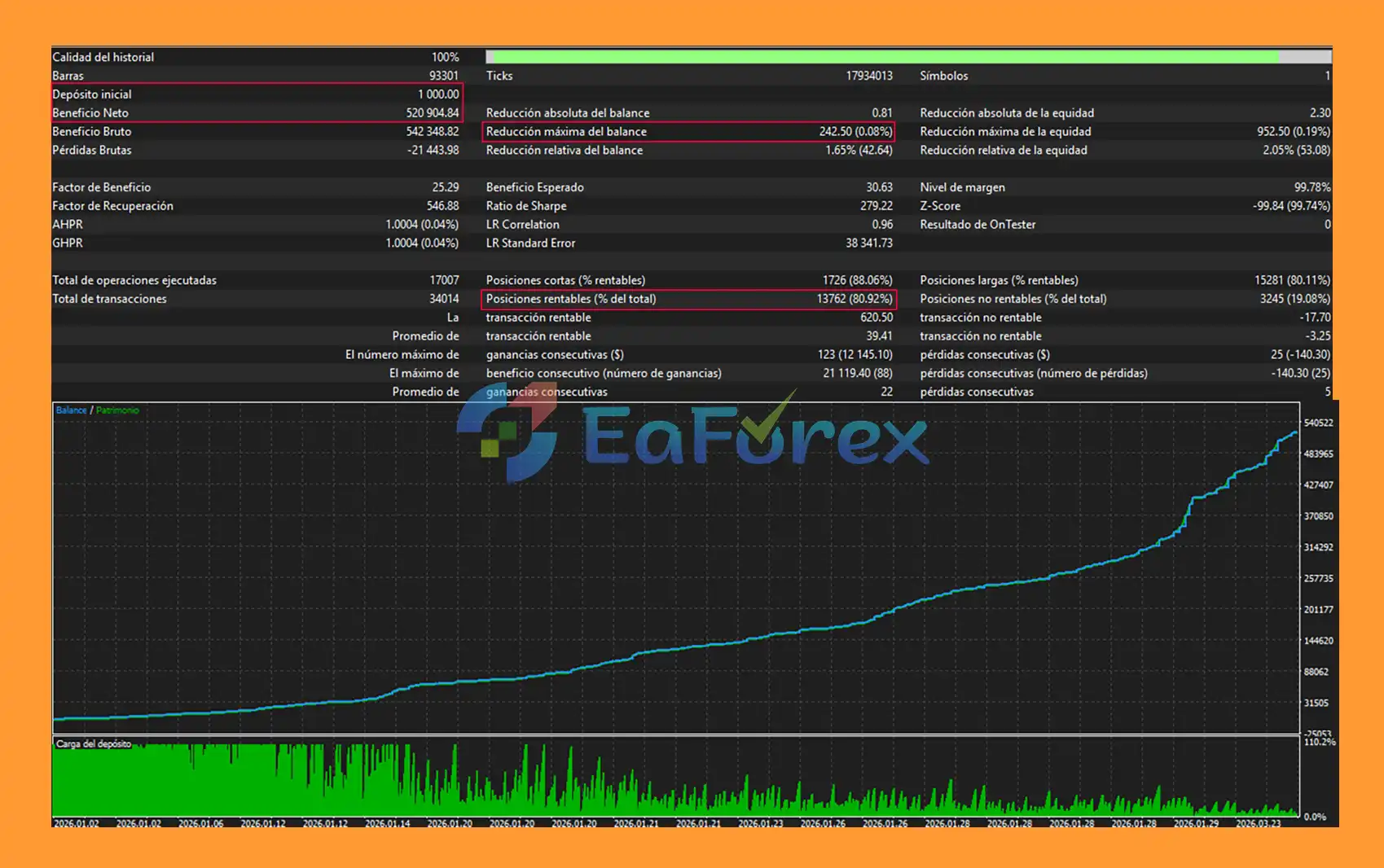
🔺Gold (XAUUSD) – over many years
- Initial Deposit: $1.000
- Total Net Profit: $520.904,84
- Win Rate (% of total): 80,92%
- Maximum Drawdown: 0,08%
Performance and Risk Management
Demark Gold Cyber EA MT5 includes several mechanisms designed to control trading exposure and manage open positions automatically.
Money Management
Users can choose between:
- Fixed Lot: Uses a predefined lot size, with 0.20 as the default example.
- Risk Percentage: Calculates position size based on a configurable percentage of account balance, with 0.5% as the default example.
Stop Loss Protection
The default Stop Loss is 20 pips per trade, although this parameter can be adjusted. The EA also validates the broker's minimum stop distance before sending an order.
Spread Protection
A configurable maximum spread filter is included, with 30 pips as the default threshold. If the spread exceeds the configured limit, the EA does not initiate a new trade.
This is particularly relevant when trading Gold because XAU/USD spreads can expand during periods of reduced liquidity or significant market volatility.
Margin Validation
Before opening a position, the EA checks available margin. If sufficient margin is not available, the order is not sent.
Trading Time Filter
Trading activity can be restricted to a defined period, with the default schedule set between 01:00 and 23:00 server time.
Drawdown Monitoring
The dashboard displays current account drawdown and provides a visual alert when drawdown exceeds the configured monitoring level, with 5% referenced in the default dashboard behavior.
Automated Position Management
Open positions can be managed through:
- Automatic profit closure.
- Dynamic trailing stops.
- Aggressive trailing adjustments.
- Break-even protection.
- Stop Loss management.
These tools can help automate trade management, but they do not eliminate market or execution risk.
Weaknesses and Risk Warnings
- Like any automated trading system, Demark Gold Cyber EA MT5 does not guarantee profits and can experience losing trades.
- The EA is specifically designed for XAU/USD on H1, meaning its behavior may differ substantially if used on other symbols or timeframes.
- The grid and pending-order architecture can increase market exposure when multiple orders are activated. During strong or rapidly changing Gold movements, several positions may be affected within a relatively short period.
- The default 20-pip Stop Loss, 15-pip profit-close target, and other parameters are configuration examples rather than guarantees of a particular risk/reward outcome.
- Gold can experience rapid price movements, spread expansion, slippage, and temporary liquidity deterioration. Actual execution may therefore differ from theoretical or backtested results.
- Users should also consider broker-specific conditions, including contract specifications, minimum stop levels, spread structure, execution speed, leverage, margin requirements, and server time.
- Always test the EA on a demo account first and evaluate appropriate risk settings before using it on a live account. Never risk capital that you cannot afford to lose.
Pros and Cons
Pros
- Designed specifically for XAU/USD on H1.
- Combines DeMarker and Parabolic SAR for dual signal confirmation.
- Includes a neutral-zone filter to avoid certain non-directional conditions.
- Supports Buy Stop and Sell Stop pending orders.
- Configurable maximum pending orders.
- Built-in Stop Loss and automatic profit closure.
- Progressive dynamic trailing-stop system.
- Break-even protection.
- Fixed-lot and percentage-based risk management.
- Margin and spread protection.
- Configurable trading schedule.
- Real-time Cyber/Neon monitoring dashboard.
Cons
- Focused primarily on XAU/USD, limiting its intended market scope.
- Designed around the H1 timeframe, so it is not intended as a universal multi-timeframe system.
- Grid-based order management can increase exposure when multiple orders are activated.
- Gold volatility can cause slippage and spread expansion.
- Default parameters may not be suitable for every broker or account size.
- Automated risk-management tools cannot prevent all losses during extreme market conditions.
- Results can vary depending on broker execution, spreads, leverage, and market conditions.
How to Install DEMARK PSAR CYBER EA MT5
Installing DEMARK PSAR CYBER EA MT5 on MetaTrader 5 is straightforward.
Step 1: Open MetaTrader 5
Launch your MetaTrader 5 trading platform and log in to your trading account.
Step 2: Open the MT5 Data Folder
From the MT5 menu, go to:
File → Open Data Folder
Then navigate to:
MQL5 → Experts
Step 3: Copy the EA File
Copy the Demark Gold Cyber EA MT5 .ex5 or .mq5 file into the Experts folder.
Step 4: Restart MetaTrader 5
Close and reopen MetaTrader 5, or right-click the Expert Advisors section in the Navigator window and select Refresh.
Step 5: Open an XAU/USD H1 Chart
Open the XAU/USD chart and change the timeframe to H1.
Step 6: Attach the EA
From the Navigator → Expert Advisors section, locate DEMARK PSAR CYBER EA MT5 and drag it onto the XAU/USD H1 chart.
Step 7: Configure the Parameters
Review and configure the available settings, including:
- Magic Number
- Slippage
- Trading Start and End Hours
- Fixed Lot or Risk Percent
- Grid Delta
- Maximum Distance
- Stop Loss
- Maximum Spread
- Maximum Pending Orders
- Profit Close Pips
- Trailing Start
- Trailing Step
- Break-Even Pips
- Aggressive Trailing
- DeMarker Period
- DeMarker Bullish/Bearish Levels
- Parabolic SAR Step and Maximum
Step 8: Enable Automated Trading
Make sure Algo Trading / AutoTrading is enabled in MetaTrader 5 and confirm that the EA is allowed to trade.
Before running the EA on a live account, it is recommended to perform sufficient backtesting and demo testing to understand its behavior under different Gold market conditions and to determine appropriate risk parameters for your account.
What’s Included in the Download Package?
- Setting (If Any).docx
- Installation Guide.docx
Final Thoughts
In summary, Demark Gold Cyber EA MT5 is a specialized XAU/USD Gold trading Expert Advisor for MetaTrader 5, built around DeMarker and Parabolic SAR dual confirmation on the H1 timeframe. Its combination of pending-order execution, grid-based trade management, dynamic trailing stops, break-even protection, spread filtering, margin validation, and flexible money management provides a structured framework for automated Gold trading.
The built-in Cyber/Neon dashboard also makes it easier to monitor market signals, open positions, pending orders, spread, drawdown, and account conditions directly from the MT5 chart. However, the EA remains exposed to the inherent risks of Gold trading, including volatility, slippage, spread expansion, and increased exposure when multiple grid orders are activated.
The reported backtest results should be considered historical testing data rather than a guarantee of future performance. Traders should thoroughly backtest and demo test Demark Gold Cyber EA MT5, carefully adjust the risk and trading parameters, and consider their broker's execution conditions before using the system on a live account.



